The experimental version of ADBTuner was updated with a new feature.
If all goes well this will eventually be added to the stable build of ADBTuner, but it will always be an unsupported, advanced user kind of thing. It's not something that most users would ever need to be aware of.
Anyway, I added something that I am calling "Configurations." A Configuration is a text file that contains a JSON object where some ADBTuner specific options are defined along with the actual ADB commands that will be used to tune a channel.
The purpose of this change is to allow for custom configurations for situations where an Android application could work with ADBTuner if just a few changes could be made. For example, some apps might have an overlay on top of the video when it starts and you might need to trigger the back button or something else to clear that overlay.
These configurations can be managed at /configurations in ADBTuner.
The default configurations (Standard, Compatibility Mode) were migrated to this format and can used as examples for writing a new configuration. They are both visible at /configurations.
For example, the default configuration is as follows:
{
    "name": "Deep Links (default, recommended)",
    "author": "ADBTuner",
    "version": "1.0.0",
    "description": "Loads content via deep link URLs (where supported). Recommended for most content.",
    "uuid": "8ec77d65-30d6-46a3-8045-282571cff8d8",
    "global_options": {
        "wait_for_video_playback_detection": true,
        "use_fixed_delay": false,
        "fixed_delay_seconds": 0,
        "check_for_and_clear_whos_watching_prompts": true
    },
    "pre_tune_commands": [
        "input keyevent KEYCODE_MEDIA_STOP"
    ],
    "tune_commands": [
        "am start -W -a android.intent.action.VIEW -d '||TARGET_URL_OR_IDENTIFIER||' '||TARGET_PACKAGE_NAME||'"
    ],
    "post_tune_commands": [
        "input keyevent KEYCODE_MEDIA_STOP",
        "input keyevent KEYCODE_MEDIA_PAUSE"
    ]
}
So lets say you have an application that works perfectly, but it ignores the stop and pause commands so video playback never actually stops. As a workaround, you could add an extra command to always navigate to the home screen after playback is finished.
{
    "name": "Always Exit to Home Screen",
    "author": "John Doe",
    "version": "1.0",
    "description": "Example App won't stop video playback unless you actually navigate away from the application.",
    "uuid": "3dfe3fe6-6f57-490e-be7d-18e459892c7e",
    "global_options": {
        "wait_for_video_playback_detection": true,
        "use_fixed_delay": false,
        "fixed_delay_seconds": 0,
        "check_for_and_clear_whos_watching_prompts": true
    },
    "pre_tune_commands": [
        "input keyevent KEYCODE_MEDIA_STOP"
    ],
    "tune_commands": [
        "am start -W -a android.intent.action.VIEW -d '||TARGET_URL_OR_IDENTIFIER||' '||TARGET_PACKAGE_NAME||'"
    ],
    "post_tune_commands": [
        "input keyevent KEYCODE_MEDIA_STOP",
        "input keyevent KEYCODE_MEDIA_PAUSE",
        "input keyevent KEYCODE_HOME"
    ]
}
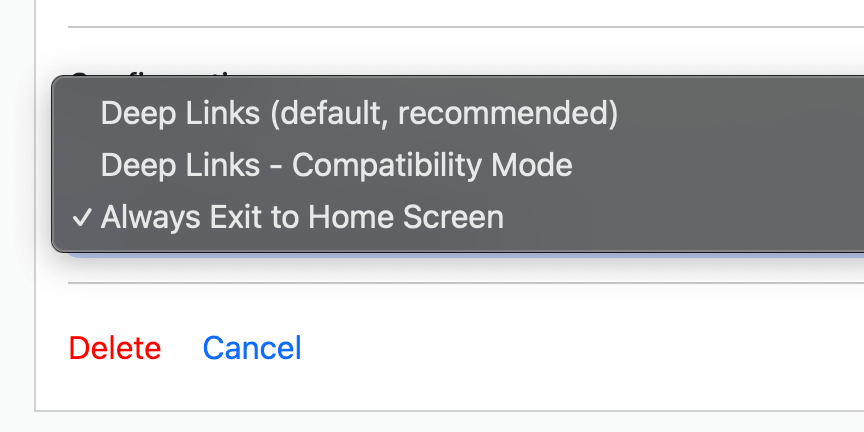
And once the configuration has been added you can go back to the main ADBTuner configuration screen and select the new configuration for each channel as needed.
Some notes:
- UUIDs are used to identify each configuration so they obviously need to be unique.
- The strings
||TARGET_URL_OR_IDENTIFIER|| and ||TARGET_PACKAGE_NAME|| are replaced with the values from the fields with the same for each channel configuration.
- You cannot modify the default configuations. However, any custom configurations can be edited via the web interface.
- These custom configurations are stored as text files (.json) in .
config/user_configurations.
- There is very little in the way of validation in the /configurations section of the web interface. It's not going to save invalid JSON and it enforces the presence of some required fields, but that's it.
- If you need to do something more substantial than adding/editing/removing a few ADB commands you are probably better off with something that provides a full scripting environment like ah4c.
Well I hope this helps for the few people who may need it and stays out of the way for those that don't!
Please let me know if you run into any issues.