
I hear ya. I'm just a fan of DirecTV, works for my house and budget. But I will say the best experience I've had with ADBTuner has been pairing it with YouTube TV. Much like DirecTV and Osprey Boxes, the YTTV experience is baked into Google TV. Deep links just work, are fast, and you have a lot less tweaking to do. It is a very nice in production.
Actually, Philo works especially well.
The only issue I have is with Reelz. For some reason with that particular channel it works fine for recordings but is better over TVE for live. Occasionally, despite it being set in Philo to not do this, it will sometimes start a show from the beginning rather than from live, which obviously messes up the entire viewing experience and you have to grab the remote for the Android box and fast forward. I think it's because that's a premium channel and it only happens with that channel where the show will start from the beginning.
I have to look to see if there's some sort of activity for the Philo app to force Philo to start a stream live.
This is where I'm at. MyEntertainment ($34.99/mo) + MyCinema($9.99/mo). Total $45.98/mo. An added benefit is that DTV includes Disney+, HULU, and HBOMax with these packs.
I only need locals for news during emergencies or for holiday parades or specials. So, I added the MyNews base package temporarily to get me through this holiday season. ($39.99/mo)
I don't watch sports. But, if I happen to have guests who live for their teams, I believe that I can temporarily add and remove those packs, as needed.
I'd love to grab the basic guide info you need to make a full channel list JSON for everyone to use. I made it this far, and don't know what to do next... @spammedeeper ?
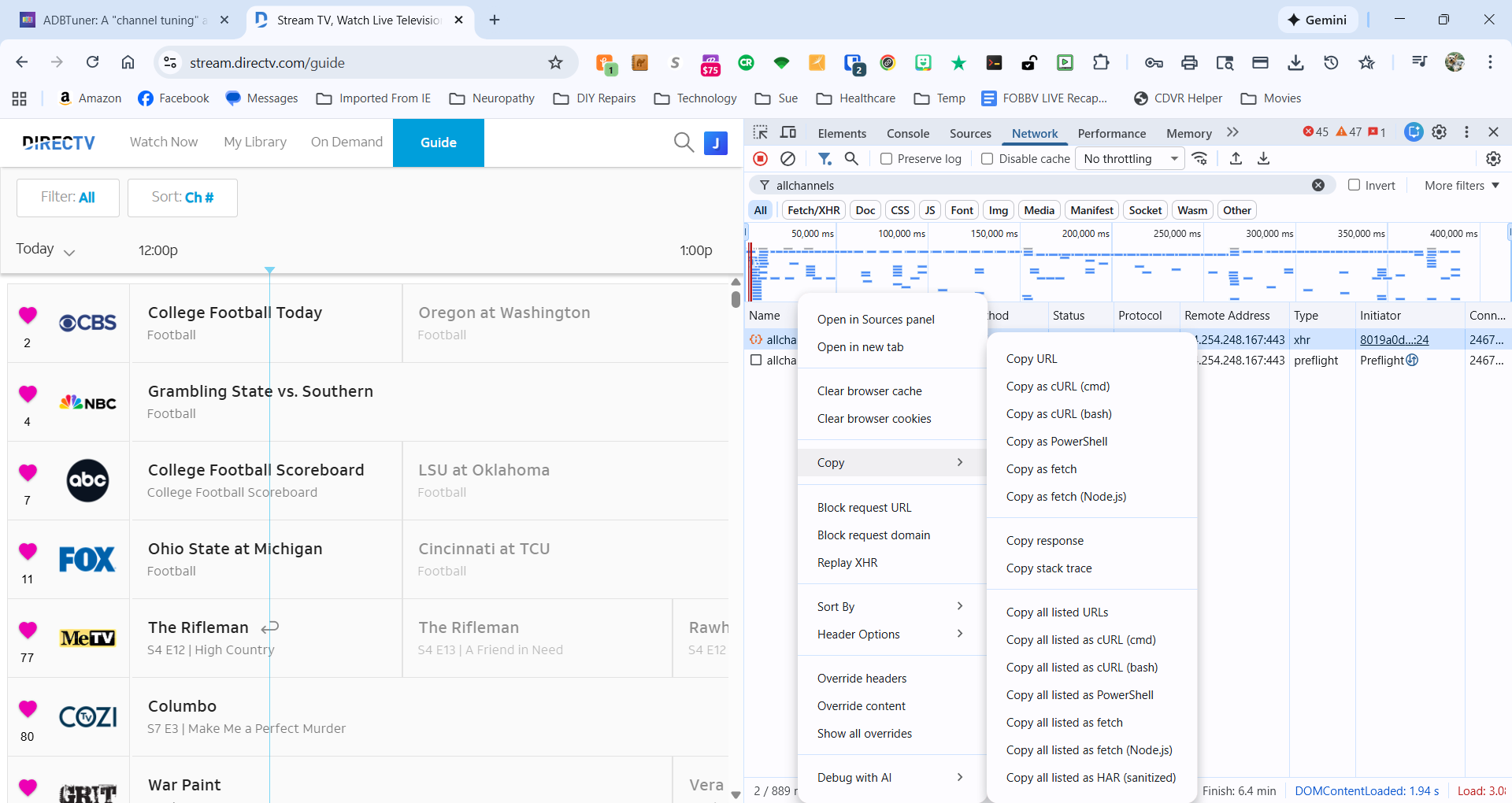
Copy response
{
    "name": "Philo - Skip to Live",
    "author": "David B",
    "version": "1.0.0",
    "description": "Load Philo channels via deep link and automatically skip to live playback instead of starting from the beginning of the current program.",
    "uuid": "7c4e8f12-3a9d-4b6e-a1c5-2d8f9e0b7a3c",
    "global_options": {
        "wait_for_video_playback_detection": false,
        "use_fixed_delay": false,
        "fixed_delay_seconds": 0,
        "check_for_and_clear_whos_watching_prompts": true,
        "wait_after_post_playback_start_commands_seconds": 0
    },
    "pre_tune_commands": [
        "input keyevent KEYCODE_MEDIA_STOP",
        "am force-stop '||TARGET_PACKAGE_NAME||'"
    ],
    "tune_commands": [
        "am start -W -a android.intent.action.VIEW -d '||TARGET_URL_OR_IDENTIFIER||' '||TARGET_PACKAGE_NAME||'",
        "sleep 2"
    ],
    "post_playback_start_commands": [
        "rm -f /sdcard/Documents/philo-ui.xml /sdcard/Documents/stop",
        "sleep 5",
        "while [ ! -f /sdcard/Documents/stop ]; do input keyevent 19; input keyevent 19; sleep 1; done & input keyevent 19; sleep 0.2; input keyevent 19; sleep 0.5; for i in 1 2 3 4 5 6 7; do for c in 1 2; do uiautomator dump /sdcard/Documents/philo-ui.xml 2>/dev/null; if grep 'Jump to live button' /sdcard/Documents/philo-ui.xml | grep -q 'focused=\"true\"'; then echo 1 > /sdcard/Documents/stop; sleep 0.5; input keyevent 23; exit 0; fi; done; input keyevent 22; sleep 0.2; done; echo 1 > /sdcard/Documents/stop; sleep 0.5; input keyevent 23",
        "rm -f /sdcard/Documents/philo-ui.xml /sdcard/Documents/stop"
    ],
    "post_tune_commands": [
        "am force-stop '||TARGET_PACKAGE_NAME||'",
        "input keyevent KEYCODE_HOME"
    ]
}
See here for more reliable config: ADBTuner: A "channel tuning" application for networked Google TV / Android TV devices - #2879 by mackid1993
1 Like
Thank you, Aman.
@mackid1993 , I have captured the info which you will need to create an importable DirecTV channel list. Problem is, there are far too many characters to include in a post or message through this forum. Is there another way for me to send you the file? It's about 800 KB.
Pastebin should work.
Never heard of it. I'll take a look...
Dang, max file size of 512 KB...
Try a github gist.
I think I have all the channels somewhere, in Excel. They include Music and the "Free" IIRC. Let me go take a look.
I haven't got a clue what that is... Unfortunately, I think that I'm into this way over my head.
Do you have Google Drive? Perhaps share a link?
I can try that...
Let me know if this works, I'm not sure that I did it quite right, but we'll find out pretty quickly.
Just back up your current config before you try importing this. If I made any mistakes, just let me know and I'll correct them. It should be pretty easy to make changes.
Oh, and let me know if any Gracenote IDs are wrong. I'll correct them.
Edit: updated with @spammedeeper's custom config.
1 Like
Excellent work! I had to go check my service, and like a dummy was looking for music channels (for some reason). If any of the channels need comparison, I can export my JSON from ADBT.
2 Likes
It looks like everything imported properly. I tested a handful of channels and they played without issue.
I wonder if there's a way to set or edit the startup configuration for the whole bunch when importing the JSON. They all defaulted to "Deep Links - Compatibility Mode". I'd like to pull them all in using @spammedeeper 's "DirecTV App - Onn 4K Plus (Recording)" configuration.
@turtletank , is there a way to set the startup configuration for several channels at once? I'd like to be able to edit the configuration for every channel from each source to match each other. For instance... all YTTV channels to "Deeplinks default recommended" and all DTV channels to a different custom configuration. Currently, I have been editing each channel configuration one by one. It's a bit tedious with dozens of channels.
That was my fault. I used that UUID. I didn't realize you wanted @spammedeeper's config. I will swap that out. Hold on!
@jsfullam redownload and reimport and it should use that config.
Awesome! I'd still like to know how to change those myself. I have come to realize that we all need to be very fluid to keep up with the content providers changes. It's nice when I can update every channel from a specific provider at once.
It's just changing configuration_uuid in the json to the one that @spammedeeper used in their config. I did a find and replace.