ADBTuner: A "channel tuning" application for networked Google TV / Android TV devices

I installed the app from the play store to try and help and discovered that the apk I had downloaded and decompiled yesterday was for the mobile phone app and not the Android TV app.

Believe it or not, the phone version has deep link support as indicated in the android manifest screenshot I had posted, the Android TV version does NOT. I installed the mobile app under Android TV (via adb) to see if that might be a workaround, but it doesn't run at all.

I think you are going to be out of luck with this one using ADBTuner. Sorry.

This might be a candidate for ah4c.

1 Like

Can anybody help me find The Tennis Channel package name? I get com.tennischannel.tceverywhere.amazon in the Select From Install list, but the app is not launching with that. I'm assuming the URL should be https://tennischannel.com/watchnow/tennischanneleverywhere-mvpd, but I'm not sure that will work. Thanks.

For the purposes of ADBTuner, there seems to be some overall confusion on this.

It is very rare that you would need to identify a specific activity (the part after the /) with an app that supports deep links. Triggering a specific activity to get the app to open usually doesn't move the needle in making the app work with ADBTuner. The package name (ex. com.sling) and a valid deep link URL is all that should be needed.

The situation is different if you are looking to open the app as part of a sequence of automated commands with hdmi-for-channels or ah4c.


com.tennischannel.tceverywhere.amazon is the package name.

Unfortunately this app does not officially have deep link support. There are no activities that trigger android.intent.action.VIEW" and there are no resolvers that accept data (eg. URLs).

$ adb shell dumpsys package com.tennischannel.tceverywhere.amazon

Activity Resolver Table:
  Non-Data Actions:
      android.intent.action.MAIN:
        e58baac com.tennischannel.tceverywhere.amazon/com.firetv.web.MainActivity filter 29c68da
          Action: "android.intent.action.MAIN"
          Category: "android.intent.category.LEANBACK_LAUNCHER"
          Category: "android.intent.category.LAUNCHER"
          AutoVerify=false

Receiver Resolver Table:
  Non-Data Actions:
      com.amazon.inapp.purchasing.NOTIFY:
        1b01375 com.tennischannel.tceverywhere.amazon/com.amazon.device.iap.ResponseReceiver filter 9f72285
          Action: "com.amazon.inapp.purchasing.NOTIFY"
          AutoVerify=false

If you want to open the app you can specify com.firetv.web.MainActivity as the activity, but this most likely won't help with ADBTuner.


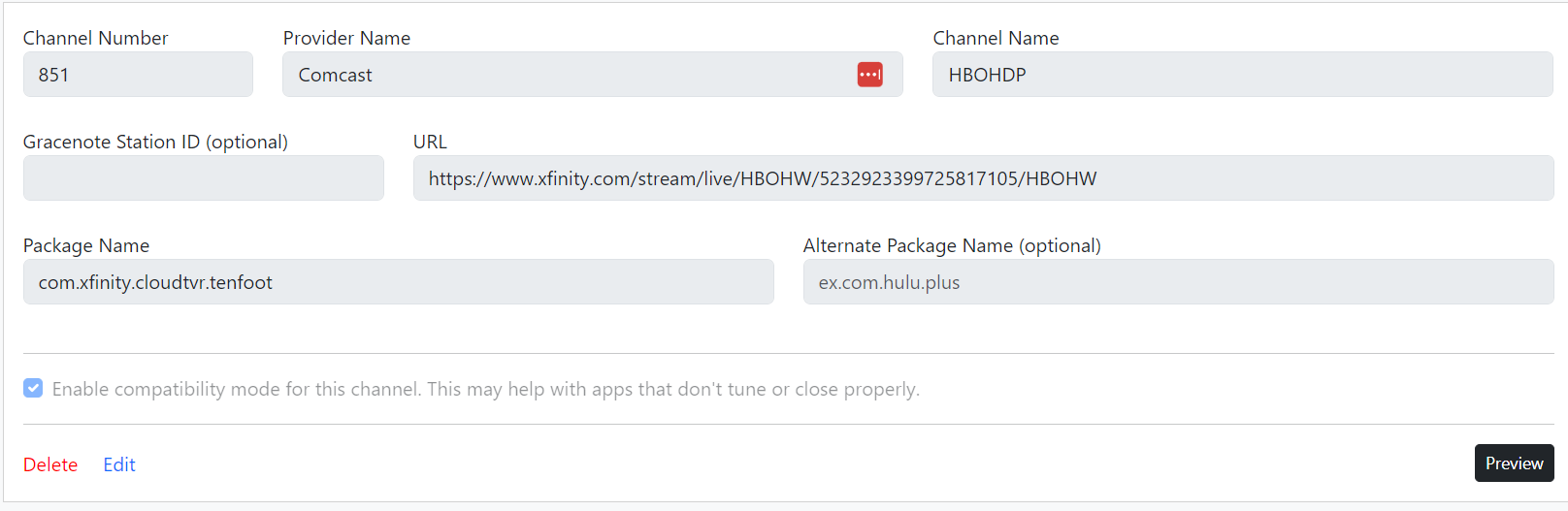
What happens if you just use com.xfinity.cloudtvr.tenfoot (just the package name, without specifying an activity)?

I don't have an Xfinity account so all I get is a login screen, but it did open the app as expected based on the activity resolvers reported by the app (see screenshot I posted the other day). I know you have a working solution, I'm still just curious why it's working that way.

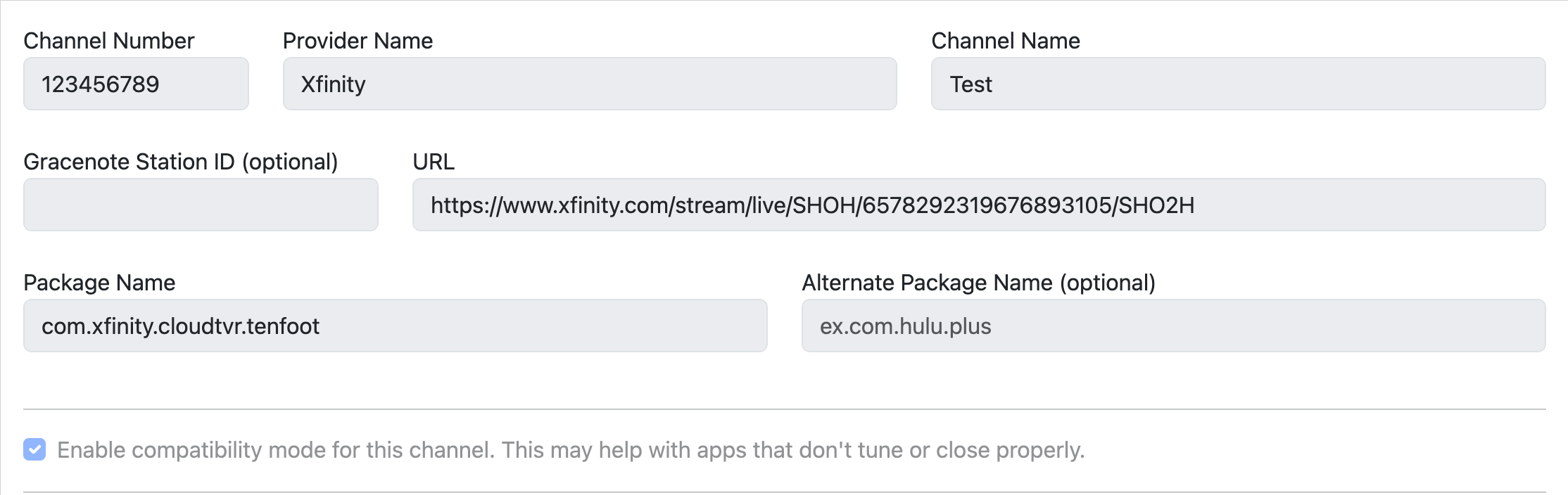
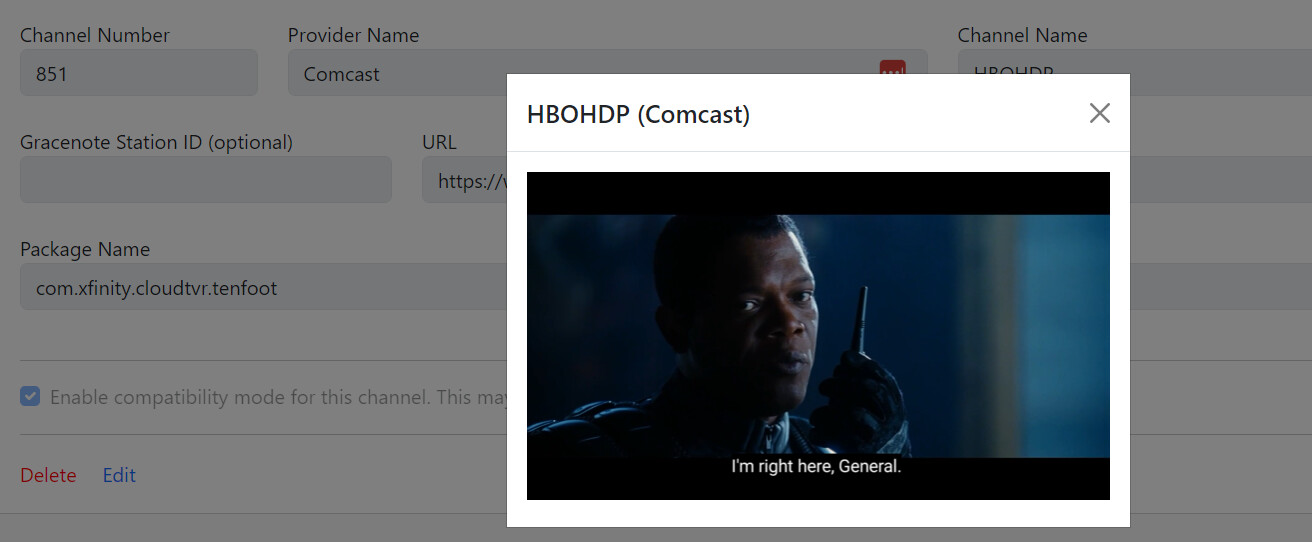
It works ....


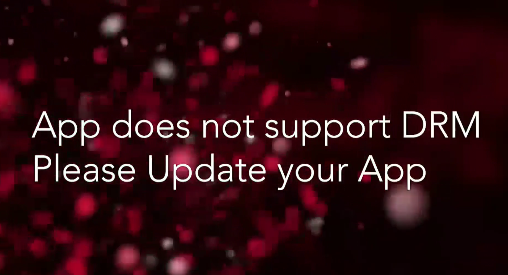
Thank you for digging into the Tennis Channel. It was a long shot, and anyway here's what I get when I try to play it (manually) through the LinkPi...

Screenshot 2024-01-28 at 1.12.18 PM

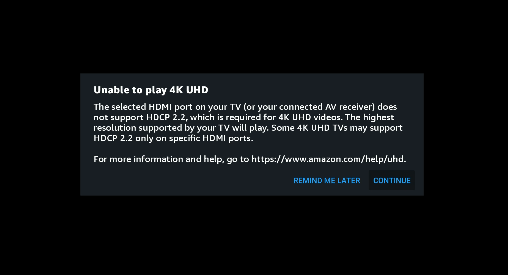
I also realize now that the Fire TV 4K cannot feed 4K content to the LinkPi V3 (4K):

Screenshot 2024-01-28 at 1.16.29 PM

I think a Chromecast is less demanding in terms of HDCP but then again it doesn't allow the Xfinity app.

2 Likes

That is why you have to use a Streamer that meets your needs ... That is why I use FireTV streamer because of XFINITY ... I can watch on 5 devices.

I also use 1 Google TV to watch DRM using the Prime Tuners.

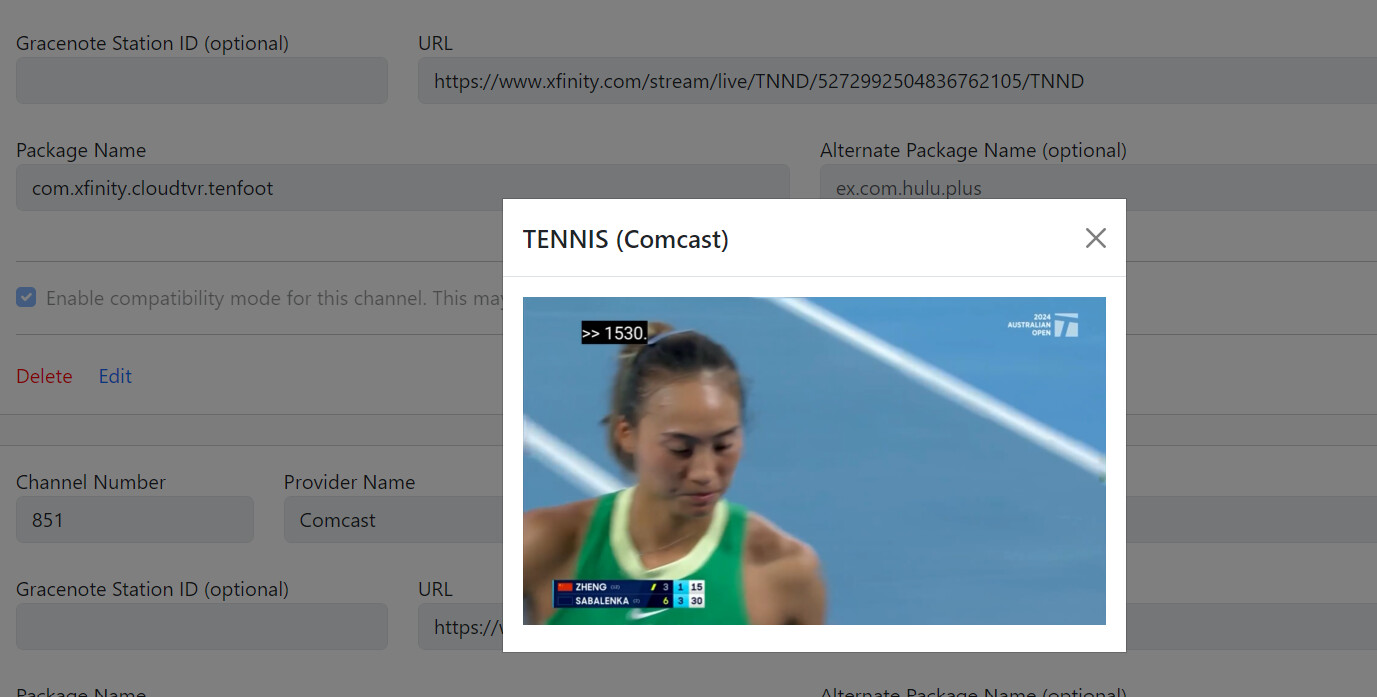
Tennis Channels XFINITY Stream ...

1 Like

Does HDCP work at 1080P? Where the LinkPi does 4K, it is limited to 30Hz/FPS due a limitation with HDMI 1.4.

Could you please take a look at my file for package name to use and if it should support deeplinks ? The one from droplist (allente.b2c.tvclient) does not open the app

<?xml version="1.0" encoding="utf-8"?>
<manifest xmlns:android="http://schemas.android.com/apk/res/android" android:versionCode="1116000517" android:versionName="1.22.4.0" android:compileSdkVersion="33" android:compileSdkVersionCodename="13" package="allente.b2c.tvclient" platformBuildVersionCode="33" platformBuildVersionName="13" xmlns:ns1="http://schemas.android.com/apk/distribution" ns1:requiredSplitTypes="base__abi,base__density" xmlns:ns2="http://schemas.android.com/apk/distribution" ns2:splitTypes="">
    <uses-sdk android:minSdkVersion="26" android:targetSdkVersion="33"/>
    <uses-permission android:name="android.permission.INTERNET"/>
    <uses-permission android:name="com.google.android.leanbacklauncher.recommendations.permission.RECOMMENDATIONS"/>
    <uses-permission android:name="com.netflix.ninja.permission.TILES"/>
    <uses-permission android:name="com.netflix.ninja.permission.NETFLIX_KEY"/>
    <uses-permission android:name="android.permission.ACCESS_WIFI_STATE"/>
    <uses-permission android:name="android.permission.ACCESS_NETWORK_STATE"/>
    <uses-feature android:name="android.software.leanback" android:required="true"/>
    <uses-feature android:name="android.software.live_tv" android:required="true"/>
    <uses-feature android:name="android.hardware.touchscreen" android:required="false"/>
    <uses-feature android:name="android.hardware.wifi" android:required="false"/>
    <queries>
        <package android:name="no.nrk.tv"/>
        <package android:name="no.tv2.sumo"/>
        <package android:name="com.viaplay.android"/>
        <package android:name="se.svt.android.svtplay"/>
        <package android:name="com.hbo.hbonow"/>
        <package android:name="dk.dr.tvplayer"/>
        <package android:name="fi.mtvkatsomo"/>
    </queries>
    <uses-permission android:name="android.permission.WAKE_LOCK"/>
    <uses-permission android:name="android.permission.FOREGROUND_SERVICE"/>
    <uses-permission android:name="com.google.android.gms.permission.AD_ID"/>
    <uses-permission android:name="com.android.providers.tv.permission.READ_EPG_DATA"/>
    <uses-permission android:name="com.android.providers.tv.permission.WRITE_EPG_DATA"/>
    <uses-permission android:name="com.android.providers.tv.permission.ACCESS_ALL_EPG_DATA"/>
    <uses-permission android:name="com.technicolor.android.user.provider.permission.READ_USER_DATA"/>
    <uses-permission android:name="android.permission.RECEIVE_BOOT_COMPLETED"/>
    <uses-permission android:name="android.permission.SCHEDULE_EXACT_ALARM"/>
    <uses-permission android:name="android.permission.WRITE_MEDIA_STORAGE"/>
    <uses-permission android:name="com.netflix.ninja.permission.TOKEN"/>
    <uses-permission android:name="android.permission.BLUETOOTH" android:maxSdkVersion="30"/>
    <uses-permission android:name="android.permission.BLUETOOTH_CONNECT"/>
    <uses-permission android:name="android.permission.READ_EXTERNAL_STORAGE"/>
    <uses-permission android:name="android.permission.WRITE_EXTERNAL_STORAGE"/>
    <uses-permission android:name="com.google.android.finsky.permission.BIND_GET_INSTALL_REFERRER_SERVICE"/>
    <application android:theme="@style/AppTheme" android:label="@string/app_name" android:icon="@mipmap/allente_app_logo" android:name="tv.threess.threeready.app.App" android:allowBackup="false" android:largeHeap="true" android:banner="@drawable/allente_banner" android:extractNativeLibs="false" android:networkSecurityConfig="@xml/network_security_config" android:appComponentFactory="androidx.core.app.CoreComponentFactory" android:isSplitRequired="true">
        <meta-data android:name="firebase_performance_logcat_enabled" android:value="true"/>
        <meta-data android:name="firebase_crashlytics_collection_enabled" android:value="true"/>
        <activity android:name="tv.threess.threeready.ui.generic.activity.MainActivity" android:exported="true" android:launchMode="singleTask" android:configChanges="keyboard|keyboardHidden">
            <intent-filter>
                <action android:name="android.intent.action.MAIN"/>
                <action android:name="tv.threess.threeready.ui.SEARCH_RESULT"/>
                <action android:name="tv.threess.threeready.ui.VIEW_AUDIO_SETTINGS"/>
                <action android:name="tv.threess.threeready.ui.VIEW_CHANNEL_SEARCH_SETTINGS"/>
                <category android:name="android.intent.category.DEFAULT"/>
                <category android:name="android.intent.category.LEANBACK_LAUNCHER"/>
            </intent-filter>
            <intent-filter>
                <action android:name="android.intent.action.VIEW"/>
                <category android:name="android.intent.category.DEFAULT"/>
                <data android:scheme="@string/scheme" android:pathPrefix="@string/path_prefix_mini_epg"/>
                <data android:scheme="@string/scheme" android:path="@string/path_live" android:pathPrefix="@string/path_prefix_play"/>
                <data android:scheme="@string/scheme" android:pathPrefix="@string/path_prefix_app"/>
            </intent-filter>
        </activity>
        <receiver android:name="tv.threess.threeready.ui.generic.view.DayChangedBroadcastReceiver" android:enabled="true" android:exported="true">
            <intent-filter>
                <action android:name="android.intent.action.TIME_SET"/>
            </intent-filter>
        </receiver>
        <provider android:name="tv.threess.threeready.data.allente.search.AllenteGlobalSearchProvider" android:enabled="true" android:exported="true" android:authorities="@string/global_search_provider">
            <meta-data android:name="SupportedSwitchActionType" android:value="CHANNEL|TVINPUT"/>
        </provider>
        <provider android:name="tv.threess.threeready.data.config.ConfigProvider" android:enabled="true" android:exported="true" android:authorities="@string/config_provider"/>
        <provider android:name="tv.threess.threeready.data.log.EventProvider" android:enabled="true" android:exported="false" android:authorities="@string/event_provider"/>
        <service android:name="tv.threess.threeready.data.log.EventService" android:enabled="true" android:exported="false"/>
        <provider android:name="tv.threess.threeready.data.tv.TvProvider" android:enabled="true" android:exported="false" android:authorities="@string/tv_provider"/>
        <provider android:name="tv.threess.threeready.data.pvr.PvrProvider" android:enabled="true" android:exported="false" android:authorities="@string/pvr_provider"/>
        <provider android:name="tv.threess.threeready.data.vod.VodProvider" android:enabled="true" android:exported="false" android:authorities="@string/vod_provider"/>
        <receiver android:name="tv.threess.threeready.data.netflix.receiver.NetflixAuthenticationReceiver" android:enabled="true" android:exported="true">
            <intent-filter>
                <action android:name="com.netflix.ninja.intent.action.TOKEN_REQUEST"/>
            </intent-filter>
        </receiver>
        <service android:name="com.google.firebase.components.ComponentDiscoveryService" android:exported="false" android:directBootAware="true">
            <meta-data android:name="com.google.firebase.components:com.google.firebase.crashlytics.CrashlyticsRegistrar" android:value="com.google.firebase.components.ComponentRegistrar"/>
            <meta-data android:name="com.google.firebase.components:com.google.firebase.perf.FirebasePerfRegistrar" android:value="com.google.firebase.components.ComponentRegistrar"/>
            <meta-data android:name="com.google.firebase.components:com.google.firebase.analytics.connector.internal.AnalyticsConnectorRegistrar" android:value="com.google.firebase.components.ComponentRegistrar"/>
            <meta-data android:name="com.google.firebase.components:com.google.firebase.remoteconfig.RemoteConfigRegistrar" android:value="com.google.firebase.components.ComponentRegistrar"/>
            <meta-data android:name="com.google.firebase.components:com.google.firebase.installations.FirebaseInstallationsRegistrar" android:value="com.google.firebase.components.ComponentRegistrar"/>
            <meta-data android:name="com.google.firebase.components:com.google.firebase.datatransport.TransportRegistrar" android:value="com.google.firebase.components.ComponentRegistrar"/>
            <meta-data android:name="com.google.firebase.components:com.google.firebase.abt.component.AbtRegistrar" android:value="com.google.firebase.components.ComponentRegistrar"/>
        </service>
        <provider android:name="androidx.startup.InitializationProvider" android:exported="false" android:authorities="allente.b2c.tvclient.androidx-startup">
            <meta-data android:name="androidx.work.WorkManagerInitializer" android:value="androidx.startup"/>
            <meta-data android:name="androidx.emoji2.text.EmojiCompatInitializer" android:value="androidx.startup"/>
            <meta-data android:name="androidx.lifecycle.ProcessLifecycleInitializer" android:value="androidx.startup"/>
        </provider>
        <service android:name="androidx.work.impl.background.systemalarm.SystemAlarmService" android:enabled="@bool/enable_system_alarm_service_default" android:exported="false" android:directBootAware="false"/>
        <service android:name="androidx.work.impl.background.systemjob.SystemJobService" android:permission="android.permission.BIND_JOB_SERVICE" android:enabled="@bool/enable_system_job_service_default" android:exported="true" android:directBootAware="false"/>
        <service android:name="androidx.work.impl.foreground.SystemForegroundService" android:enabled="@bool/enable_system_foreground_service_default" android:exported="false" android:directBootAware="false"/>
        <receiver android:name="androidx.work.impl.utils.ForceStopRunnable$BroadcastReceiver" android:enabled="true" android:exported="false" android:directBootAware="false"/>
        <receiver android:name="androidx.work.impl.background.systemalarm.ConstraintProxy$BatteryChargingProxy" android:enabled="false" android:exported="false" android:directBootAware="false">
            <intent-filter>
                <action android:name="android.intent.action.ACTION_POWER_CONNECTED"/>
                <action android:name="android.intent.action.ACTION_POWER_DISCONNECTED"/>
            </intent-filter>
        </receiver>
        <receiver android:name="androidx.work.impl.background.systemalarm.ConstraintProxy$BatteryNotLowProxy" android:enabled="false" android:exported="false" android:directBootAware="false">
            <intent-filter>
                <action android:name="android.intent.action.BATTERY_OKAY"/>
                <action android:name="android.intent.action.BATTERY_LOW"/>
            </intent-filter>
        </receiver>
        <receiver android:name="androidx.work.impl.background.systemalarm.ConstraintProxy$StorageNotLowProxy" android:enabled="false" android:exported="false" android:directBootAware="false">
            <intent-filter>
                <action android:name="android.intent.action.DEVICE_STORAGE_LOW"/>
                <action android:name="android.intent.action.DEVICE_STORAGE_OK"/>
            </intent-filter>
        </receiver>
        <receiver android:name="androidx.work.impl.background.systemalarm.ConstraintProxy$NetworkStateProxy" android:enabled="false" android:exported="false" android:directBootAware="false">
            <intent-filter>
                <action android:name="android.net.conn.CONNECTIVITY_CHANGE"/>
            </intent-filter>
        </receiver>
        <receiver android:name="androidx.work.impl.background.systemalarm.RescheduleReceiver" android:enabled="false" android:exported="false" android:directBootAware="false">
            <intent-filter>
                <action android:name="android.intent.action.BOOT_COMPLETED"/>
                <action android:name="android.intent.action.TIME_SET"/>
                <action android:name="android.intent.action.TIMEZONE_CHANGED"/>
            </intent-filter>
        </receiver>
        <receiver android:name="androidx.work.impl.background.systemalarm.ConstraintProxyUpdateReceiver" android:enabled="@bool/enable_system_alarm_service_default" android:exported="false" android:directBootAware="false">
            <intent-filter>
                <action android:name="androidx.work.impl.background.systemalarm.UpdateProxies"/>
            </intent-filter>
        </receiver>
        <receiver android:name="androidx.work.impl.diagnostics.DiagnosticsReceiver" android:permission="android.permission.DUMP" android:enabled="true" android:exported="true" android:directBootAware="false">
            <intent-filter>
                <action android:name="androidx.work.diagnostics.REQUEST_DIAGNOSTICS"/>
            </intent-filter>
        </receiver>
        <meta-data android:name="com.bumptech.glide.integration.okhttp3.OkHttpGlideModule" android:value="GlideModule"/>
        <receiver android:name="com.google.android.gms.measurement.AppMeasurementReceiver" android:enabled="true" android:exported="false"/>
        <service android:name="com.google.android.gms.measurement.AppMeasurementService" android:enabled="true" android:exported="false"/>
        <service android:name="com.google.android.gms.measurement.AppMeasurementJobService" android:permission="android.permission.BIND_JOB_SERVICE" android:enabled="true" android:exported="false"/>
        <provider android:name="com.google.firebase.provider.FirebaseInitProvider" android:exported="false" android:authorities="allente.b2c.tvclient.firebaseinitprovider" android:initOrder="100" android:directBootAware="true"/>
        <meta-data android:name="com.google.android.gms.version" android:value="@integer/google_play_services_version"/>
        <service android:name="androidx.room.MultiInstanceInvalidationService" android:exported="false" android:directBootAware="true"/>
        <service android:name="com.google.android.datatransport.runtime.backends.TransportBackendDiscovery" android:exported="false">
            <meta-data android:name="backend:com.google.android.datatransport.cct.CctBackendFactory" android:value="cct"/>
        </service>
        <service android:name="com.google.android.datatransport.runtime.scheduling.jobscheduling.JobInfoSchedulerService" android:permission="android.permission.BIND_JOB_SERVICE" android:exported="false"/>
        <receiver android:name="com.google.android.datatransport.runtime.scheduling.jobscheduling.AlarmManagerSchedulerBroadcastReceiver" android:exported="false"/>
        <provider android:name="com.conviva.platforms.android.ProcessLaunchProvider" android:exported="false" android:authorities="allente.b2c.tvclient.ProcessLaunchProvider"/>
        <meta-data android:name="com.android.vending.splits.required" android:value="true"/>
        <meta-data android:name="com.android.stamp.source" android:value="https://play.google.com/store"/>
        <meta-data android:name="com.android.stamp.type" android:value="STAMP_TYPE_DISTRIBUTION_APK"/>
        <meta-data android:name="com.android.vending.splits" android:resource="@xml/splits0"/>
        <meta-data android:name="com.android.vending.derived.apk.id" android:value="3"/>
    </application>
</manifest>

1 Like

Possibly.
In adbtuner the package name should be allente.b2c.tvclient.
The URL you will be looking for should contain /live

AndroidManifest.xml

<intent-filter>
    <action android:name="android.intent.action.VIEW"/>
    <category android:name="android.intent.category.DEFAULT"/>
    <data android:pathPrefix="@string/path_prefix_mini_epg" android:scheme="@string/scheme"/>
    <data android:path="@string/path_live" android:pathPrefix="@string/path_prefix_play" android:scheme="@string/scheme"/>
    <data android:pathPrefix="@string/path_prefix_app" android:scheme="@string/scheme"/>
</intent-filter>


strings.xml

<string name="path_prefix_mini_epg">/mini-epg</string>
<string name="scheme">allente</string>
<string name="path_live">/live</string>
<string name="path_prefix_play">/play</string>

Thanks but , allready tested allente.b2c.tvclient , and it does not open the app. and the url i´ve tested looks like this: https://tv.allente.se/play/live/20001

1 Like

If the app doesn’t open that would indicate that you may not be using the correct URL for deep linked content. It needs to match the pattern as described in that XML segment I posted.

I believe it needs to be something like allente://play/live or allente://mini-epg/.
(yes, allente:// instead of https)

1 Like

I figured as much, but it was worth a try. Now I have a lot of reading to do on ah4c
Thanks

Just started a fresh thread on ah4c, in the interest of reducing the startup reading/research:

2 Likes

It does work. Fire TV shows that HDCP alert when trying 4K and when you hit Continue it serves the 1080p stream.

Thanks ! allente.b2c.tvclient with allente://play/live/20001 opens the app and plays the channel for maybe 20 seconds and then closes the stream.
Is that the case because i don`t have any hdmi encoder yet? I´ve just wanted to know all was working before buying the PiLink.

If you want 4K you will need an intermediate device to strip HDCP 2.x. I’m not familiar with which devices are best, but have seen such mentioned in channels forum.

3 Likes

The docker logs might provide more insight.
If you haven't yet, try enabling compatibility mode for that channel in ADBTuner. It might be closing the stream and giving up because it can't detect the video playback.

After ages of perfect functioning with ADBTuner, I'm back with sadly timeouts. All that changed was I dropped from two tuners to one. I did try updating to the newest build (at the time of writing!). Any ideas from the logs?

INFO:     Started server process [1]
INFO:     Waiting for application startup.
INFO:     Application startup complete.
2024-02-01 15:58:23.950 - server - ADBTuner setup complete.
INFO:     Uvicorn running on http://0.0.0.0:5592 (Press CTRL+C to quit)
2024-02-01 15:58:40.159 - uvicorn.access - 192.168.6.61:53000 - "GET / HTTP/1.1" 200
2024-02-01 15:58:40.214 - uvicorn.access - 192.168.6.61:53000 - "GET /css/style.css?t=1706803120 HTTP/1.1" 200
2024-02-01 15:58:40.235 - uvicorn.access - 192.168.6.61:53000 - "GET /js/main.js?t=1706803120 HTTP/1.1" 200
2024-02-01 15:58:40.287 - lib.adb - ADB: Connecting to device (attempt 1).
2024-02-01 15:58:40.295 - lib.adb - ADB: Connecting to device (attempt 1).
2024-02-01 15:58:40.385 - lib.adb - ADB: Connected.
2024-02-01 15:58:40.385 - lib.adb - ADB: 192.168.6.199 - dumpsys display
2024-02-01 15:58:40.385 - lib.adb - ADB: Connected.
2024-02-01 15:58:40.385 - lib.adb - ADB: 192.168.6.199 - pm list packages -3
2024-02-01 15:58:40.450 - lib.adb - ADB: 192.168.6.199 - getprop ro.build.version.release
2024-02-01 15:58:40.461 - uvicorn.access - 192.168.6.61:53002 - "GET /admin/tuner/installed-packages?_=1706803120180 HTTP/1.1" 200
2024-02-01 15:58:40.496 - lib.adb - ADB: Android Version: 12.0.
2024-02-01 15:58:40.509 - httpx - HTTP Request: GET http://192.168.6.198/ts/1_0 "HTTP/1.0 200 Ok"
2024-02-01 15:58:41.542 - uvicorn.access - 192.168.6.61:53000 - "GET /admin/tuner/metadata?_=1706803120178 HTTP/1.1" 200
2024-02-01 16:01:42.968 - server - Reserved tuner 2
2024-02-01 16:01:42.968 - server - Using tuner id: 2
2024-02-01 16:01:42.968 - uvicorn.access - 192.168.6.248:54700 - "GET /stream/20 HTTP/1.1" 307
2024-02-01 16:01:42.970 - server - Tuner: Tuning to Fubo Sports 8 on Chromecast Fubo 2
2024-02-01 16:01:42.971 - lib.adb - ADB: Connecting to device (attempt 1).
2024-02-01 16:01:43.058 - lib.adb - ADB: Connected.
2024-02-01 16:01:43.059 - lib.adb - ADB: 192.168.6.199 - dumpsys display
2024-02-01 16:01:43.125 - lib.adb - ADB: 192.168.6.199 - getprop ro.build.version.release
2024-02-01 16:01:43.172 - lib.adb - ADB: Android Version: 12.0.
2024-02-01 16:01:43.172 - lib.adb - ADB: 192.168.6.199 - pm list packages -3
2024-02-01 16:01:43.242 - lib.adb - ADB: 192.168.6.199 - pidof com.fubo.firetv.screen
2024-02-01 16:01:43.353 - lib.adb - ADB: Stopping media playback.
2024-02-01 16:01:43.353 - lib.adb - ADB: 192.168.6.199 - input keyevent KEYCODE_MEDIA_STOP
2024-02-01 16:01:43.427 - lib.adb - ADB: 192.168.6.199 - am start -a android.intent.action.VIEW -d "https://link.fubo.tv/al1%3Fv%3D1%26a%3Dplay%26t%3Dchannel%26channel_id%3D1238520106" com.fubo.firetv.screen
2024-02-01 16:01:45.074 - server - Tuner: Waiting for playback start. Status: unknown
2024-02-01 16:01:47.942 - server - Tuner: Waiting for playback start. Status: unknown
2024-02-01 16:01:51.262 - server - Tuner: Waiting for playback start. Status: unknown
2024-02-01 16:01:54.333 - server - Tuner: Waiting for playback start. Status: unknown
2024-02-01 16:01:57.407 - server - Tuner: Waiting for playback start. Status: unknown
2024-02-01 16:01:58.074 - lib.adb - Checking for profile screen
2024-02-01 16:02:00.380 - lib.adb - Checking for profile screen
2024-02-01 16:02:03.041 - lib.adb - Checking for profile screen
2024-02-01 16:02:05.517 - lib.adb - Checking for profile screen
2024-02-01 16:02:07.948 - lib.adb - Checking for profile screen
2024-02-01 16:02:11.224 - lib.adb - Checking for profile screen
2024-02-01 16:02:13.764 - server - Tuner: Could not detect playback state. Giving up after 30.79 seconds. Display was on, application (com.fubo.firetv.screen) was running.
2024-02-01 16:02:13.764 - server - Released tuner 2
2024-02-01 16:02:13.764 - lib.adb - ADB: Stopping media playback.
2024-02-01 16:02:13.764 - lib.adb - ADB: 192.168.6.199 - input keyevent KEYCODE_MEDIA_STOP
2024-02-01 16:02:13.860 - lib.adb - ADB: 192.168.6.199 - input keyevent KEYCODE_MEDIA_PAUSE
2024-02-01 16:11:18.132 - server - Reserved tuner 2
2024-02-01 16:11:18.132 - server - Using tuner id: 2
2024-02-01 16:11:18.132 - uvicorn.access - 192.168.6.248:44986 - "GET /stream/20 HTTP/1.1" 307
2024-02-01 16:11:18.134 - server - Tuner: Tuning to Fubo Sports 8 on Chromecast Fubo 2
2024-02-01 16:11:18.134 - lib.adb - ADB: Connecting to device (attempt 1).
2024-02-01 16:11:18.321 - lib.adb - ADB: Connected.
2024-02-01 16:11:18.321 - lib.adb - ADB: 192.168.6.199 - dumpsys display
2024-02-01 16:11:18.384 - lib.adb - ADB: 192.168.6.199 - getprop ro.build.version.release
2024-02-01 16:11:18.432 - lib.adb - ADB: Android Version: 12.0.
2024-02-01 16:11:18.432 - lib.adb - ADB: 192.168.6.199 - pm list packages -3
2024-02-01 16:11:18.508 - lib.adb - ADB: 192.168.6.199 - pidof com.fubo.firetv.screen
2024-02-01 16:11:18.615 - lib.adb - ADB: Stopping media playback.
2024-02-01 16:11:18.615 - lib.adb - ADB: 192.168.6.199 - input keyevent KEYCODE_MEDIA_STOP
2024-02-01 16:11:18.691 - lib.adb - ADB: 192.168.6.199 - am start -a android.intent.action.VIEW -d "https://link.fubo.tv/al1%3Fv%3D1%26a%3Dplay%26t%3Dchannel%26channel_id%3D1238520106" com.fubo.firetv.screen
2024-02-01 16:11:20.336 - server - Tuner: Waiting for playback start. Status: unknown
2024-02-01 16:11:23.172 - server - Tuner: Waiting for playback start. Status: unknown
2024-02-01 16:11:26.446 - server - Tuner: Waiting for playback start. Status: unknown
2024-02-01 16:11:29.737 - server - Tuner: Waiting for playback start. Status: unknown
2024-02-01 16:11:32.802 - server - Tuner: Waiting for playback start. Status: unknown
2024-02-01 16:11:33.271 - lib.adb - Checking for profile screen
2024-02-01 16:11:35.759 - lib.adb - Checking for profile screen
2024-02-01 16:11:38.221 - lib.adb - Checking for profile screen
2024-02-01 16:11:40.678 - lib.adb - Checking for profile screen
2024-02-01 16:11:42.934 - lib.adb - Checking for profile screen
2024-02-01 16:11:45.279 - lib.adb - Checking for profile screen
2024-02-01 16:11:47.645 - lib.adb - Checking for profile screen
2024-02-01 16:11:49.855 - server - Tuner: Could not detect playback state. Giving up after 31.72 seconds. Display was on, application (com.fubo.firetv.screen) was running.
2024-02-01 16:11:49.855 - server - Released tuner 2
2024-02-01 16:11:49.855 - lib.adb - ADB: Stopping media playback.
2024-02-01 16:11:49.855 - lib.adb - ADB: 192.168.6.199 - input keyevent KEYCODE_MEDIA_STOP
2024-02-01 16:11:49.957 - lib.adb - ADB: 192.168.6.199 - input keyevent KEYCODE_MEDIA_PAUSE
2024-02-01 16:15:00.876 - uvicorn.access - 192.168.6.248:56280 - "GET /channels.m3u HTTP/1.1" 200

What's happening on screen with the Fubo app when this happens? Is the video playing?

if i remember right, to use Fubo, you have to be on the experimental version.
I know they just pushed out a new version of the app.