
In my experience, Kister Method URLs are entered as Custom Channels differently, via one URL, no TEXT file required. As mentioned in the first post, it can support multiple v=vid_id as well, by combining them with an &.

cool i’ll try that tonight thanks for quick replies and big help ….
i’ve tried on his site (or so i think) to get it to generate the m3u but no luck for me (using imac and the web based channels )
i have some time off coming up and i want to learn how to use it better along with multi view😁
2 Likes
That's what you see when Channels DVR gets disconnected from the source stream.
Happens with all sources, HDHR tuners. TVE and Custom M3U channels.
Ok so here’s my dilemma, when the live stream stops then on another day starts again (and I don’t know how these live channels work..aka same address or not).. today used recommendation url method. Yesterday fine. Today error but even if you click my link above you can se they are live right now… but in channels an error…hmmm, is this something I’m doing wrong or a YouTube thing where link changes?
Appreciate then extra time and input you all are doing trying to assist.
it's hard to tell which link above you mean- because as of right now some look live, but they're not.
@BigJetTV - none live
v=gONtw18mgcU - not live
@L.A.FLIGHTS - 1 live
v=ikVbalBKqUA - not live
It might be that Youtube is confusing about "Live". The author can put LIVE in the title, and have LIVE right in the video, but it's not really live. There are only really 2 ways I can think of to know if the video is really live using youtube's webpage:
- the video will not have a start/end time - if you see it's 5 hours 33 minutes long (or whatever) it's not live, even if the title/background says it is.
- if you go to the streams page, you'll see a ((.)) LIVE symbol in the lower right instead of the total time of the video.
lmk if that's actually the issue, because I'd like to help you get it working if not.
2 Likes
Hmm I’ll have to study more, thank you for this
ok seems to be working a-ok, next test is when a stream not now active goes live again... beyond that is there a way to customize font / size ? of the text in the grid/show/channel?
Could someone pls pm me if they dont want to publish the method to retrieve the 4k version of a YouTube stream.
Thank you
Some of my YouTube custom channels have "broken" this week, while others still work.
When launching, it spins and says "Remux Starting", but never goes beyond that. However, channel is working okay on YouTube.
Nothing seems to fix the issue, including:
Reloading Source M3U
Updating ChannelsDVR to latest software
Rebooting my NAS
Example of broken channel: Kitten Academy
#EXTINF:-1 channel-id="Kister81003" channel-number="81003" tvc-guide-art="/dvr/uploads/111/content" tvc-guide-description="If there is nothing going on, you can rewind the stream up to 12 hours to see action. -- -- Is there something we should know about? Do you have a question for us? Email us at [email protected] or tweet at us @kitten_academy. If you want to chat with us and the other viewers, there's a 24/7 chat" tvc-guide-placeholders="7200" tvc-guide-title="Kitten Academy" tvg-logo="/dvr/uploads/111/content" tvg-name="Kitten Academy",Kitten Academy
https://kister.net/mpl/yt2m3u8?w=@KittenAcademy
Example of working channel: Skyline Webcams
#EXTINF:-1 channel-id="Cust84001" channel-number="84001" tvc-guide-title="SkylineWebcams" tvg-name="SkylineWebcams" tvg-logo="https://yt3.googleusercontent.com/ytc/AIdro_nE85yu9Bgk2-VFRtQD0yiCKLnsRXuq61VEXhDSRbA0jJk=s160-c-k-c0x00ffffff-no-rj", Skyline Webcams
https://kister.net/mpl/yt2m3u8?w=@SkylineWebcams
Any ideas?
Thanks!
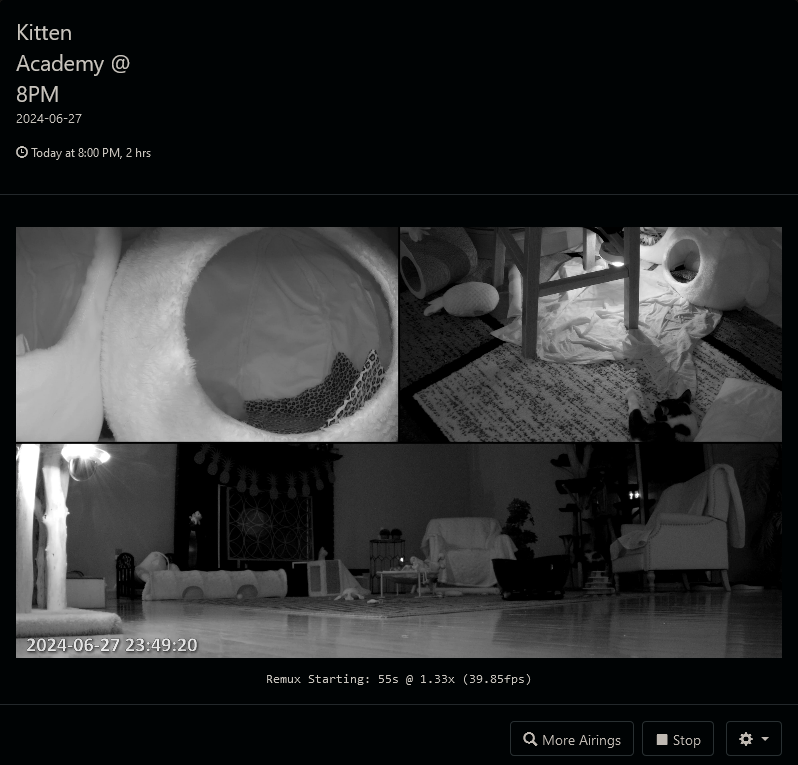
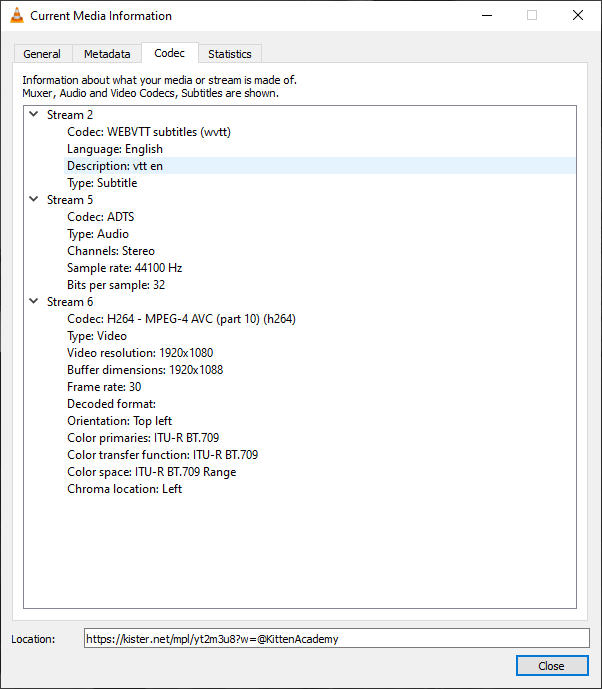
Interesting, it does not work in VLC either.
2 Likes
This livestream still is not working in either Channels DVR or VLC. However, other YouTube streams work just fine in Channels & VLC. I have also noticed a few other streams not working (which worked last week). Livestream works only when playing directly from YouTube's website.
I have latest versions of Channels and VLC. I have rebooted router and server. I have deleted and recreated Guide database, in case there was a channel conflict. I have tried both HLS text and URL methods in Custom Channels. Still not working.
LOG: [ERR] Probe failed for live stream after 10.037953854s and 0 bytes
Anything else I can try?
If it doesn't work in VLC for you, then it's something with your network, firewall, ad-blocking, DNS server, etc.
If you have another PC (besides your DVR server) or cell phone you can try on those using VLC to narrow down the cause of your issue.
I do see a few odd/invalid requests for KittenAcademy- want to share/PM me your ip address so i can look to see what i see?
1 Like
Sent you PM. Thanks!
Update: Turns out it was my ISP. Their routers were having issues. They actually were pretty good about staying in touch with me and fixing the issue. Thanks for the help, everyone!
1 Like
Pretty slick, is anything like this available for Rumble?
Seems the server is down.
I see several streams on it right now, what error do you see? want to PM me your ip addr and/or vid you're getting an error on? possible chance your ip addr+vid combo got caught up in the anti-abuse filter for too many requests or retries.
1 Like
It came back about 15 minutes after I posted, said something about server configuration. Thanks for the reply. I'll give it more time next time before posting.