
Also let me know when you publish, I'll have to test those scripts out!
I made ah4c pretty if anyone wants to test: ghcr.io/mackid1993/ah4c:latest drops right in with no config changes!
New features:
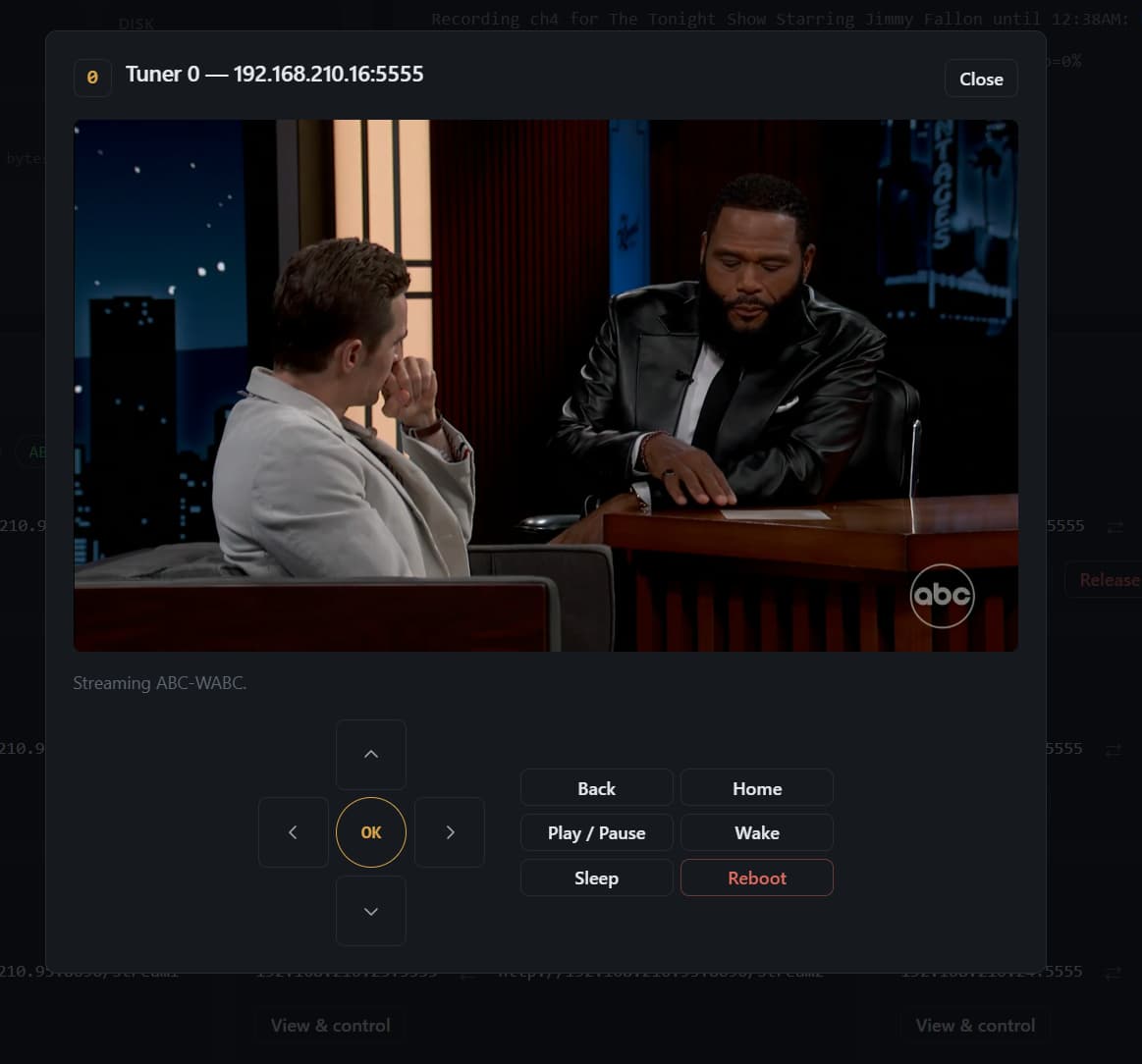
- Control the device while also playing DRM content (built into video player and basic directional controls plus sleep, wake and reboot)
- Wake, Sleep, and Reboot all devices
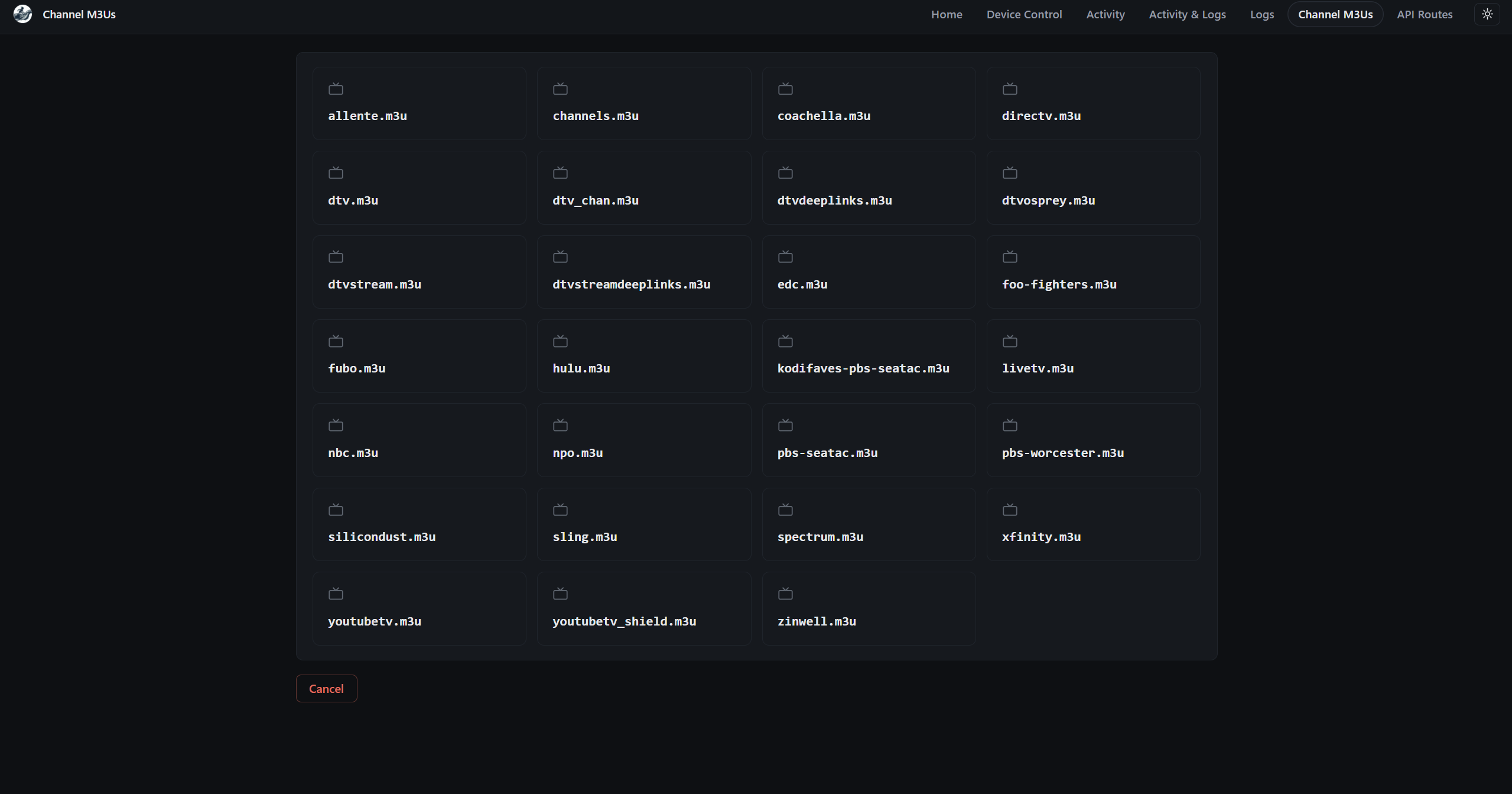
- Clean modern UI
- Mobile responsive
- Log pruning so the log in the UI doesn't get crazy long
- ws-scrcpy can now be accessed from within ah4c making it less hidden for new users
- Just made everything pretty and 2026 looking throughout
- Both dark and light themes
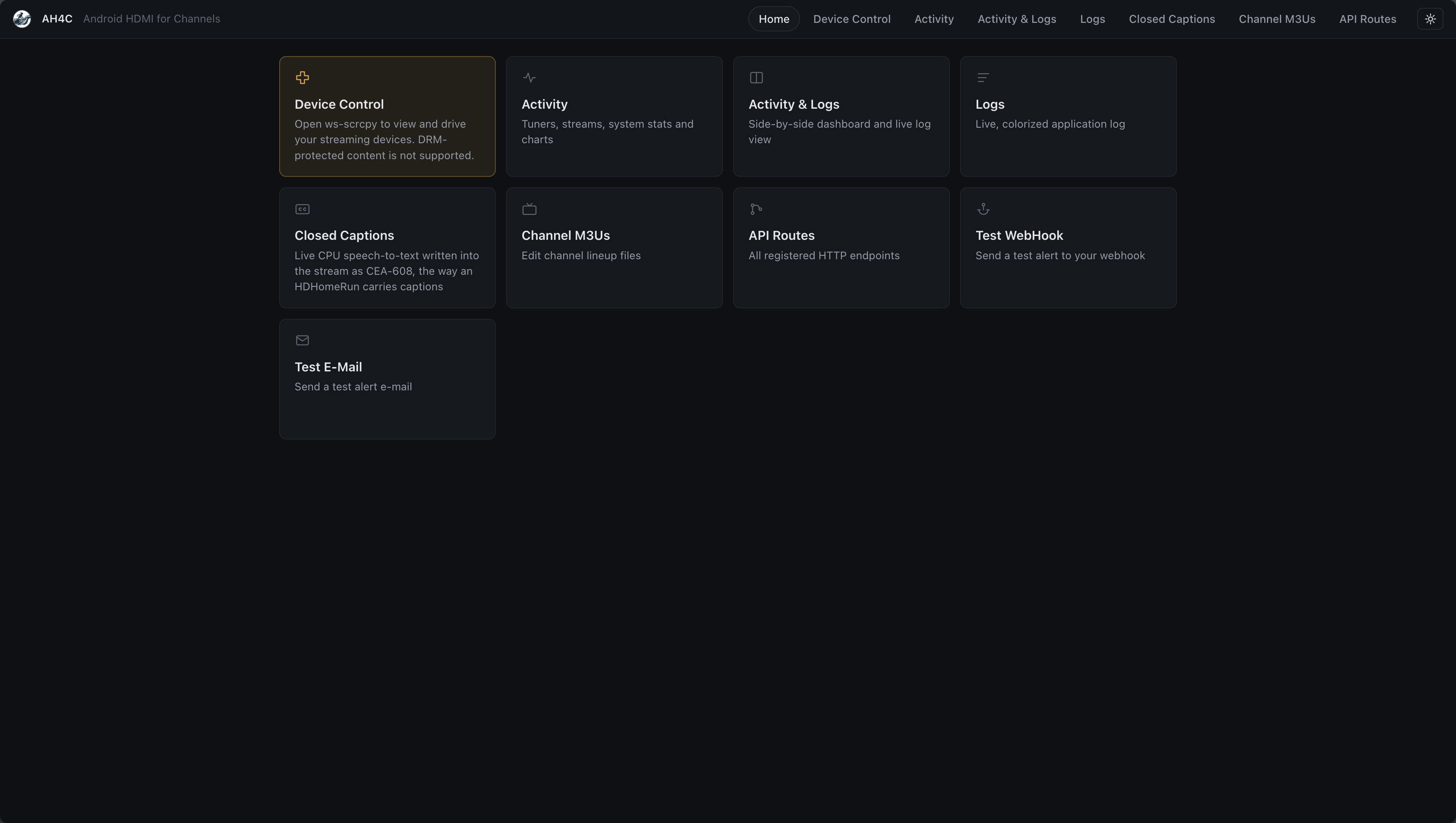
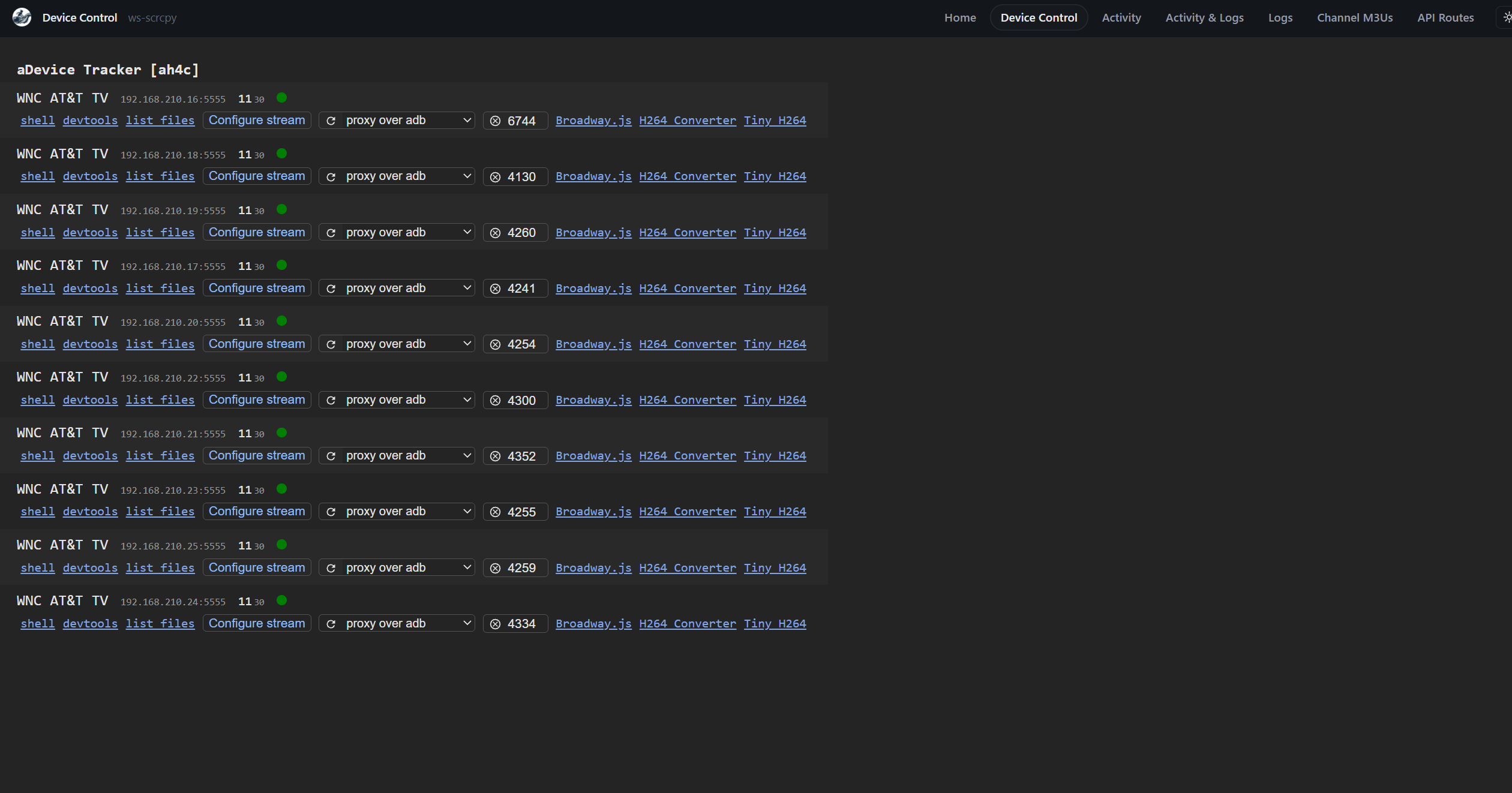
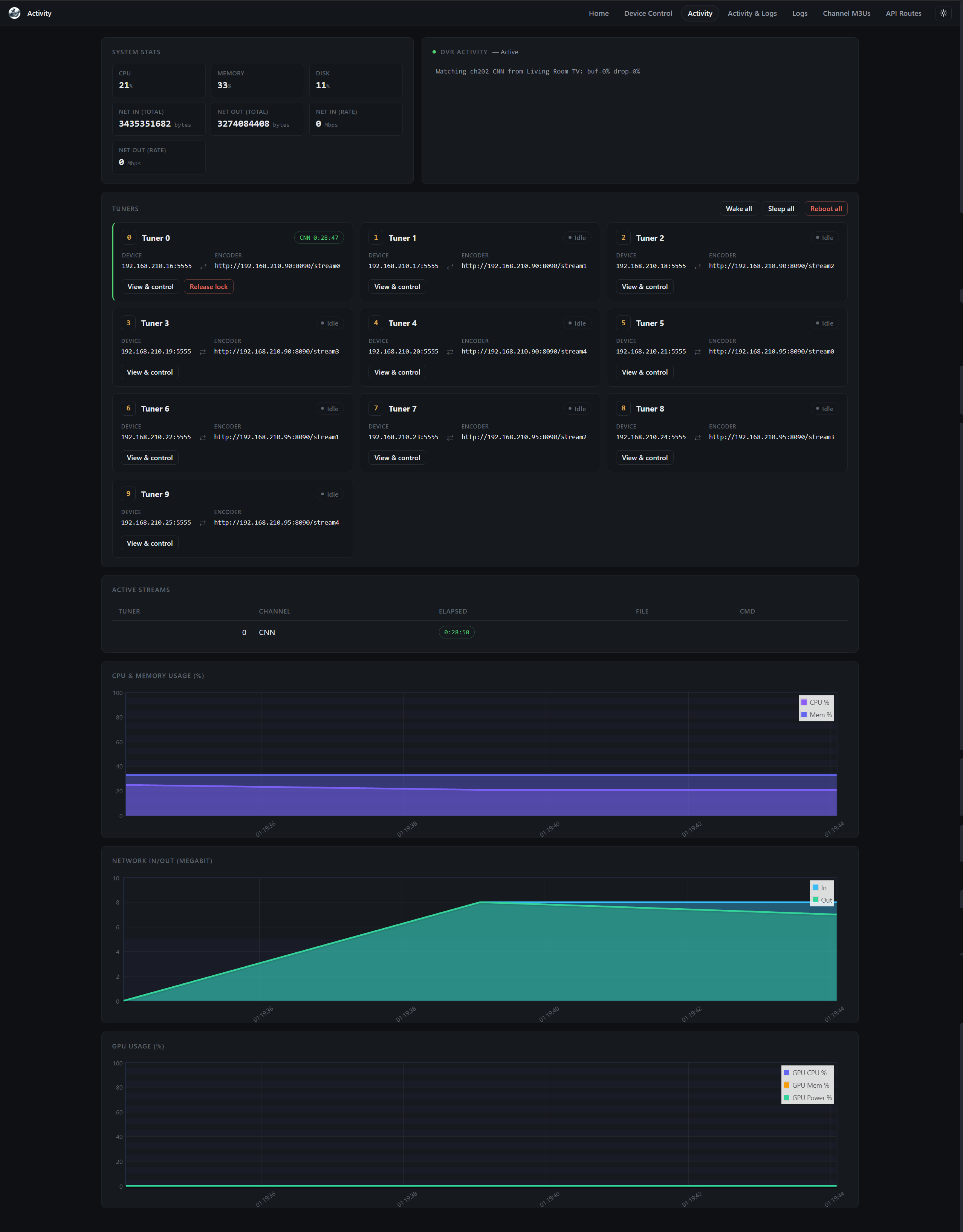
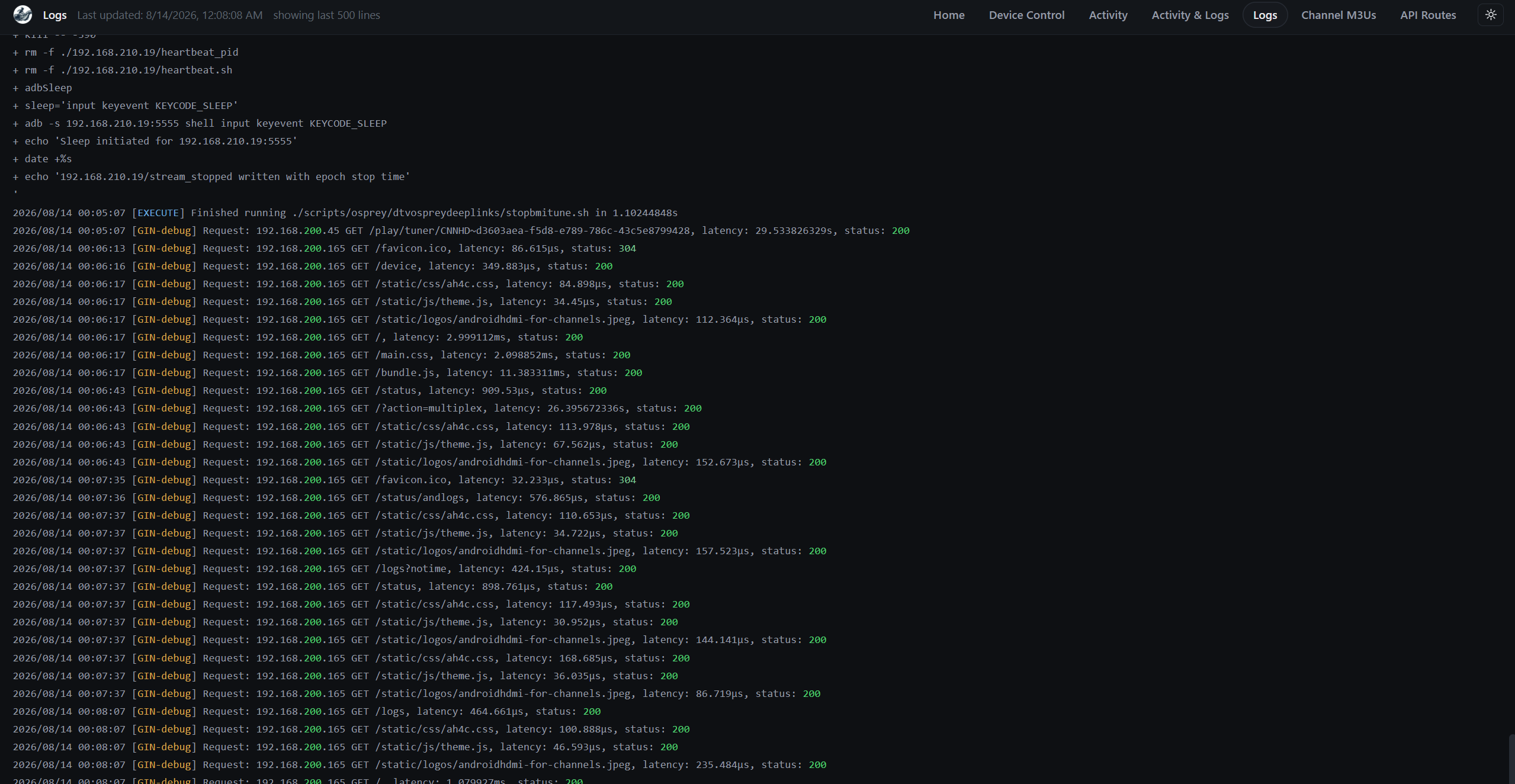
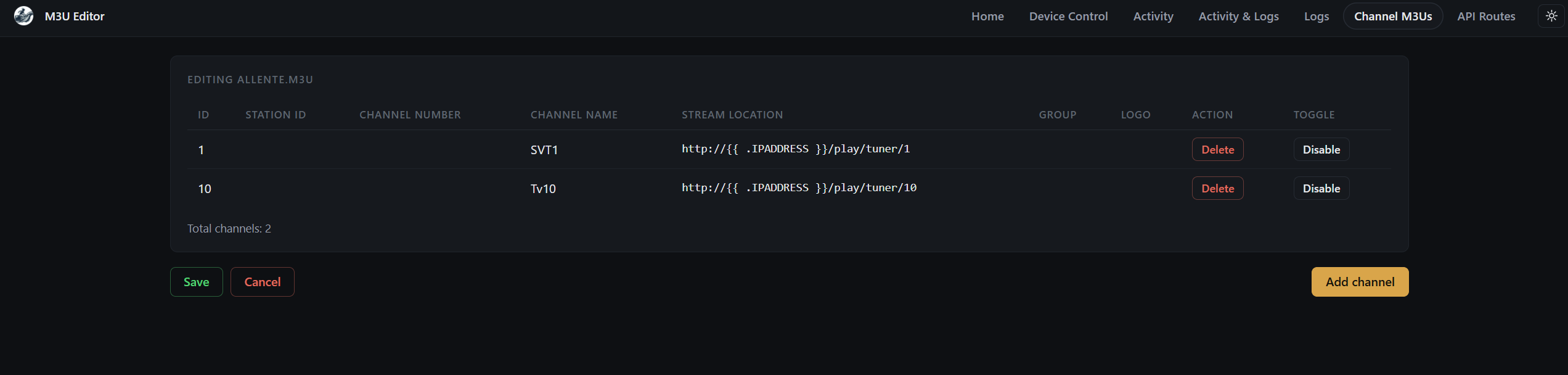
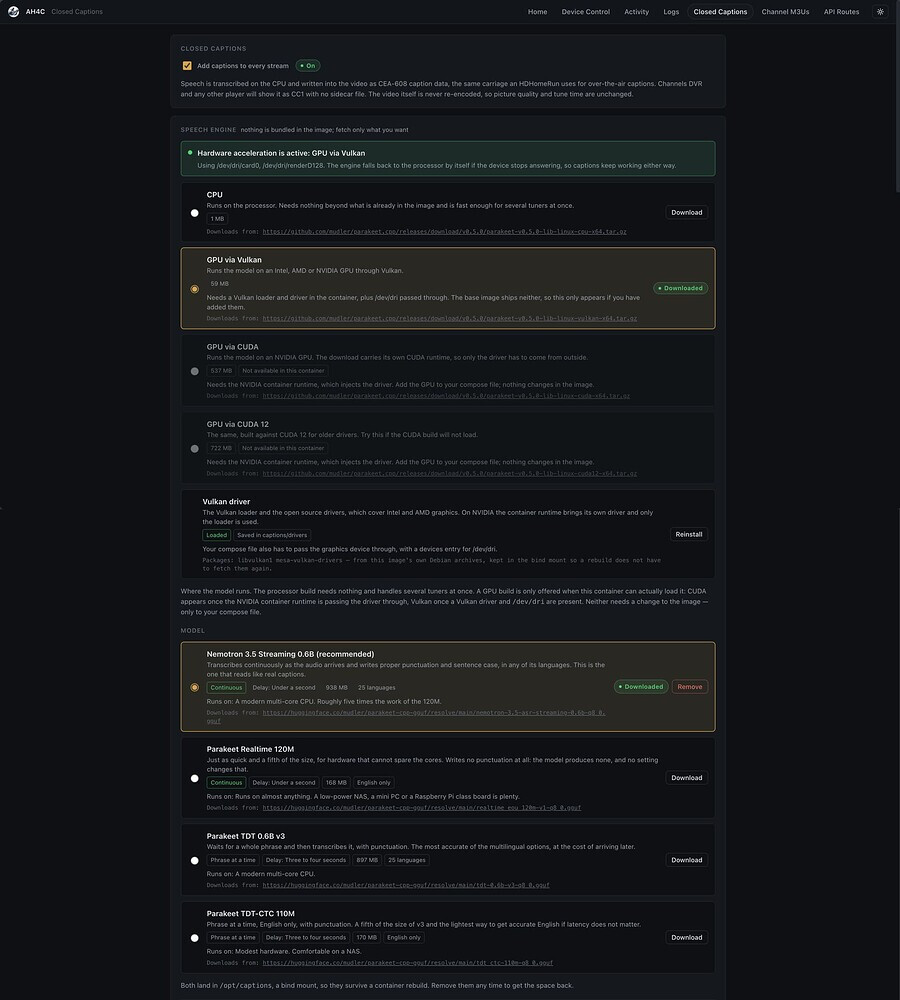
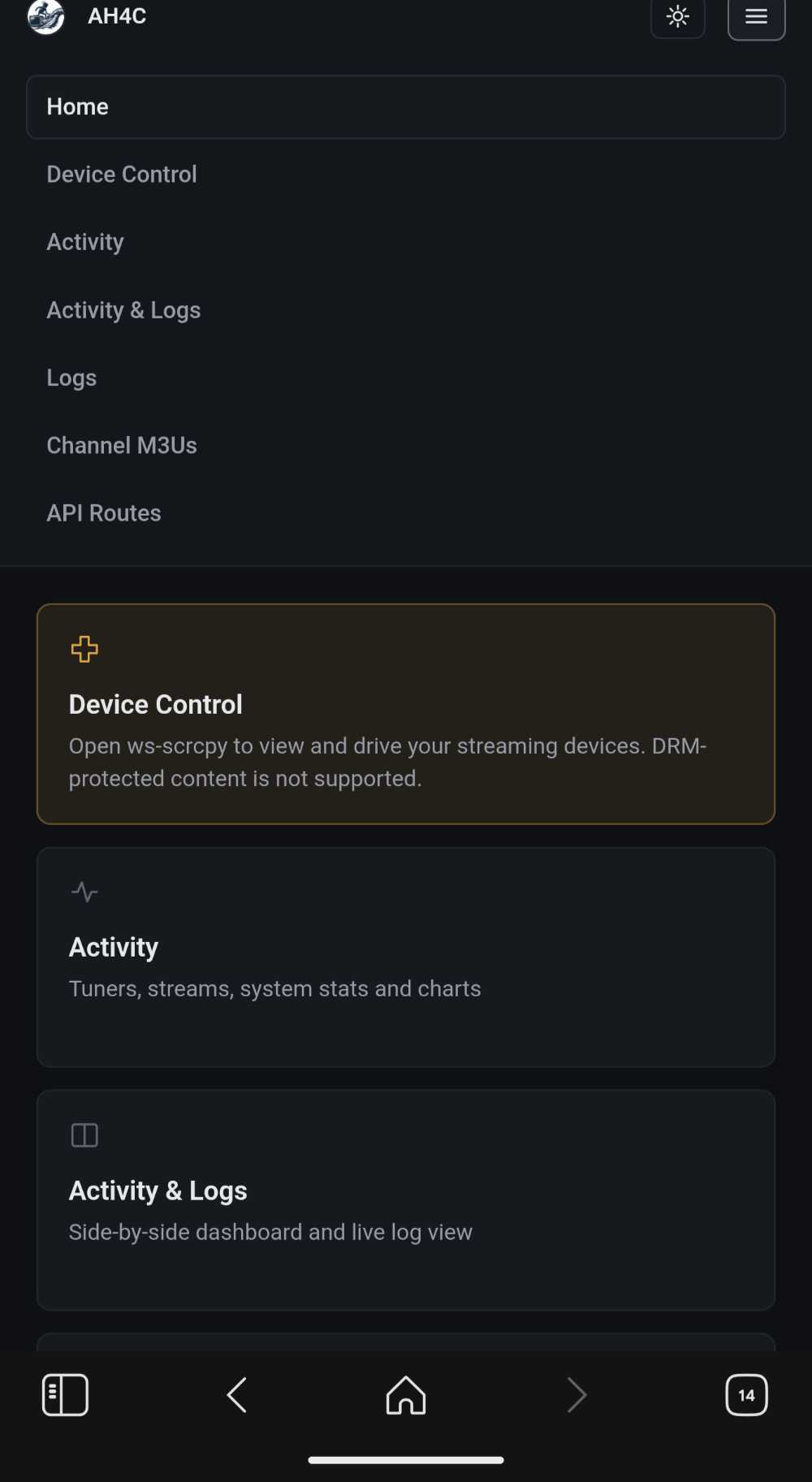
Some screenshots to preview:
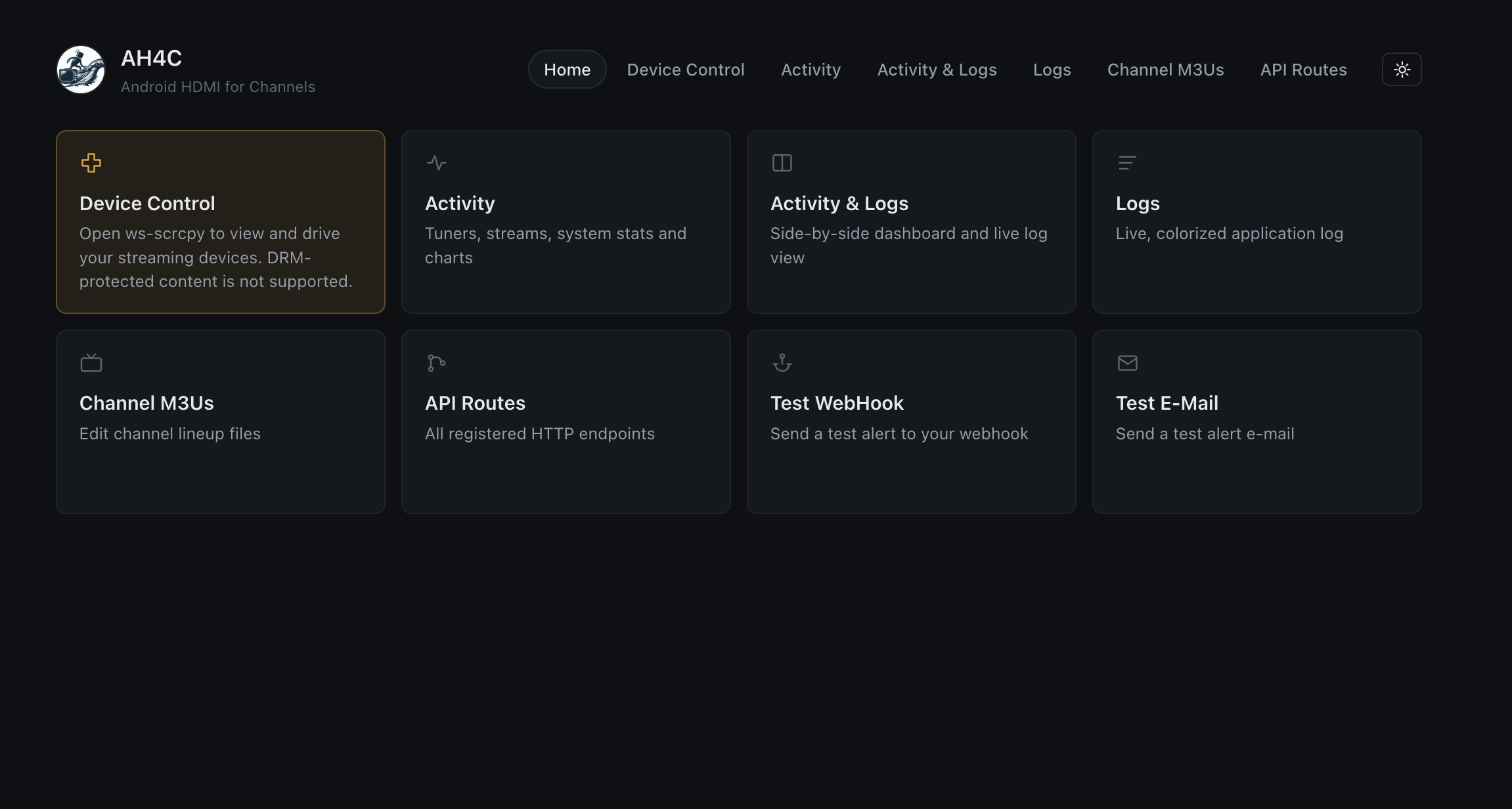
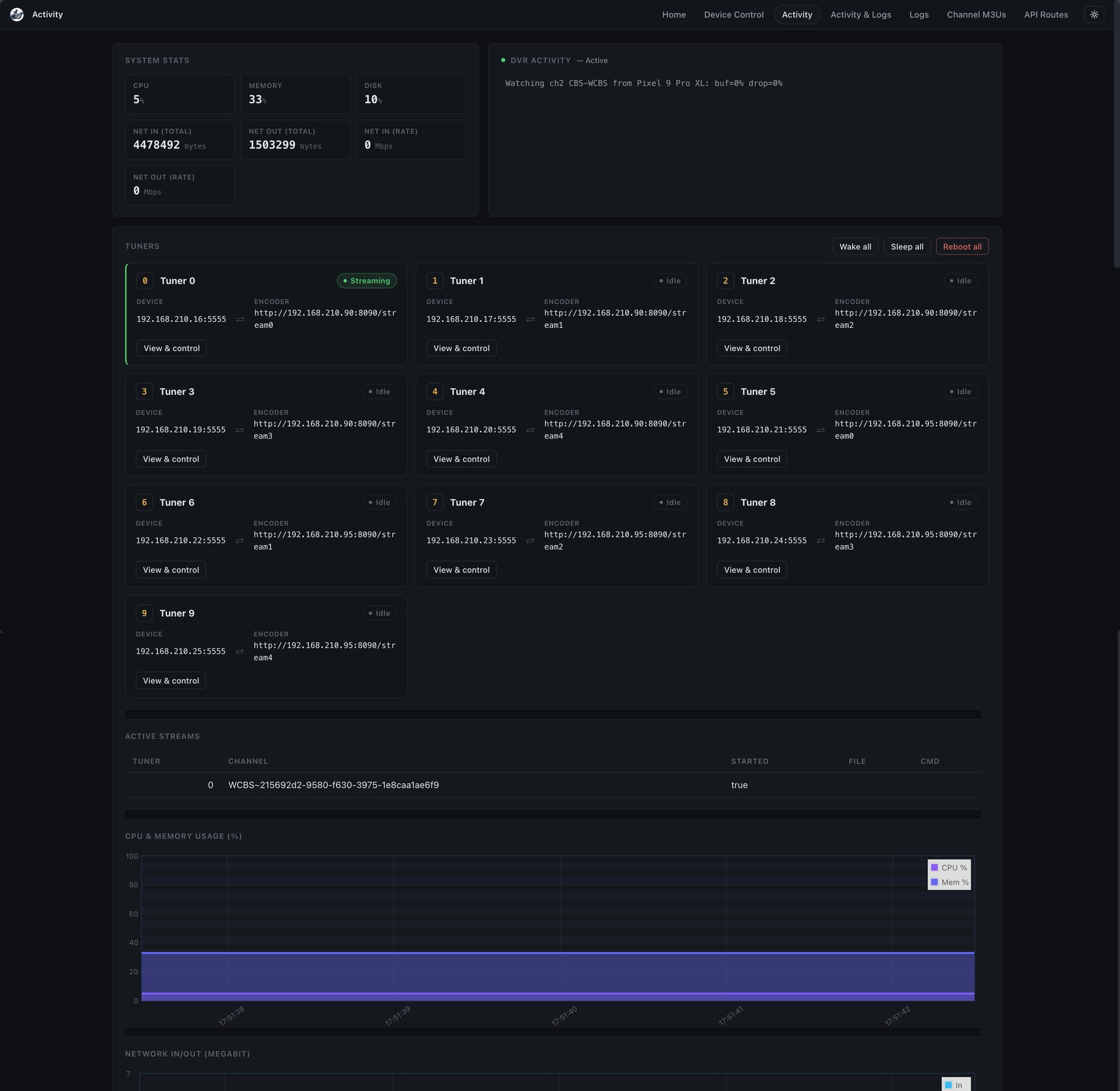
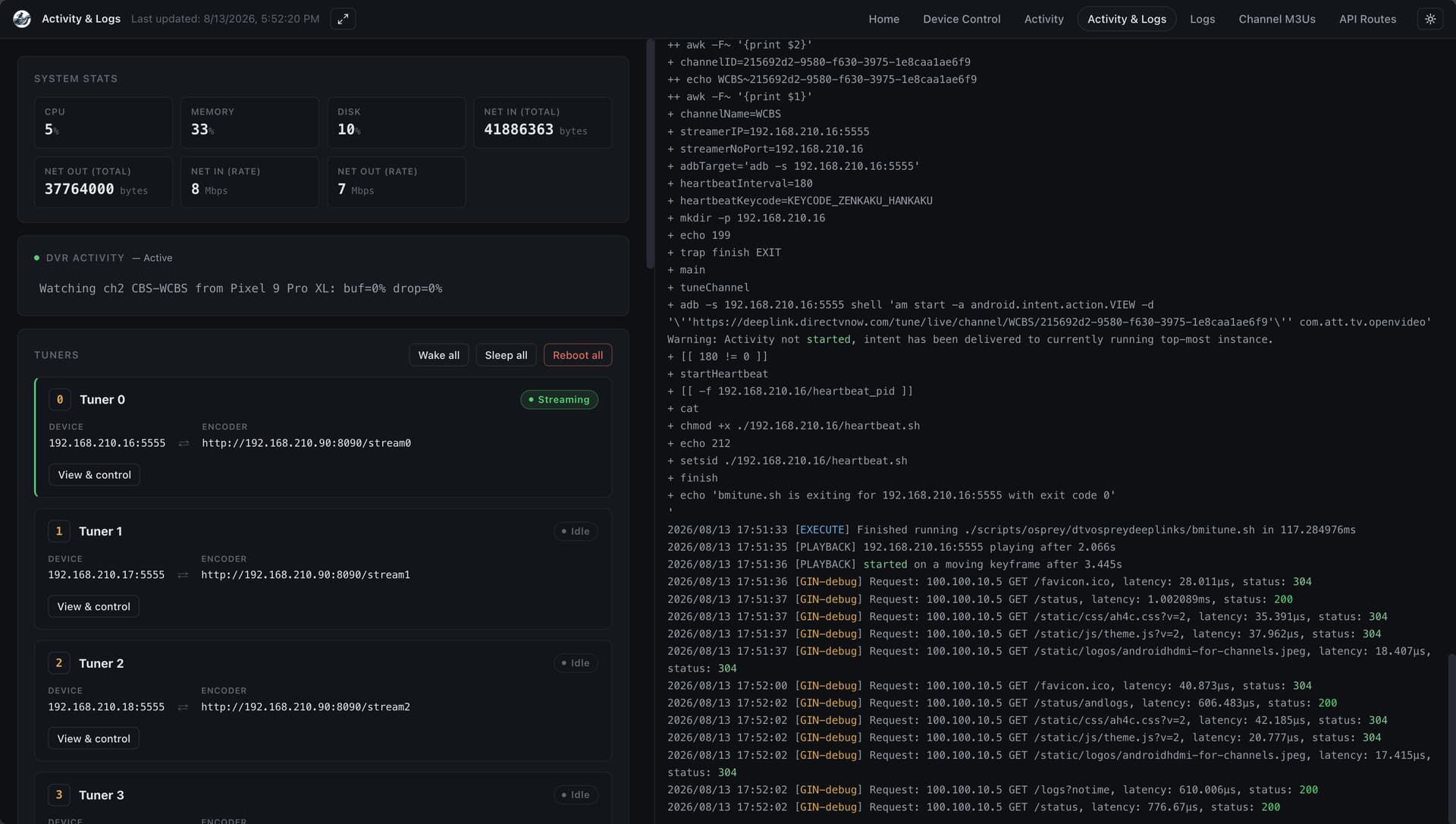
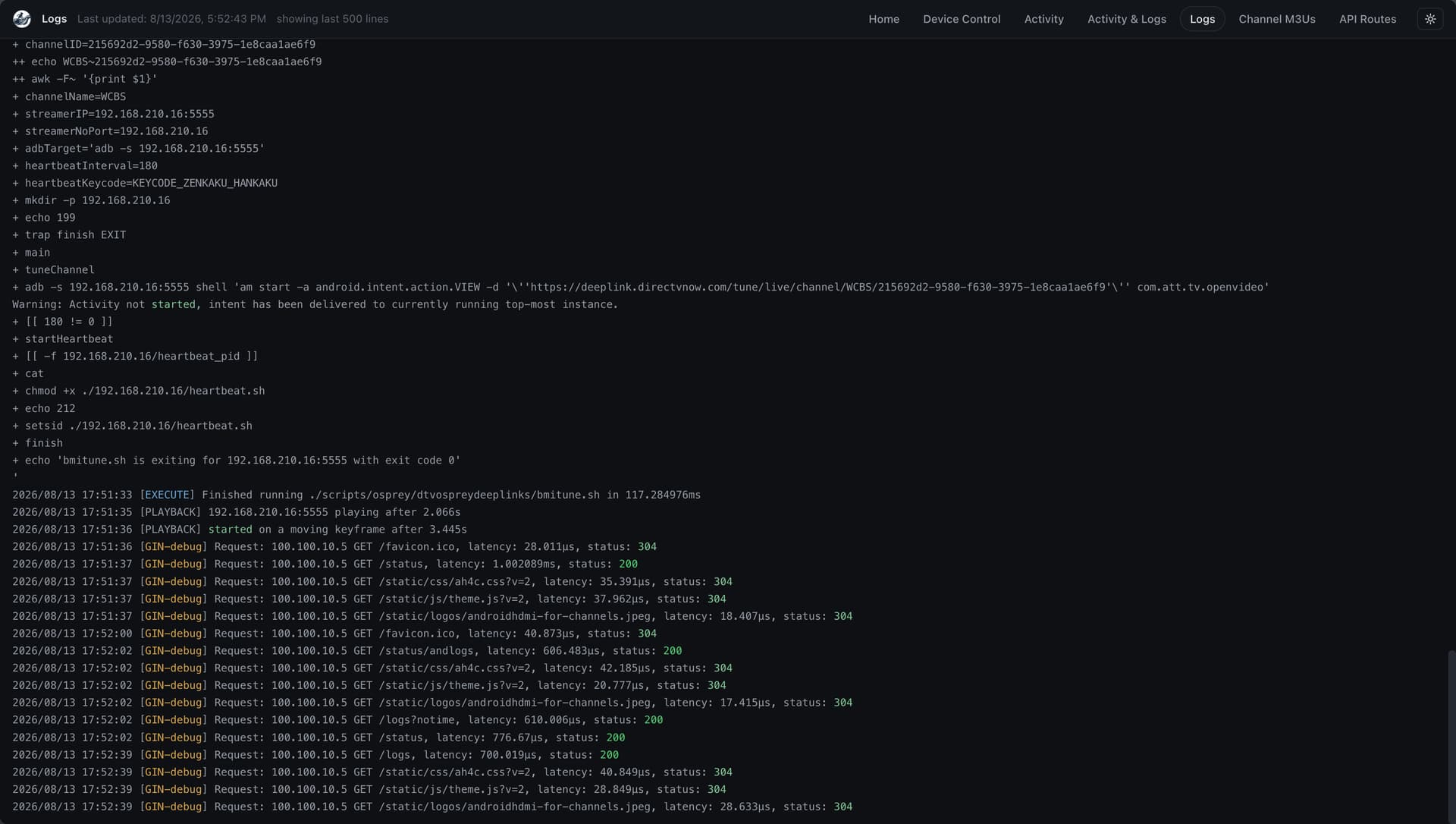
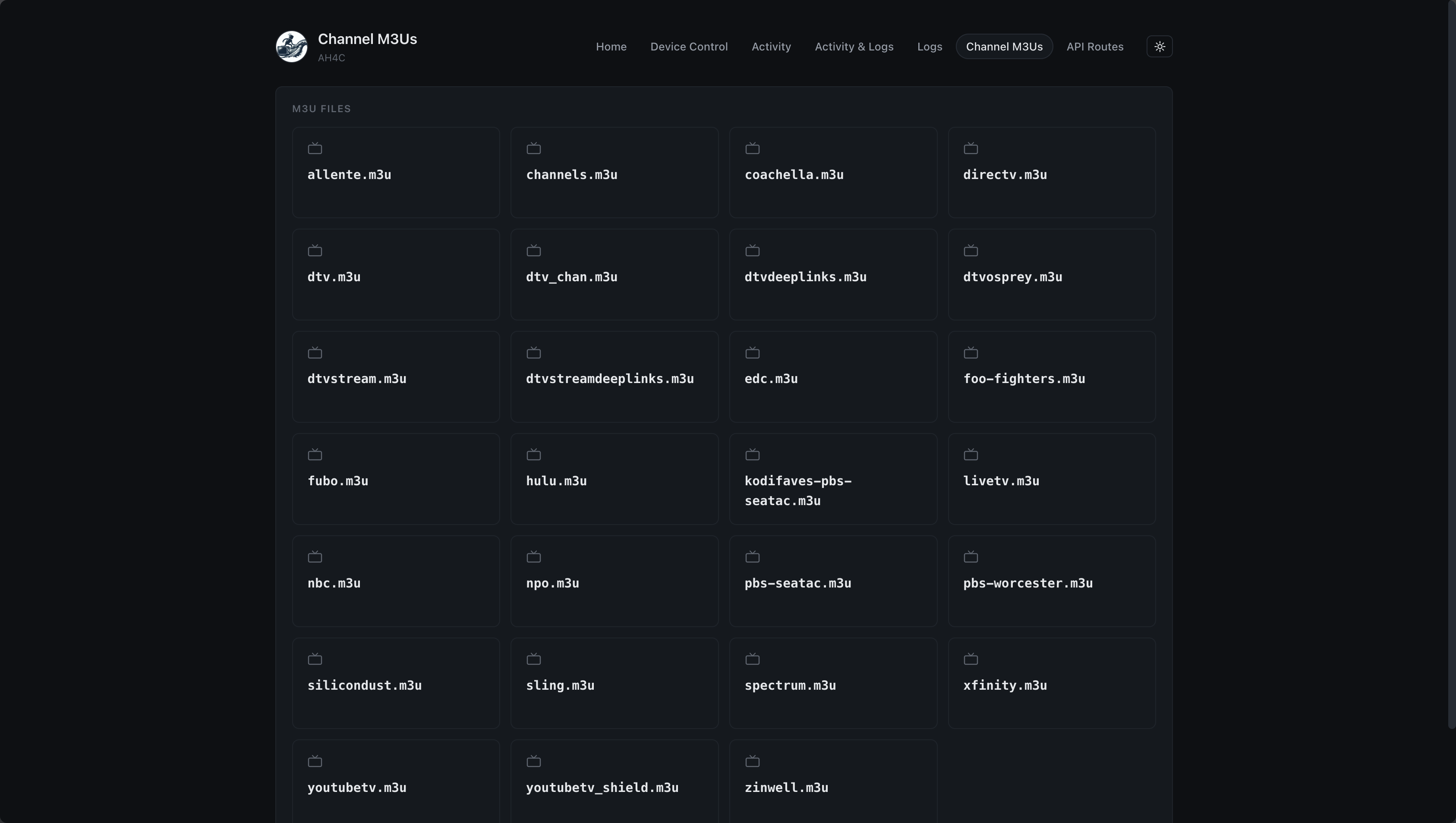

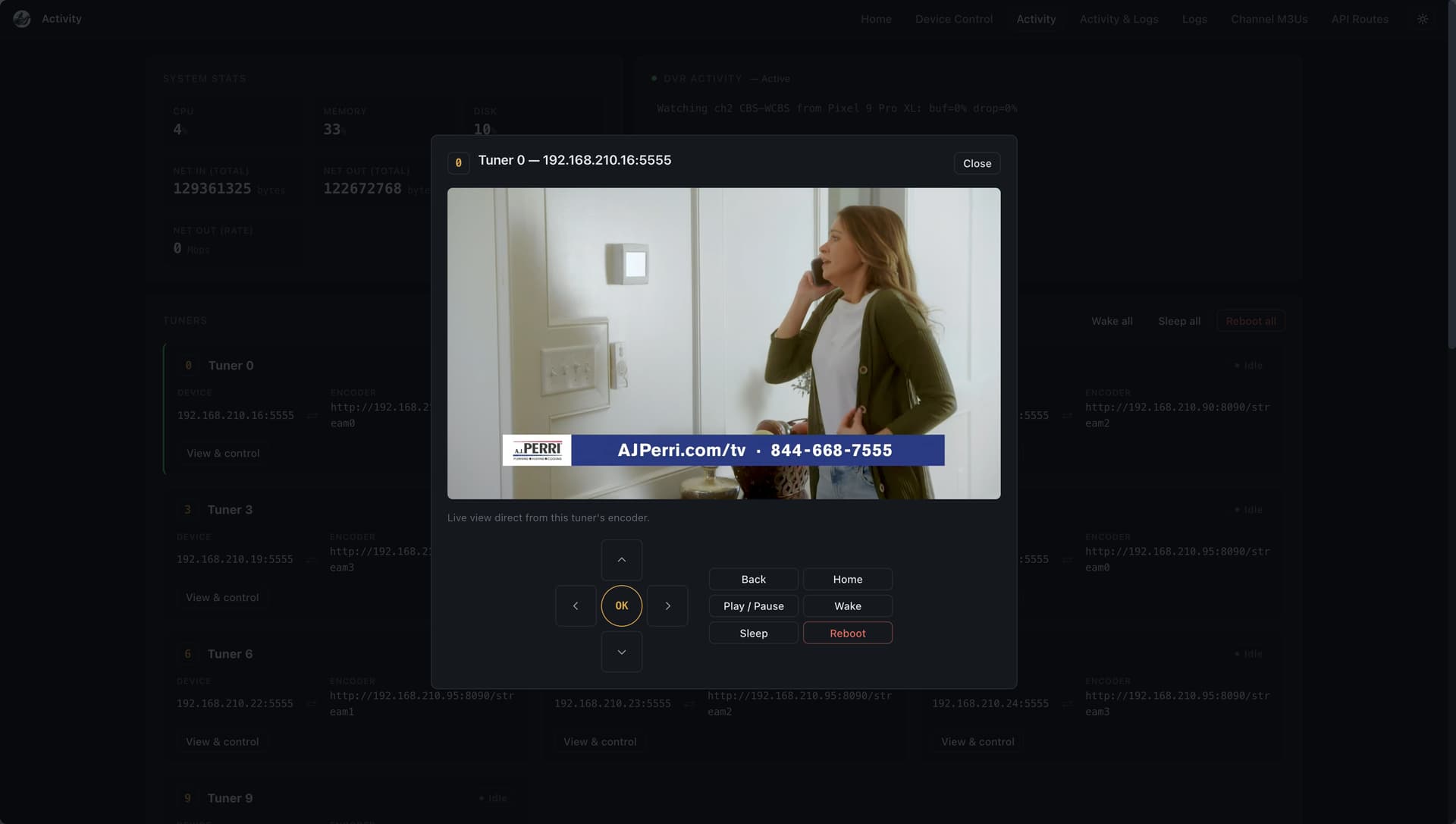
@bnhf really looking for your input! Code is here: GitHub - mackid1993/ah4c at ui-refactor · GitHub
1 Like
Screenshots look very good! It'll likely be Saturday before I can take a closer look at this...
2 Likes
Thanks so much!
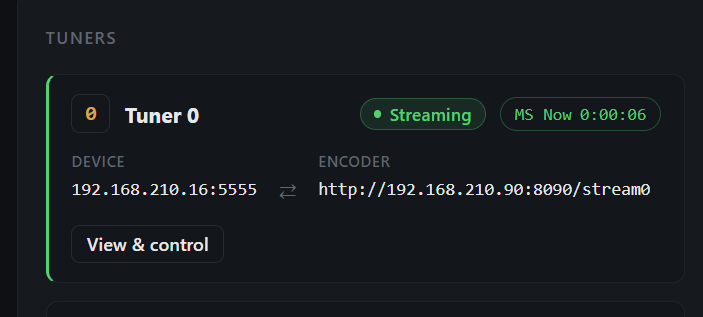
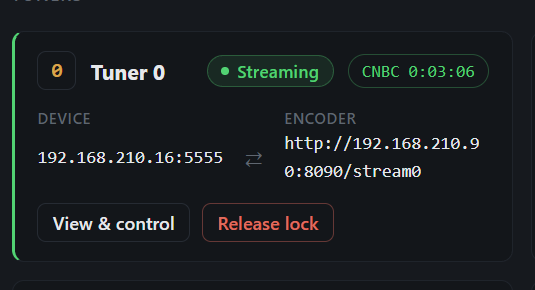
I've had a few things cooking and they've all landed together, so here's one post covering the lot instead of scattering it across the thread.
Two big pieces: a full redesign of the web UI, and native closed captions for HDMI encoders. Plus two new environment variables.
The web UI got a proper redesign
The old UI worked but it was showing its age. Everything now shares one stylesheet and one design, and every page has the same header bar and navigation so you're never guessing where you are.
What's new:
- Light and dark themes with a toggle on every page. It remembers your choice.
- Tuner cards on the Activity page — each tuner shows its device, its encoder, whether it's streaming, what channel it's on and how long it's been tuned.
- Device controls built in. Send remote keys straight from the tuner card, or reboot a device. There's a fan-out that hits every device at once, and it skips any tuner that's currently streaming so you can't kill a recording by accident.
- Live preview. Click a tuner and you get its actual HDMI output in a modal. Handy for seeing what state a Fire Stick has got itself into without walking over to the TV. DRM-protected apps won't show, that's expected.
- ws-scrcpy is proxied through the UI on the same origin, so there's no second port to open or configure. Just click Device Control.
- Release lock button on any tuner holding a stuck lock — runs the stop script and frees it.
- Log viewer rewritten so it appends new lines instead of rebuilding the whole log every second. It's colorized, capped, and doesn't hammer the browser anymore.
- Everything works on a phone. The nav collapses behind a menu button, the split log view stacks, and addresses stop wrapping in ugly places.
- Two stored XSS holes closed — one in the log viewer, one in the DVR activity feed. Log text and activity are escaped now.
- Polling pauses when the tab is hidden, so it isn't burning CPU in a background tab.
The two environment variables
PLAYBACK_DETECTION
Set it to TRUE and ah4c holds the stream until the device is actually playing — it checks the device reports media audio, confirms the picture is genuinely moving, and then starts on a keyframe.
The problem it solves: your recording starts on the app's loading screen or a spinner, and you lose the first few seconds of the show. This waits for real playback instead of guessing.
Needs adb access to the tuner. Network tuners only. Case-insensitive, so true/True/TRUE all work; anything else leaves it off.
PLAYBACK_DETECTION=TRUE
PLAYBACK_DELAY
The simpler version of the same idea, for when you don't have adb or don't want the detection. (pyatv for example) Give it a whole number of seconds and it skips that much off the front of every tune.
It runs through the bundled ffmpeg with -ss and a stream copy, so nothing is re-encoded. The skip lands on the next keyframe, so it can run slightly past the number you gave it.
The value is the total tune time including your scripts, not extra time on top. Range is 2 to 30 — the DVR only allows about 30 seconds for a tune, so anything outside gets clamped and logged. Ignored entirely if PLAYBACK_DETECTION is on. Network tuners only.
PLAYBACK_DELAY=8
Closed captions
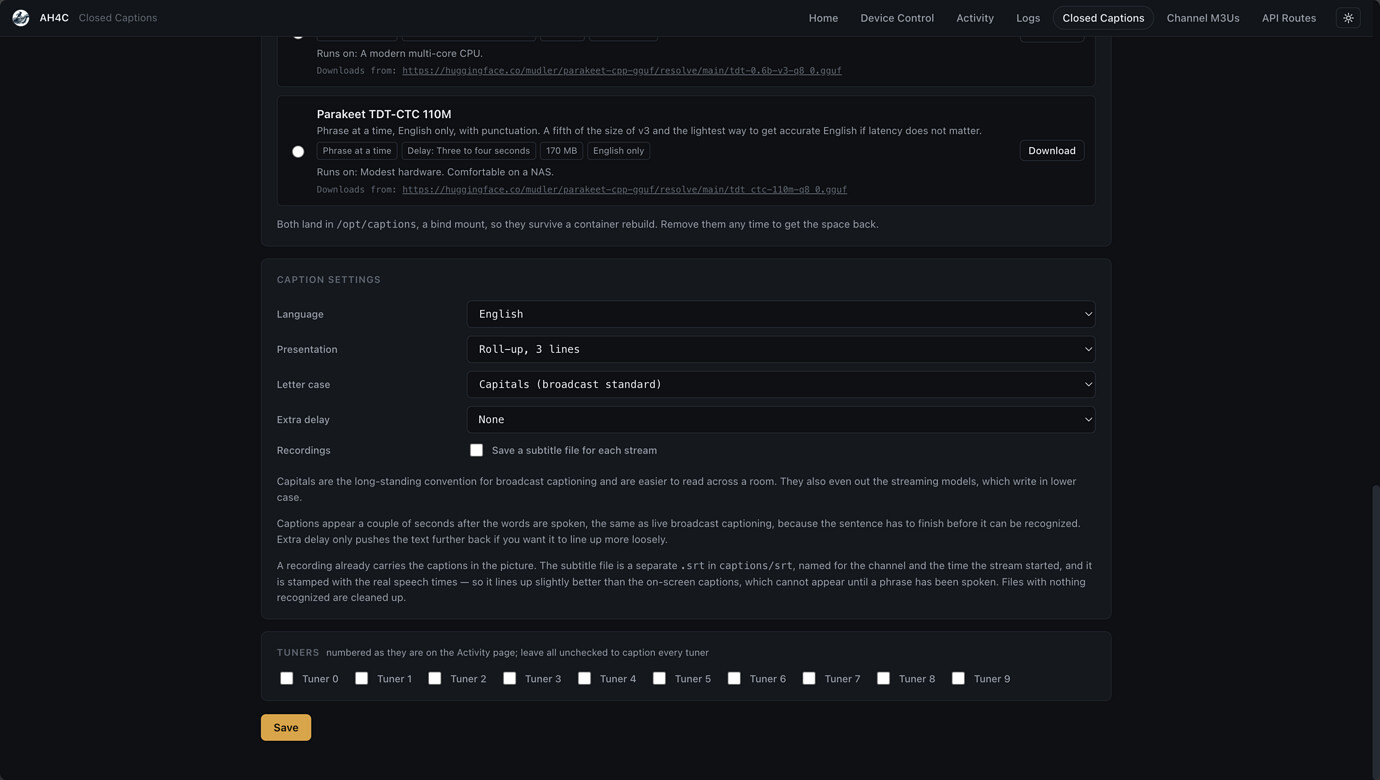
This is the big one. HDMI encoders now get real closed captions.
Streaming apps hand the encoder a picture with the captions already stripped off, so everything downstream of ah4c has had nothing to display. Not anymore.
ah4c pulls the audio out of the encoder's transport stream, transcribes it on the CPU with an NVIDIA Parakeet model, and writes the text back into the video as CEA-608 caption data in ATSC A/53 user data. That is the exact same carriage an HDHomeRun uses for over-the-air captions, which is why the Channels DVR closed captions button just works on it.
To be clear about what this is not:
- Not burned into the picture. They're a real caption track you turn on and off.
- Not a sidecar .srt file. Nothing extra to manage.
- Not a re-encode. The compressed video is passed through byte for byte. Only a small caption message is inserted ahead of each picture. Quality, bitrate and tune time are all unchanged.
- Not a GPU job. It runs several times faster than real time on an ordinary CPU.
Captions land about a second and a half behind the audio, which is roughly where real broadcast captioning sits.
It's completely opt-in. With captions off, a tune takes exactly the path it always did.
Setup: one new volume
Everything the feature needs is downloaded on demand and has to live somewhere on your server. Add this to the ah4c service:
- ${HOST_DIR}/ah4c/captions:/opt/captions
That's the whole setup. It sits next to your existing scripts, m3u and adb folders, and stays completely empty unless you switch captions on. ah4c checks for it at startup, warns in the log, and puts a banner at the top of the Closed Captions page if it's missing, so nobody downloads a gigabyte and loses it on the next compose down.
No Dockerfile changes. No environment variables for any of the caption settings — it's all managed from the page and stored in a config.json in that folder.
Picking a model
Nothing is baked into the image. You pick a model on the page and press download, and the URL it's pulling from is printed right there so you can see exactly what it's fetching and from where.
| Model | Delay | Size | Languages | Runs well on |
|---|---|---|---|---|
| Nemotron 3.5 Streaming 0.6B (default) | ~1s | 938 MB | 25 | A normal multi-core CPU |
| Parakeet Realtime 120M | ~1s | 168 MB | English | A potato. NAS, mini PC, Pi |
| Parakeet TDT 0.6B v3 | 3–4s | 897 MB | 25 | A normal multi-core CPU |
| Parakeet TDT-CTC 110M | 3–4s | 170 MB | English | Modest hardware |
The two streaming models transcribe continuously as audio arrives. The other two wait for a whole phrase before starting, which is a bit more accurate but you feel the extra seconds.
Worth knowing: the 120M doesn't do punctuation at all — that's not a setting I missed, NVIDIA's model card says outright that it outputs none. So the default is the Nemotron streaming model, which is the only one that's both real-time and punctuated. You get proper sentences with periods and commas.
That Nemotron model covers 25 languages, so you can watch in one language and caption in another if you want.
Accuracy is around 2.4% word error rate, which is a couple of errors per eighty-odd words. Broadcast ASR captioning typically runs 5–10%.
Other caption settings
- Capitals, on by default. That's the broadcast standard and it's easier to read across a room. There's a setting for mixed case.
- Roll-up style — 2, 3 or 4 lines.
- Language — pin one or let it detect.
- Per-tuner — leave all unchecked to caption everything, or pick specific tuners.
- Extra delay if you want to nudge the sync.
GPU acceleration (completely optional)
You do not need this. On CPU a single stream uses a fraction of a core.
But if you're like me and have a stack of tuners that can all be going at once, ten streams transcribing continuously is real heat and real power draw, and at that point it's worth pushing onto a GPU.
There's an engine picker on the page. It greys out anything your container can't actually load, so you're not guessing, and it shows a green banner naming the device when acceleration is genuinely running.
Intel or AMD (Vulkan):
GPU_DEVICE=/dev/dri:/dev/dri
The Vulkan driver isn't in the image, but the page downloads it the same way it downloads a model — into your bind mount — and puts it back automatically after a rebuild so you don't think about it again.
NVIDIA (CUDA):
DOCKER_RUNTIME=nvidia
NVIDIA_VISIBLE_DEVICES=all
NVIDIA_DRIVER_CAPABILITIES=compute,utility
Nothing to install for this one — the CUDA build brings its own runtime and the NVIDIA container toolkit hands in the driver.
Both default to off, and I made sure that's genuinely safe. GPU_DEVICE defaults to /dev/null, which exists on every machine and does nothing, so if you don't have a GPU you change nothing and nothing breaks. No commented-out YAML to uncomment.
One thing that catches people: passing /dev/dri through is a separate step from installing the driver. The page tells you which one you're missing rather than just failing silently.
And Quick Sync doesn't help here, before anyone asks. I looked into it. Quick Sync is fixed-function video encode/decode silicon, not a general compute unit, so there's nothing for a speech model to run on. The VA-API packages already in the image are for video and are unrelated. Vulkan is the actual path for an Intel iGPU.
Example compose
services:
  ah4c:
    image: bnhf/ah4c:${TAG}
    container_name: ah4c
    hostname: ah4c
    dns_search: ${DOMAIN}
    ports:
      - ${ADBS_PORT}:5037
      - ${HOST_PORT}:7654
      - ${WSCR_PORT}:8000
    environment:
      - IPADDRESS=${IPADDRESS}
      - NUMBER_TUNERS=${NUMBER_TUNERS}
      - TUNER1_IP=${TUNER1_IP}
      - TUNER2_IP=${TUNER2_IP}
      - TUNER3_IP=${TUNER3_IP}
      - TUNER4_IP=${TUNER4_IP}
      - TUNER5_IP=${TUNER5_IP}
      - ENCODER1_URL=${ENCODER1_URL}
      - ENCODER2_URL=${ENCODER2_URL}
      - ENCODER3_URL=${ENCODER3_URL}
      - ENCODER4_URL=${ENCODER4_URL}
      - ENCODER5_URL=${ENCODER5_URL}
      - STREAMER_APP=${STREAMER_APP}
      - CHANNELSIP=${CHANNELSIP}
      - ALERT_SMTP_SERVER=${ALERT_SMTP_SERVER}
      - ALERT_AUTH_SERVER=${ALERT_AUTH_SERVER}
      - ALERT_EMAIL_FROM=${ALERT_EMAIL_FROM}
      - ALERT_EMAIL_PASS=${ALERT_EMAIL_PASS}
      - ALERT_EMAIL_TO=${ALERT_EMAIL_TO}
      - UPDATE_SCRIPTS=${UPDATE_SCRIPTS}
      - UPDATE_M3US=${UPDATE_M3US}
      - TZ=${TZ}
      - SPEED_MODE=${SPEED_MODE}
      - KEEP_WATCHING=${KEEP_WATCHING}
      - NULL_FRAME_INSERTION=${NULL_FRAME_INSERTION}
      - PLAYBACK_DETECTION=${PLAYBACK_DETECTION}
      - PLAYBACK_DELAY=${PLAYBACK_DELAY}
      - HEARTBEAT_INTERVAL=${HEARTBEAT_INTERVAL}
      - NVIDIA_VISIBLE_DEVICES=${NVIDIA_VISIBLE_DEVICES}
      - NVIDIA_DRIVER_CAPABILITIES=${NVIDIA_DRIVER_CAPABILITIES}
    volumes:
      - ${HOST_DIR}/ah4c/scripts:/opt/scripts
      - ${HOST_DIR}/ah4c/m3u:/opt/m3u
      - ${HOST_DIR}/ah4c/adb:/root/.android
      - ${HOST_DIR}/ah4c/captions:/opt/captions
    devices:
      - ${GPU_DEVICE}
    runtime: ${DOCKER_RUNTIME}
    restart: unless-stopped
Example env
TAG=beta
DOMAIN=localdomain
ADBS_PORT=5037
HOST_PORT=7654
SCRC_PORT=7655
IPADDRESS=yourserver:7654
NUMBER_TUNERS=5
TUNER1_IP=firestick-rack1:5555
ENCODER1_URL=http://encoder_48007/0.ts
TUNER2_IP=firestick-rack2:5555
ENCODER2_URL=http://encoder_48007/4.ts
TUNER3_IP=firestick-rack3:5555
ENCODER3_URL=http://encoder_48007/8.ts
TUNER4_IP=firestick-rack4:5555
ENCODER4_URL=http://encoder_48007/12.ts
TUNER5_IP=firestick-travel2:5555
ENCODER5_URL=http://encoder_23393/0.ts
STREAMER_APP=scripts/firetv/dtvdeeplinks
CHANNELSIP=your-channels-server
ALERT_SMTP_SERVER=smtp.gmail.com:587
ALERT_AUTH_SERVER=smtp.gmail.com
[email protected]
ALERT_EMAIL_PASS=your-app-password
[email protected]
UPDATE_SCRIPTS=true
UPDATE_M3US=true
TZ=US/Mountain
SPEED_MODE=false
KEEP_WATCHING=4h
NULL_FRAME_INSERTION=FALSE
PLAYBACK_DETECTION=FALSE
PLAYBACK_DELAY=0
HEARTBEAT_INTERVAL=0
HOST_DIR=/data

# GPU acceleration for closed captions. Both default to off and do nothing.
GPU_DEVICE=/dev/null:/dev/null
DOCKER_RUNTIME=runc
NVIDIA_VISIBLE_DEVICES=
NVIDIA_DRIVER_CAPABILITIES=
A couple of notes
Infuse and Plex won't show the captions. That's not us — it's a known limitation where they don't read in-band captions from MPEG-TS at all. People recording off real HDHomeRuns hit exactly the same thing and there are open feature requests about it. Channels reads them fine, which is the point.
VLC needs you to pick the track. VLC finds the captions but never auto-enables them. Subtitle → Sub Track → Closed Captions 1.
Captions are still beta. The transport-stream side has had a hard going-over and I'm happy with it, but I'll keep iterating if people hit issues. Keep in mind STT models aren't perfect and there will be slight mistakes or typos.
- I'm more worried about stream corruption if anyone hits that ping me.
- Any weirdness beyond transcription errors. Especially in recordings.
Happy to answer questions on any of it.
How to get the new bits?
Pull bnhf/ah4c:beta
For captions don't forget to set the bind mount and GPU paths if desired. If you do have an iGPU I do suggest it to cut down on CPU usage and heat.

1 Like
It would really cool to test some of these new features like the closed caption functionality with apple tv based tuners on apple silicon based machines.
@mackid1993 is your build , especially the closed caption functionality , capable of running on Apple Silicon based machines - in docker. The closed capture feature addition for encoder based streams is awesome.
@bnhf any chance of doing the merge you mentioned several weeks ago of the ah4c:apple TV branch into the main ah4c branch like you were thinking earlier?
Would this mean the underlying VM OS that @mackid1993 is using in his beta is the same as the one used for the ah4c apple tv folks? Or would the extra new env variable you mentioned preclude using these new beta features?
Happy to lend a hand testing.
2 Likes
The model should run on ARM64 under Linux/Docker. It just depends on whether @bnhf released an ARM64 build. I think this will probably stay on its own sort of branch for now, away from Apple TV until we get it 100% stable with Android TV.
That's up to the core maintainers though, not really me. I have an Apple TV to watch TV on, but I don't have an Apple TV to use as a tuner. I also don't know what you mean by VM OS. This is just a Docker container. There's no VM involved. You know, besides the Docker environment, I think there's a misunderstanding here.
In terms of the actual closed captions, that's more dependent on the encoder than the tuner. It's slipstreaming into the MPEG TS stream. It doesn't really have anything to do with what tuner is used.
Otherwise the only issue you're going to have running on an Apple device is going to be running on the CPU. Unless dev/dri works on Apple.
I would really suggest running this under Linux. I really am someone that doesn't recommend running Docker on macOS ever. But if you have to, I'm not 100% sure GPU acceleration certain will work.
Edit: There is an ARM64 image, so I would just give it a shot and see if it works.
1 Like
I still want to do that. I'll see if I can build a combined image tomorrow under the beta tag.
1 Like
Before you rebuild, I'm experimenting with some more models right now. I'm looking to see what else is out there on Hugging Face that might be more accurate. The ones we have are really lightweight and fast, but for those with like powerful systems, there might be better options.
I'm actually adding my personal favorite model that I'm actually talking into right now, Cohere Transcribe. It's crazy fast and just works super well.
Update:
Just fixing some bugs, but Cohere Transcribe is next level and runs great on my 12700K iGPU. I'm going to mark it as GPU only because I can't see how it could possibly run on a CPU without cooking the damn thing, but this is going to be a good one. It really looks like broadcast quality transcription.
I'm going to go ahead and build a first test image for the :appletv crowd to try. It doesn't sound like Cohere Transcribe is going to be a model they'd choose anyway -- at least out of the gate. What I'm working towards here, is a combined ah4c image that works for both adb and atv -- with the new interface, and hopefully at least the CPU-based closed caption models.
For those running on servers with Intel CPUs and AMD CPUs and GPUs, this model is insane. I mean, it's using like 1% CPU with the iGPU dev/dri passed. Also, the GPU models are going to be totally gated. So, if you don't have a GPU passed, it won't even let you pick it. It'll tell you very clearly this is not going to run well in your system.
@mnwxman132 I've built a first crack at a combined image under a beta2 tag. Here's the Docker Compose, and sample env vars I'd like you to use:
services:
  # 2026.08.16
  # GitHub home for this project with setup instructions: https://github.com/sullrich/ah4c
  # Docker Hub home for this project: https://hub.docker.com/repository/docker/bnhf/ah4c
  ah4c:
    image: bnhf/ah4c:${TAG:-latest}
    container_name: ah4c
    hostname: ah4c
    dns_search: ${DOMAIN:-localdomain} # Specify the name of your LAN's domain, usually local or localdomain
    runtime: ${DOCKER_RUNTIME:-runc} # Closed captions only. Set DOCKER_RUNTIME=nvidia for an NVIDIA GPU with the CUDA engine build. Requires the NVIDIA container toolkit
    devices:
      - ${GPU_DEVICE:-/dev/null} # Closed captions only. Set GPU_DEVICE=/dev/dri to let the Vulkan engine build use an Intel or AMD GPU. Left at the default it passes /dev/null, which always exists and does nothing
    ports:
      - ${ADBS_PORT:-5037}:5037 # Port used by adb-server
      - ${HOST_PORT:-7654}:7654 # Port used by this ah4c proxy
      - ${WSCR_PORT:-8000}:8000 # Port used by ws-scrcpy
    environment:
      - IPADDRESS=${IPADDRESS} # Hostname or IP address of this ah4c extension to be used in M3U file (also add port number if not in M3U)
      - NUMBER_TUNERS=${NUMBER_TUNERS} # Number of tuners you'd like defined - add a matching TUNERn_IP and ENCODERn_URL line below for each beyond 9
      - TUNER1_IP=${TUNER1_IP} # Streaming device #1 with adb port in the form hostname:port or ip:port
      - TUNER2_IP=${TUNER2_IP} # Streaming device #2 with adb port in the form hostname:port or ip:port
      - TUNER3_IP=${TUNER3_IP} # Streaming device #3 with adb port in the form hostname:port or ip:port
      - TUNER4_IP=${TUNER4_IP} # Streaming device #4 with adb port in the form hostname:port or ip:port
      - TUNER5_IP=${TUNER5_IP} # Streaming device #5 with adb port in the form hostname:port or ip:port
      - TUNER6_IP=${TUNER6_IP} # Streaming device #6 with adb port in the form hostname:port or ip:port
      - TUNER7_IP=${TUNER7_IP} # Streaming device #7 with adb port in the form hostname:port or ip:port
      - TUNER8_IP=${TUNER8_IP} # Streaming device #8 with adb port in the form hostname:port or ip:port
      - TUNER9_IP=${TUNER9_IP} # Streaming device #9 with adb port in the form hostname:port or ip:port
      - ENCODER1_URL=${ENCODER1_URL} # Full URL for tuner #1 in the form http://hostname/stream or http://ip/stream
      - ENCODER2_URL=${ENCODER2_URL} # Full URL for tuner #2 in the form http://hostname/stream or http://ip/stream
      - ENCODER3_URL=${ENCODER3_URL} # Full URL for tuner #3 in the form http://hostname/stream or http://ip/stream
      - ENCODER4_URL=${ENCODER4_URL} # Full URL for tuner #4 in the form http://hostname/stream or http://ip/stream
      - ENCODER5_URL=${ENCODER5_URL} # Full URL for tuner #5 in the form http://hostname/stream or http://ip/stream
      - ENCODER6_URL=${ENCODER6_URL} # Full URL for tuner #6 in the form http://hostname/stream or http://ip/stream
      - ENCODER7_URL=${ENCODER7_URL} # Full URL for tuner #7 in the form http://hostname/stream or http://ip/stream
      - ENCODER8_URL=${ENCODER8_URL} # Full URL for tuner #8 in the form http://hostname/stream or http://ip/stream
      - ENCODER9_URL=${ENCODER9_URL} # Full URL for tuner #9 in the form http://hostname/stream or http://ip/stream
      - STREAMER_APP=${STREAMER_APP} # Streaming device name and streaming app you're using in the form scripts/streamer/app (use lowercase with slashes between as shown)
      - PYATV=${PYATV:-false} # Set to TRUE to run docker-start-pyatv.sh at container start for Apple TV tuners via pyatv, instead of the default docker-start.sh used for adb-based tuners. Case-insensitive; anything else runs the default.
      - CHANNELSIP=${CHANNELSIP} # Hostname or IP address of the Channels DVR server itself
      - ALERT_SMTP_SERVER=${ALERT_SMTP_SERVER} # The domainname:port of the SMTP server you'll be using like smtp.gmail.com:587. This is for sending ah4c alerts if tuning fails.
      - ALERT_AUTH_SERVER=${ALERT_AUTH_SERVER} # The auth server for the e-mail you'll be using like smtp.gmail.com
      - ALERT_EMAIL_FROM=${ALERT_EMAIL_FROM} # The e-mail address you'd like your ah4c failure alert e-mails to show as being from.
      - ALERT_EMAIL_PASS=${ALERT_EMAIL_PASS} # Gmail and Yahoo both support the creation of app-specific e-mail passwords, and this is the way to go! It's NOT recommended to use your everyday e-mail password.
      - ALERT_EMAIL_TO=${ALERT_EMAIL_TO} # The e-mail address you'd like your alert e-mails sent to.
      #- ALERT_WEBHOOK_URL=""
      - LIVETV_ATTEMPTS=${LIVETV_ATTEMPTS} # For FireTV Live Guide tuning only, set maximum number of attempts at finding the desired channel
      - CREATE_M3US=${CREATE_M3US:-false} # Set to true to create device-specific M3Us for use with Amazon Prime Premium channels -- requires a FireTV device
      - UPDATE_SCRIPTS=${UPDATE_SCRIPTS:-true} # Set to true if you'd like the sample scripts and STREAMER_APP scripts updated whether they exist or not
      - UPDATE_M3US=${UPDATE_M3US:-true} # Set to true if you'd like the sample m3us updated whether they exist or not
      - TZ=${TZ} # Your local timezone in Linux "tz" format
      - SPEED_MODE=${SPEED_MODE:-false} # Set to false if you'd like the target streaming app to be closed after each tuning cycle (limited script support).
      - KEEP_WATCHING=${KEEP_WATCHING} # In supported scripts, set the delay before resending a tuning deeplink to prevent "Are you still watching?" type messages. Examples: Use 4h for 4 hours or 240m for 240 minutes.
      - NULL_FRAME_INSERTION=${NULL_FRAME_INSERTION:-false} # Set to TRUE to fill encoder stalls with MPEG-TS NULL packets (PID 0x1FFF) so the DVR never sees a zero-byte gap mid-recording. Case-insensitive (true/True/TRUE all work); anything else, including 1/yes, leaves the feature off.
      - PLAYBACK_DETECTION=${PLAYBACK_DETECTION:-false} # Set to TRUE to hold the stream until the device reports media audio playing and the picture is actually moving, then start on a keyframe, so a recording begins on the program rather than on the app's loading screen. Requires adb access to the tuner; network tuners only. Case-insensitive (true/True/TRUE all work); anything else, including 1/yes, leaves the feature off.
      - PLAYBACK_DELAY=${PLAYBACK_DELAY} # Set to a whole number of seconds to skip the start of each tune, so a recording begins on the program rather than on the app's loading screen. Piped through the bundled ffmpeg with -ss and stream copy; no re-encoding, and the skip starts on the next keyframe so it can run slightly past the configured value. The value is the total tune time, scripts included. Supported range is 2 to 30, since the DVR allows a tune about 30 seconds; values outside the range are clamped and logged. Ignored when PLAYBACK_DETECTION is TRUE; network tuners only. 0 or unset leaves the feature off.
      - HEARTBEAT_INTERVAL=${HEARTBEAT_INTERVAL:-0} # In supported scripts (currently osprey), seconds between keepalive keyevents sent during playback to stop the app's UI inactivity timer from resetting the stream. Set to 0 to disable.
      - NVIDIA_VISIBLE_DEVICES=${NVIDIA_VISIBLE_DEVICES} # Closed captions only. Set to all alongside DOCKER_RUNTIME=nvidia to expose an NVIDIA GPU. Empty means no GPU and is the default
      - NVIDIA_DRIVER_CAPABILITIES=${NVIDIA_DRIVER_CAPABILITIES} # Closed captions only. Set to compute,utility when using an NVIDIA GPU, so the driver the CUDA engine build needs is passed in
    volumes:
      - ${HOST_DIR}/ah4c/scripts:/opt/scripts # pre/stop/bmitune.sh scripts will be stored in this bound host directory under streamer/app
      - ${HOST_DIR}/ah4c/m3u:/opt/m3u # m3u files will be stored here and hosted at http://<hostname or ip>:7654/m3u for use in Channels DVR - Custom Channels settings
      - ${HOST_DIR}/ah4c/adb:/root/.android # Persistent data directory for adb keys
      - ${HOST_DIR}/ah4c/captions:/opt/captions # Closed caption settings, and the speech model, engine and any GPU driver downloaded from the Closed Captions page. Stays empty unless you turn captions on
    restart: unless-stopped
Sample env vars:
TAG=latest
DOMAIN=localdomain tailxxxxx.ts.net
DOCKER_RUNTIME=runc
GPU_DEVICE=/dev/null
ADBS_PORT=5037
HOST_PORT=7654
SCRC_PORT=7655
IPADDRESS=htpc6:7654
NUMBER_TUNERS=5
TUNER1_IP=firestick-rack1:5555
ENCODER1_URL=http://encoder_48007/0.ts
TUNER2_IP=firestick-rack2:5555
ENCODER2_URL=http://encoder_48007/4.ts
TUNER3_IP=firestick-rack3:5555
ENCODER3_URL=http://encoder_48007/8.ts
TUNER4_IP=firestick-rack4:5555
ENCODER4_URL=http://encoder_48007/12.ts
TUNER5_IP=firestick-travel2:5555
ENCODER5_URL=http://encoder_23393/0.ts
STREAMER_APP=scripts/firetv/dtvdeeplinks
PYATV=true
CHANNELSIP=media-server6
ALERT_SMTP_SERVER=smtp.gmail.com:587
ALERT_AUTH_SERVER=smtp.gmail.com
[email protected]
ALERT_EMAIL_PASS=xxxxxxxxxxxxxxxx
[email protected]
UPDATE_SCRIPTS=true
UPDATE_M3US=true
TZ=America/Denver
SPEED_MODE=false
KEEP_WATCHING=4h
NULL_FRAME_INSERTION=false
PLAYBACK_DETECTION=false
PLAYBACK_DELAY=0
HEARTBEAT_INTERVAL=0
HOST_DIR=/data
NVIDIA_VISIBLE_DEVICES=
NVIDIA_DRIVER_CAPABILITIES=
1 Like
I should have a pretty big release ready soon on my own fork with a couple of new models to try. And just some general bug fixes. I'm putting a big focus on concurrent streams right now and making sure captions don't fall behind when you have like five tunes going.
@bnhf Should I just rebuild with TAG=beta2 instead of TAG=appletv? Is there a risk I loose all my settings?
Thank you both for your work here!
Yes.
Nothing in your persistent data directories should be touched. What settings are you specifically concerned about?
Turns out that Cohere Transcribe isn't as heavy as I thought it was. It should really be for iGPUs or real GPUs if you have one, but I think most people can use it. I expect to have something kind of soon that people can test out. I'm just still running into issues with it falling behind, and pretty much everything falling behind when a couple of tunes are going at once. But ultimately, my goal is to have Parakeet as a model for just smaller systems and Cohere as the model for people running larger servers. Just in terms of accuracy to performance trade offs, that seems to be the best pick if you just want a clean split and ease of use. Also, Cohere doesn't use a whole lot of RAM. It uses about 2 GB and it can share it.
Edit: It turns out Cohere Transcribe also runs pretty well on CPU, like, reasonably well. 6x realtime on my 12700k with a 3 streams going.
Nothing in particular. It's been working great for the last few weeks. I'll go ahead with it and let you know.
I did a huge amount of work today, and I'm almost ready to push something and make it available on a test tag on my own repository.
So, Cohere Transcribe can run on my five year old 12700K easily five streams just with CPU backing no GPU at all, but I recommend one to three on CPU with no integrated graphics support or anything like that. It just gets a little warm. More are obviously doable, like I stated, but it might start to impact other services running. That's why it's useful if you don't have any sort of integrated graphics to exclude tuners from closed captioning if you do choose to use Cohere. The nice thing about Cohere is it can share memory across tuners, so it really doesn't use a whole lot of RAM. With Vulkan as the back end, it doesn't even break a sweat. I'm marking that the recommended model for most people because it runs on a CPU just fine and it's extremely accurate, like broadcast quality accurate.
Now, I added a second model, and it's just very small. I haven't really tested it much yet. And it's meant for just very small machines like Synology's running a Celeron.
I'm going to update this comment once I'm ready for people to actually test.
Update ghcr.io/mackid1993/ah4c:beta
You must reinstall the Vulkan drivers. The ones that are from yesterday's build are out of date. Really out of date. I found they were from 2022.
You just go and download them on the captions page.
Then you want to download Cohere Transcribe, which is there and available for download in the captions page as well. It works just fine on CPU especially if you only have a few tuners. If you have more than a few, my 12700K, which is several years old, works just fine with iGPU. I have not tested the NVIDIA path yet and won't be because I don't have the hardware to do so. So, hopefully, someone can test that.
I also added another model called Moonshine Streaming Tiny which is surprisingly accurate and extremely lightweight. This will run on CPU with several concurrent streams really quickly with minimal CPU usage. So for the CPU path, especially those running on like a tiny Synology, this is the way to go. For those with integrated graphics, please use Cohere Transcribe. It's a much nicer experience. It works really well and is really close to broadcast quality.
I kept it to just two models and nixed Parakeet because honestly it was transcribing things terribly in my opinion. Cohere works best for most people with most computers and servers. And for smaller systems, Moonshine works really well. For a 48 megabyte model, I was really impressed with the transcription quality. Moonshine does not share memory amongst streams, it's just not able to, but Cohere does. So you load Cohere once and load up a bunch of streams, and it uses the same amount of RAM for everything. Moonshine will use more RAM per number of tunes, that's just unavoidable, but it does use less CPU, so it's kind of the trade off there.
cc: @bnhf if you want to create a beta3
1 Like
Only downside of cohere transcribe is it'll sometimes on silence it'll hallucinate the word thank you. Other than that, it's fantastic. This is actually extremely common with speech-to-text models.
Update:
Made several more changes. I added CEA-708 support and fixed some bugs. Transcription is much, much faster now. It's like close to real time. I may have also fixed the random thank yous.