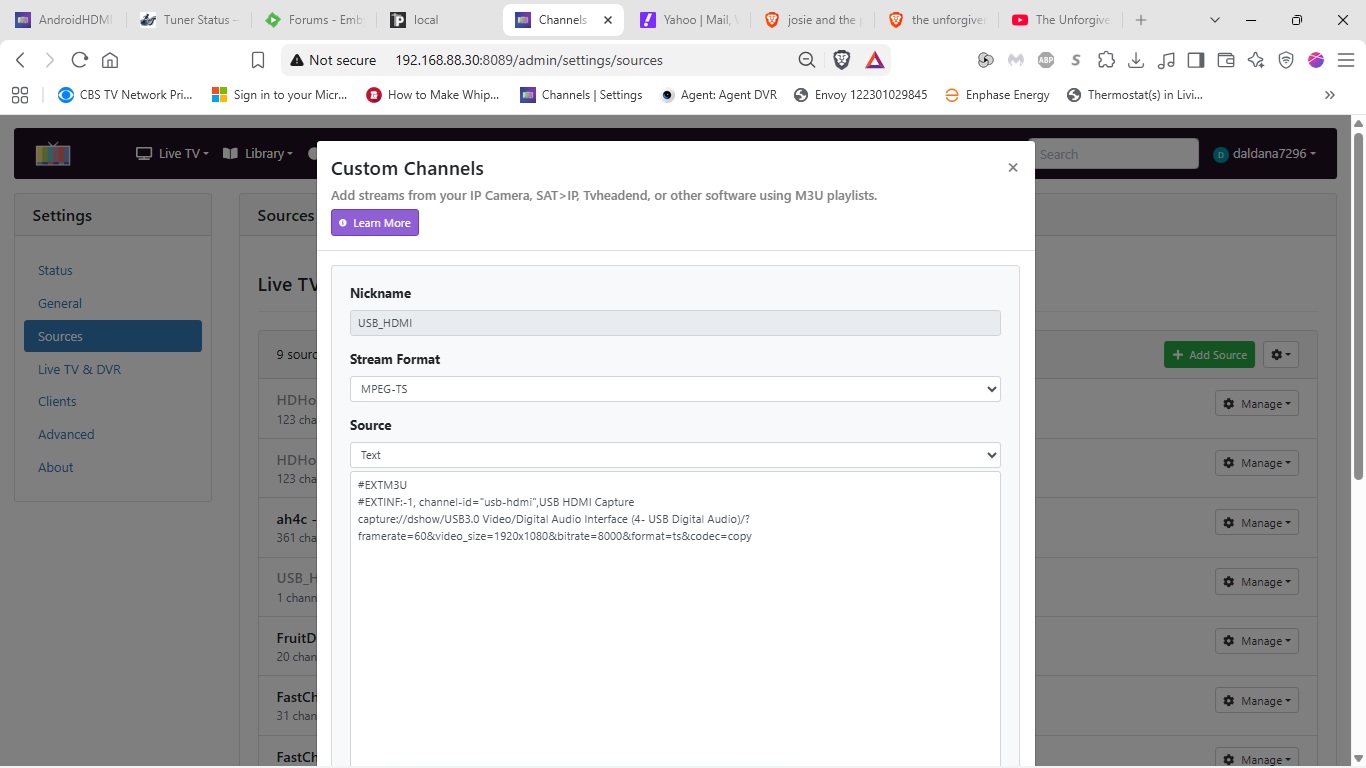
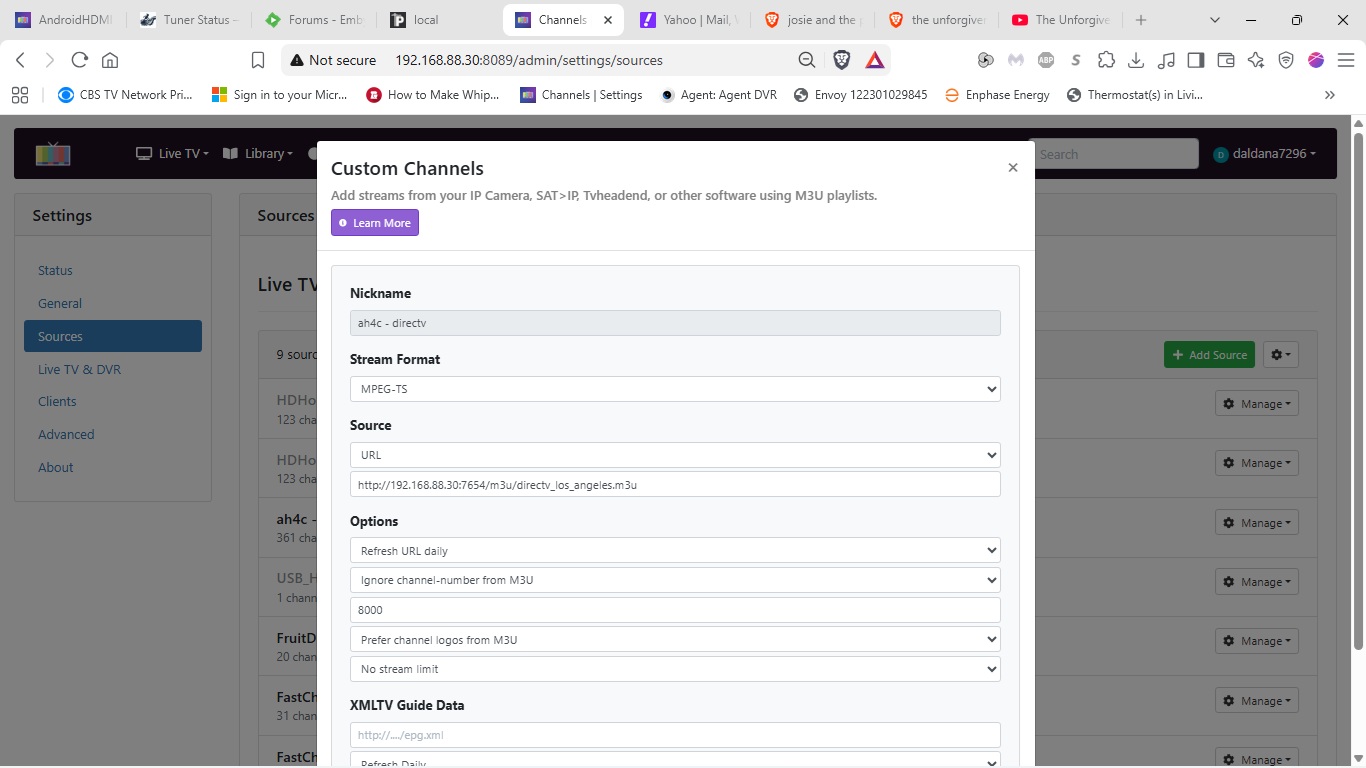
I'm getting a Failed to tune device is not available error. Below is the (long) log entry.
2026/08/30 10:25:39 Attempting network tune for device http://192.168.88.30:8089/devices/M3U-USBHDMI/channels.m3u?format=ts&codec=copy 192.168.88.113:5555 FLARMY~5b2cc61c-32c8-42db-8c2e-ec527e55f1fa

2026/08/30 10:25:39 [EXECUTE] Running [./scripts/firetv/dtvstreamdeeplinks/prebmitune.sh 192.168.88.113:5555 FLARMY~5b2cc61c-32c8-42db-8c2e-ec527e55f1fa]

2026/08/30 10:25:41 [EXECUTE] Stdout: 'already connected to 192.168.88.113:5555

prebmitune.sh is exiting for 192.168.88.113:5555 with exit code 0

'

2026/08/30 10:25:41 [EXECUTE] Stderr: '+ streamerIP=192.168.88.113:5555

+ streamerNoPort=192.168.88.113

+ adbTarget='adb -s 192.168.88.113:5555'

+ packageName=com.att.tv

+ mkdir -p 192.168.88.113

+ trap finish EXIT

+ main

+ adbConnect

+ adb connect 192.168.88.113:5555

+ local -i adbMaxRetries=2

+ local -i adbCounter=0

+ true

+ adb -s 192.168.88.113:5555 shell input keyevent KEYCODE_WAKEUP

+ local adbEventSuccess=0

+ [[ 0 -eq 0 ]]

+ break

+ forceStopApp

+ adb -s 192.168.88.113:5555 shell am force-stop com.att.tv

+ finish

+ echo 'prebmitune.sh is exiting for 192.168.88.113:5555 with exit code 0'

'

2026/08/30 10:25:41 [EXECUTE] Finished running ./scripts/firetv/dtvstreamdeeplinks/prebmitune.sh in 1.447927592s

2026/08/30 10:25:41 [EXECUTE] Running [./scripts/firetv/dtvstreamdeeplinks/bmitune.sh FLARMY~5b2cc61c-32c8-42db-8c2e-ec527e55f1fa 192.168.88.113:5555]

2026/08/30 10:25:41 [IOINFO] Successfully copied 262 bytes

2026/08/30 10:25:41 [IOINFO] Transfer speed: 4.3341066901568635 Mbits/second

2026/08/30 10:25:41 Performing Close() for 192.168.88.113:5555

2026/08/30 10:25:41 [EXECUTE] Running [./scripts/firetv/dtvstreamdeeplinks/stopbmitune.sh 192.168.88.113:5555 FLARMY~5b2cc61c-32c8-42db-8c2e-ec527e55f1fa]

2026/08/30 10:25:41 Tuner 0 is active - skipping

2026/08/30 10:25:41 [ERR] Failed to tune device(s) not available

2026/08/30 10:25:41 [GIN-debug] Request: 172.27.0.1 GET /play/tuner/FLARMY~5b2cc61c-32c8-42db-8c2e-ec527e55f1fa, latency: 177.05µs, status: 500

2026/08/30 10:25:41 [EXECUTE] Stdout: 'Current PID for this script is 221

Starting: Intent { act=android.intent.action.VIEW (has data) cmp=com.att.tv/com.clientapp.MainActivity }

bmitune.sh is exiting for 192.168.88.113:5555 with exit code 0

'

2026/08/30 10:25:41 [EXECUTE] Stderr: '++ echo FLARMY~5b2cc61c-32c8-42db-8c2e-ec527e55f1fa

++ awk -F~ '{print $2}'

+ channelID=5b2cc61c-32c8-42db-8c2e-ec527e55f1fa

++ echo FLARMY~5b2cc61c-32c8-42db-8c2e-ec527e55f1fa

++ awk -F~ '{print $1}'

+ channelName=FLARMY

+ streamerIP=192.168.88.113:5555

+ streamerNoPort=192.168.88.113

+ adbTarget='adb -s 192.168.88.113:5555'

+ packageName=com.att.tv

+ packageAction=com.clientapp.MainActivity

+ trap finish EXIT

+ main

+ updateReferenceFiles

+ mkdir -p 192.168.88.113

+ [[ -f 192.168.88.113/stream_stopped ]]

+ [[ -f 192.168.88.113/last_channel ]]

+ echo 221

+ echo 'Current PID for this script is 221'

+ tuneChannel

+ adb -s 192.168.88.113:5555 shell am start -n com.att.tv/com.clientapp.MainActivity dtvnow://deeplink.directvnow.com/play/channel/FLARMY/5b2cc61c-32c8-42db-8c2e-ec527e55f1fa

+ finish

+ echo 'bmitune.sh is exiting for 192.168.88.113:5555 with exit code 0'

'

2026/08/30 10:25:41 [EXECUTE] Finished running ./scripts/firetv/dtvstreamdeeplinks/bmitune.sh in 242.028225ms

2026/08/30 10:25:41 Tuner 0 is active - skipping

2026/08/30 10:25:41 [ERR] Failed to tune device(s) not available

2026/08/30 10:25:41 [GIN-debug] Request: 172.27.0.1 GET /play/tuner/FLARMY~5b2cc61c-32c8-42db-8c2e-ec527e55f1fa, latency: 88.255µs, status: 500

2026/08/30 10:25:41 Tuner 0 is active - skipping

2026/08/30 10:25:41 [ERR] Failed to tune device(s) not available

2026/08/30 10:25:41 [GIN-debug] Request: 172.27.0.1 GET /play/tuner/FLARMY~5b2cc61c-32c8-42db-8c2e-ec527e55f1fa, latency: 369.841µs, status: 500

2026/08/30 10:25:42 Tuner 0 is active - skipping

2026/08/30 10:25:42 [ERR] Failed to tune device(s) not available

2026/08/30 10:25:42 [GIN-debug] Request: 172.27.0.1 GET /play/tuner/FLARMY~5b2cc61c-32c8-42db-8c2e-ec527e55f1fa, latency: 443.024µs, status: 500

2026/08/30 10:25:43 Tuner 0 is active - skipping

2026/08/30 10:25:43 [ERR] Failed to tune device(s) not available

2026/08/30 10:25:43 [GIN-debug] Request: 172.27.0.1 GET /play/tuner/FLARMY~5b2cc61c-32c8-42db-8c2e-ec527e55f1fa, latency: 86.201µs, status: 500

2026/08/30 10:25:43 Tuner 0 is active - skipping

2026/08/30 10:25:43 [ERR] Failed to tune device(s) not available

2026/08/30 10:25:43 [GIN-debug] Request: 172.27.0.1 GET /play/tuner/FLARMY~5b2cc61c-32c8-42db-8c2e-ec527e55f1fa, latency: 98.821µs, status: 500

2026/08/30 10:25:44 Tuner 0 is active - skipping

2026/08/30 10:25:44 [ERR] Failed to tune device(s) not available

2026/08/30 10:25:44 [GIN-debug] Request: 172.27.0.1 GET /play/tuner/FLARMY~5b2cc61c-32c8-42db-8c2e-ec527e55f1fa, latency: 139.499µs, status: 500

2026/08/30 10:25:45 Tuner 0 is active - skipping

2026/08/30 10:25:45 [ERR] Failed to tune device(s) not available

2026/08/30 10:25:45 [GIN-debug] Request: 172.27.0.1 GET /play/tuner/FLARMY~5b2cc61c-32c8-42db-8c2e-ec527e55f1fa, latency: 178.054µs, status: 500

2026/08/30 10:25:45 Tuner 0 is active - skipping

2026/08/30 10:25:45 [ERR] Failed to tune device(s) not available

2026/08/30 10:25:45 [GIN-debug] Request: 172.27.0.1 GET /play/tuner/FLARMY~5b2cc61c-32c8-42db-8c2e-ec527e55f1fa, latency: 108.128µs, status: 500

2026/08/30 10:25:46 Tuner 0 is active - skipping

2026/08/30 10:25:46 [ERR] Failed to tune device(s) not available

2026/08/30 10:25:46 [GIN-debug] Request: 172.27.0.1 GET /play/tuner/FLARMY~5b2cc61c-32c8-42db-8c2e-ec527e55f1fa, latency: 98.533µs, status: 500

2026/08/30 10:25:51 [EXECUTE] Stdout: 'Streaming stopped for 192.168.88.113:5555

Sleep initiated for 192.168.88.113:5555

192.168.88.113/stream_stopped written with epoch stop time

'

2026/08/30 10:25:51 [EXECUTE] Stderr: '+ streamerIP=192.168.88.113:5555

+ streamerNoPort=192.168.88.113

+ adbTarget='adb -s 192.168.88.113:5555'

+ packageName=com.att.tv

+ main

+ bmituneDone

+ bmitunePID=192

+ ps -p 192

+ adbStop

+ stop='input keyevent KEYCODE_BACK; input keyevent KEYCODE_HOME'

+ adb -s 192.168.88.113:5555 shell input keyevent 'KEYCODE_BACK;' input keyevent KEYCODE_HOME

+ sleep 2

+ echo 'Streaming stopped for 192.168.88.113:5555'

+ adbSleep

+ sleep='input keyevent KEYCODE_SLEEP'

+ adb -s 192.168.88.113:5555 shell input keyevent KEYCODE_SLEEP

+ echo 'Sleep initiated for 192.168.88.113:5555'

+ date +%s

+ echo '192.168.88.113/stream_stopped written with epoch stop time'

'

2026/08/30 10:25:51 [EXECUTE] Finished running ./scripts/firetv/dtvstreamdeeplinks/stopbmitune.sh in 9.914786001s

2026/08/30 10:25:51 [GIN-debug] Request: 172.27.0.1 GET /play/tuner/FLARMY~5b2cc61c-32c8-42db-8c2e-ec527e55f1fa, latency: 11.368837041s, status: 200