
I’m seeing the same issue, just submitted Diagnostic logs as well.
Sorry, saw the update after posting… just resubmit from the latest beta.
I just sent it to you 
BTW, when I saw the ipv6 address for the DVR, I went into QNAP and turned off ipv6 (I didn’t know it was on).
Turning off ipv6 required a reboot. After I did that, the ATV beta was still reporting the ipv6 address for the DVR and I could still ping it! Perhaps the setting to turn it off in the QNAP NAS is a no-op.
Please try upgrading to the latest DVR pre-release
Upgraded DVR to 2018.04.11.0401
Same issue. Diagnostics submitted.
This should be fixed in DVR pre-release v2018.04.11.2033
When I enabled IPv6 on my QNAP, it forced me to reboot the device. I tested the latest DVR build with IPv6 and things work as expected now.
After upgrading, you should be able to access locally without any authorization prompts as well.
Works like a cham on 2018.04.11.2033. Thank you!
1 Like
Updated to 2018.04.11.2353 and still no luck accessing DVR. I’ve submitted logs again. I do have IPv6 running, but the IP showing on the DVR page is just an IPv4 one. Only other thing I can add to this is my DVR and aTV are on different subnets, although it was never a problem with the previous versions of the app.
I deleted it and reinstalled again from TestFlight, screen shows 4.11.2353, but same effect, no DVR. 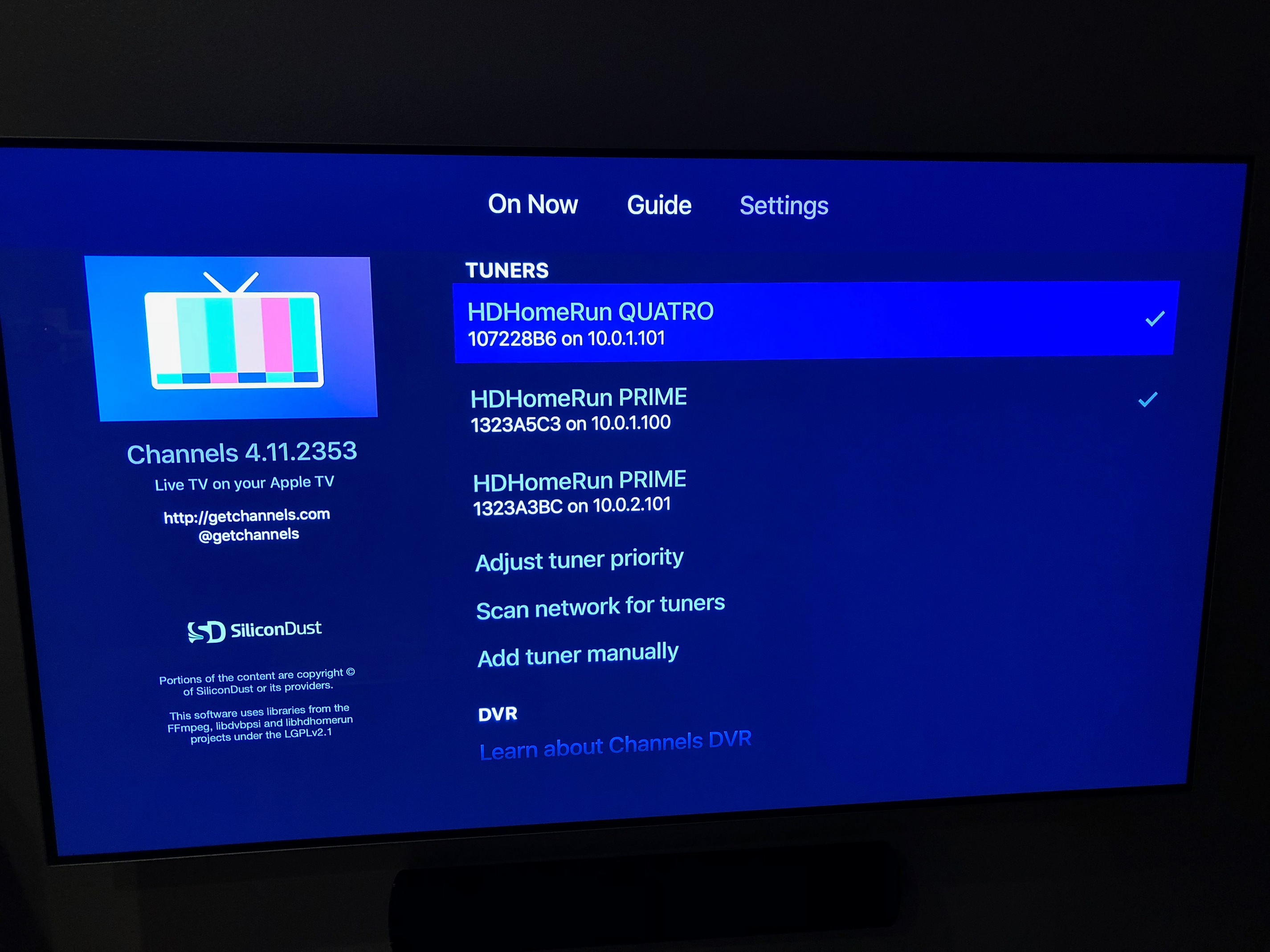
You need to update your DVR server to the pre-release by holding down SHIFT and clicking Check For Updates.
It looks like the issue is because two different IPv6 subnets are in use, and the DVR can’t tell that they are both local. With IPv4 we know that all 10.x.x.x IPs are local, but that doesn’t work with IPv6.
Can you tell me more about how you have your IPv6 network setup? Did you define the two subnets yourself?
Here is the output… I assumed you wanted the DVR output which is at 10.0.0.253 (10.0.1.109 is the aTV).
[{“mtu”:16384,“name”:“lo0”,“hardwareaddr”:"",“flags”:[“up”,“loopback”,“multicast”],“addrs”:[{“addr”:“127.0.0.1/8”},{“addr”:"::1/128"},{“addr”:“fe80::1/64”}]},{“mtu”:1280,“name”:“gif0”,“hardwareaddr”:"",“flags”:[“pointtopoint”,“multicast”],“addrs”:[]},{“mtu”:1280,“name”:“stf0”,“hardwareaddr”:"",“flags”:null,“addrs”:[]},{“mtu”:0,“name”:“EHC26”,“hardwareaddr”:"",“flags”:null,“addrs”:[]},{“mtu”:0,“name”:“EHC29”,“hardwareaddr”:"",“flags”:null,“addrs”:[]},{“mtu”:0,“name”:“XHC20”,“hardwareaddr”:"",“flags”:null,“addrs”:[]},{“mtu”:4078,“name”:“fw0”,“hardwareaddr”:“00:3e:e1:ff:fe:a9:41:e0”,“flags”:[“broadcast”,“multicast”],“addrs”:[]},{“mtu”:1500,“name”:“en0”,“hardwareaddr”:“a8:20:66:1a:52:0a”,“flags”:[“up”,“broadcast”,“multicast”],“addrs”:[{“addr”:“fe80::14af:f5a3:a8b6:d77b/64”},{“addr”:“10.0.0.253/24”},{“addr”:“2601:646:9601:25f0:1481:9409:222b:70dc/64”},{“addr”:“2601:646:9601:25f0:64e2:a962:1a98:31e9/64”},{“addr”:“2601:646:9601:25f0:d9af:1d40:990a:6db/64”},{“addr”:“2601:646:9601:25f0:793a:7f51:c969:f515/64”},{“addr”:“2601:646:9601:25f0:e8:e51a:f547:7b4f/64”},{“addr”:“2601:646:9601:25f0:b8dc:c695:8498:fe63/64”},{“addr”:“2601:646:9601:25f0:20d5:e0a0:6d5f:b40b/64”},{“addr”:“2601:646:9601:25f0:653d:6087:b44e:3ba3/64”}]},{“mtu”:1500,“name”:“en2”,“hardwareaddr”:“32:00:1a:94:1e:00”,“flags”:[“up”,“broadcast”,“multicast”],“addrs”:[]},{“mtu”:1500,“name”:“en1”,“hardwareaddr”:“20:c9:d0:93:10:d9”,“flags”:[“up”,“broadcast”,“multicast”],“addrs”:[]},{“mtu”:2304,“name”:“p2p0”,“hardwareaddr”:“02:c9:d0:93:10:d9”,“flags”:[“broadcast”,“multicast”],“addrs”:[]},{“mtu”:1484,“name”:“awdl0”,“hardwareaddr”:“96:8e:4c:61:98:d2”,“flags”:[“broadcast”,“multicast”],“addrs”:[]},{“mtu”:1500,“name”:“bridge0”,“hardwareaddr”:“32:00:1a:94:1e:00”,“flags”:[“broadcast”,“multicast”],“addrs”:[]},{“mtu”:2000,“name”:“utun0”,“hardwareaddr”:"",“flags”:[“up”,“pointtopoint”,“multicast”],“addrs”:[{“addr”:“fe80::a39d:7db5:1821:138a/64”}]},{“mtu”:1380,“name”:“utun1”,“hardwareaddr”:"",“flags”:[“up”,“pointtopoint”,“multicast”],“addrs”:[{“addr”:“fe80::380d:2ec0:5cee:a866/64”}]},{“mtu”:1380,“name”:“utun2”,“hardwareaddr”:"",“flags”:[“up”,“pointtopoint”,“multicast”],“addrs”:[{“addr”:“fe80::d4a8:e797:8285:8378/64”}]},{“mtu”:1380,“name”:“utun3”,“hardwareaddr”:"",“flags”:[“up”,“pointtopoint”,“multicast”],“addrs”:[{“addr”:“fe80::cafc:ad14:c1fa:47c7/64”}]},{“mtu”:1380,“name”:“utun4”,“hardwareaddr”:"",“flags”:[“up”,“pointtopoint”,“multicast”],“addrs”:[{“addr”:“fe80::3ba6:a658:99df:33c/64”}]},{“mtu”:1380,“name”:“utun5”,“hardwareaddr”:"",“flags”:[“up”,“pointtopoint”,“multicast”],“addrs”:[{“addr”:“fe80::76b9:65e0:d337:8137/64”}]}]
As for the IPv6, I’m using a ubiquiti router, and have a couple VLANs. As for IPv6 i’m not an expert, so if I misspeak forgive me, but the way I understand it the WAN is pulling DHCP-PD using a /60, then distributing them at /64 to each VLAN also using prefix delegation. I’m not defining the addresses, I believe the router increments each VLAN by 1 bit. Here is a redacted version of the interfaces on my router.
Codes: S - State, L - Link, u - Up, D - Down, A - Admin Down
Interface    IP Address                        S/L  Description
---------    ----------                        ---  -----------
eth0         10.0.0.1/24                       u/u
             xxxx:xxxx:xxxx:25f0:822a:a8ff:fef0:c2eb/64
eth0.10      10.0.1.1/24                       u/u
             xxxx:xxxx:xxxx:25f1:822a:a8ff:fef0:c2eb/64
eth0.30      10.0.3.1/24                       u/u
             xxxx:xxxx:xxxx:25f2:822a:a8ff:fef0:c2eb/64
eth0.40      10.0.4.1/24                       u/u
             xxxx:xxxx:xxxx:25f3:822a:a8ff:fef0:c2eb/64
eth0.200     192.168.200.1/23                  u/u
             xxxx:xxxx:xxxx:25f4:822a:a8ff:fef0:c2eb/64
eth0.785     10.7.85.1/24                      u/u
eth1         -                                 A/D
eth2         x.x.x.x/21                   u/u
             xxxx:xxxx:xxxx:xxxx:xxxx:xxxx/128
eth3         -                                 A/D
lo           127.0.0.1/8                       u/u
             ::1/128
vti64        -                                 u/u
Today’s beta fixed it, thanks for the quick work as always.
1 Like