Audio Options to include Enhance Dialogue

We use the "Enhance Dialogue" feature of Apple TV a lot. It is excellent at removing the annoying background "music" that most TV editors seem to think is mandatory.

While using channels though, to switch it on or off is a pain. I have to exit channels (so loosing any live buffer) go into Apple TV settings and navigate deep down to the correct area. Even with a macro to do it, it takes a while, and if Apple changes the menu structure slightly (which has happened) the macro does something completely unintended.

While using the Channel 4 app for catch up today, I noticed that above their timeline there is an audio options button that give access to the enhance dialogue menu directly. see pics below.

Would it be possible for Channels to do the same somehow? Maybe in the options drop down window where the other audio options are?
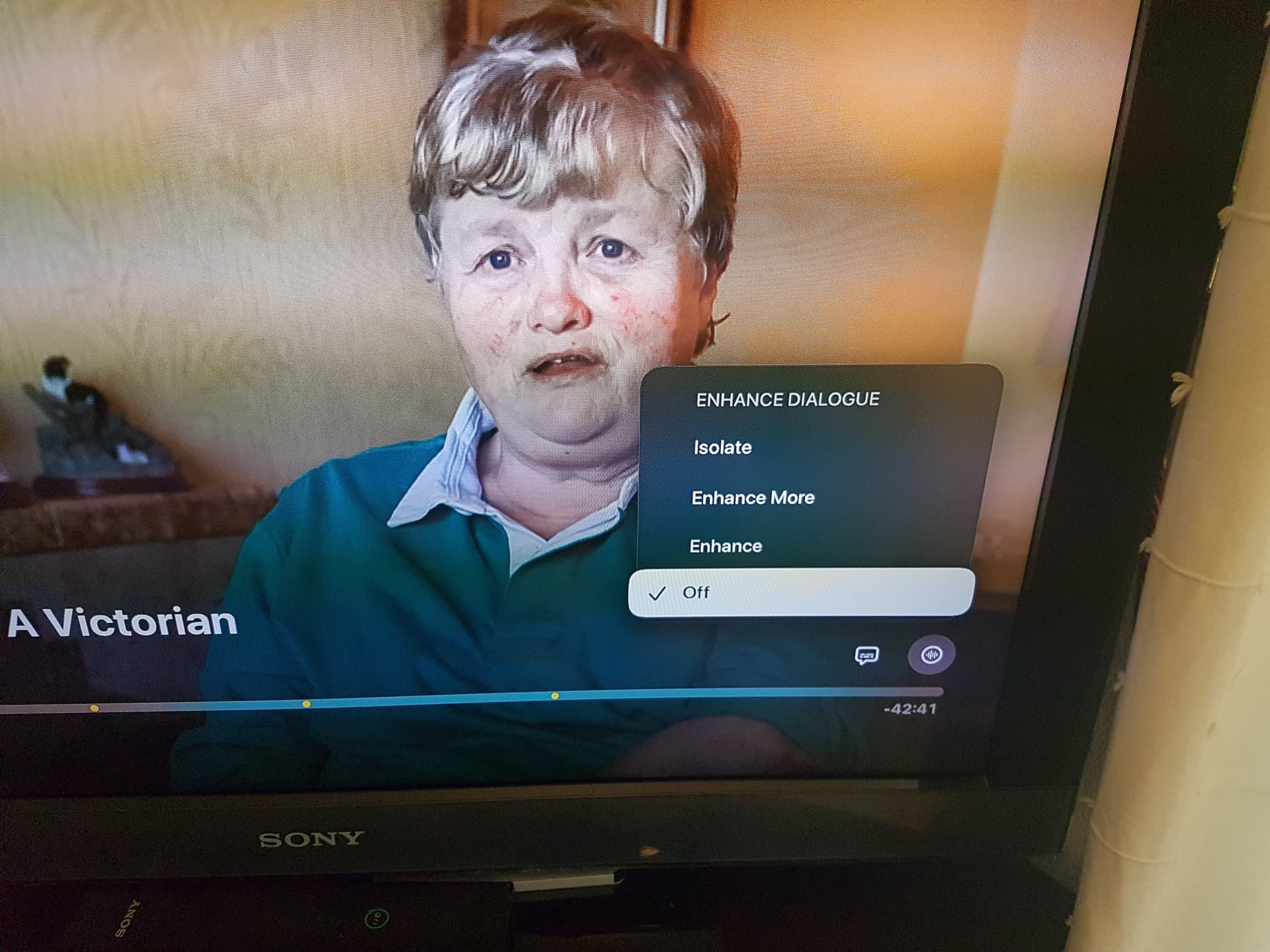
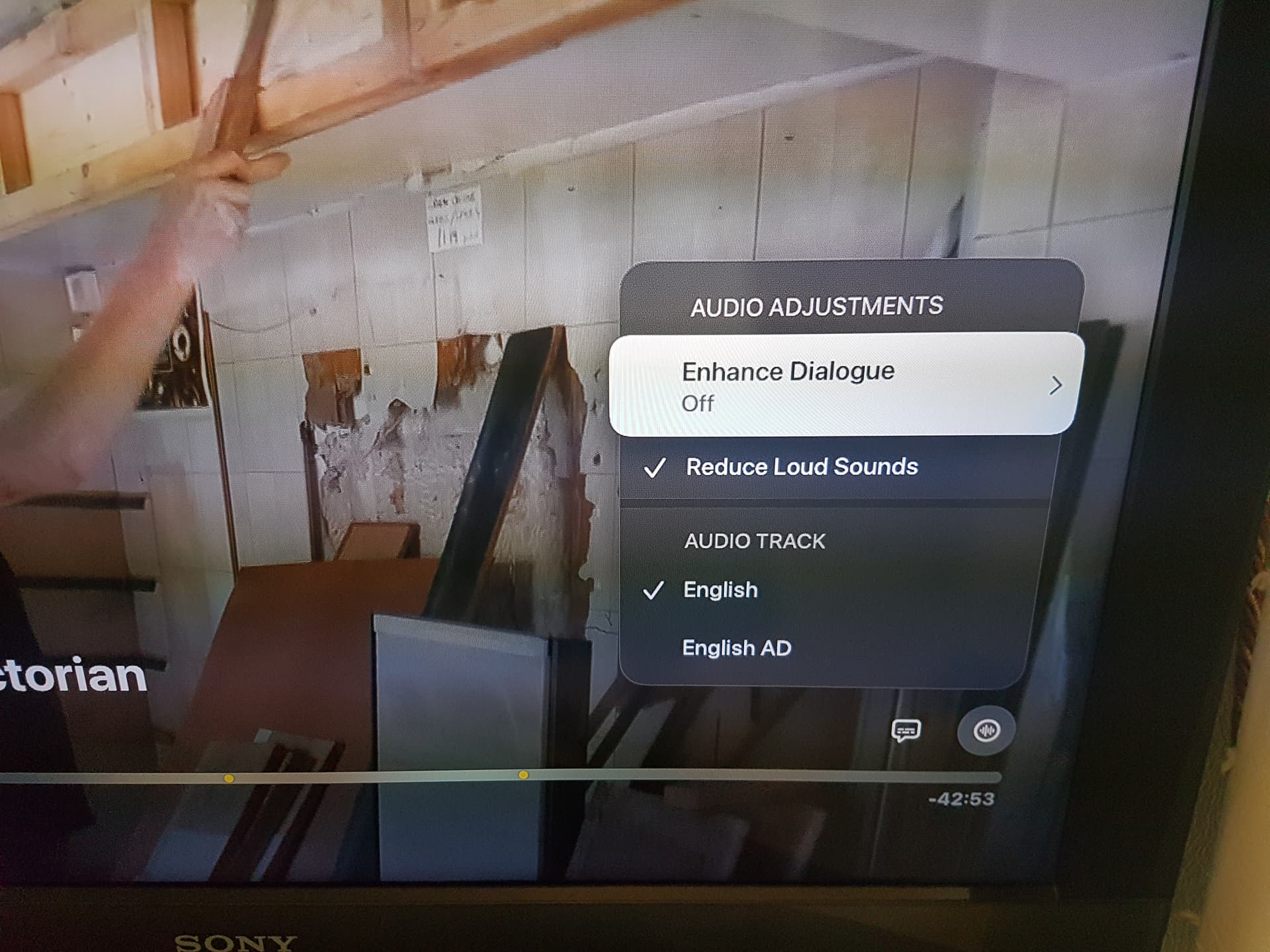
This has been mentioned in the past.
Not possible.
Those Audio enhancement options, only work for things that make use of Native Apple video player.
Channels does not use the built in native video player.
They use a custom video player, MPV, i believe.

Ah, OK. I have been asking for a while about a better way to do this, and seeing the C4 app's solution I thought it might be an option without realising the technicalities.

It just keep feeling that there must be a cleaner way to access these settings rather than a macro chugging slowly away going down,down,down,ok,down,down ......ok....etc etc etc and hoping Apple doesn't change anything in the menu!

You can do this without leaving channels via the tvOS control center

1 Like

Really? I've just tried that and can't see anything related to Enhance Dialogue settings

Previous discussions here:

I never bothered looking into this more deeply because I was under the impression the “Enhance Dialog” tvOS feature itself only works in apps that use Apple’s video player, which would mean it doesn’t actually work in the Channels app anyway:

… so why look for a better shortcut?

If “Enhance Dialog” also works in 3rd party apps like Channels and Plex though, that’d be great information to confirm.

It 100% does work in Channels. The difference from Off to Isolate is night and day. If you watch a music video with "Isolate Dialogue" switched on, it removes most of the music completely and you just get the vocals. Give it a try.

Huh....I guess they added support for 3rd party appa at some point...

I can not seem to find a way to pin that setting to the Control Center Accessibility shortcut thing.
Only way to adjust this setting is tvos Settings menu.
I tried Siri voice control but it does not work like it does for "Reduce Loud Sounds" setting.

No, I couldn't either. It would seem to be the obvious place for it, yet it isnt on the options list.

It is frustrating that such a great and useful feature is buried away in the settings. Hence this feature request to see if the Channels devs can help.

1 Like

Apparently it's been working with 3rd party apps since the feature was first introduced in tvOS 18 almost a year ago. Users reported it working in Plex, Infuse and more. There just isn't a shortcut in the timeline UI to enable/disable it directly in non-Apple players.

https://www.reddit.com/r/appletv/comments/1fjtc9h/comment/lnuz0kb/

Adding to any potential confusion is the fact that the "Enhance Dialog" feature is only available on Apple TV 4K models that are 2nd generation and later.