Channel Collection Logos

If he setup the source to prefer channel logos from M3U, then when you parse http://$dvr/devices/$source/channels you will find the logo url https://imgx.fubo.tv/station_logos/fox4k_c.png

http://$dvr/devices/$source/channels.m3u only contains the gracenote logo url derived from the stationId 111003 https://tmsimg.fancybits.co/assets/s11055_ll_h15_aa.png?w=360&h=270

I typed what you parsed (http://192.168.X.XXX:8089/devices/FuboTV/channels) and I got error "device not found"

192.168.X.XXX is not a valid IP address
No point in masking your private local IP addresses. They're not reachable from the Internet.

FuboTV is not a valid device name for use in that API

My post was actually for bnhf

Sorry about that. Also I wasn’t sure if I didn’t masked my IP that people would access it.

Prefer channel logos from M3U means Channels DVR will use the tvg-logo defined in your source M3U
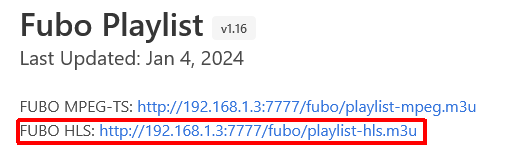
Screenshot 2024-02-03 at 13-02-11 Fubo Playlist

#EXTINF:-1 channel-id="123918" tvg-id="FOX4K" group-title="4k-screen;fubotv-basic" tvg-logo="https://imgx.fubo.tv/station_logos/fox4k_c.png" tvc-guide-stationid="111003",FOX 4K

http://$dvr/devices/$source/channels
Replace $dvr with your Channels DVR Server IP and port#
Replace $source with the DeviceID of your M3U source as found in http://$dvr/devices

For mine, that's http://192.168.1.4:8190/devices/M3U-Fubobridge/channels

@mexicanmamba If I understand what you're trying to do correctly, this particular Channel Collection is based on a single source. If that's true, @chDVRuser has given us a clue to making this work, which is to use both the "source" and "collection" fields together in OliveTin.

You wouldn't want to do this with a collection that spanned sources, but it should work in this case, if the above is true.

I can confirm that I am indeed using two TVE sources in my channel collection to supplement the loss of the NBC and Viacom channels.

OK, in that case, you can try this modification to generatem3u.sh:

Find the line in the outputCollectionM3U() function, and comment it out like so:

  #allChannelsM3U=$(curl $m3uURL)

And add the following below it:

  allChannelsM3U=$(curl http://$dvr/devices/ANY/channels)

Then, do the same with this combination:

    #collectionChannelM3U=$(echo "$allChannelsM3U" | grep -A 1 -E "tvg-chno=\"$collectionChannelNumber\"")

Adding the following below:

    collectionChannelM3U=$(echo "$allChannelsM3U" | jq -r '.[] | select(.GuideNumber == "'"$collectionChannelNumber"'") | "#EXTINF:-1 channel-id=\"\(.GuideNumber)\" tvg-id=\"\(.GuideNumber)\" tvg-chno=\"\(.GuideNumber)\" tvg-logo=\"\(.Logo)\" tvc-guide-stationid=\"\(.Station)\" tvg-name=\"\(.GuideName)\",\(.GuideName)\nhttp://'$dvr'/devices/ANY/channels/\(.GuideNumber)/hls/master.m3u8?"')

The re-run the M3U generation as before, and see if the result is what you're after.

I am sorry do I do this in olivetin??

The script can be found in the directory you have bound to /config in this section of your OliveTin docker-compose:

    volumes:
      - ${HOST_DIR}/olivetin:/config # Add the parent directory on your Docker host you'd like to use

EDIT: If you feel like this is too far outside your wheelhouse, don't worry about it -- I can build you a container with the :test tag tomorrow and we can try it that way.

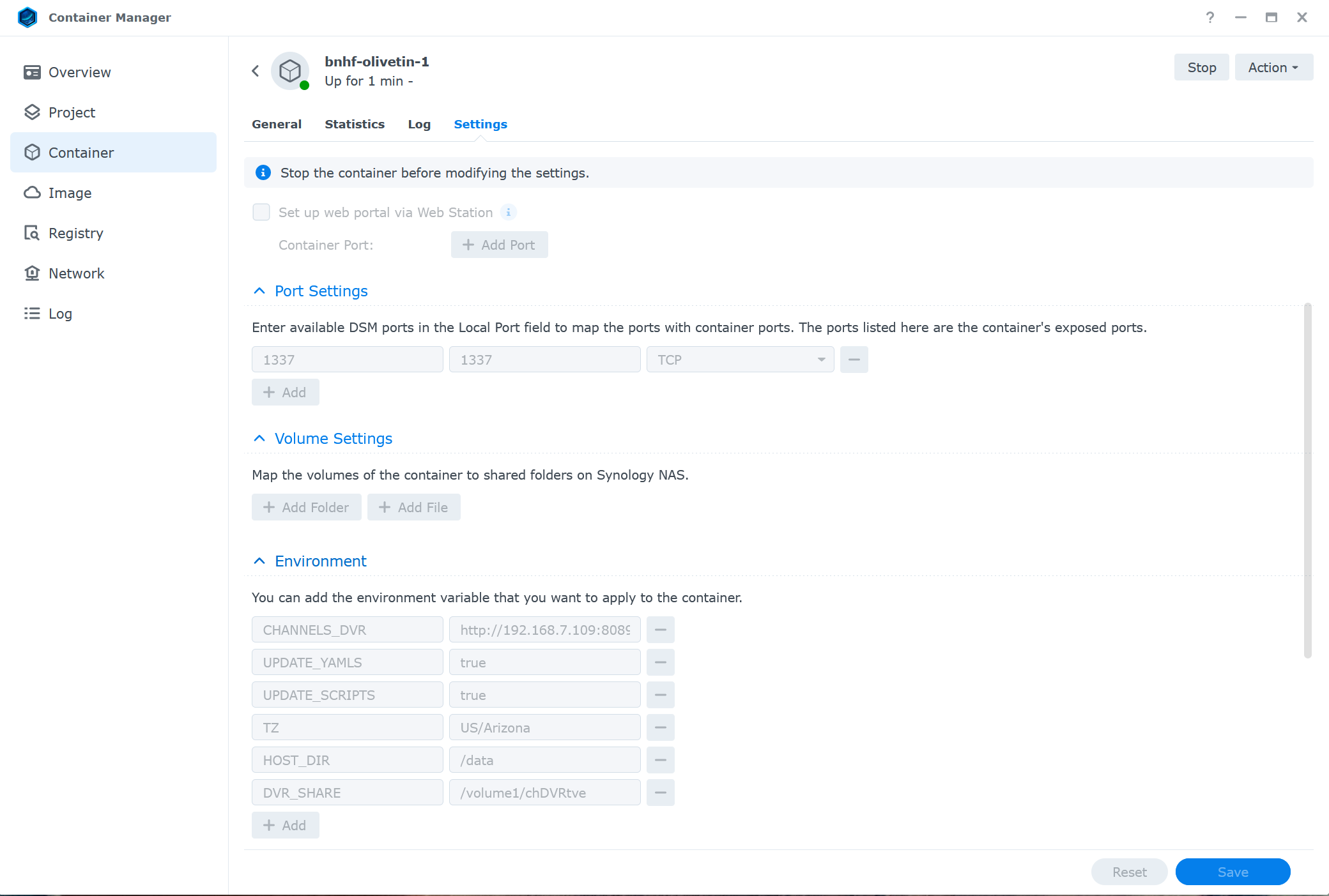
Yes, I am not understanding because the way I setup Olivetin for channels was going to my container manager, and pulling the image and creating a container with it. Thank you!!


@mexicanmamba Well, I had to chase down a couple of issues with my build system, but all is well now -- and, I've built the promised container for you with the :test tag.

I do see an issue moving forward though, as you haven't used Portainer (a stated requirement for this project) to spin-up OliveTin-for-Channels. I think you'd find it to be a better, and more complete, tool than the Synology Container Manager.

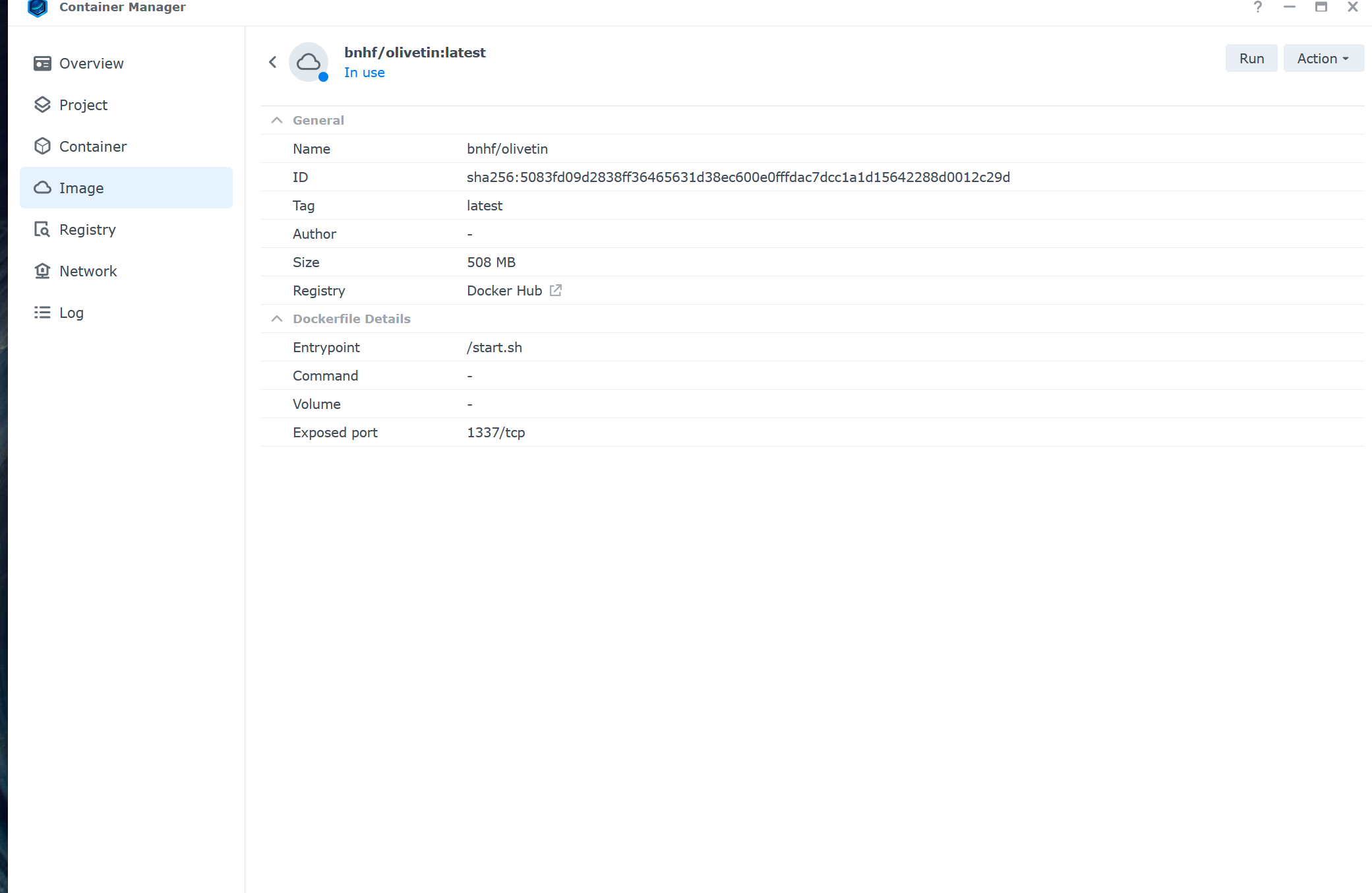
I'm only supporting this project via Portainer, as there are already enough variables to deal with related to people's individual setups without adding additional complication. Though I'm not a Synology user, it looks pretty clear to me that you haven't set up your docker volumes correctly, as there's no directory on your Synology bound to /config in the container. This would result in none of your data being persistent, or easily accessible on your host.

Without the complete docker-compose used, and appropriate environment variables defined, it'll be hit-or-miss on whether a particular OliveTin Action will function correctly.

I was able to find a solution, I uploaded my own logos for the channels I deemed necessary that needed an update. Channel mapping and new logos, its like I have cable again thank you again for your assistance!!

This doesn't help me much -- did you try the new container I built for you? If so, did it work?

Yes I was indeed able to rebuild a new container with the yaml compose. Once I built a new docker the channels were indeed exported along with the M3U in Olivetin.

And did the M3U generated by OliveTin contain your desired logos?

Yes, I was able to update a few channels like NBC News Now and ABC News Live.

If I'm understanding you correctly then, most of the logos where generated as you wanted them to be -- but you changed a few manually. And, I'm guessing this is because they weren't as you wanted them in the Channels Source? Nothing to do with OliveTin?

Correct, I thought it was at first an olivetin issue but it was an issue with the way I configured Olivetin in my NAS.

OK, great -- glad it worked out for you. I'll push that same code in a container with the :latest tag in the next few days, and delete :test.

3 Likes