
Is there a way you can enable commercial indexing for a subset of your shows? I don’t want to burn the CPU cycles on every single show I record. Thanks!
You can disable commercial detection per show on the DVR web UI. You would find the show and then click the settings dropdown at the top to uncheck “Detect Commercials”
Hmm…
I’m having trouble finding it. Is that under the DVR tab, Schedule? Passes? I don’t see a dropdown that shows “Detect Commercials”. Thanks.
It’s only on the web UI. You need to go to the Recordings tab, find an episode then click More to get to the show page.
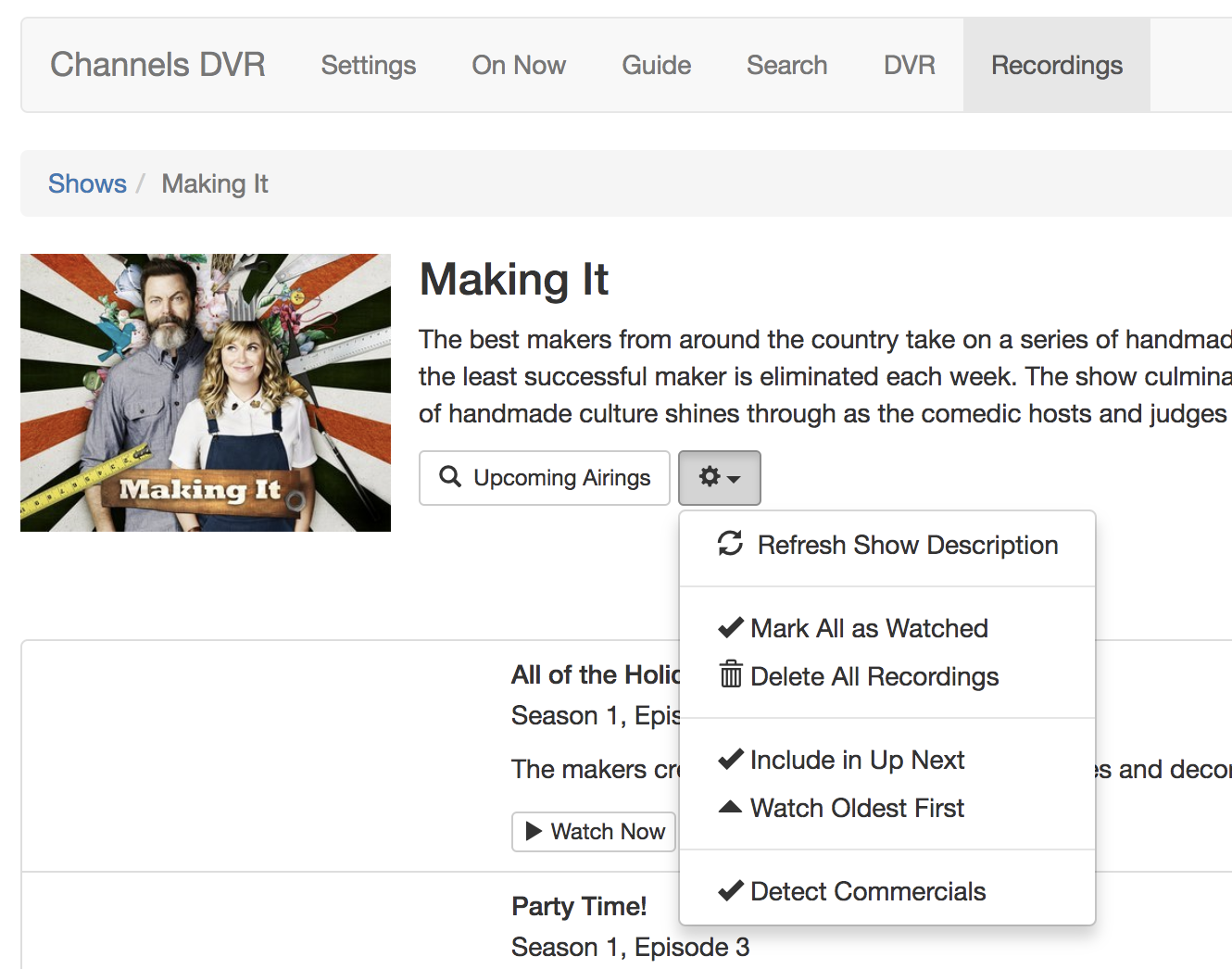
Great, thanks!
Is it possible to disable commercial detection before something is recorded? For example, I have a scheduled a movie to be recorded, but I don’t see a place to remove detect commercials option. Since it is not a show it does not have a show page.
Hmm. You can turn off commercial detection for all movies as follows:
curl -XPOST --data-binary ‘{“IgnoreCommercials”:true}’ http://127.0.0.1:8089/dvr/groups/movies
But not on or off for an individual movie?
Nope, no way to do that at the moment. Not for individual episodes either. It’s something we could possibly make configurable per scheduled recording.
Enlighten me, please? Why would one wish to do this? Disable commercial detection, that is.
Only reason that I’ve found: it can be spoilerish for sports. If there’s a commercial break visible then it’s a giveaway that your team is about to go 3 and out. Preemptive sadness.
Maybe you want watch super bowl commercials and have other things recording at the sametime and you want those commercials stripped out.
Maybe you are easing into the feature and are not comfortable with errors in detection. But you want to make sure anither show gets completely recorded no hiccups.
Or you dont mind commercials but maybe for a particular show/movie you dont want them.
But all it does is detect and mark them. If you don’t wish to skip them, then just don’t skip them. This is the reason I’m not understanding the reason for the request.
Re: Sports spoilers. Ok. Don’t watch sports, so I’ll have to take your word for that one.
One legitimate reason to disable commercial detection is because it’s very resource intensive. Especially on slower ARM-based NAS, it can take hours to detect commercials per recording. Sometimes it can hog a CPU and affect other recordings.
Long term my plan is to introduce a lot more commercial detection options so you can control what resources to give it. Some users with powerful DVRs might want to dedicate more than one core to commercial detection, and others with slow DVRs probably want to be able to delay commercial detection so it happens overnight and not while the DVR is recording.
2 Likes
Didnt know it just marks them. Good to know. But I would agree with it being resource intensive and might want to conserve resources.
Also, TCM doesn’t have commercials, hence no need for CPU resources being used for a non purpose.