
I'll check why some shutter while others Dont
I'll see if there's anything I can't do with memory or cpi usage
I'm sure you can appreciate use of this flag is concerning, given the potential for wide access to the host system. Can you confirm this is optional?
Also, I know you're moving fast on this project, but it appears to me your repo is significantly behind the containers you're pushing. Did I miss something in terms of your approach to keeping this open source?
Finally for those of us using Proxmox, with resource intensive container projects like this, the very best results are achieved by duplicating what's done in the Dockerfile to create an LXC container. This is what I've done with the cc4c project with very good results, and would like to do the same here. Being able to clone an up-to-date repo is obviously a requirement for this. 
1 Like
Great questions, and I appreciate you keeping me honest!
Regarding --privileged:
Yes, I can confirm --privileged is completely optional. The only thing it enables is
intel_gpu_top for GPU utilization monitoring in the web UI (showing % usage while encoding).
For VA-API hardware encoding to work, you only need:
--device /dev/dri:/dev/dri
That's it. I've updated the README and examples to remove --privileged from the default
commands and added a note clarifying it's optional. Totally understand the concern - giving a
container full host access is not something to do lightly.
Regarding the repo being behind:
You're right, and I apologize for that. I was moving fast and pushing Docker images before
committing to GitHub. I just pushed everything to the repo - it should now be fully up to date
with the latest images:
Intel VA-API support (Dockerfile.intel)
Multi-tuner architecture (all the start-*.sh scripts)
Auto-recovery from Chrome crashes (tuner.js, tuner-manager.js)
Docker Compose files for both NVIDIA and Intel multi-tuner
Updated README with complete examples
Repo: GitHub - jorge123255/directvtunner
The project is and will remain open source. I'll be more careful to keep the repo in sync
going forward.
Regarding Proxmox LXC:
That's a great approach for resource-intensive projects. With the repo now current, you should
have everything you need to build an LXC container. The key components are:
Node.js 20.x
Google Chrome
FFmpeg (with VA-API support for Intel)
Xvfb, x11vnc, noVNC, Fluxbox
The app/ directory with all the Node.js code
The start-*.sh scripts and supervisord.conf
If you run into any issues adapting it for LXC, let me know - happy to help troubleshoot
1 Like
Users with low resources added a new low resource mode
DVR_LOW_RESOURCE_CHROME=true Reduces Chrome memory
DVR_LOW_RESOURCE_FFMPEG=true
Faster encoding
You can use one or both depending on your needs. Existing behavior is unchanged
optimizations only apply when explicitly enabled.
DVR_LOW_RESOURCE_CHROME=true:
Disables extensions, plugins, and unused Chrome features
Reduces JavaScript memory allocation
Uses 1280x720 window instead of 1920x1080
Disables background processes
DVR_LOW_RESOURCE_FFMPEG=true:
Uses superfast preset instead of veryfast
Reduces video to 720p @ 2Mbps (vs 1080p @ 4Mbps)
Disables B-frames and reduces reference frames
Lower audio bitrate (96k vs 128k)
Example: Full Low Resource Mode
docker run -d \
 --name dvr-tuner \
 -p 7070:7070 \
 -p 6080:6080 \
 -v ./dvr-data:/data \
 -e DVR_LOW_RESOURCE_CHROME=true \
 -e DVR_LOW_RESOURCE_FFMPEG=true \
 -e DVR_NUM_TUNERS=1 \
 --memory=2g \
 sunnyside1/directvtuner:latest
Additional Tips for NAS Users
Limit Docker memory: Add --memory=2g to prevent runaway usage
Use GPU acceleration if available: Intel VA-API significantly reduces CPU
Reduce shm-size: Add --shm-size=512m for single tuner
Cool project you made . Hope this can become a universal project in the future with some manual setup in gui: Log in to site xyx , Set links to xyz/channel1, xyx/channel2 and so one. In gui have setting for name, channel no , xmltv epg pairing. Just un idea for all us not using DirectTV over seas
What mapping or special setup steps did you have to do for the Synology? I'm in that same boat. I don't think that I have mine set up properly.
EDIT: Sorry, @rpaulmerrell , I don't mean to be a pest. I just remembered that I asked this of you before. That's proof that I can't keep on top of more than one project at a time. I think that the errors I was getting in the container logs have resolved with the updates images.  Maybe it's playing nicely now...
Version 1.4.1 (single tuner)
Login fine. Status page all GREEN
And the docker cpu usage is down between 75% from its previous 270%
Version 1.4.1 (intel 3 tuner) sunnyside1/directvtuner:intel-vaapi
the docker cpu usage is down to 24% from its previous 270%
I Still get 503 errors (and a 502 error) local channels server box ip is 0.0.76
(10.0.0.227 is the apple tv box)
LOG:
2025/12/03 11:36:00.382519 [HTTP] | 200 | 3.5945ms | 10.0.0.227 | GET "/dvr/files/47607"
2025/12/03 11:36:00.800867 [HTTP] | 200 | 411.2038ms | 10.0.0.227 | GET "/dvr/recordings/upnext"
2025/12/03 11:36:44.471011 [ERR] Could not start stream for M3U-DTVStreamLocal ch18148 Great American Family: M3U: Could not fetch playlist from localhost:7070 (Timeout): Get "http://localhost:7070/stream/326": net/http: timeout awaiting response headers
2025/12/03 11:36:44.471528 [HTTP] | 503 | 14.0060109s | 10.0.0.227 | GET "/devices/M3U-DTVStreamLocal/channels/18148/stream.mpg"
2025/12/03 11:36:44.519417 [HTTP] | 502 | 15.4505ms | 10.0.0.227 | GET "/imgcache/placeholder-blur-placard/?withTitle=Great%20American%20Family%20@%2011AM&_proto=com.getchannels.local-images"
2025/12/03 11:40:25.033031 [ERR] Could not start stream for M3U-DTVStreamLocal ch18148 Great American Family: M3U: Could not fetch playlist from localhost:7070 (Timeout): Get "http://localhost:7070/stream/326": net/http: timeout awaiting response headers
2025/12/03 11:40:25.033031 [HTTP] | 503 | 14.0103281s | 10.0.0.227 | GET "/devices/M3U-DTVStreamLocal/channels/18148/stream.mpg"
2025/12/03 11:40:25.065764 [HTTP] | 502 | 1.0472ms | 10.0.0.227 | GET "/imgcache/placeholder-blur-placard/?withTitle=Great%20American%20Family%20@%2011AM&_proto=com.getchannels.local-images"
2025/12/03 11:41:06.977266 [HTTP] | 200 | 8.5056ms | 127.0.0.1 | GET "/dvr/uploads"
2025/12/03 11:41:07.189682 [HTTP] | 200 | 219.103ms | 127.0.0.1 | GET "/dvr/groups?all=true"
2025/12/03 11:41:07.264890 [HTTP] | 200 | 296.6462ms | 127.0.0.1 | GET "/dvr/programs"
2025/12/03 11:41:10.069780 [HTTP] | 200 | 30.6941ms | 127.0.0.1 | GET "/log"
2025/12/03 11:41:12.954698 [HTTP] | 200 | 36.4948ms | 127.0.0.1 | GET "/log"
2025/12/03 11:41:15.060245 [HTTP] | 200 | 31.8132ms | 127.0.0.1 | GET "/log"
2025/12/03 11:41:15.843719 [HTTP] | 200 | 8.8664535s | 127.0.0.1 | GET "/dvr/files?all=true&raw=false"
2025/12/03 11:41:18.169392 [HTTP] | 200 | 469.3408ms | 127.0.0.1 | GET "/dvr/recordings/upnext"
2025/12/03 11:41:18.801557 [HTTP] | 200 | 1.1649209s | 127.0.0.1 | GET "/dvr/recordings/summary"
2025/12/03 11:41:25.063950 [HTTP] | 200 | 30.2467ms | 127.0.0.1 | GET "/log"
can this be done with fubo tv?
See this post from 3 days ago
Or use the forum search to search this topic
https://community.getchannels.com/search?expanded=true&q=fubo%20topic:45152%20order:latest
Yes that’s next this was a big project lots of testing and fails i will add that soon also doing construction work on my own lol I will get there promise
1 Like
Are you able to test in VLC 1st if it works there then I think might be timing issues and will have to look at decreasing it for channels
v1.4.1
sunnyside1/directvtuner:intel-vaapi
Uptime: 3h 20m
original vnc (http://localhost:6080/) logs in fine.
(Still in the browser)
I get to the http://localhost:6080/vnc.html?autoconnect=true page, view the guide, click and watch a program (so things are working to that point)
subsequent logins (both http://localhost:6081/ , http://localhost:6082/ ) will not accept the first step (email credential)
for the other tunner you have to log in to
Im working on one login so you will only have to login to tunner0 and it will login to all the tunners at once
2 Likes
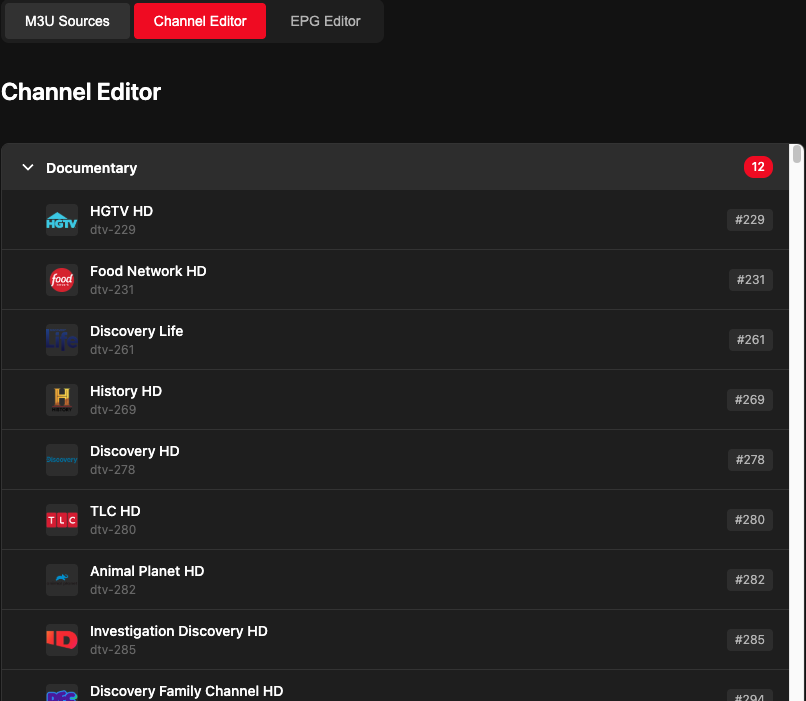
Log into DirecTV once on tuner 0, and all
other tuners automatically get logged in
within 5 seconds. No manual steps required!
The system detects when you complete login
on tuner 0 and automatically syncs your
authentication to tuners 1, 2, etc. Each
tuner maintains its own independent session
so they can stream different channels
simultaneously.
- Open http://your-server:6080 (noVNC)
- Log into DirecTV
- Done! All tuners are now logged in
automatically
update pushed
1 Like
I have been having trouble today tuning cinemax channels channels dvr reports a timeout
Also more channels have been stuttering today.