
the built-in player has some (most) of those stats. I'll turn on the output for it for you stats nerds.
It's on the same machine. It is 192.168.1.142 and the DVR server is running on port 8089
Cool now send me a screenshot of your settings page from FastChannels.
Your server IP should be filled in first box (with that IP u just gave)
Mine looks this:
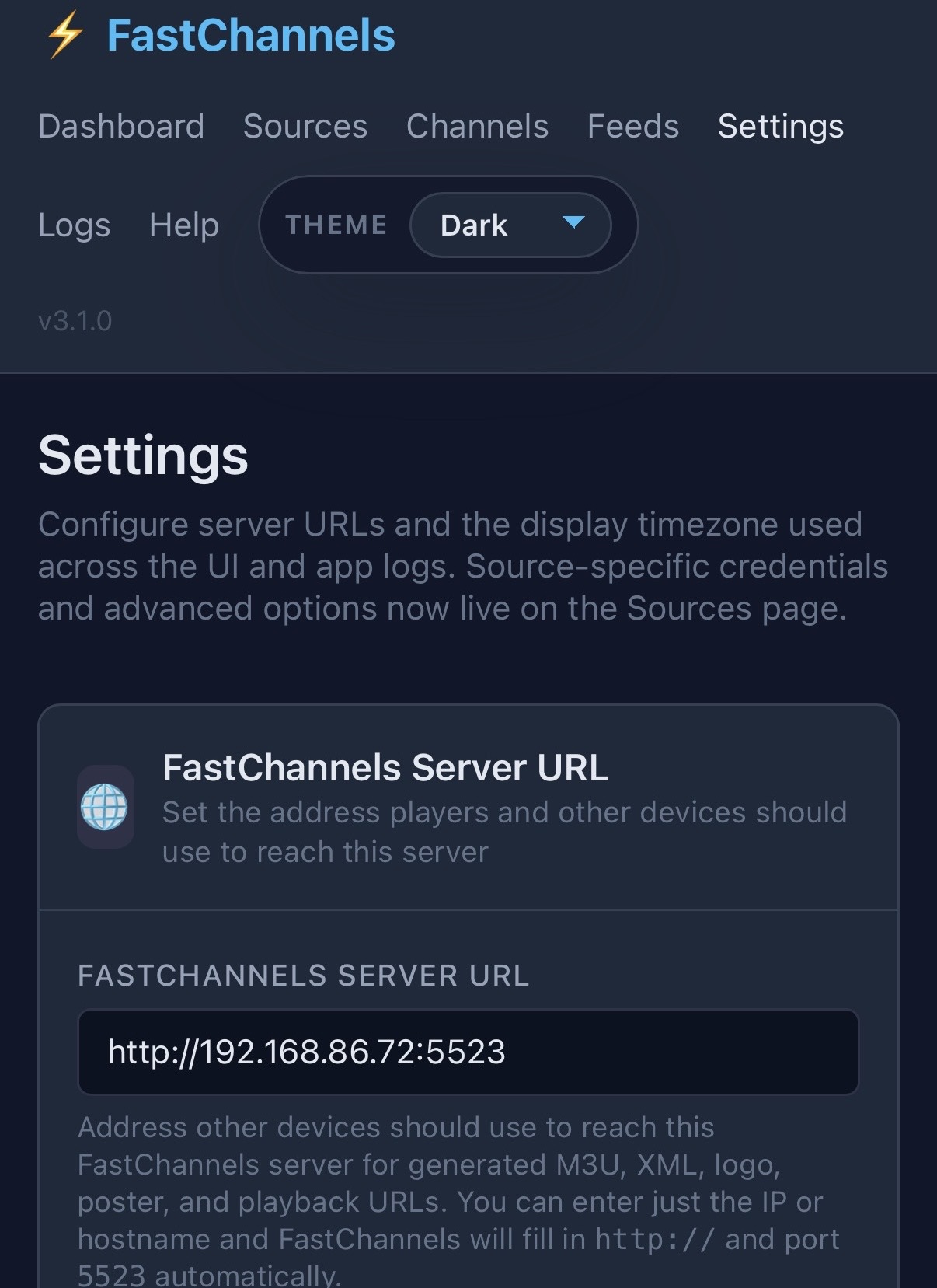
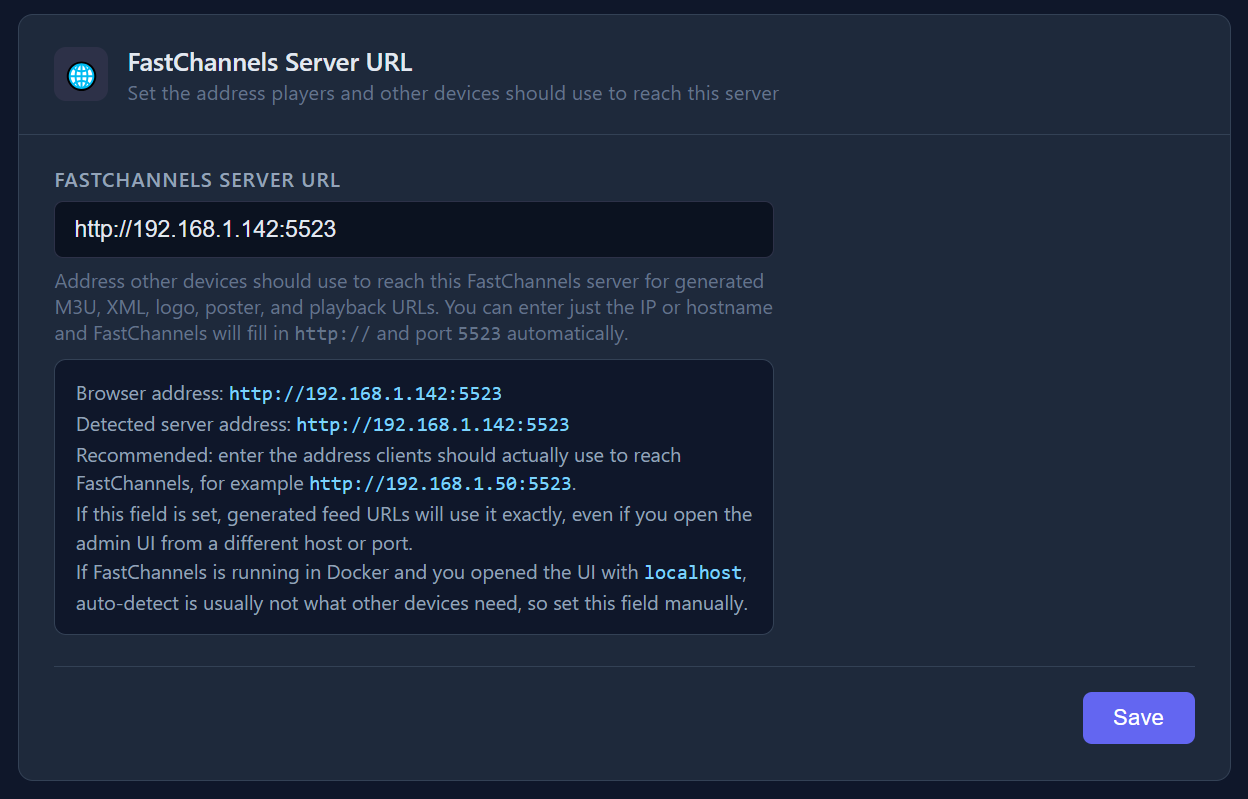
I think I found my problem. At some point I was using tailscale and I still had that turned on in Channels. I turned it off and things are working. This is great. Thank you so much!
2 Likes
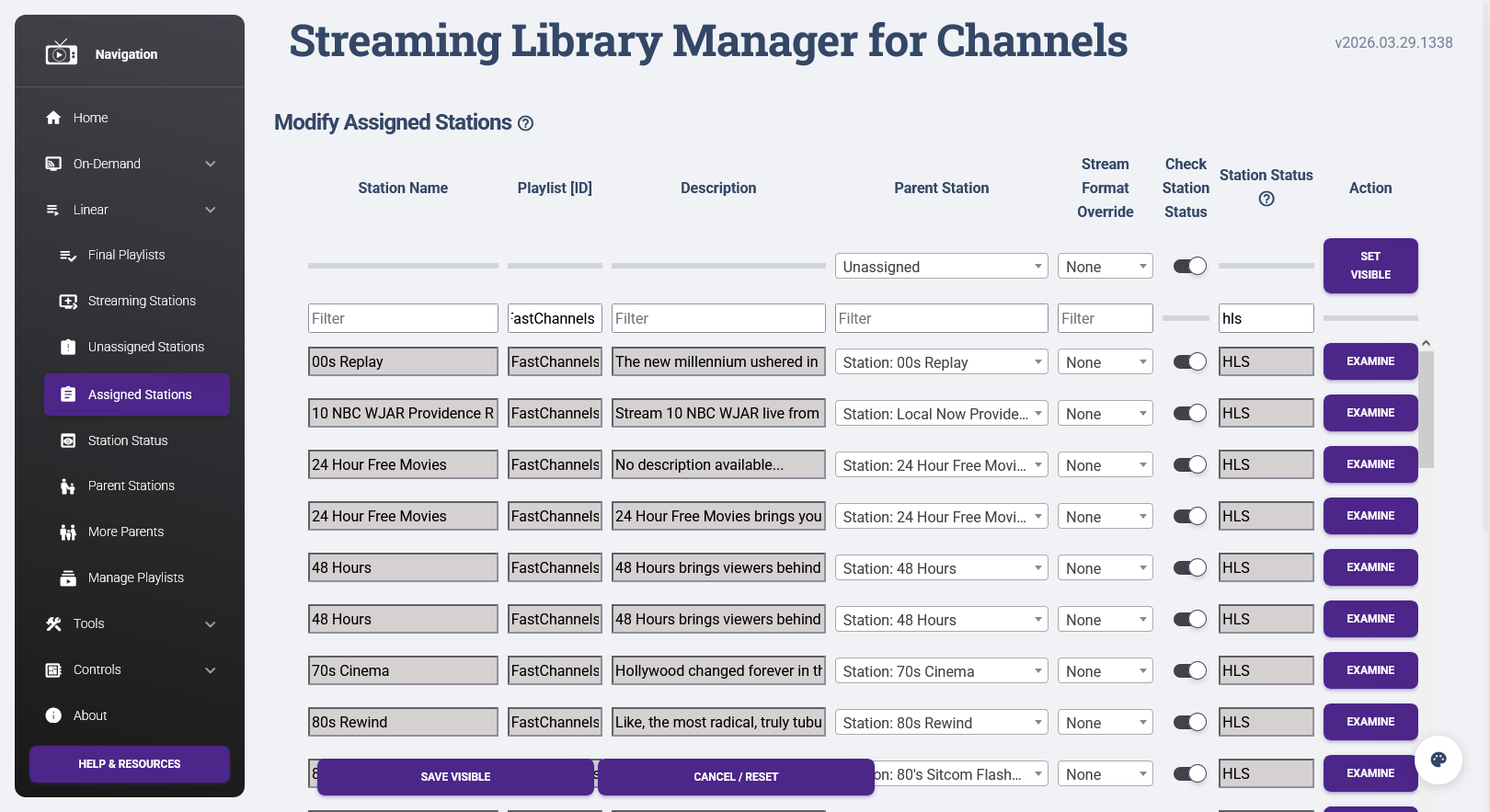
Update alert - Version 3.2.0
- New: Vizio WatchFree+ scraper — 424 clear-HLS channels, EPG, logos, descriptions, Gracenote IDs from tmsStationId
- New: Pin channel to feed (
 ) — assign/remove a channel from any feed directly from the channels table; shows pin state and allows removal from the same dropdown
 - New: Inline column filters — Source, Category, DUP, and Res header dropdowns; no drawer needed
- New: Stats for Nerds overlay — codec/stream stats in the preview player
- New: Update available modal — nav version tag opens an update details modal
2 Likes
I'm wondering what Channels DVR is looking for because it's not showing up there
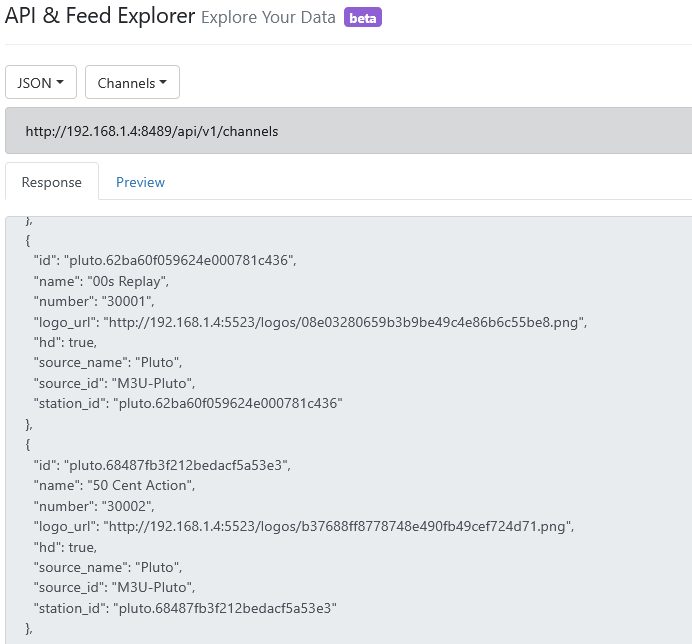
/devices/M3U-Pluto
{
  "Provider": "m3u",
  "DeviceID": "M3U-Pluto",
  "FriendlyName": "Pluto",
  "ModelNumber": "HDHRCOMPAT-1",
  "Lineup": "XMLTV-Pluto",
  "Channels": [
    {
      "ID": "pluto.62ba60f059624e000781c436",
      "GuideNumber": "30001",
      "GuideName": "00s Replay",
      "HD": 1,
      "Station": "pluto.62ba60f059624e000781c436",
      "Logo": "http://192.168.1.4:5523/logos/08e03280659b3b9be49c4e86b6c55be8.png",
      "Categories": [
        "Movie",
        "Movies"
      ]
    },
    {
      "ID": "pluto.68487fb3f212bedacf5a53e3",
      "GuideNumber": "30002",
      "GuideName": "50 Cent Action",
      "HD": 1,
      "Station": "pluto.68487fb3f212bedacf5a53e3",
      "Logo": "http://192.168.1.4:5523/logos/b37688ff8778748e490fb49cef724d71.png",
      "Categories": [
        "Entertainment"
      ]
    },
or in the Channels Helper bookmarklet
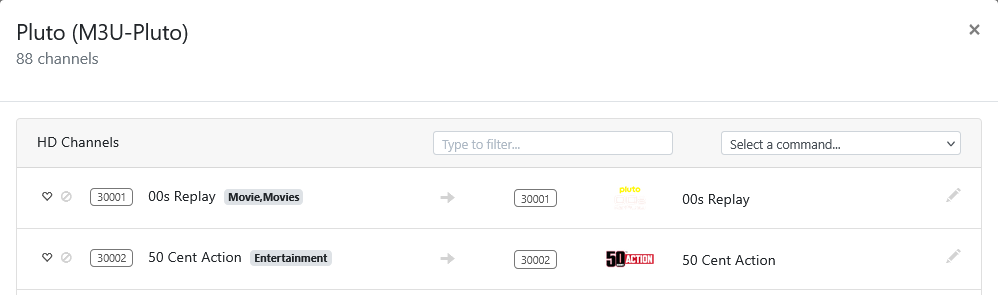
Maybe it wants tvc-guide-description
maybe? I'm kind of confused myself... Hell I thought it went in the XML file for EPG - not the m3u.
I have updated to v3.2.0. It seems that I am not able to perform a stream audit on the new Vizio Watch free+ source. When I click the Run Audit button, nothing launches.
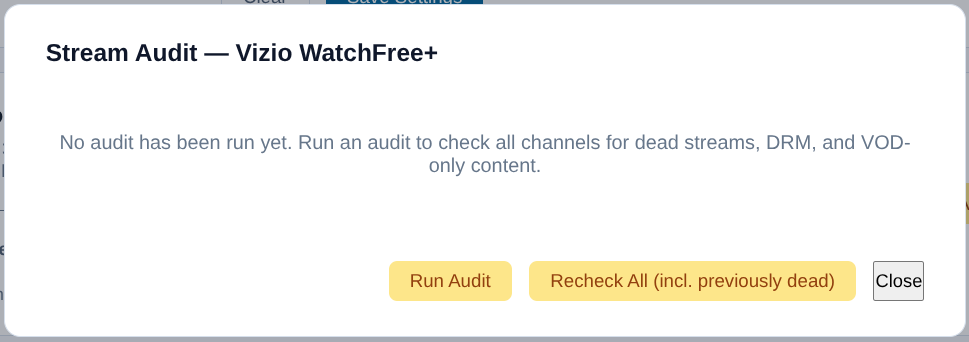
Did you run a scrape first?
From PLM, I always send both with the same value, like this, just to be safe:
#EXTINF:-1 tvc-guide-title="00s Replay" channel-id="plm_0001" tvg-id="pluto.62ba60f059624e000781c436" tvg-name="00s Replay" tvg-logo="http://localhost:7969/logos/08e03280659b3b9be49c4e86b6c55be8.png" tvg-chno="1001" channel-number="1001" tvg-description="The new millennium ushered in a new era of filmmaking. Revisit the best films from the year 2000 on — from Hollywood hits to indie darlings — without ever having to mail back your DVD rental, right here on 00s Replay." tvc-guide-description="The new millennium ushered in a new era of filmmaking. Revisit the best films from the year 2000 on — from Hollywood hits to indie darlings — without ever having to mail back your DVD rental, right here on 00s Replay." group-title="Movies" tvc-guide-stationid="" tvc-guide-art="" tvc-guide-tags="" tvc-guide-genres="" tvc-guide-categories="Movie" tvc-guide-placeholders="" tvc-stream-vcodec="" tvc-stream-acodec="",00s Replay
http://localhost:7969/play/pluto/62ba60f059624e000781c436.m3u8
I don't think the API is exposing all the fields, because I can't see it there, but I can see it here:
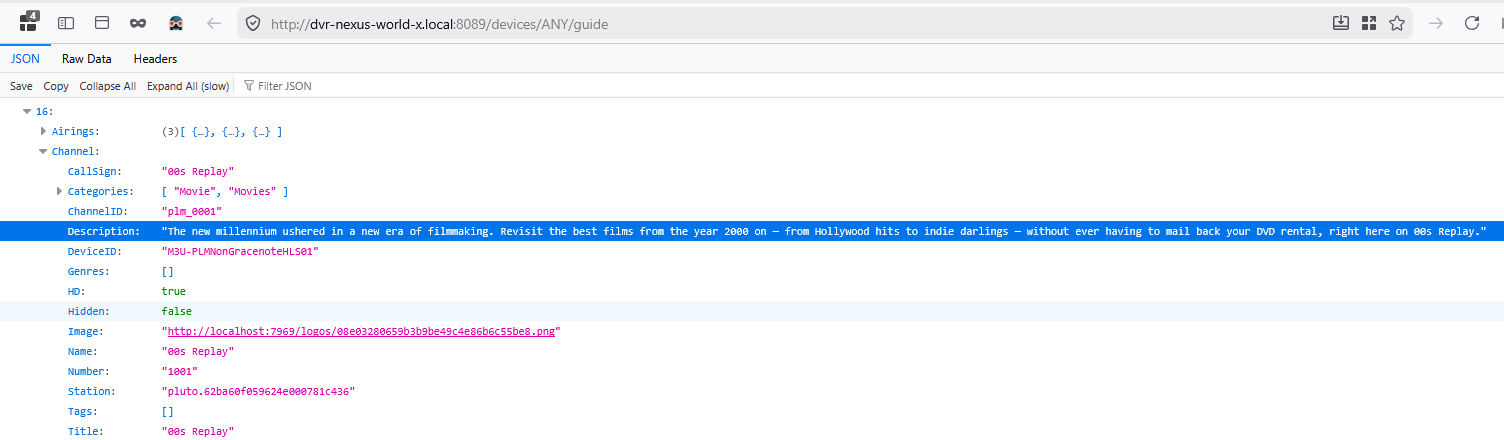
And here:
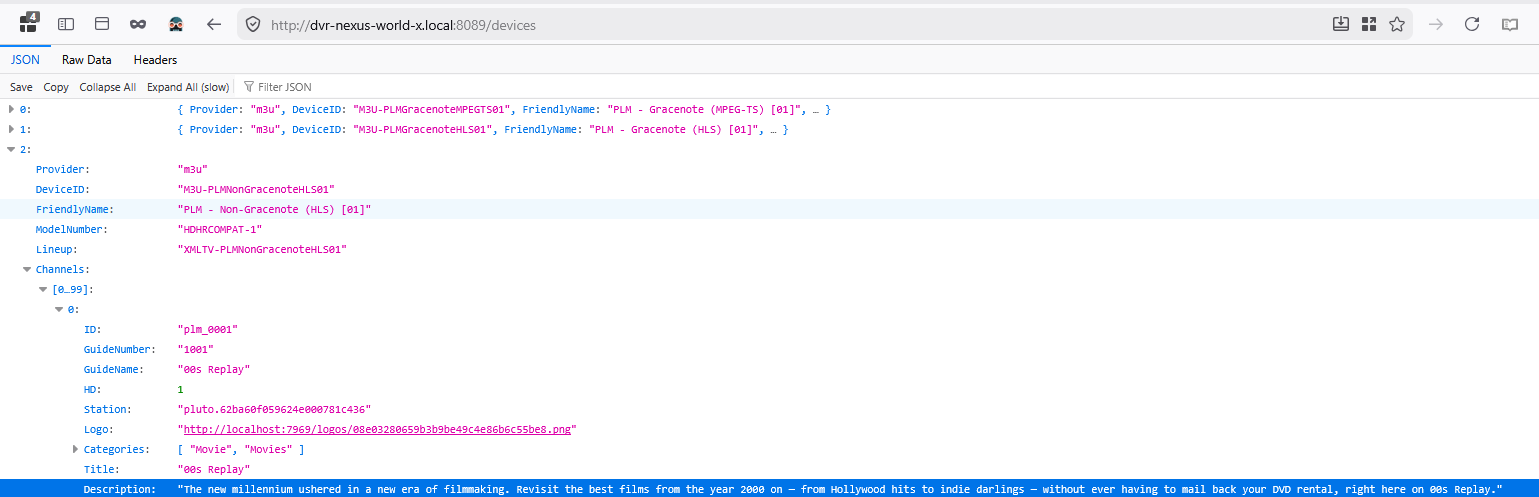
I did not manually run a scrape. It looked like a scrape had already been run just after I updated the container. "Last Scraped 2026-04-20 13:03 PDT" as below.

I'm running a manual scrape now. When it's completed, I'll try another audit.
UPDATE: Still a no-go on the "Run Audit" button, even after running a scrape. However, the "Recheck All" button did trigger the process.
Yep. Just created a test m3u and Channels DVR needs it in tvc-guide-description
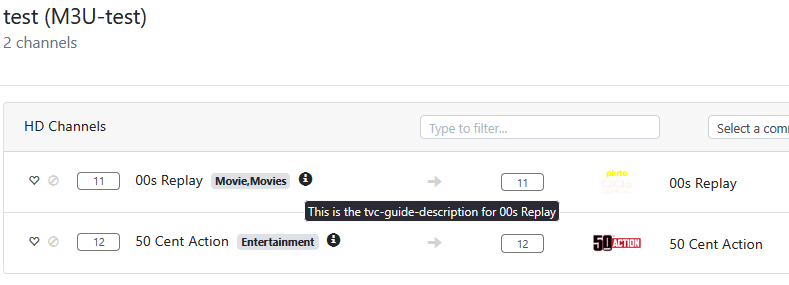
Agree. Because I do see it in /devices and /channels
If this can be fixed, I can then run my curl/jq script to list all channels with descriptions.
sounds like you uncovered a bug there. i think first time run audits need to be "recheck all" - i'll fix. tnx for reporting.
1 Like
Thanks for my two requests... the Pin channel to feed is even better than I expected...since it checks to see if it's already a member as well as list the feed it's in...
Love the stats for nerds pop-up..
@KineticMan Question on channels in Feeds...
Let's say I added BBC Earth from let's say the Pluto source to my Animal and Nature Feed.
I am now going thru the new Vizio source and I see BBC Earth, but according to the display, it's already in an established feed and when I check the drop down, I do see that it's in my Animal and Nature Feed.
So the question is: are there multiple BBC Earth in that A&N Feed? And if so, does this mean I now have a somewhat "failover" channel?
Meaning, if I select BBC Earth in my A&N Feed, it will search thru all the BBC Earth and play the first one it finds, and possibly/hopefully play the next one if the first fails?
Just a cosmetic change.... work if/when you have time...
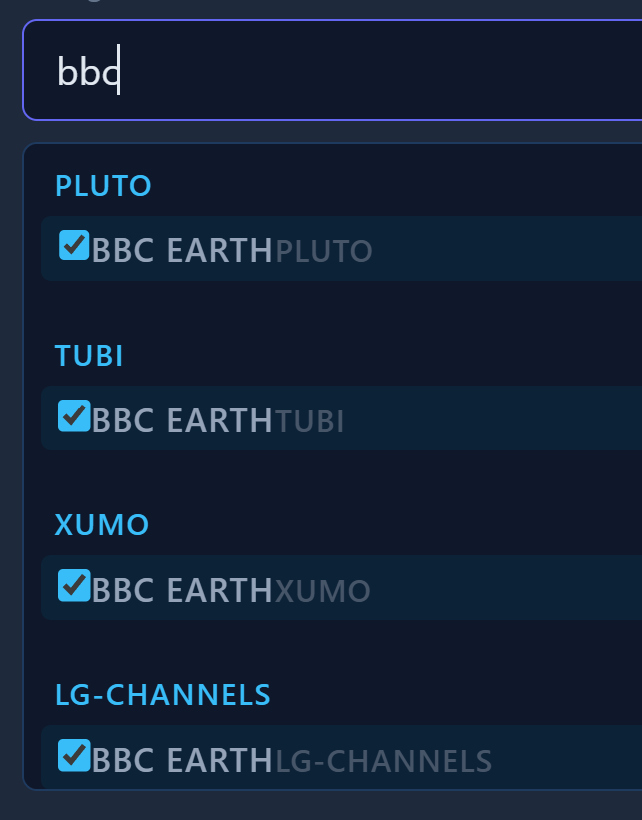
In the Feed tab... notice how the names are displayed.... duplicate and then no space between the Earth and the Source...
Ummmm. I suspect CDVR would just combine them? Honestly not sure what would happen. Experiment and let me know