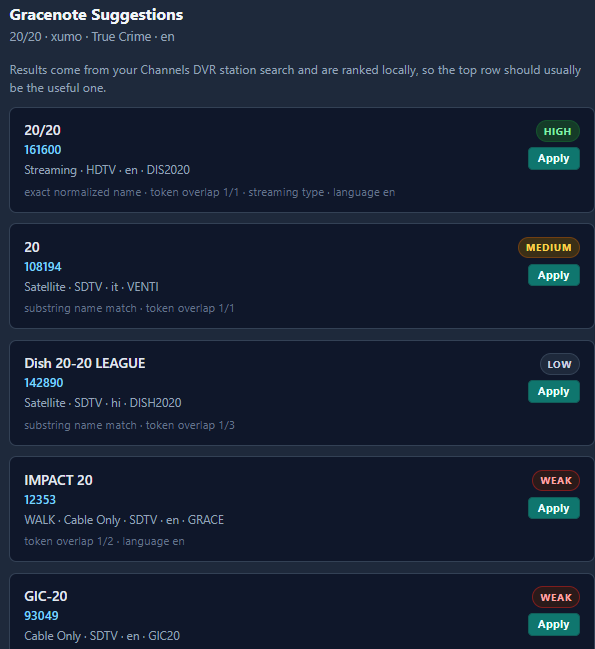
I used the Gracenote Search feature in SLM and it gave this one ID: 21855.
Is this the one you tried already?

I used the Gracenote Search feature in SLM and it gave this one ID: 21855.
Is this the one you tried already?
amazing job! I had issues with port forwarding on my setup until I removed the quotes from my docker file.
I used Copilot to translate it for me into a Portainer Stack install:
services:
  global-channel-search:
    image: ghcr.io/tw1zt3d2four7/global-channel-search:latest
    container_name: global-channel-search
    stdin_open: true
    tty: true
    restart: "unless-stopped" # <-- This stops infinite restarts
    volumes:
      - ./global-channel-search/data:/data
      - ./global-channel-search/cache:/cache
    environment:
      - TERM=xterm
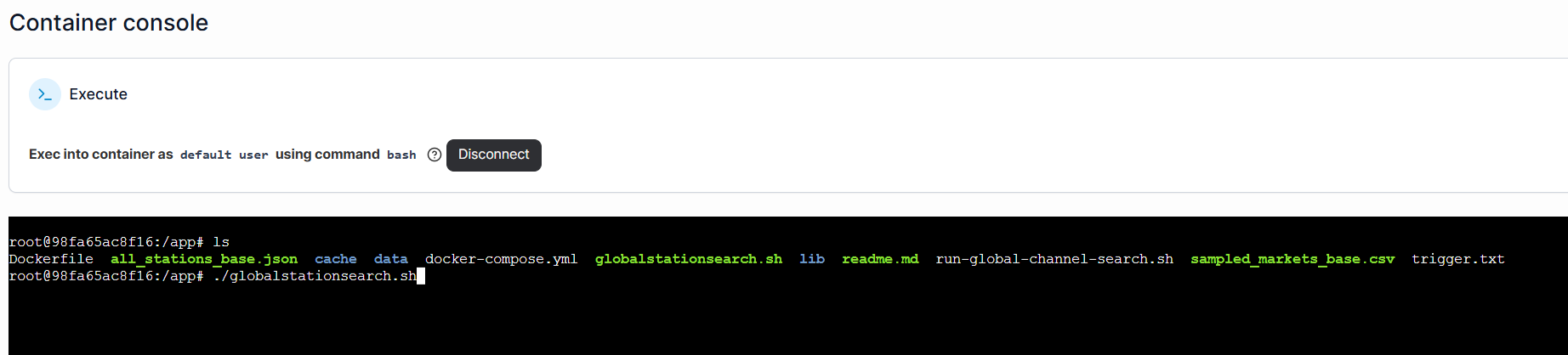
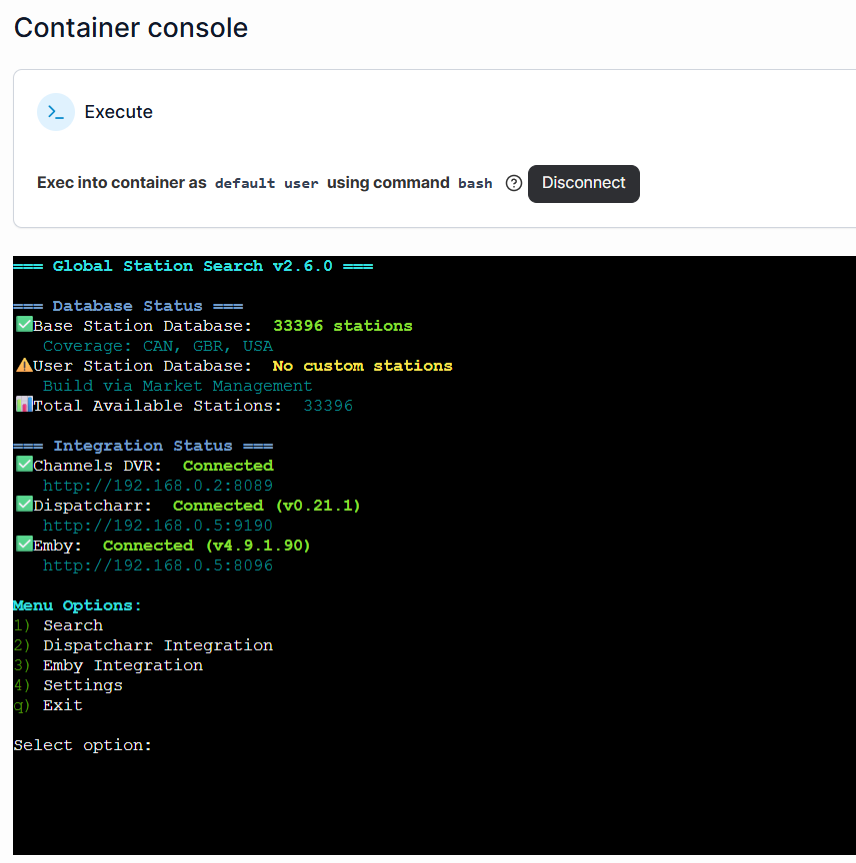
I then go into Portainer's Container for this app, click on console, and open the program there. Then follow prompts to integrate and use within that space:
speaking of Gracenote-- adding a helper in next version that will help users find Gracenote IDs (and I used some community lists to increase automatic GN coverage to 693 channels)
One thing i have noticed, Ghost Hunters Plex GN (137994) is not accurate, in Channels, when using the jgomez docker. There is a note in the table on their github that has -5 under Time Shift column.
This appears to no longer be correct.
Sure enough, the eps guide info are shifted 5hrs.
When i input the ID into FAST, the guide is correct.
So, just a note, that, at least, with jgomez data, that has a note for time shift adjustment for the guide data, that may or may not be accurate. Such things may exist for other sources of GN data.
That’s not the one I tried, which was 71764.
Thanks for the suggestion, I’ll check it out.
Version 2.0 pushed (I hope I can slow down now - thanks for testing out this week)

And the second I posted this, I caught a quick bug. Pushed 2.0.1 hotfix (Roku worker timed out)
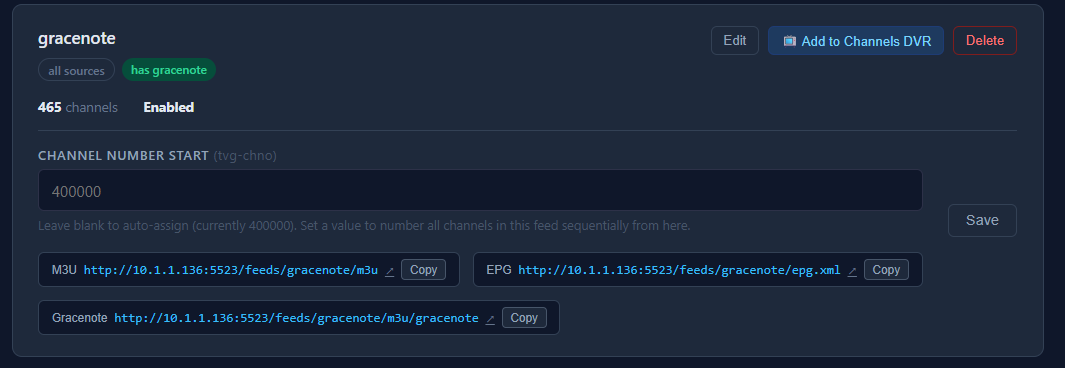
the feed you just pasted is Gracenote only?? it even says that.
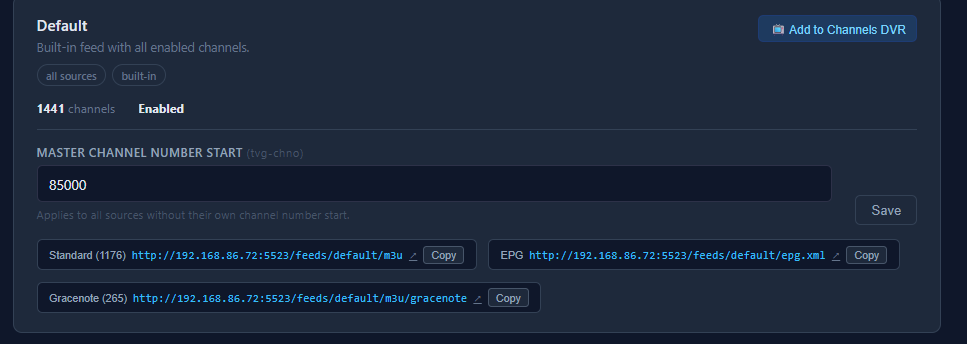
edit- sorry, i misread your message. what exact feed are you trying to make? a gracenote ONLY one with no other filters? in that case, I'd recommend using the Default feed, hit Add to Channels DVR, then go into Channels admin and delete the FastChannels Default one. (or add it manually)
@KineticMan I cleared out this out on a working install...to start fresh. Stopped stack, Removed stack, image and volume in Portainer. (as i have done a few times in the last couple days of testing on 3 various test systems.) Is running on DietPi OS, Debian 13 Trxie
I go to deploy it, it completes, but i get all this in the logs and it will not open the web ui.
  File "/usr/local/lib/python3.12/site-packages/sqlalchemy/orm/context.py", line 306, in orm_execute_statement
    result = conn.execute(
             ^^^^^^^^^^^^^
  File "/usr/local/lib/python3.12/site-packages/sqlalchemy/engine/base.py", line 1419, in execute
    return meth(
           ^^^^^
  File "/usr/local/lib/python3.12/site-packages/sqlalchemy/sql/elements.py", line 527, in _execute_on_connection
    return connection._execute_clauseelement(
           ^^^^^^^^^^^^^^^^^^^^^^^^^^^^^^^^^^
  File "/usr/local/lib/python3.12/site-packages/sqlalchemy/engine/base.py", line 1641, in _execute_clauseelement
    ret = self._execute_context(
          ^^^^^^^^^^^^^^^^^^^^^^
  File "/usr/local/lib/python3.12/site-packages/sqlalchemy/engine/base.py", line 1846, in _execute_context
    return self._exec_single_context(
           ^^^^^^^^^^^^^^^^^^^^^^^^^^
  File "/usr/local/lib/python3.12/site-packages/sqlalchemy/engine/base.py", line 1986, in _exec_single_context
    self._handle_dbapi_exception(
  File "/usr/local/lib/python3.12/site-packages/sqlalchemy/engine/base.py", line 2363, in _handle_dbapi_exception
    raise sqlalchemy_exception.with_traceback(exc_info[2]) from e
  File "/usr/local/lib/python3.12/site-packages/sqlalchemy/engine/base.py", line 1967, in _exec_single_context
    self.dialect.do_execute(
  File "/usr/local/lib/python3.12/site-packages/sqlalchemy/engine/default.py", line 952, in do_execute
    cursor.execute(statement, parameters)
sqlalchemy.exc.OperationalError: (sqlite3.OperationalError) no such table: app_settings
[SQL: SELECT app_settings.id AS app_settings_id, app_settings.global_chnum_start AS app_settings_global_chnum_start, app_settings.channels_dvr_url AS app_settings_channels_dvr_url, app_settings.public_base_url AS app_settings_public_base_url, app_settings.timezone_name AS app_settings_timezone_name
FROM app_settings
WHERE app_settings.id = ?]
[parameters: (1,)]
(Background on this error at: https://sqlalche.me/e/20/e3q8)
🚀 Starting FastChannels...
✅ Redis started
⏳ Waiting for Redis...
✅ Redis ready
Traceback (most recent call last):
  File "/usr/local/lib/python3.12/site-packages/sqlalchemy/engine/base.py", line 1967, in _exec_single_context
    self.dialect.do_execute(
  File "/usr/local/lib/python3.12/site-packages/sqlalchemy/engine/default.py", line 952, in do_execute
    cursor.execute(statement, parameters)
sqlite3.OperationalError: no such table: app_settings
The above exception was the direct cause of the following exception:
Traceback (most recent call last):
  File "<string>", line 1, in <module>
  File "/app/app/__init__.py", line 71, in create_app
    write_timezone_cache(AppSettings.get().timezone_name)
                         ^^^^^^^^^^^^^^^^^
  File "/app/app/models.py", line 263, in get
    row = cls.query.get(1)
          ^^^^^^^^^^^^^^^^
  File "<string>", line 2, in get
  File "/usr/local/lib/python3.12/site-packages/sqlalchemy/util/deprecations.py", line 386, in warned
    return fn(*args, **kwargs)  # type: ignore[no-any-return]
           ^^^^^^^^^^^^^^^^^^^
  File "/usr/local/lib/python3.12/site-packages/sqlalchemy/orm/query.py", line 1126, in get
    return self._get_impl(ident, loading.load_on_pk_identity)
           ^^^^^^^^^^^^^^^^^^^^^^^^^^^^^^^^^^^^^^^^^^^^^^^^^^
  File "/usr/local/lib/python3.12/site-packages/sqlalchemy/orm/query.py", line 1135, in _get_impl
    return self.session._get_impl(
           ^^^^^^^^^^^^^^^^^^^^^^^
  File "/usr/local/lib/python3.12/site-packages/sqlalchemy/orm/session.py", line 3859, in _get_impl
    return db_load_fn(
           ^^^^^^^^^^^
  File "/usr/local/lib/python3.12/site-packages/sqlalchemy/orm/loading.py", line 695, in load_on_pk_identity
    session.execute(
  File "/usr/local/lib/python3.12/site-packages/sqlalchemy/orm/session.py", line 2351, in execute
    return self._execute_internal(
           ^^^^^^^^^^^^^^^^^^^^^^^
  File "/usr/local/lib/python3.12/site-packages/sqlalchemy/orm/session.py", line 2249, in _execute_internal
    result: Result[Any] = compile_state_cls.orm_execute_statement(
                          ^^^^^^^^^^^^^^^^^^^^^^^^^^^^^^^^^^^^^^^^
  File "/usr/local/lib/python3.12/site-packages/sqlalchemy/orm/context.py", line 306, in orm_execute_statement
    result = conn.execute(
             ^^^^^^^^^^^^^
  File "/usr/local/lib/python3.12/site-packages/sqlalchemy/engine/base.py", line 1419, in execute
    return meth(
           ^^^^^
  File "/usr/local/lib/python3.12/site-packages/sqlalchemy/sql/elements.py", line 527, in _execute_on_connection
    return connection._execute_clauseelement(
           ^^^^^^^^^^^^^^^^^^^^^^^^^^^^^^^^^^
  File "/usr/local/lib/python3.12/site-packages/sqlalchemy/engine/base.py", line 1641, in _execute_clauseelement
    ret = self._execute_context(
          ^^^^^^^^^^^^^^^^^^^^^^
  File "/usr/local/lib/python3.12/site-packages/sqlalchemy/engine/base.py", line 1846, in _execute_context
    return self._exec_single_context(
           ^^^^^^^^^^^^^^^^^^^^^^^^^^
  File "/usr/local/lib/python3.12/site-packages/sqlalchemy/engine/base.py", line 1986, in _exec_single_context
    self._handle_dbapi_exception(
  File "/usr/local/lib/python3.12/site-packages/sqlalchemy/engine/base.py", line 2363, in _handle_dbapi_exception
    raise sqlalchemy_exception.with_traceback(exc_info[2]) from e
  File "/usr/local/lib/python3.12/site-packages/sqlalchemy/engine/base.py", line 1967, in _exec_single_context
    self.dialect.do_execute(
  File "/usr/local/lib/python3.12/site-packages/sqlalchemy/engine/default.py", line 952, in do_execute
    cursor.execute(statement, parameters)
sqlalchemy.exc.OperationalError: (sqlite3.OperationalError) no such table: app_settings
[SQL: SELECT app_settings.id AS app_settings_id, app_settings.global_chnum_start AS app_settings_global_chnum_start, app_settings.channels_dvr_url AS app_settings_channels_dvr_url, app_settings.public_base_url AS app_settings_public_base_url, app_settings.timezone_name AS app_settings_timezone_name
FROM app_settings
WHERE app_settings.id = ?]
[parameters: (1,)]
(Background on this error at: https://sqlalche.me/e/20/e3q8)
I could kill you guys... it was the stupid time zone thing you busted my balls about. Pushing hot fix now.
I been following and playing but i been using olivetin ezstart container and just run watchtower and it updates in place, I am currently at v2.01, haven’t had to remove and reinstall. Maybe I’m missing something but appears to be a better way to test and play with at first.
I tend to break things....or do things odd that end up in edge case issues.

The bug was only on fresh installs, not upgrades. Anyway two second fix- all good.
Working now. Thanks!
Yep, should have made that one an in app purchase 
I think mine is broken because it's not generating any in app currency 

EDIT.....Nevermind, found the IP address option in the settings page. Sorry, should have looked there before posting.
Question on M3U structure? I've noticed that when I try and import the M3U into Dispatcharr, the logos are not coming over now. I'm pretty sure they did in a previous version of Fast Channels. I checked and the m3u is trying to pass through localhost vs. the ip of the machine it's being hosted on. Since I have Fastchannels and Dispatcharr, I believe that the dockers can't talk to each other through local host since they are assigned separate IP addresses by docker (internal only IP, not accessible on the network itself). I could be wrong or may have set this up incorrectly?
Is there a way to have the fastapp serve up the ip address of the actual server? Here's what's showing up in the m3u as an example:
[type or paste code here](http://localhost:5523/logos/7ef18435e0a5eb59af86c63439ae2de6.jpg)
Sorry it is confusing - i made a gracenote only playlist- but the first feed the "m3u" still had all the channels - now when i try the version it has no channels (perhaps because you have removed gracenote channels from the m3u and instead only the gracenote m3u has them)
Awesome work! I've finally installed this project and it's working great. Has the issue for movie data been resolved? Movies are showing up as Season 1 Episode 1.
And for sources other than Pluto, the guide data for movies doesn't list them as movies in the channels app. They appear as tv shows. I remember when @maddox first made his container this was also an issue