
Why not just run the Docker Container instead?
It's just a different option, delegating this particular task to Google Apps instead.
If I were to set up a new CDVR user, like my mom (for example) on a new installation at her home, being able to easily integrate a couple of popular FAST sources alongside her OTA channels, without having to install any containers or even Docker at all, feels like an interesting option to consider, that's all.
It won't be for everybody. I suspect "power users" like you and me will still want more granular, local control and the full suite of updated Docker containers to supercharge our CDVR setups most flexibly. Personally speaking, now that I have all of these channels combined, curated and organized nicely by Playlist Manager, I'm not interested in changing anything else in this regard.
Of course, not everyone matches that description.
4 Likes
As mentioned, they recommend using a docker, the Google Apps script, or some other deployment rather than relying on the publicly shared URL long-term.
Out of sheer curiosity I tried this just now, following these easy instructions and this video:
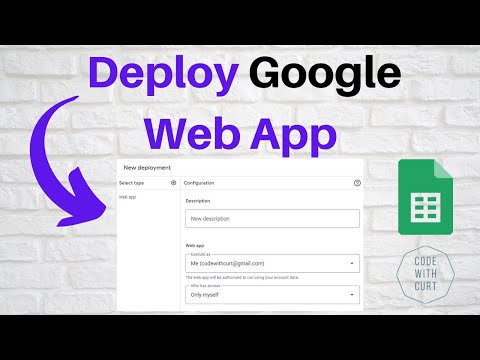
For my testing I chose the Roku playlist. I can report that, unfortunately, the resulting M3U URL doesn't work with Channels DVR as a custom source, the error reported is "invalid source url: malformed M3U provided." I tried the long URL from my web app deployment, and I also tried with a tinyURL as the Github page suggested, adding the strings at the end as instructed to both. Neither worked.
If I download the same M3U file and open it, copy and paste it as text instead, that works fine to add Custom Channels ... but of course that's a static export, so the 163 channels won't update if there are changes. Here's what the first chunk of it looks like, I'm not sure what makes it "malformed" but if anyone else has a clue I'll report it back to the Github dev. I’m guessing it has something to do with how he’s sticking the XML address in there at the top.
#EXTM3U url-tvg="https://github.com/matthuisman/i.mjh.nz/raw/master/Roku/all.xml.gz"
#EXTINF:-1 channel-id="ed1ad60fa9a05f34bf5d4e8b09460d6b" tvg-id="ed1ad60fa9a05f34bf5d4e8b09460d6b" tvg-chno="393" tvg-name="About K-Content by CJ ENM" tvg-logo="https://images.sr.roku.com/idType/roku/context/trc/id/ed1ad60fa9a05f34bf5d4e8b09460d6b/https%3A%2F%2Fimage.roku.com%2Fbh-uploads%2Fproduction%2FinfoHUDLogo%2F1665780149983_INFO_HUD_72dpi_copy.png" group-title="", About K-Content by CJ ENM
https://jmp2.uk/rok-ed1ad60fa9a05f34bf5d4e8b09460d6b.m3u8
#EXTINF:-1 channel-id="409951b52fa75a1684ba8efe5b724e91" tvg-id="409951b52fa75a1684ba8efe5b724e91" tvg-chno="257" tvg-name="ACC Digital Network" tvg-logo="https://images.sr.roku.com/idType/roku/context/trc/id/409951b52fa75a1684ba8efe5b724e91/https%3A%2F%2Fimage.roku.com%2Fbh-uploads%2Fproduction%2FinfoHUDLogo%2F1657669780439_ACCDigitalNetwork_260x147_centered.png" group-title="", ACC Digital Network
https://jmp2.uk/rok-409951b52fa75a1684ba8efe5b724e91.m3u8
And speaking of updates: I learned from this experiment that if/when there are changes at any of the FAST providers included, that require free-iptv-channels code to be updated to keep working, in order to use that update we'd have to copy and paste the new code into the script editor and manually re-deploy. That's not nearly as easy as invoking watchtower with Portainer and certainly something to keep in mind when choosing Custom Channel integration methods. Which brings me back to this post, thanks @babsonnexus for this:
If I were starting over I'd probably go this route, at least for these particular FAST channels.
1 Like
I have no idea if this it but just thinking out loud: I don't remember seeing anything after "#EXTM3U" on the first line in playlists that Channels uses. And does Channels even process the "url-tvg" tag?
Just 2 things I have noticed. Could be the problem? 
Frndly uses x-tvg-url but Channels DVR ignores it
#EXTM3U x-tvg-url="http://192.168.1.3:8183/epg.xml?gracenote=include"
Maybe url-tvg is invalid.
That was my first hunch too, but what invalidated that theory was the fact that when I use the publicly shared URL for this script and the Roku source, the file is recognized, and 163 channels are loaded into Channels DVR just fine. The contents of both downloaded text files are identical.
UPDATE: I asked the developer, and got a quick response:
Open your deployed URL in a private browser window where you're not logged into Google. If it prompts you to log in, that's the issue. To fix it, redeploy the script and ensure you select 'Anyone' for the 'Who has access' setting during the deployment process. This will make the app accessible without requiring authentication.
With that, the issue is resolved. I could have sworn I did select "Anyone" when deploying it, I watched the tutorial video explaining this, after all. Alas, when I went back to check I saw he was correct. I re-deployed with "everyone" having access, and now it's working fine. Pretty cool, actually 
I browsed around what Stirr's streaming, there's still some content but nothing unique in the FAST space. The juice doesn't seem worth the squeeze.
Roku's working great, testing with the Google Web App method right now. As far as I know, prior to this script, there hasn't been a docker container for Roku. All of the others, yes, but not Roku.
I meant using the docker image https://github.com/dtankdempse/free-iptv-channels?tab=readme-ov-file#using-the-docker-image instead of the Google Web App or node.js methods
2 Likes
Ah yes, that’s an option too. I’ll revert back to my first answer, I could see this being interesting for folks who may want to avoid docker container maintenance for whatever reason, maybe just want one of these “FAST” sources?
I enjoy comparing different ways to skin the same cat, it’s been fun poking around and learning something new along the way.
4 Likes
I went back to the original Samsung Tv plus docker.
apparently the free iptv docker exposes the channels that have DRM.
Get tv and get comedy are both on Samsung plus but both have DRM.
Sorry if this is a silly question, but does anyone know what I need to put in order to get the EPG for Plex? Here's what mine looks like based on the script:

Look at the README at the github url linked to in the first post
According to the readme:
EPG for TV Guide Information
The EPG URLs are embedded directly within the playlists.
Does that mean I should leave the XMLTV Guide Data as blank and it should automatically update for the guide data?
I'm definitely not an expert at this.
1 Like
If you'd prefer to manually add the EPG guide, you can find the relevant URLs for each service on this page.
EPG for TV Guide Information
The EPG URLs are embedded directly within the playlists. If you'd prefer to manually add the EPG guide, you can find the relevant URLs for each service on this page.
1 Like
You could also download the playlist and open it with a text editor.
Then copy the EPG URL and use that.
Example
1 Like
That's very helpful, thank you! I'm slowly getting myself edumicated on all of this.
1 Like
I think this project is just gone
Yep, it sure does appear that way 
1 Like
I still have access to feeds from Roku using this script deployed from my Google account. Looking at the code closer, it appears that was the only service that wasn’t reliant on the devs repo.
1 Like
Roku’s also the only service on that script that wasn’t available via other containers, AFAIK, so that’s great news.