
Slightly different perspective - I was using HDHR Prime/Cablecard on WOW cable, and originally was using a Windows-based DVR solution then migrated to Channels - was happy enough with it that when I moved several states away this summer and changed to Xfinity as my provider, I continued with the Prime/Cablecard. Have had no issues with that, even thoguh it does seem that Cablecards are yesterdays tech. I also use TVE and get my pay channels as an additional source in Channels. One thing you will find is that the Prime tuner is more reliable, and generally has better picture and sound quality than the same offering via TVE. I will continue to use the Prime as long as Xfinity keeps my card working. They are currently free from Xfinity.
Thanks for your input. Yes, I'm aware that the picture quality is best with the Prime and cable, but unfortunately that's only an option for TCM fanatics like myself if the cable provider = Xfinity.
So, something's better than nothing.
Besides, most of the TCM content I watch isn't HD to begin with.
PS: Sorry about my changing userids on this board, I'm mixing up my new account (for trial) with my usual account.
Just FYI. I'm now using the new container required for the TV Everywhere source and it's recording a TCM film right now!
So far, so good!
That's a really neat feature. Also it has good long term implications for Channels DVR as a way around the death of cable cards.
Great! I was earlier going to say I don't watch TCM much - but now realize that's because in Oct '19 Xfinity pulled it from basic package and requires "Sports Entertainment" add-on for that one.
Streaming is effectively killing the cablecard (along with deregulation) - so at least TVE and even the new beta for "Playon" etc allow folks like us to do our own recording and re-streaming without need cableco-provided hardware etc. Xfinity also has their own streaming app - no idea whether you can record or watch previous TCM broadcasts etc.
I don't know either, but dollars to doughnuts they won't let you record. Well, maybe to their own limited storage like other streaming providers, but not to your own storage. The only solutions I know of for recording any content to your own storage is Channels DVR and, to a limited and now pretty much unusable extent, TiVo.
Except of course TiVo will only allow copy once for DRMd content. And TiVo also seems to be moving to streaming, as evidenced by their dying support for transferring non-DRMd recordings off TiVo to your own storage. I was a long time TiVo enthusiast till the transferring options became unusable. Now I'm a HDHomeRun Prime + Plex guy, and in the future Channels DVR + Plex I expect.
I started with TIVO, and had a couple of units (hacked) in the SD days. I moved to HDHR, initially using NextPVR - clients were HTPCs, also gone away.
I tried Plex as a Live TV/DVR solution, but found the UI on TV to be tough to use. I have lifetime Plex Pass, but I find Channels to be simple to use for a "TV" experience - I'm an older guy and am more comfortable with a grid-based guide and simple controls etc. I recall that while I could use comskip to skip commercials on plex, they were just marked and required manual skip-ahead, kinda like the old "undocumented" 28-second Tivo skip ahead.
True on Plex commercial skip, but personally not an issue for me as my content is all commercial free.
I'm old too! Maybe older than you, hah-hah! I find the Plex Live TV/DVR solution simple to use and in fact prefer it to Channels. Not to put you or anyone down, but I never could understand the complaints about the Plex TV/DVR interface. Here's a snapshot of the recording interface in Browse mode, filtered on one channel (optional):
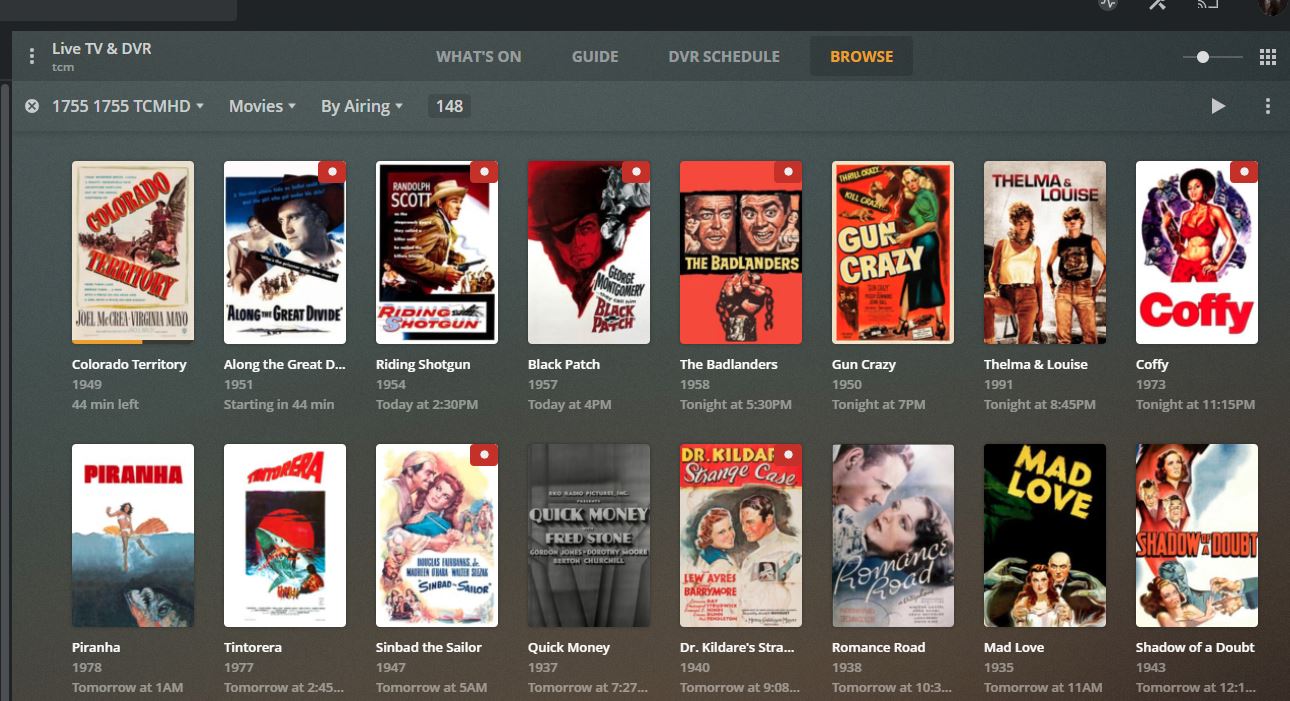
I just click on whichever movie I want to watch and it's scheduled. I can then look at the DVR schedule in another click:
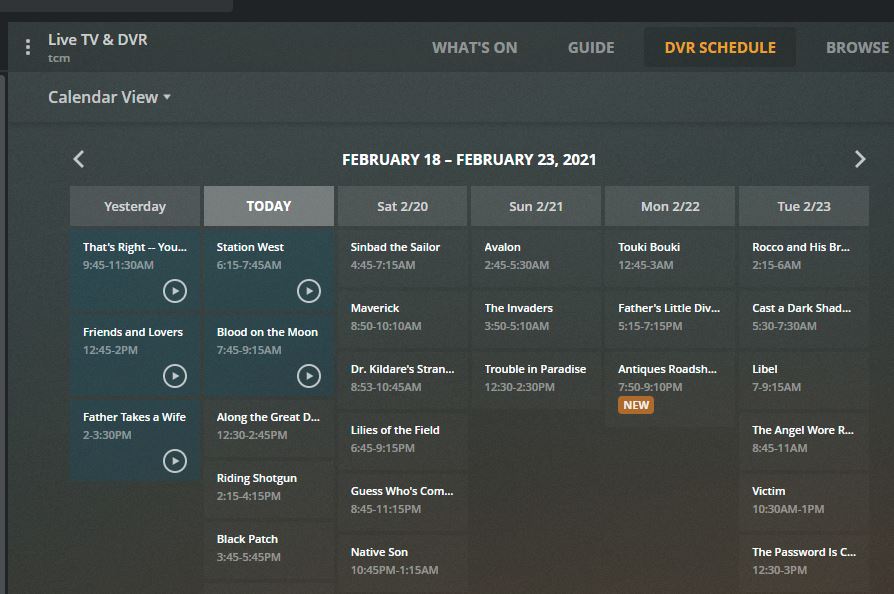
Maybe the fact that I'm almost always recording from only one channel makes it easier for me than most? But then there's the Guide grid-based view, another click, which I don't use but seems pretty straightforward:
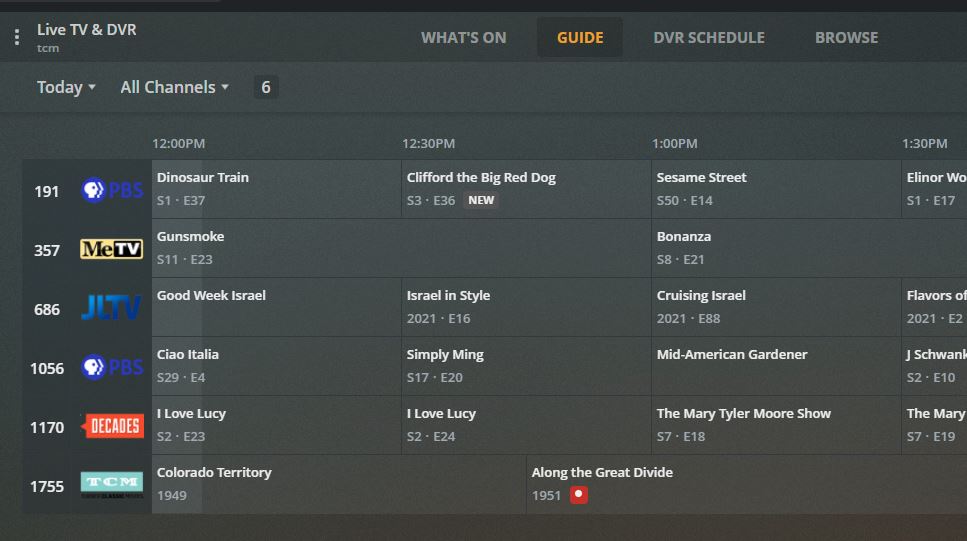
It does look easier than I recall - I was trying it very early on when they introduced live tv and HDHR integration etc. Also, my focus is on the interface as it works from a "real tv" and remote control. It may be fine for that with the recent improvements. I was also still using a Windows-based htpc for the main television at the time, and that was not the focus for Plex devs, I'm sure. One could use the browser gui, but that was not intended for "across the room" control. They had an htpc "viewing" client I recall, but it was not well-supported.
See, I think what's happening here is that I've come up with my own solutions for my viewing pleasure, and because it all works for me I don't see what others trying to work out their own solutions are going through.
When you're talking about viewing rather than recording, there are many UIs on many different platforms with corresponding pros and cons. I've found the best UI purely for picture quality is the Shield TV. OTOH the most powerful, capable big screen interface for viewing is any Roku.
For example, with the Roku a row of cast members pictures is below the current movie. Select on any one of them and you see all the movies (or TV shows, your choice) they're in. I haven't found that in any other platform for viewing on the big screen (I'm discounting the web interface because it's mainly for administration of Plex or watching on a computer, but not on a big screen as you say).
But sadly Roku's often have problems with 60fps content, which is all I get from Xfinity nowadays. And sometimes has problems with interlaced content. Neither is a problem with the Shield.
So my solution is to have a Roku for 90% of my navigating/viewing on the big screen. Then if I'm really in a fussy mood I switch to the Shield to watch what I've selected. Crazy, I know. But it works for me.
Is there a Plex client for Roku? I know there is no Channels client - they beta tested one and decided they would not continue. I have never used Roku, save for a Roku-enabled smart TV I used at an AirBnB - and I added in a Firestick to watch my Channels content remotely there anyway. That is in fact the real value of Channels for me - being able to travel, or even have my younger kids watch my cable content and recordings remotely. I know Plex could do that as well. I know my age is showing - my kids actually watch little "regular" tv and use either Netflix or other streaming platforms to watch archived stuff.
There is a Plex client for Roku. It's a Roku channel, of course, like any other Roku channel. It's generally a very popular client.
There's also a Plex client for the Firestick, but I don't have the hardware and have never tried it.
Edit: I use Plex for viewing and also recording (via Live TV/DVR as shown before). I would use Channels DVR just for recording, and then move the recordings to Plex after I edit them with VideoRedo, just as I do for Plex recorded content. So it's not a requirement for me to have Plex and Channels DVR talking to each other. Your usage may vary.
Hi.
What method should be used to "omit" HDHR from the equation?
I tried "Remove Provider" but it still shows as a source & asks for guide info zip code. Do I just unplug HDHR?
EDIT: just saw the answer. My apologies