
I was able to fix Edge and will have a new beta build available shortly.
Build v2018.09.28.1953 is ready. To update, hold the SHIFT key and click Check for Updates on the web UI settings page.
How long should the update take? I’ve been waiting for it to complete for 35 minutes now.
What does it say under Activity on the right side? It won’t update while the DVR is busy recording or watching.
I have a blank window with a spinning wheel at the top
Try using SHIFT + refresh in the browser to clear the cache, or use another browser, or incognito mode.
wheel just spins. Can I install from scratch?
Will this get me the beta version?
curl -f -s https://getchannels.com/dvr/setup.sh | sh
What browser are you using? Can you check the Javascript console to see if there are any errors shown?
How do I do that in Chrome?
Press Ctrl+Shift+J (Windows / Linux) or Cmd+Opt+J (Mac).
No errors
It says jsonpipe connected
I can’t access the log. I just get a spinning wheel
The spinner doesn’t show up if you visit /log directly. Are you using that or /admin/log ?
What kind of spinner is it? Can you take a screenshot?
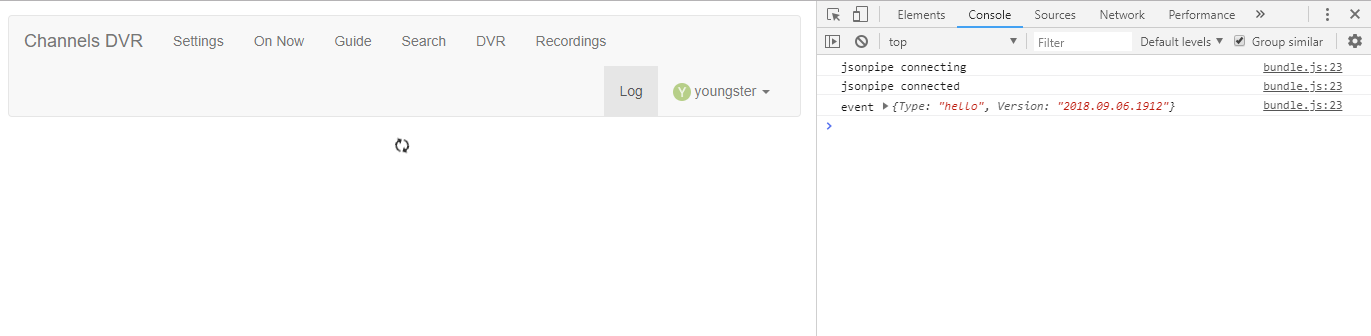
Please open http://x.x.x.x:8089/log by entering that URL into the browser directly, and post the log messages from the end (regarding the upgrade) here.
Alternatively you can tail the data/channels-dvr.log file on disk.
It won’t allow me to do that. It just doesn’t make the connection when I do that.
I am able to ssh into the Linux server and look in the channels-dvr directory. I see 2018.09.28.1953 there
So you’re getting a browser connection error on that URL? That would mean the upgrade failed for some reason, but I can’t tell why without looking at the log. Run tail -30 /home/clark/channels-dvr/data/channels-dvr.log and post the results here.
I rebooted the server and it came up with the new version. Everything looks good. Not sure why the reboot was required
Please post the log so I can see why =)