Label Personal Media with Folder Label on Import

I am moving from PseudoTv on Plex to Channels and so far loving the snappiness of the playback. But I am having a challenge getting local movie content tagged without manually going through each video. I found a help guide, Channels Support - Personal Media, where it says

"...create a Personal Media source for it. Add holiday to the Labels option on its source and every movie imported from that source will have the holiday label set to it."

I feel like I am totally missing it but I don't see a way to add labels to an import source. For example, I have multiple folders with movies in them and would like to label them as they come in, so I can use the current folder structure in a smart rule. This holiday section seems like the perfect example, but I can't see any option in the interface for labels on a source.

I would appreciate any help, thank you! :slight_smile:

Welcome!

I have to admit, I never heard this feature existed before and can't find where to access it, either...

https://getchannels.com/docs/channels-dvr-server/how-to/personal-media/#automatic-tagging-1

Figured it would be in Settings :arrow_right: Sources :arrow_right: Personal Media or Settings :arrow_right: General :arrow_right: Library Database, but couldn't find it there or anywhere. Anyone else? Devs?

2 Likes

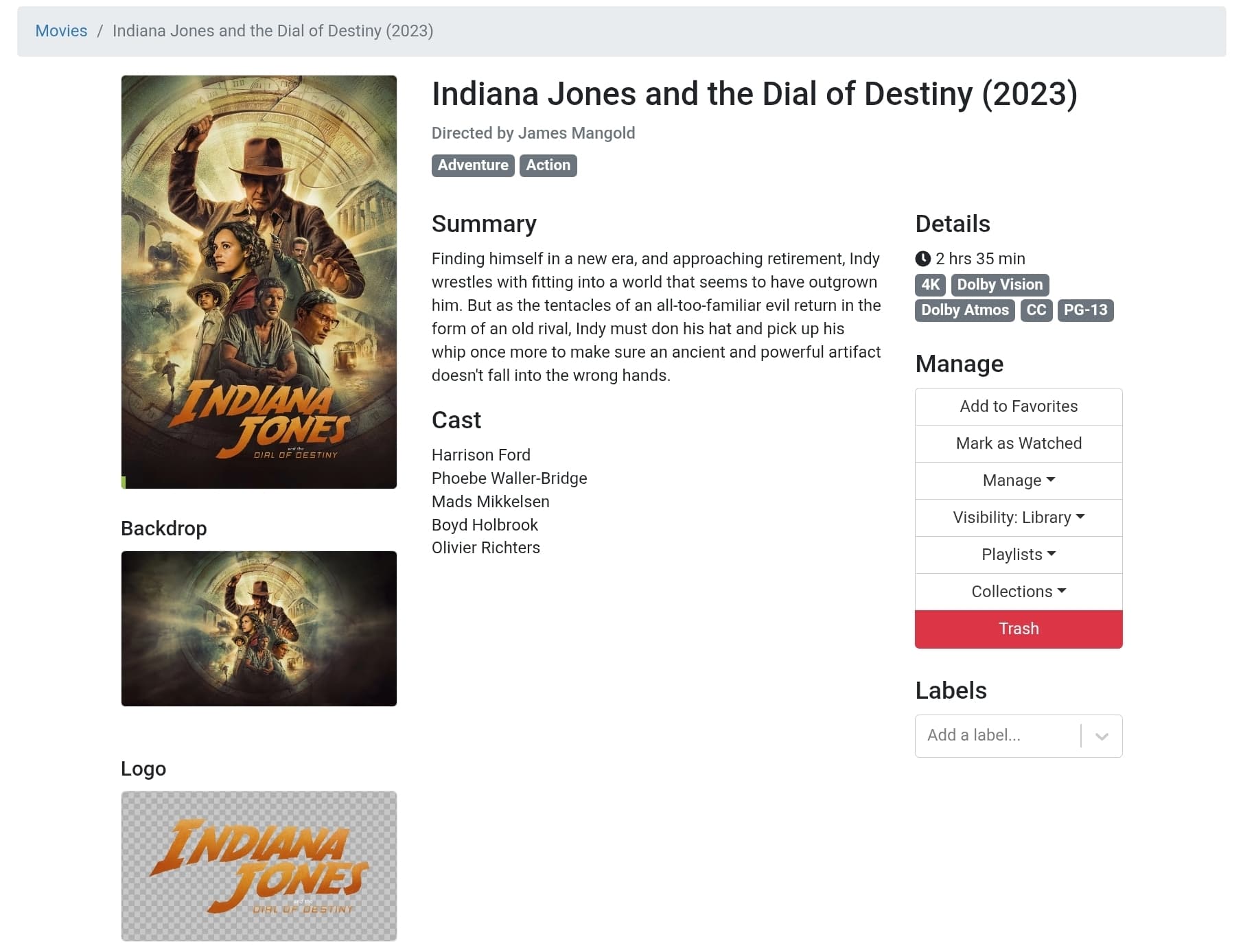
You should just be able to import them and when they are matched the tags will appear automatically. For instance this is one I imported

It was mached on import and youncan see it is classified as Adventure and Action. When you import, follow this guide: Channels Support - Import Your Own Movies and TV Shows

I use filebot to do an imdb match and then rename the movie file to conform to the naving convention for channels (i use the plex preset). Occasionally you have to fix the match but most of the time it will work fine.

That feels like exactly what I am looking for, but like you I am stumped. The documentation all seems to reference something that appears to exist, but is not exposed via the UI.

Apologies for not being clear, tags apply as expected, but I am trying to set a label upon import based on source location. What @babsonnexus posted appears to be what I am looking for, but no clue where to find it :slight_smile:

This docs are incorrect. Those are not the Personal Media docs linked from the nav.

Somehow, you may have come across an archived / older version of the support webpage.
The current index for importing personal media is as @slampman posted.

The current support article makes no reference to the topic of automatic tagging. So, it may be an antiquated feature of Channels DVR.

That’s too bad, sounds like this functionality is no longer supported. Thank you all for tracking that down, hopefully it gets added back in some day.

Thanks again!

There are a couple of comments saying the docs are older or archived. They seem to be active to me, steps to reproduce:

Click on Support
Type Label -> 1 document found
Click on Personal Media
Channels Support - Personal Media
Section Automatic Tagging is part way down
Channels Support - Personal Media

Not sure what the current support article is, can you link that one, given all I see is this one? @maddox

I found the same page as you indicate. On that page, if you click "Personal Media" in the left sidebar, it takes you to what seems to be the more current version of the same page.

The resulting page is quite different.

It appears that there may be some obsolete links in the support articles.

The direct link to the current article is the same one referenced in previous comments:

1 Like

Not anymore!

image

Looks like the Devs took down this old page. FYI, I found versions referencing this function going back to November 2023:

image

Maybe it was for something they were planning or trying to implement, but it didn't work out? Either way, I do like the sound of it! You should either change this topic or create a new topic to a voting one to make this feature become real. In the meantime, I'll add it to considerations for this:

1 Like

This topic was automatically closed 30 days after the last reply. New replies are no longer allowed.