
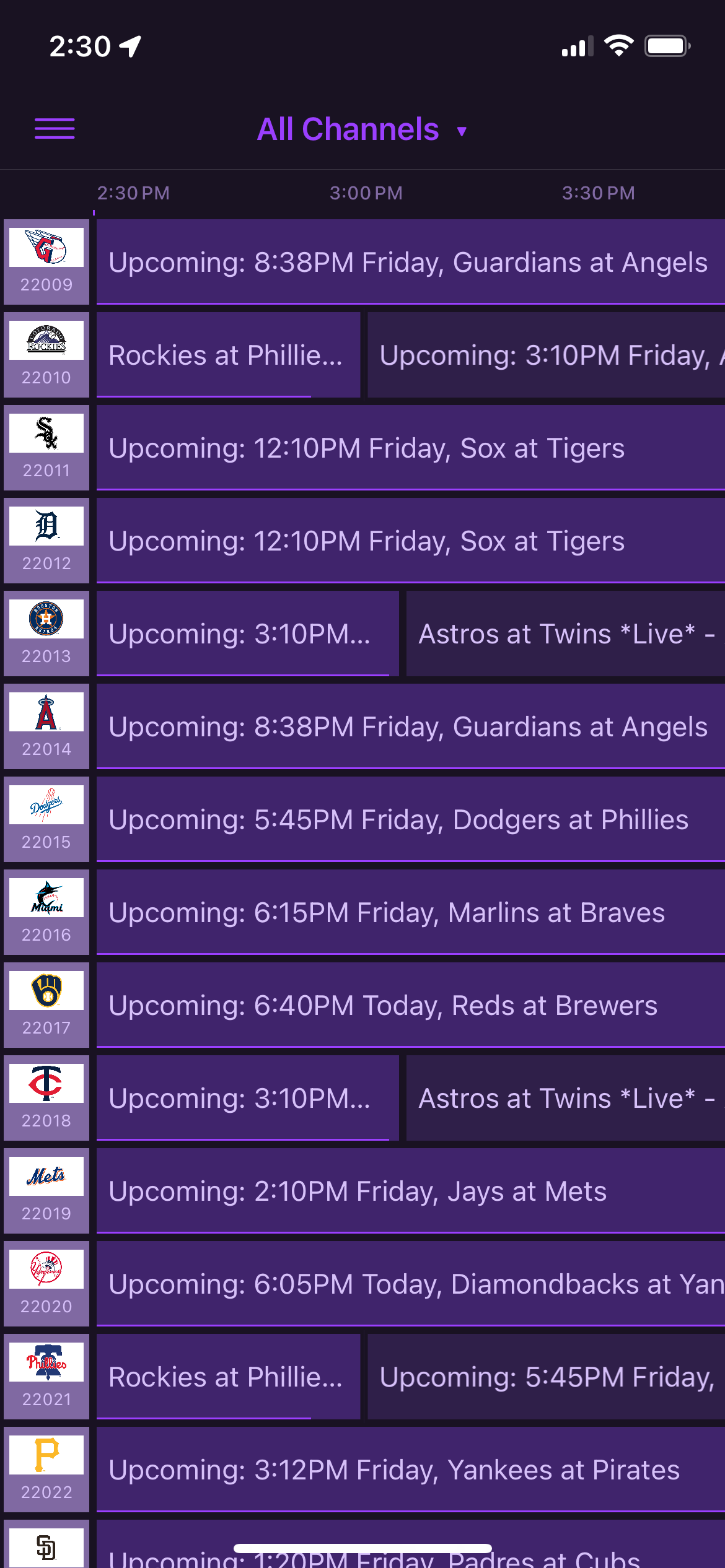
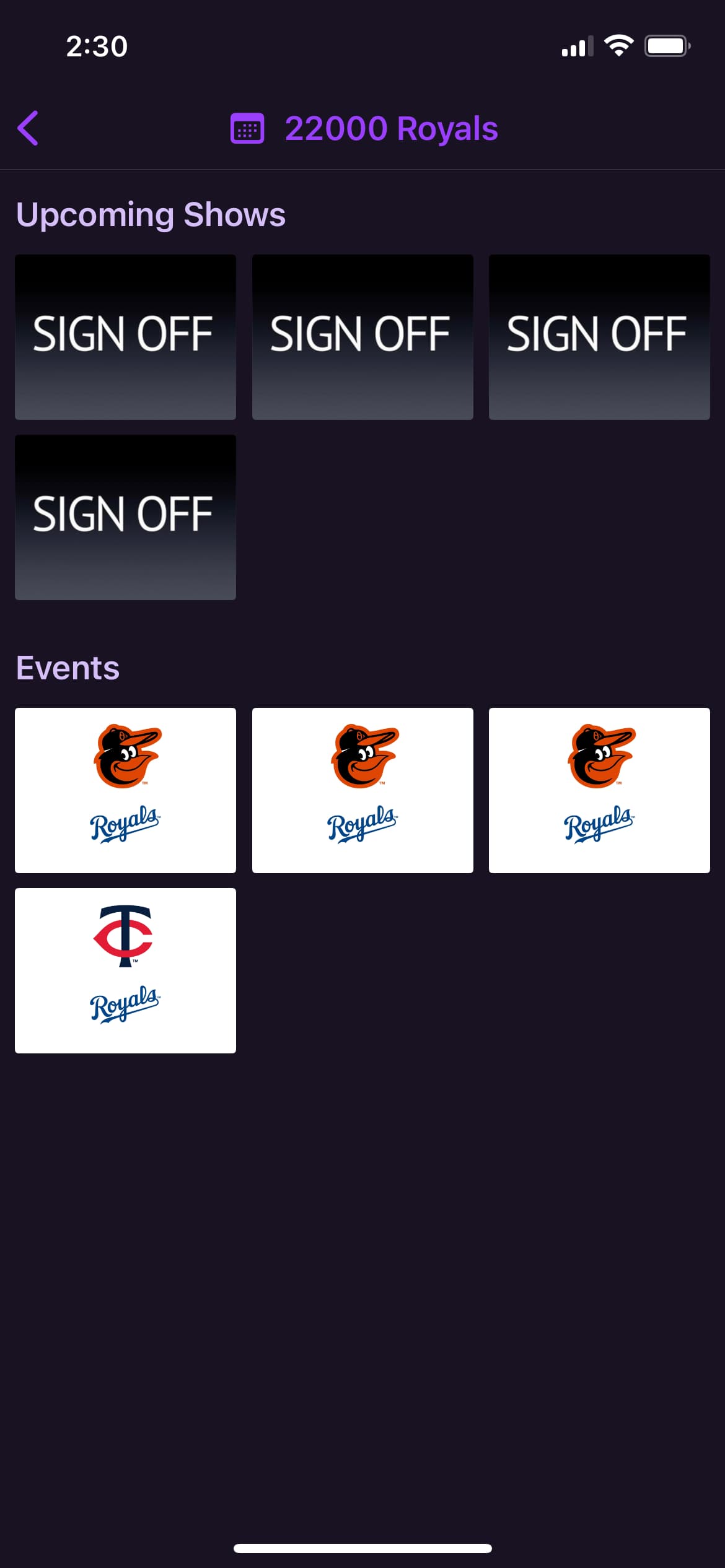
Yes. I’m actually working on this this week. Here is my progress so far. If you want to watch the pregame the Upcoming: block before the live game is watchable.
2 Likes
I was originally going to containerize this and offer it via docker pull so my script contains fake m3u streams, basically dummy channels along with the xmltv guide data allowing the container to be added into channels. Once in to channels it could easily assigned to your mlb server channels.
If you like I can provide you a script with or without the dummy channels if you want to integrate it into your container as an alternate somehow. I’ve never built a docker image so if you want to take it from here it would make it to the masses sooner I’m sure.
2 Likes
Dedicated pre/post game shows and optional "off air" placeholders have been added in today's mlbserver update. To enable the latter, just add the parameter "offAir=true" to your current mlbserver guide XML URL.
Hopefully I didn't break anything! Let me know if it needs any adjustment.
2 Likes
Is this available yet? My docker-compose isn't finding a new version.
Yes, it's published at the Docker Hub. You may need to pull the latest image first:
docker pull tonywagner/mlbserver:latest
docker compose up --detach
2 Likes
The offAir option is great. Thank you so much!
For anyone that likes the old matty guide data style I have rolled out my docker container
Today's mlbserver update (2025.04.04) has similar XML title formats, if you include the parameters "&includeTeamsInTitles=channels&offAir=channels" in your XML URL.
2 Likes
I'm not following how to include these. Where do I add them in? I have it running on a Synology NAS via Docker. It works. Just dont get where to add this in.
If you're running mlbserver already, just go to where you entered its guide data URL in Channels DVR. Might be something like
http://192.168.1.101:9999/guide.xml?mediaType=Video
If you prefer the XML data using the old container's format, you would just add those parameters I mentioned to the end of the URL:
http://192.168.1.101:9999/guide.xml?mediaType=Video&includeTeamsInTitles=channels&offAir=channels
Then reload the EPG in Channels DVR and you should see the "new" (old) format.
3 Likes
You nailed it. The guide looks great in Channels. Thanks!
2 Likes
@tonywagner the latest update via watchtower is causing the container to go in a reboot loop with this in the logs:
SyntaxError: missing ) after argument list
    at Object.compileFunction (node:vm:360:18)
    at wrapSafe (node:internal/modules/cjs/loader:1126:15)
    at Module._compile (node:internal/modules/cjs/loader:1162:27)
    at Object.Module._extensions..js (node:internal/modules/cjs/loader:1252:10)
    at Module.load (node:internal/modules/cjs/loader:1076:32)
    at Function.Module._load (node:internal/modules/cjs/loader:911:12)
    at Module.require (node:internal/modules/cjs/loader:1100:19)
    at require (node:internal/modules/cjs/helpers:119:18)
    at Object.<anonymous> (/mlbserver/index.js:20:22)
    at Module._compile (node:internal/modules/cjs/loader:1198:14)
/mlbserver/session.js:4550
        let day = new Date(gameDate + ' 00:00:00').toLocaleString('en-US', { weekday: 'long' }
any ideas? thanks.
time="2025-04-04T17:38:05Z" level=info msg="Found new tonywagner/mlbserver:latest image (2a365a259b14)"
time="2025-04-04T17:38:07Z" level=info msg="Stopping /mlbserver (5af99dd34229) with SIGTERM"
time="2025-04-04T17:38:17Z" level=info msg="Creating /mlbserver"
time="2025-04-04T17:38:18Z" level=info msg="Removing image 2d7bda0ed3da"
time="20
There was a fix pushed about an hour ago for that. Could be tricky getting it with Watchtower though, if it's in a boot loop with the current mlbserver container.
ahh, I missed that there was an update after that. thanks, ill pull it.
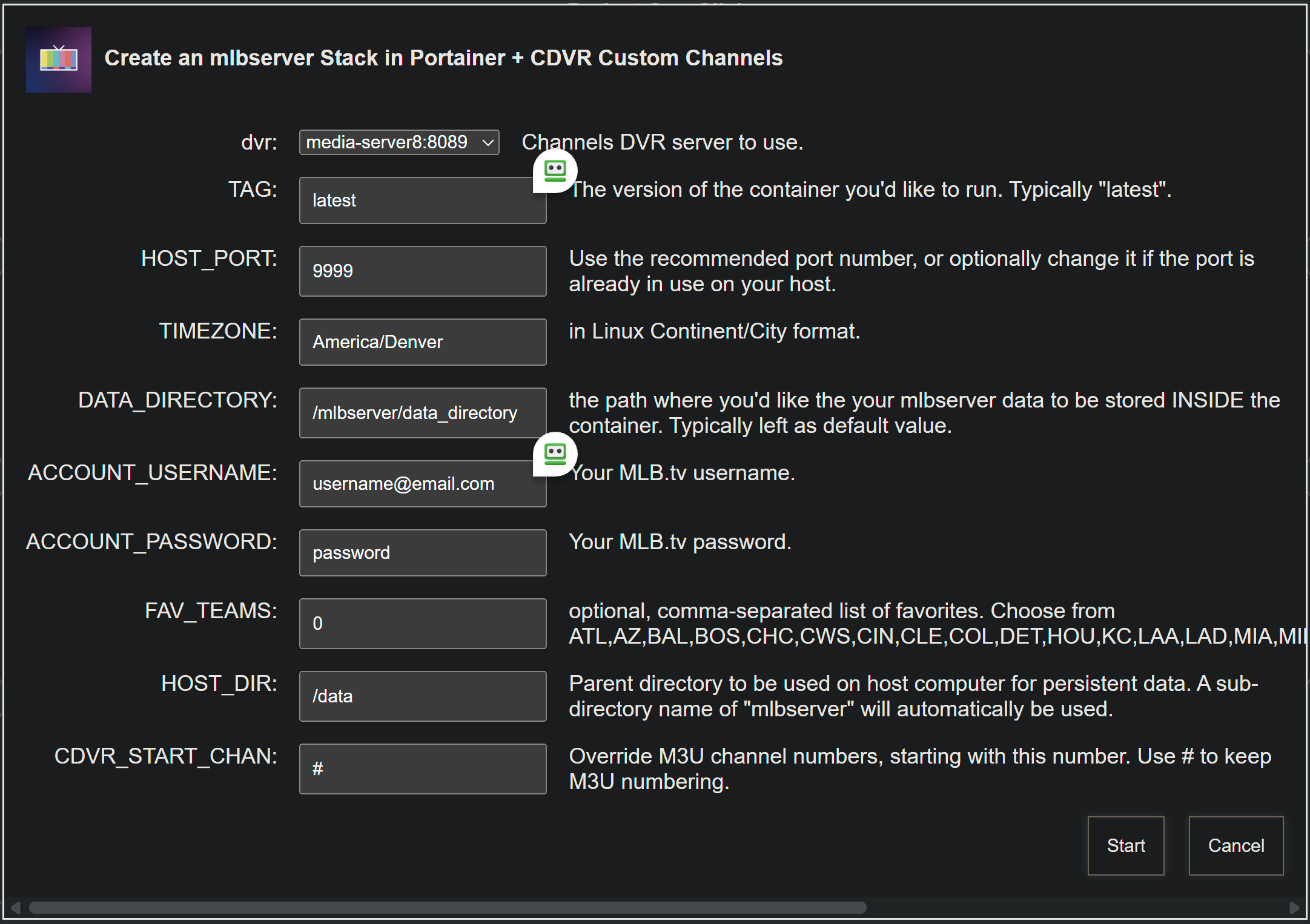
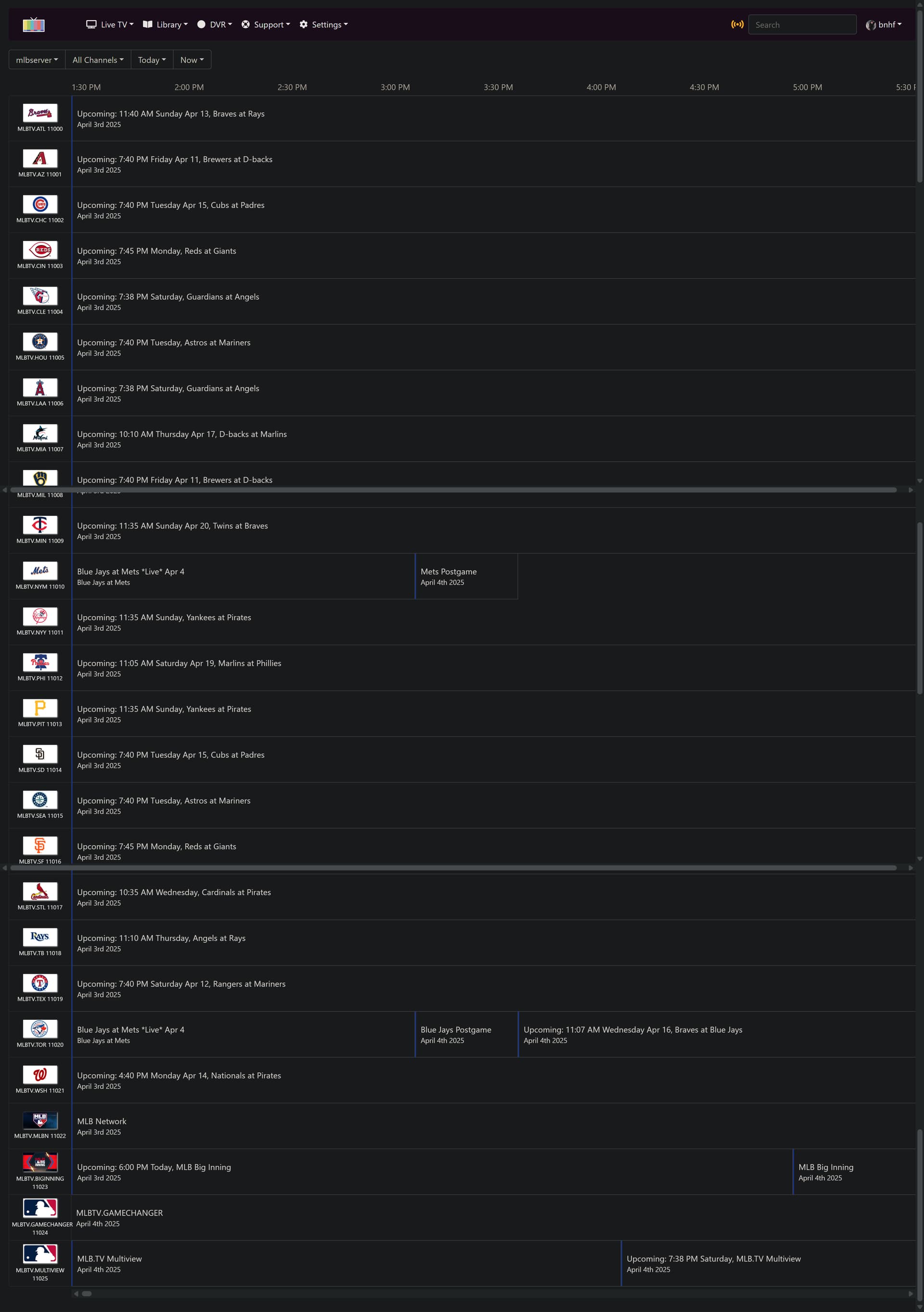
Very nice! I've made this the default behavior for Project One-Click spin-ups of mlbserver, as of today's OliveTin-for-Channels push. Especially good when on the free game plan -- to know the next time a given team will be the free game of the day:
@tonywagner The guide looks great. Thanks for incorporating this style of guide into the native container. Thank you for keeping my upcoming blocks format, it is important when looking at the guide on mobile devices channels app. A quick glance at the guide and you know exactly when your team is playing l.
I have now deprecated my container project as it is now incorporated natively.
1 Like
Thank you for the suggestion and the sample data!
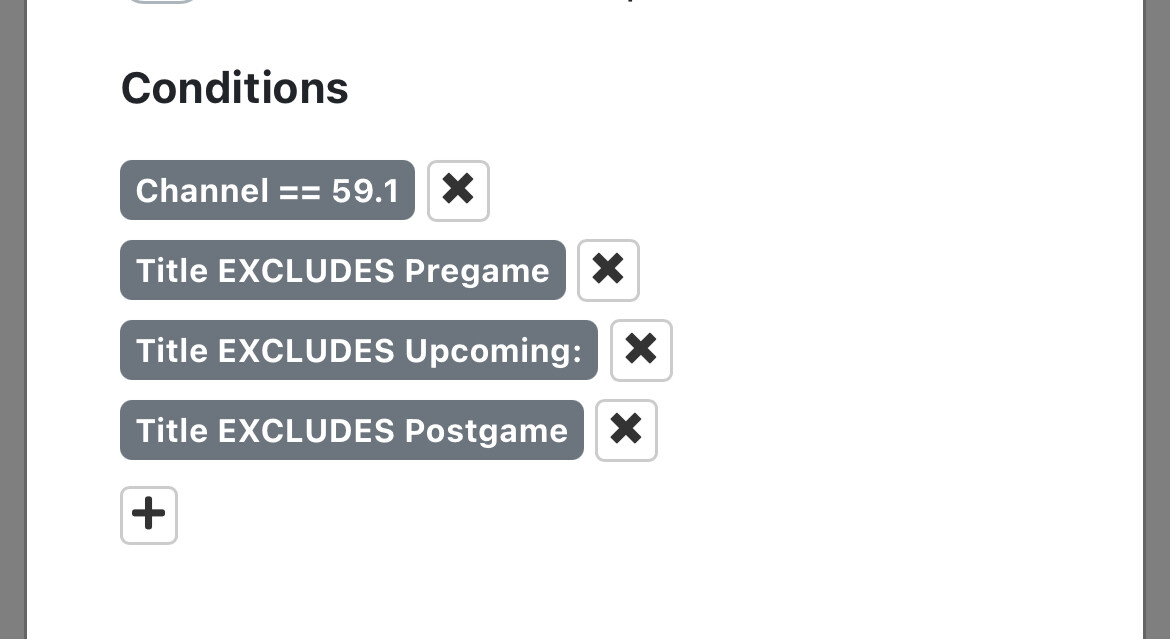
@tonywagner On your next update can I suggest that you remove the live, new, and other tags from the upcoming blocks. When creating an advanced pass for live gamesl it would make one less excluded setting to make. Personally I’d also like to see those new and live tags removed from the pre and post game blocks while leaving the other baseball, sports, and sports event tags in place. This would simplify the pass making process to channel number and a live tag for just the game and if you want the pass to cover the game and pre and post the pass could include a channel and a sports tag to cover recording those three programs. Less settings in a pass means less chance of something breaking down the road.
Edit: I guess a channel number and a title contains live will catch just the game. I’d still like those tags removed though.
1 Like
Just a heads up for people and depending how they may have their pass set up concerning this new guide data. A pass with a simple channel and live tag will attempt to record the all blocks for that channel. Since the stream fails when no game is playing, it causes a viscous retry loop as channels attempts to make a recording.
Check your pass if you moved to the new guide data format!!
Thank you for the guide update! It looks great.
1 Like