
OK, so you decided to stay with the new IP. I trust you've taken steps to reserve it in your router, so this won't happen again.
To update the IP (or hostname which is what I use) in OliveTin, stop the OliveTin stack. Go into the stack editor, and down to the Environment variables section. Update these two fields, which for you would mean using the new IP in each location. Click Update the stack, and select the slider to re-deploy and recreate, so you get the latest OliveTin image.
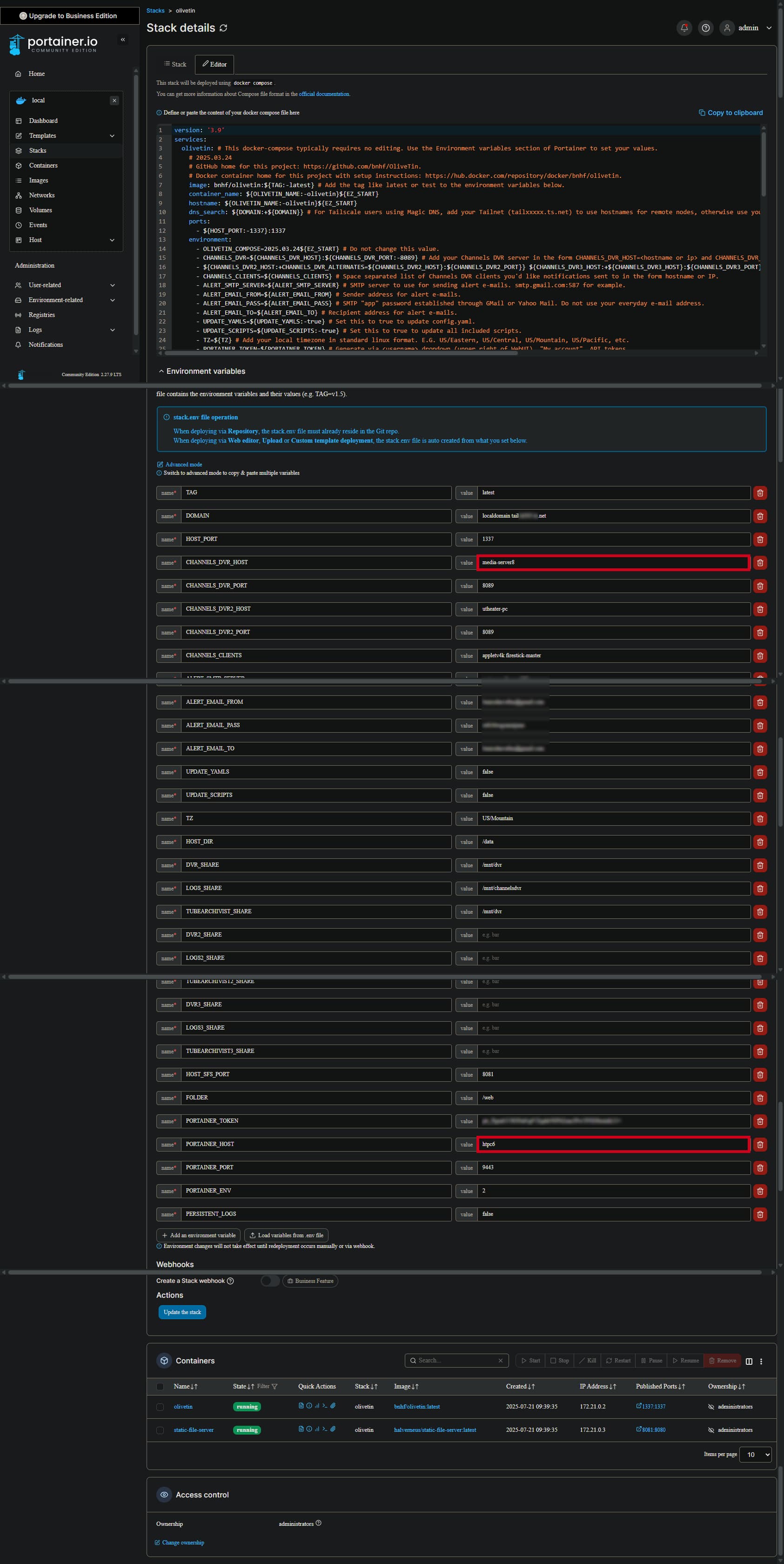
Once you've done that, go ahead and run a new Post-Install Healthcheck, and post it here so I can confirm everything looks good. Don't forget to use 3 backticks before and after the healthcheck block, to get a properly formatted and scrollable code block. Do not use the Blockquote you've been using...