New NAS, new protocol, same observation

I really don't think the streaming index accounts for that much increased traffic. Could it?

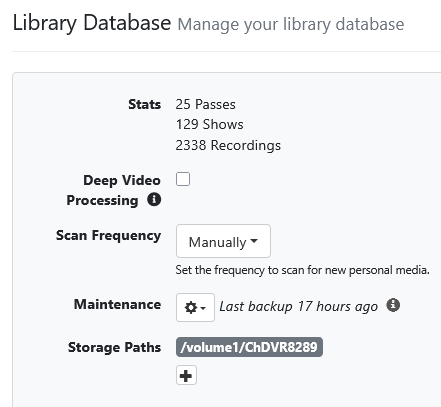
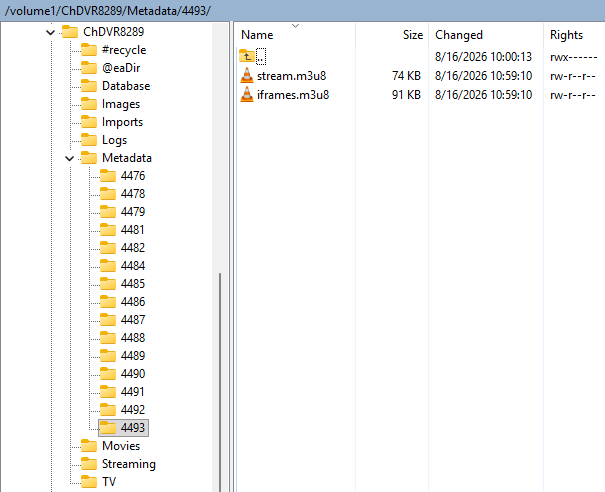
I don't have deep video processing enabled and the couple video index files (iframes.m3u8 & stream.m3u8) created for each recording are relatively small in size.

Not sure how large the files are when deep video processing is enabled.
Being able to watch while recording is important, so I'll take whatever tradeoff that entails, but it looks rather strange, and would appear to place some upper limit on program length.

I have run into some issues with longer recordings as I approach the end (less responsive to FF, etc.) and wondered if it were due to re-reading an index from the beginning.

@eric would know better than I. I don't know exactly what is in the streaming index, what the data structure looks like, etc. I think the deep video processing is done after the fact, and I don't think I have that enabled, either.

Look in your DVR's Metadata directory
There's one folder per recording, with the name of the folder equal to the file ID of the recording.
Screenshot 2026-08-17 125642

Check Settings > General > Library Database > Deep Video Processing
Screenshot 2026-08-17 at 13-03-52 Channels Settings

This might be helpful to monitor the situation

To test, you could redirect the streaming index directory in your docker volume mapping to be written to your linux machine running Channels DVR Server.

If the excess network traffic is due to the streaming index being written, this will prove it.

Simply add a volume bind for the Metadata directory to a local path on the linux machine running CDVR
/linux_dvr_server_path:/shares/DVR/Metadata

I did some math on it. The stream pointer files are a total of 2.6 MB. So by the end of the recording, it was writing more than an additional 20 megabits per second for a stream that was only 6 Mbps.

Guess if it's rewriting the complete streaming index files every second that makes sense.