No Channels Detected Error

I tried searching first, but couldn't find a relevant thread. I re-activated my Channels DVR server today after a year or more of not being subscribed. I was able remove my old YouTubeTV source and replace it by setting up DirecTV Stream. However, I am stumped by my HDHomeRun 4K. With their native app, it works fine. But, the Channels source settings so no channels have been detected, even though I know it's not true and even though I keep re-scanning. In the logs, I see these errors:

2025/08/29 15:34:35.035157 [ERR] Failed to load HDHR #1080E15F lineup: Get "http://10.10.10.17/lineup.json?tuning&show=found": dial tcp 10.10.10.17:80: connect: no route to host
2025/08/29 15:36:35.589470 [ERR] Failed to load HDHR #1080E15F lineup: Get "http://10.10.10.17/lineup.json?tuning&show=found": dial tcp 10.10.10.17:80: connect: no route to host

Nothing about my network has changed, and the HDHR has a static IP like all other devices on my home network.

Also, should I be able to delete it? I only see an option to "disable," but no way to delete the source and start over from scratch.

1 Like

Oddly, I can scan successfully using the app on my AppleTV, but the channels are still not detected by the server.

Netcat says my server can see the HDHR over port 80.

Strange. Under sources in the dvr web ui, if you click on the ip under the hdhr does it take you to hdhr web ui page? Is your server running in a docker container ?

My server is running on macOS on a 2019 Mac Pro (yes overkill, but free.) And yes, if I click on the IP of the HDHR, it takes me to the channel scanning page, but no amount of scanning seems to make any difference.

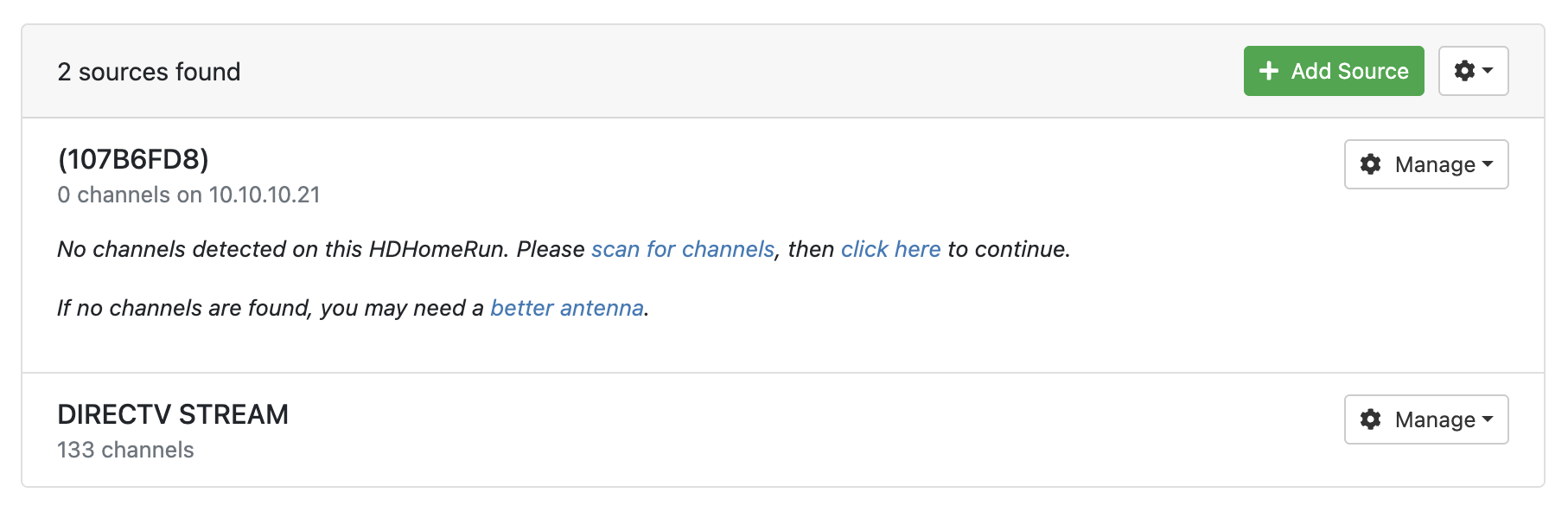
What does it look like in the Channels DVR web admin UI
Settings > Sources
Screenshot 2025-08-29 at 17-58-47 Channels Settings

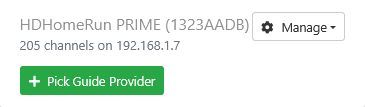
Did you pick a guide provider?
Screenshot 2025-08-29 at 18-01-17 Channels Settings

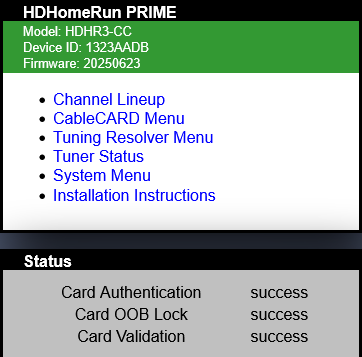
That should should take you to your HDHomeRun Main Menu
Screenshot 2025-08-29 at 18-20-30 HDHomeRun Main Menu

Sorry, you're right, was mixing it up with "scan for channels." Was trying too many things at once :wink:

The "click here" link doesn't seem to do anything.

I tried every option in the "Manage" menu too.

If anyone notices the IP discrepancy between my log example and my screenshot, this is because I tried this with a 2nd non-4K HDHR just to see if there was any difference. There wasn't.

It had remembered the provider even though there were no channels, but when I removed it and tried to pick one again, it doesn't seem to do anything.

It feels like the Manage menu options for the HDHR's aren't doing anything.

Strange.
Try + Add Source

HDHomeRun Device

and key in the IP address of it

What is the ethernet IP address of your Channels DVR Server?
You should just have ethernet enabled and not WiFi.

I tried Add Source with the IP, but it doesn't seem to do anything since the source is already there. I disabled it and tried again, but also nothing that I can see. This line basically repeats with every one of these tries:

2025/08/29 20:29:23.439898 [ERR] Failed to load HDHR #107B6FD8 lineup: Get "http://10.10.10.21/lineup.json?tuning&show=found": dial tcp 10.10.10.21:80: connect: no route to host

My server IP address is: 10.10.10.10
It only has Ethernet 1 enabled (Mac pros have 2.)
WiFi and no other interfaces are enabled.
My entire network is: 10.10.10.1 - 10.10.10.254

Put http://10.10.10.21 in the url bar of Safari on the Mac and see if you can get to the HDHR
I don't use a Mac, so it may be some system or firewall thing on a Mac you have to approve.

This sounds like your macOS has flipped the network privacy settings off for your DVR. If you go into your System Settings you can hunt around for the network permissions and flip it back on.

1 Like

Yes! Ooof, I would've never thought of that but it makes perfect sense now. I don't know what would've turned this off, maybe a dot release. But, after flipping the toggle and restarting the Channels service, it works now. Thanks to everyone for the help.

2 Likes

This topic was automatically closed 30 days after the last reply. New replies are no longer allowed.