
Script request:
Sometimes I want to know if I get channel xyz and what source(s) it comes from. I know there is the create channels list in CSV format script in olivetin based on the channels_to_csv.py script but I want to do it quick and dirty without having to launch a spreadsheet. I was wondering is someone had a script to search for a channel name and tell you the channel number and source (or sources) of the channel.
I think that'd be a fairly straightforward adaptation of the @mjitkop channels-to-csv script, as it only takes moments to produce. We could then grep for the channel, and then awk by the comma separated fields to format the output.
Oh my word, that would be so useful. I have a lot of sources with overlapping channels so I wrestle with the search often.
1 Like
Needs a little tweaking, but I just got this using a fancy awk command on one of the @mjitkop CSV files. Seems good to me, based on a search for ION:
Channel name: ION
Number of sources: 4
Free channels: -
UK TV: -
Stirr: -
Samsung TV Plus: 1051
Pluto TV: -
FrndlyTV-noEPG: -
FrndlyTV: 9620
Fire TV - Live TV: -
Fire TV - DTV: -
Chrome Capture: 9662
CDVR - Minneapolis: 9596
DIRECTV: -
That looks great to me.
Let the mystery of sources for channel xyz be no more!
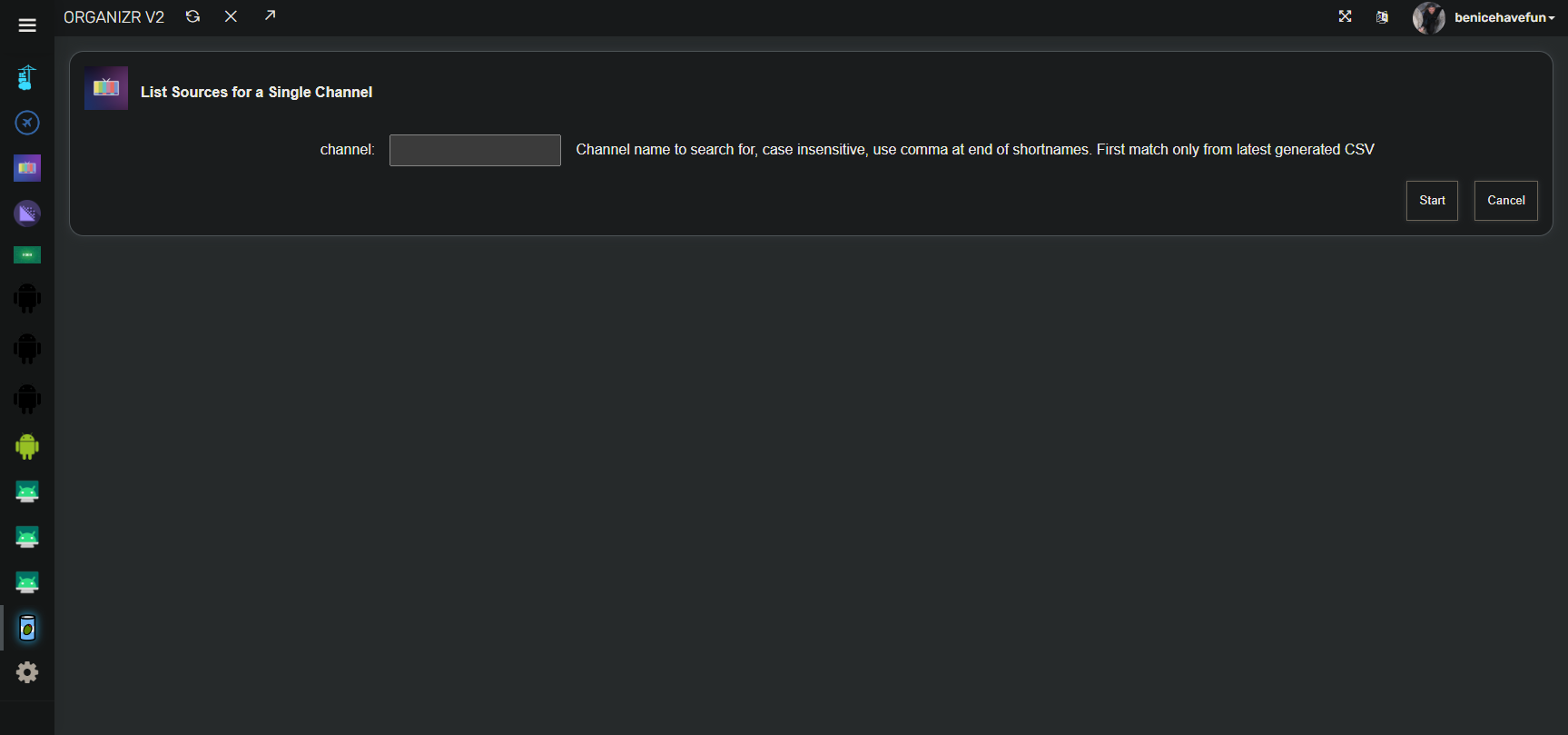
I've added another OliveTin Action Button, this time building off a previous action. This one will match the name you give it to the latest "Channels List in CSV Format" you've created, and output the first match. The source(s) and channel number(s) will be listed. If it's a short name, use a comma at the end to improve matching.
Be sure you've previously generated at least one CSV file using the action button for that purpose. A fresh CSV file is required to start things off (due to modifications to that file), but after that it's up to you:


I'm still adding features under the :test tag currently, but will sync it with :latest at some point.
2 Likes
Pulled test build to check out List Sources For a Single File. Getting a file not found error.
level="info" msg="Before Parse Args" cmd="/config/channels_to_csv_awk.sh {{ channel }}"
level="info" msg="After Parse Args" cmd="/config/channels_to_csv_awk.sh ESPN"
level="info" msg="Action starting" timeout="3" title="List Sources for a Single Channel"
level="info" msg="Action finished" exit="2" stderr="exit status 2\n\nawk: fatal: cannot open file `/config/channels_dvr_channel_list_latest.csv' for reading: No such file or directory\n" stdout="" timedOut="false" title="List Sources for a Single Channel"
Did you generate a fresh CSV file using the "Create Channels List in CSV Format" button first?
Nope. In my mind I was thinking that the script would create the CSV first then do the grep (or AWK). Ran the create channels list first, then searched for a station. That works.
Now that you have the first one setup for this purpose, you only need to generate a new CSV as you feel it's required.
I wanted to avoid generating a fresh CSV file each time if possible -- just in case you're doing many back-to-back searches. Either for different channels, or refining a search for one channel.
EDIT: Rather than having an error if a "latest" CSV file doesn't exist, I've added a test for that file and am automatically running the script to create it if needed. You'll still want to update it, on an as required basis -- whenever there are notable changes to your sources.
That seems like a good way to go. Thanks!
2 Likes
Just a thought: what if OliveTin could monitor the output of the Channel Lineup Change Notifications script and recreate the CSV file automatically whenever changes in the lineups are detected by the script?
I was thinking the same thing  , but I'm launching your Python script via a Bash script that terminates (OliveTin needs the scripts it launches to terminate to function properly).
Would it be possible to add a "hook" to the Python script, so that it launches a Bash (or other) script on channel source changes? Hopefully, it could just dovetail in with the logic to send e-mails and/or texts.
EDIT: Thinking about this a bit more, I may be able to use inotifywait to check for changes to the .log file I'm using, and then have it run a script on each file change to check for the type of change. Should be easy enough to implement, so I'll have a look at that approach.
@bnhf, This is a fairly low priority request but would it be possible to add another button to Fix YouTube Thumbnails to allow the user to run the script once independent of scheduled tasks. I'll often add content then have to wait until the next time the task runs. It would be nice to be able to execute on demand. Thanks!
I thought I set it up to be able to execute a "once" interval run, even if there's already a background task running. Have you tried it that way?
I assumed that if I selected once that is would kill the waiting tasks and then run once.
I tried the once option and that worked and it still says the task is running.
Should work the same for TWiT.tv guide data. The idea to allow that option for both was from the mind of @Fofer.
Now that you mention it, it does make sense to do it this way. I can simply import the script that creates the CSV file into this script and call it at the right time.
As soon as I can make some time for it, I will give it a try.
I will let you know when I have a new version of my script.
Regarding the TWiT schedule command. I changed mine to run "with 48h between runs" and confirmed this in the log, but when I revisit the command, it still says 72h in the field. Shouldn't it be updated to reflect what is currently running? I'm not sure if this is a bug or working as expected.
We definitely want it to update. What happens when you refresh your OliveTin browser tab?
I have the force-a-refresh thing figured out I believe, and I'm using that strategy for the Channel Lineup Change Notifications Action -- but I haven't applied it to YT-Thumbnails and TWiT yet. Seems to be doing the job though, so I'll implement the change across the board tomorrow.