
I am doing it on the correct element, Previously, I just copied the output from response in chrome.
Can you post the curl command you're capturing now, and also the output it produces if you use it standalone?
Just did it again and it worked.
You have the wrong package name. I am not using a firetv. I am using a google streamer 4k. the package name should be: "com.google.android.youtube.tvunplugged" also compatibility mode should be enabled.
OK, those two things are fixed and pushed as bnhf/olivetin:latest (aka bnhf/olivetin:2026.10.10).
Could you do a post here please (with emdedded screenshots) that details exactly how to grab the cURL command? I'd do it, but I don't have YouTubeTV. This will give me a link to point the next user of the Action to, as a how-to.
I would be happy to help the next user, but first lets get this working. Your json refrences a configuration that I don't have in apituner. Please remove it. Also compatibility mode is still not enabled.
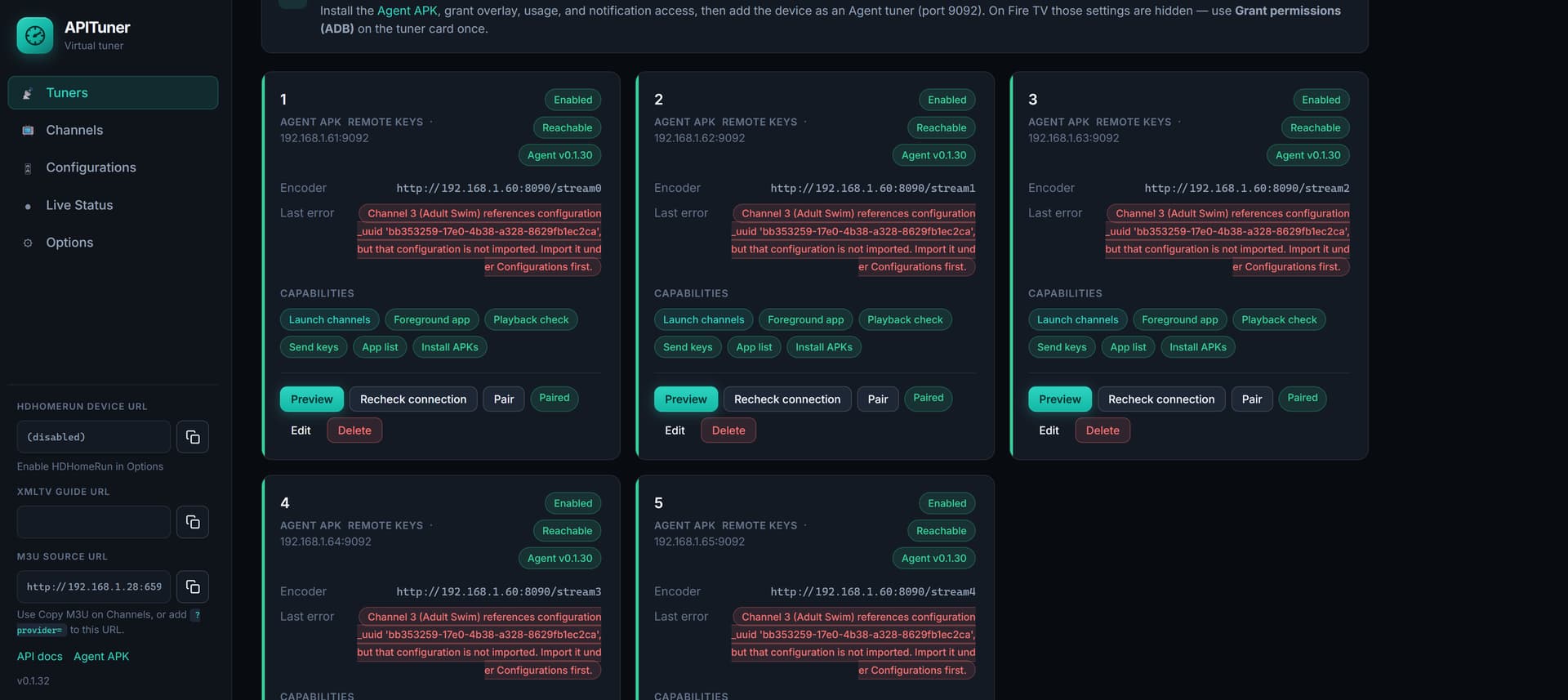

I've never used APITuner, but I thought it was ADBTuner compatible in terms of configurations? The UUID I used is the "compatibility mode" config from ADBTuner.
I take it APITuner has some JSON value for compatibility mode, which does not come from anything in ADBTuner? Same for the configuration UUID?
Can you provide an example JSON record that you'd like the output formatted to?
see below:
keep in mind I only edited channels 1 and 2 so they work.
Your Pastebin link is redirecting me to a bad link at totalav. Why not just post those two records here?
Odd, I have used pastebin for some time without issue. see below:
[
  {
    "provider_name": "YTTV",
    "number": 1,
    "name": "ABC News Live",
    "url": "https://tv.youtube.com/watch/wyyOvwucHlo",
    "package_name": "com.google.android.youtube.tvunplugged",
    "alternate_package_name": "com.amazon.firetv.youtube.tv",
    "component": null,
    "action": "android.intent.action.VIEW",
    "extra_string": null,
    "key_macro": null,
    "compatibility_mode": true,
    "tvc_guide_stationid": "113380",
    "tvg_id": null,
    "configuration_uuid": null,
    "source": null,
    "id": "730137deb6e549189850167d3fedc2df"
  },
  {
    "provider_name": "YTTV",
    "number": 2,
    "name": "ACC Network",
    "url": "https://tv.youtube.com/watch/VasWEa--oME",
    "package_name": "com.google.android.youtube.tvunplugged",
    "alternate_package_name": "com.amazon.firetv.youtube.tv",
    "component": null,
    "action": "android.intent.action.VIEW",
    "extra_string": null,
    "key_macro": null,
    "compatibility_mode": true,
    "tvc_guide_stationid": "111871",
    "tvg_id": null,
    "configuration_uuid": null,
    "source": null,
    "id": "546ffa7d8b0a4d61a805505806c9ba12"
  }
]
I've never had a problem with Pastebin either, but something was odd about that particular link. I saw Pastebin for a moment, before the bad redirect.
Anyway, looking at what you provided, it looks to me like I should output like this:
{
    "provider_name": "YTTV",
    "number": null,
    "name": "ACC Network",
    "url": "https://tv.youtube.com/watch/VasWEa--oME",
    "package_name": "com.google.android.youtube.tvunplugged",
    "alternate_package_name": "com.amazon.firetv.youtube.tv",
    "component": null,
    "action": "android.intent.action.VIEW",
    "extra_string": null,
    "key_macro": null,
    "compatibility_mode": true,
    "tvc_guide_stationid": "111871",
    "tvg_id": null,
    "configuration_uuid": null,
    "source": null,
    "id": null
  }
I changed number to null and id to null. Not sure if number is just a sequence number or a channel number, but either way it seems like a bad idea for me to provide it. Same with id, which I believe is just an internal identifier for the virtual channel. APITuner should generate both, not me.
I can also delete those lines, if that works better. Can you try to import the above (you'll probably need an opening and closing square bracket on the first and last line), to confirm it works? This is somewhat different from what ADBTuner uses.
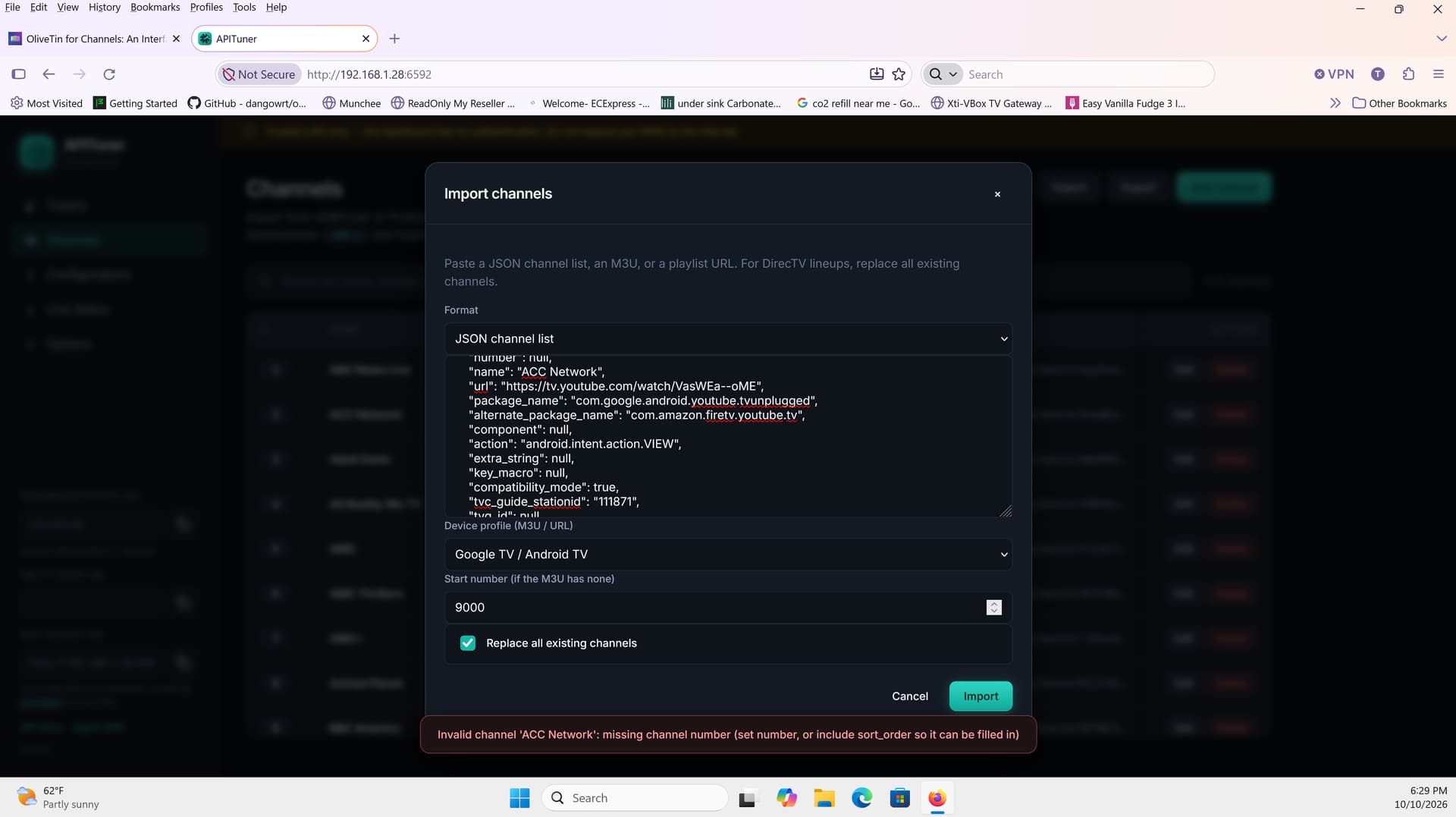
Providing either of those values could step on existing channel numbers or sort order numbers in APITuner, for you or the next guy. How would you like to proceed?
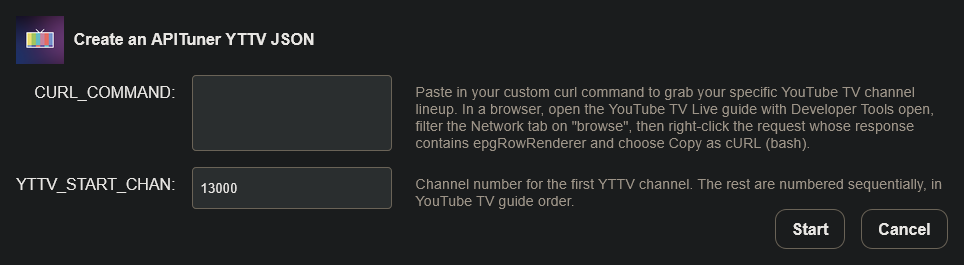
EDIT: I could add a required starting channel number value to the Action, and output the JSON starting with that number -- if you think that would work?
That sounds like a great idea.
@techpro2004 This is done, and pushed this morning as bnhf/olivetin:latest (aka bnhf/olivetin:2026.10.11):
We are good! thanks! As promised please see the bleow writeup:
1: open the below page in chrome:
-
login
-
on your keyboard press F12
-
open the network tab under developer options on right
-
On your keyboard press ctrl+r
-
right click on "browse?alt=json"
-
select copy > copy as curl (bash)
-
paste output into olivetin
9: If you get an error go to step 5 if not copy/paste the output rom olivetin into apituner
see below screenshot:
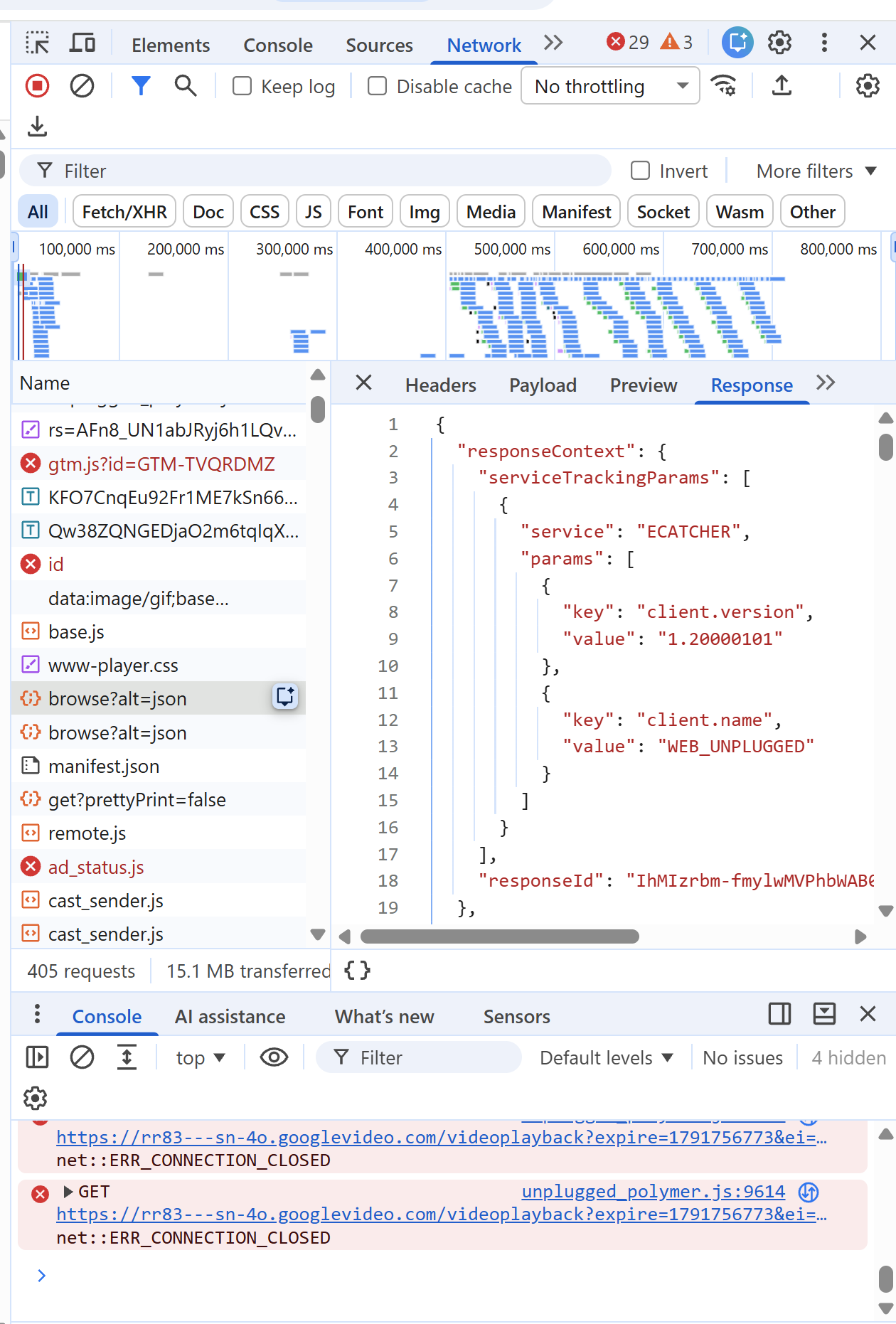
note: there are 2 "browse?alt=json" entries. at this time the best way to pick the right one is trial and error.
2 Likes