Problem editing commercials when recording from Pluto

These were mostly recorded in early 24 from Pluto (Maddox container). I'm currently watching Season 7 and normally will edit a season at a time. I have thru Season 15. When I attempt to edit, it will tell me there is an 'error retrieving commercial details'. I’ve tried several remedies but find the reprocess video to be the stablest. I have tried the other options with varying success.

I have some other Pluto Series that exhibit that same behavior.

My OTA recordings that are in the same recording time frame are fine and edit easily.
My TVE recordings appear to be fine.

I figured it was just a Pluto issue and I’ve got a fix that appears to work.

If you want, I’ll run the troubleshooter then go select a couple of recordings to edit then send in a diagnostics .

I won’t run the reprocess video before I send diagnostics
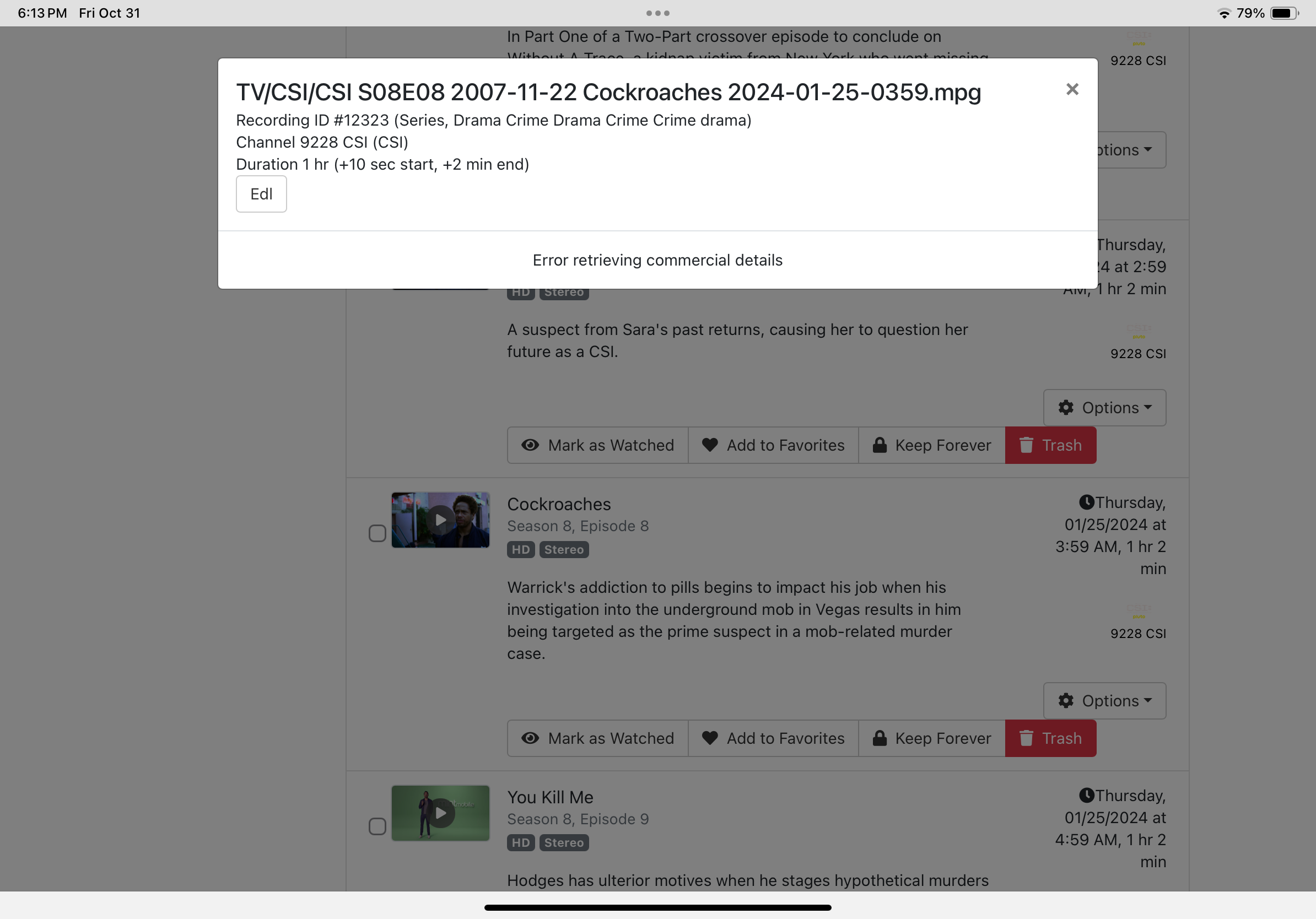
Yes it would be great if you could give me an example of this happening and submit diagnostics.

382cee5f-d87e-4788-a001-62082714e291

Ran troubleshooter
Tried to edit 1 recording on Pluto series - error
Tried to edit on different series - error
Sent diagnostics

Unable to upload picture of error

If you just play the recording, are the commercial markers wrong?

The commercial markers are there but they miss the mark.

Many times, the skip button will appear and you still have around 30 seconds or so to finish the scene. After skipping, you might still see commercial for 20-30 secs. Sometimes they are way off but that’s rare.

I’ve set the series to auto-skip so I don’t have to interact and still skip which is why I edit. On other recordings, I just use the skip button unless I edited the commercials.

I normally edit a season at a time on the Pluto recordings. I’ve can’t remember seeing the error on any of my OTA recordings. I normally will edit OTA when I’m wanting to binge watch. They are about 95% correct.

In case this matters, the server is on a Synology DS220+

Please run:

$ curl -sq http://<dvr-ip>:8089/dvr/files/14764/comskip/info

and paste the output.

jagrim@Synology220:~$ curl -sq http://10.0.1.65:8089/dvr/files/14764/comskip/info
{"error":"no tags comskip info found"}jagrim@Synology220:~$

I'm very confused by this.

To confirm: you've done no post-processing or anything on "NCIS S03E02 2005-09-27 Kill Ari Part II 2024-07-15-2159.mpg" after you recorded it?

Nope.

Could you take that video and upload it to: https://www.dropbox.com/request/MMjICRc053JJpSBPDIfQ

I'd like to see if there's something weird going on there.

I’ll upload that one plus another that will allow the edit with only the 'edit commercials' button. I have poked around and found some that behave as expected.

Uploaded.

I noticed that the recording you're having trouble with was recorded in 2024. Do you have any recent recordings that also exhibit this issue? If not, I think I understand more about the situation and can see what we can do.

Following up: If you run the following:

and then wait for it to complete, it should resolve the error for all of your old Pluto recordings.

I actually started that earlier when I initially responded. It's still running but should be complete soon. It is fixing the error. I’m missing about a season or so but I expect those will be the last ones done.

When I check a recording for the ability to edit commercials, I can see the video was reprocessed in the last day or so.

Great. Thanks for working with me on this. I had forgotten that we made a change in 2024 that made the commercial indexing work for this sort of commercial detection and so it took me some time to understand everything involved.

1 Like

This topic was automatically closed 30 days after the last reply. New replies are no longer allowed.