Recording that lasted 4:36 appears to be only 34 minutes long with no log errors

I use Channels DVR on my Unraid server to stream and record channels from a custom M3U list that is routed through DIspatcharr. It mostly works fine but in the last few days I have scheduled some long recordings of approximately 3-4 hours in length and each time the recorded file is just the first 30 mins or so. This happened last night and here are the logs:

025/09/08 01:09:02.941388 [TNR] Opened connection to M3U-Dispatcharrr for ch11
2025/09/08 01:09:02.941744 [DVR] Recording for job 1757290140-ch11 from M3U-Dispatcharrr ch11 into "TV/Live NFL Football/Live NFL Football Baltimore Ravens at Buffa 2025-09-08-0109.mpg" for 4h35m59.998571766s
2025/09/08 01:09:02.976597 [IDX] Generating video index for job 1757290140-ch11
2025/09/08 05:45:00.001388 [TNR] Closed connection to M3U-Dispatcharrr for ch11 
2025/09/08 05:45:00.013565 [SNR] Buffer statistics for "TV/Live NFL Football/Live NFL Football Baltimore Ravens at Buffa 2025-09-08-0109.mpg": buf=0% drop=0%
2025/09/08 05:45:00.022263 [DVR] Finished job 1757290140-ch11 Live: NFL Football
2025/09/08 05:45:00.038250 [DVR] Processing file-565: TV/Live NFL Football/Live NFL Football Baltimore Ravens at Buffa 2025-09-08-0109.mpg
2025/09/08 05:45:02.160452 [DVR] Running commercial detection on file 565 (TV/Live NFL Football/Live NFL Football Baltimore Ravens at Buffa 2025-09-08-0109.mpg)
2025/09/08 07:44:12.023641 [DVR] Commercial detection for Live NFL Football Baltimore Ravens at Buffa 2025-09-08-0109.mpg finished with 22 markers in 1h59m9.863240127s (4 threads).

From those logs, it looks like the recording started at 01:09 as scheduled and that it ended at 05:45 as scheduled but yet the recorded video file is only the first 34 mins of the recording. The same thing also happened on Friday morning with a similar operation.

Is it possible to get any more detailed logs to understand what happened? I understand that there are a lot of moving parts that could be causing the issue but I am finding it very difficult to understand what is happening.
Quick question? Did you watch the recording or just look at the data? I have had a couple of recordings that showed short times but played the full game.

Great point, I had the same thought and did check the recording but unfortunately it is actually just 34 mins and the size of the file matches that output.

Interesting that it took almost 2 hours to run Comskip with 4 threads on a 34 minute recording, unless this is a very, very low end system. Out of curiosity, can you post the EDL file associated with this recording? It'll be right next to the recording file itself.

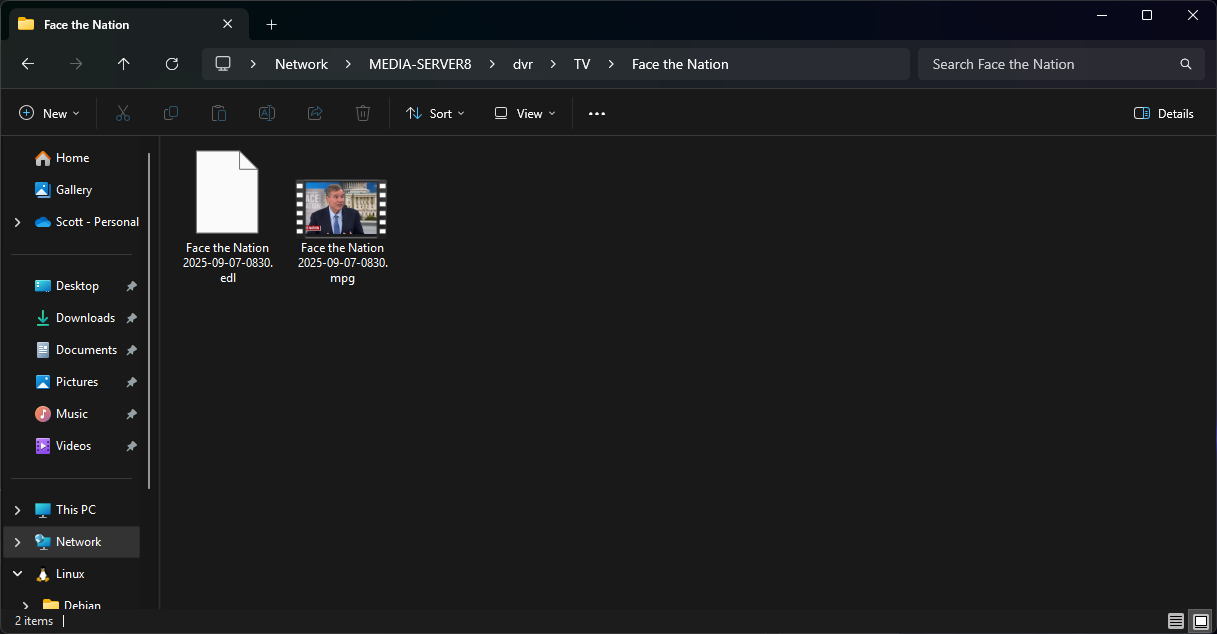
@bnhf Thanks for your reply. Apologies but I'm relatively new to the platform and I'm not sure how to generate the EDL file? There is no other file in the recording directory. Is it the comskip log?

Also the server is not low end, the CPU is an Intel i5-14500 and it has 32GB of DDR5 RAM.

This will vary a bit by how you set things up, but for example yesterday's Face the Nation:

Plus, as the log shows, Comskip was run and there should have been 22 markers written to a matching EDL file. Here's mine from the above recording:

0	53.2	3
783.02	844.84	3
1377.39	1504	3
1627.64	1853.02	3
2471.24	2592.59	3
3038.32	3149.21	3
3416.55	3542.39	3
3562.79	3645.58	3

I'm hoping the EDL file might shed some light on what Comskip thought of the file.

That raises the concern level, as Comskip should have run in minutes, unless this is in a very limited resource virtual machine.

You're probably aware of this, but the typical IPTV provider one might use with Dispatcharr could well be the source of the problem too.

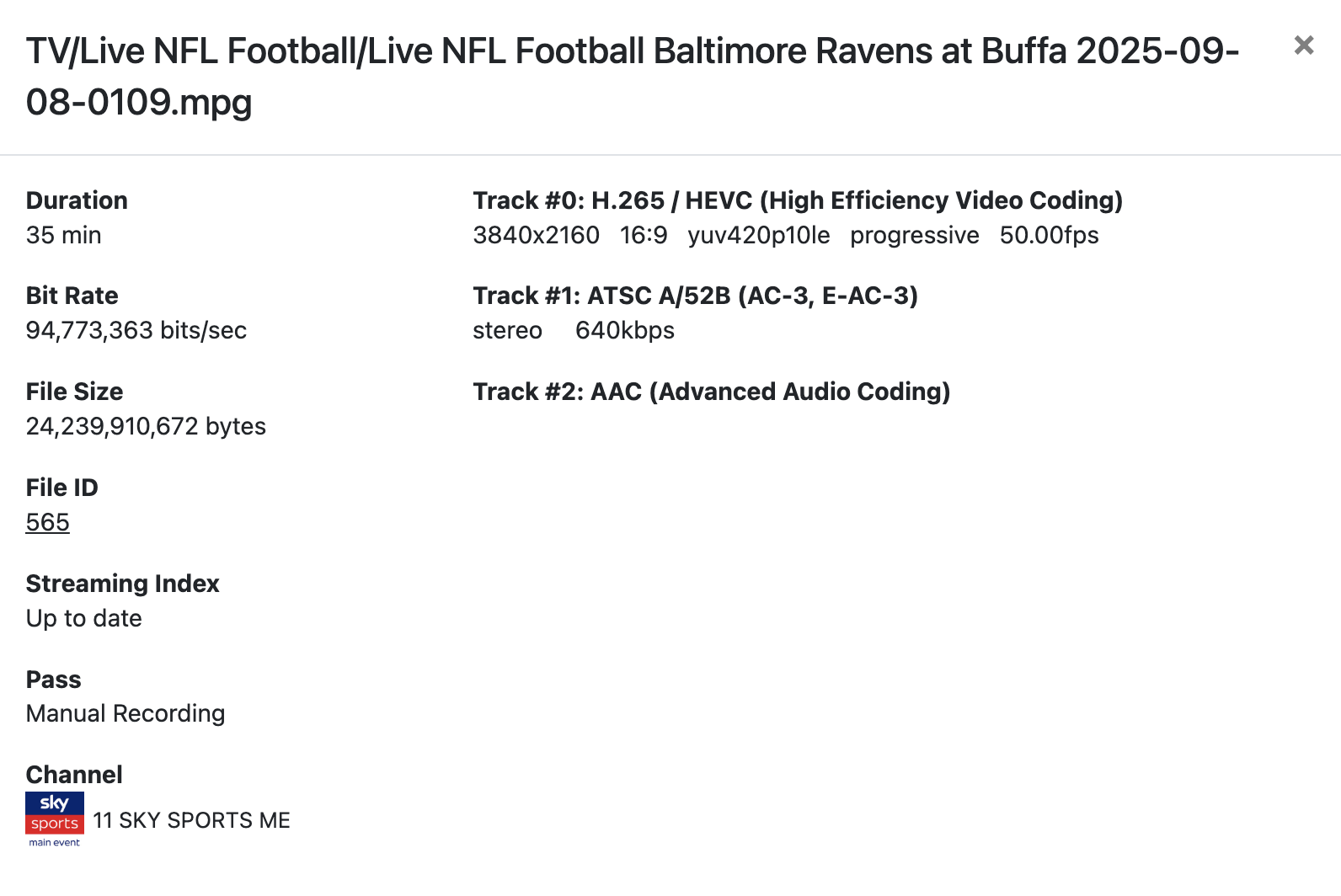
What does View Details show?

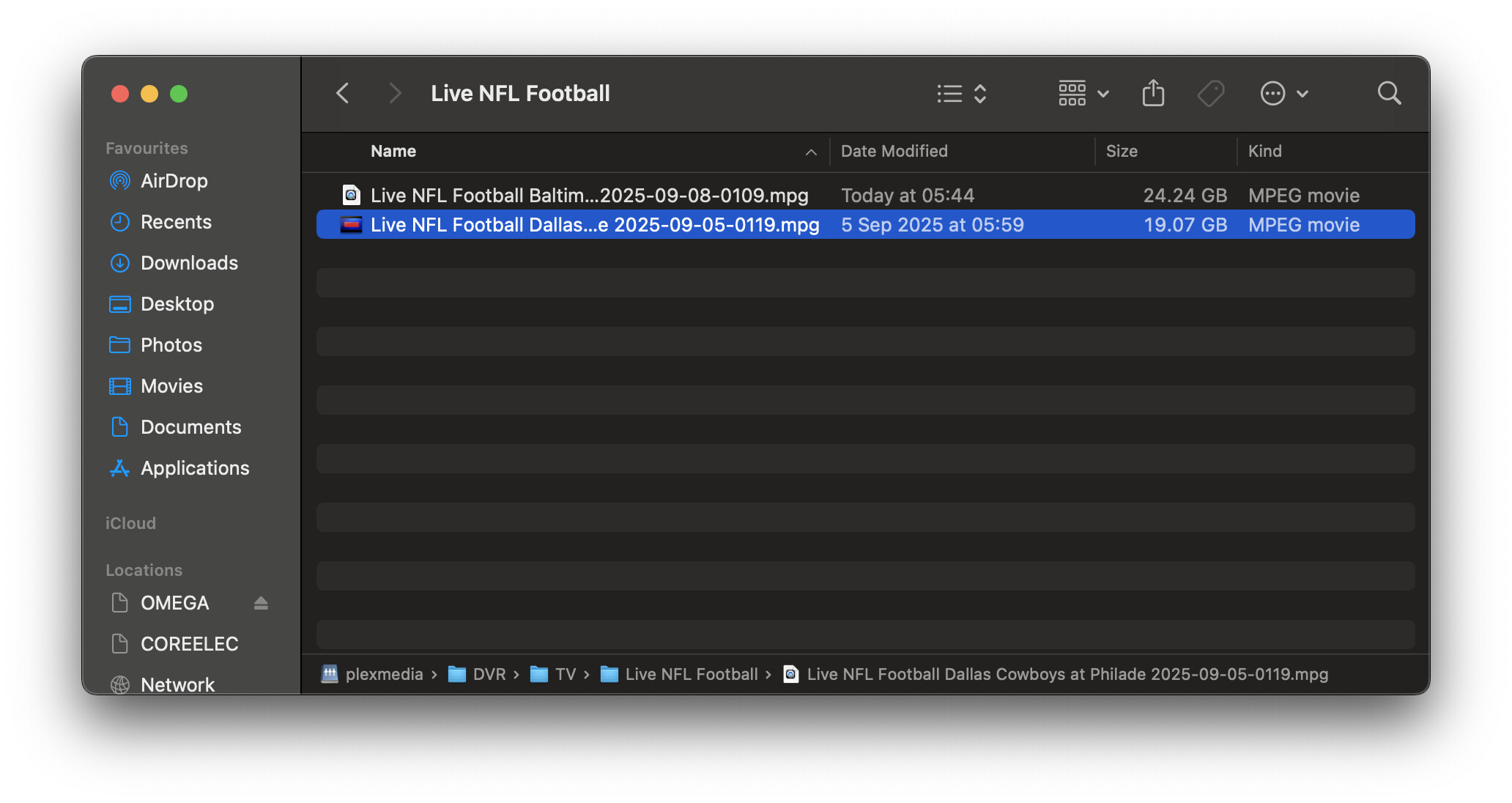
Thanks again, I don't have the EDL file in my directory:

Also, it's not a limited resource virtual machine, there shouldn't be any limit on resources. I completely understand that it may well be an issue with the IPTV provider but it seems strange that such a specific issue would happen twice in a couple of days with the same type of recording.

And really I'm posting here to see if there is a way to establish the root cause. If it is the IPTV service then so be it but it would be great if the logs showed that but they don't seem to.

I found this log which I think is what you are looking for:

"root":{
"ID":"565"
"JobID":"1757290140-ch11"
"GroupID":"8401939"
"Path":"TV/Live NFL Football/Live NFL Football Baltimore Ravens at Buffa 2025-09-08-0109.mpg"
"Checksum":"Q54xCRAxth2utVlVP3pMFn14E9Wh0OB0in73i18Q01M"
"CreatedAt":1757290140
"FileSize":24239910672
"Duration":2046.137
"Commercials":[
0:2538.94
1:2588.56
2:2757.5
3:2833.16
4:4664.1
5:4782.5
6:5230.14
7:5350.34
8:5827.2
9:5857.08
10:6192.36
11:6312.3
12:7627.82
13:7648
14:8516.7
15:8522.08
16:8853.42
17:8873.6
18:9111.3
19:9122.9
20:13360.82
21:2045.76
]
"Completed":true
"Processed":true
"Airing":{
"Source":"tms"
"Channel":"11"
"Time":1757290200
"Duration":12900
"Title":"Live: NFL Football"
"EventTitle":"Baltimore Ravens at Buffalo Bills"
"Summary":"Lamar Jackson's Baltimore Ravens go to Josh Allen's Buffalo Bills for their regular-season opener."
"FullSummary":"Lamar Jackson's Baltimore Ravens go to Josh Allen's Buffalo Bills for a heavyweight regular-season opener - a rematch of last year's divisional round contest - in the 2025 NFL."
"Image":"https://tmsimg.fancybits.co/assets/GNLZZGG002951ZF.jpg?w=720&h=540"
"Categories":[
0:"Sports"
1:"Sports event"
]
"Genres":[
0:"Football"
]
"Tags":[
0:"Live"
1:"New"
2:"4K"
3:"HDR"
4:"Stereo"
]
"SeriesID":"8401939"
"ProgramID":"EP013533982544"
"TeamIDs":[
0:"33"
1:"34"
]
}
"ChannelNumber":"11"
"DeviceID":"M3U-Dispatcharrr"
"UpdatedAt":1757313852014
"Version":18
"JobTime":1757290140
"JobDuration":16560
"BufferStats":{
"BufferPct":{
"Initial":0
"Last":0
"Min":0
"Max":0
"Sum":0
"GoodCount":8276
"BadCount":0
}
"BufferDrop":{
"Initial":0
"Last":0
"Min":0
"Max":0
"Sum":0
"GoodCount":8276
"BadCount":0
}
}
"CommercialDetectSource":"local"
}

Thanks @tmm1 this is the View Details screen:

Try Fix Timestamps

1 Like

Right you are, I forgot EDL file generation required a tick box selection in settings. Comskip appears to have had problems with the file too, based on time running and the markers it generated.

At 24GB for an H.265 recording, it would seem to be all there, so hopefully @tmm1's Fix Timestamps suggestion will take care of it.

Thanks a lot that actually sort of worked. I now have the full video file that is 4 hours and 5 mins which is great except that the file doesn't seem to have any sound. There was audio in the intitial 34 minute file but now there doesn't seem to be any audio at all.

Any idea what might be causing this or how I can further debug it?

1 Like

Not sure. Sounds like your IPTV thing is feeding garbage. We just record the bytes being sent to disk.

From the DVR log it appear your M3U-Dispatcharrr is an MPEG-TS source.
Channels DVR doesn't treat an MPEG-TS source the same as an HLS source.

Does View Details now show any audio tracks?

I would have remuxed it with ffmpeg instead of using fix timestamps.
When you run fix timestamps, it overwrites your original recording.
Before running fix timestamps, you should make a copy of the recording in case it makes it worse (based on experience).

Thanks. Can you explain what the point about MPEG-TS and HLS means? Is there something I need to change because of this?

Also view details does show an audio track:

Track #1: ATSC A/52B (AC-3, E-AC-3)
stereo 640kbps

I'll try and figure out how I can remux it with ffmpeg and see if that helps.

Actually, I just tried to play the file in VLC and it plays fine with both video and audio for the entire 4 and a bit hour broadcast. So that indicates to me that this is an issue with Channels DVR? I mean the file was clearly recorded ok from IPTV if everything plays fine in VLC.

1 Like

I'm not getting in the middle of this one. I would suggest you email support.
This is a user Community forum and not an Official Support Forum.

Channels DVR handles MPEG-TS streams different than HLS streams, especially when it comes to stream discontinuities. HLS is better for Internet streams.

As far as Channels DVR showing an audio track after fixing timestamps but not playing audio, you would have to discuss that with support.

I just prefer to remux a problem recording using ffmpeg. Something you would have to discuss with support.

Just remember that once Channels DVR rewrites timestamps, it overwrites your original recording. No way to recover the original.

Well it is a Troubleshooting forum :slight_smile:

Thanks for the info.

Up to you. I prefer to verify the "fix" before overwriting the original recording.

Here is what I use for remuxing those recordings with ffmpeg.
https://community.getchannels.com/t/olivetin-for-channels-an-interface-for-misc-channels-dvr-scripts-tricks/37609/1326
You might have to adjusts it for your particular video and/or OS environment, but it works for me in Windows (remuxing the video, audio and subtitle tracks).

I've been burned a few times with Fix Timestamps, either run automatically or manually ("Once bitten, Twice Shy") where my original recording was rendered useless.

This topic was automatically closed 30 days after the last reply. New replies are no longer allowed.