Virtual channel logos missing on clients when set up with images from 127.0.0.1

Everything looks fine on the server:
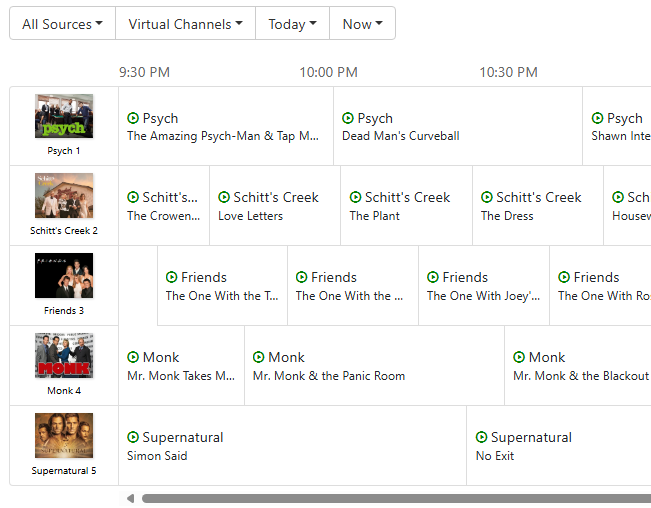
This is what that looks like on my Android phone as well as a TiVo Stream 4K device:
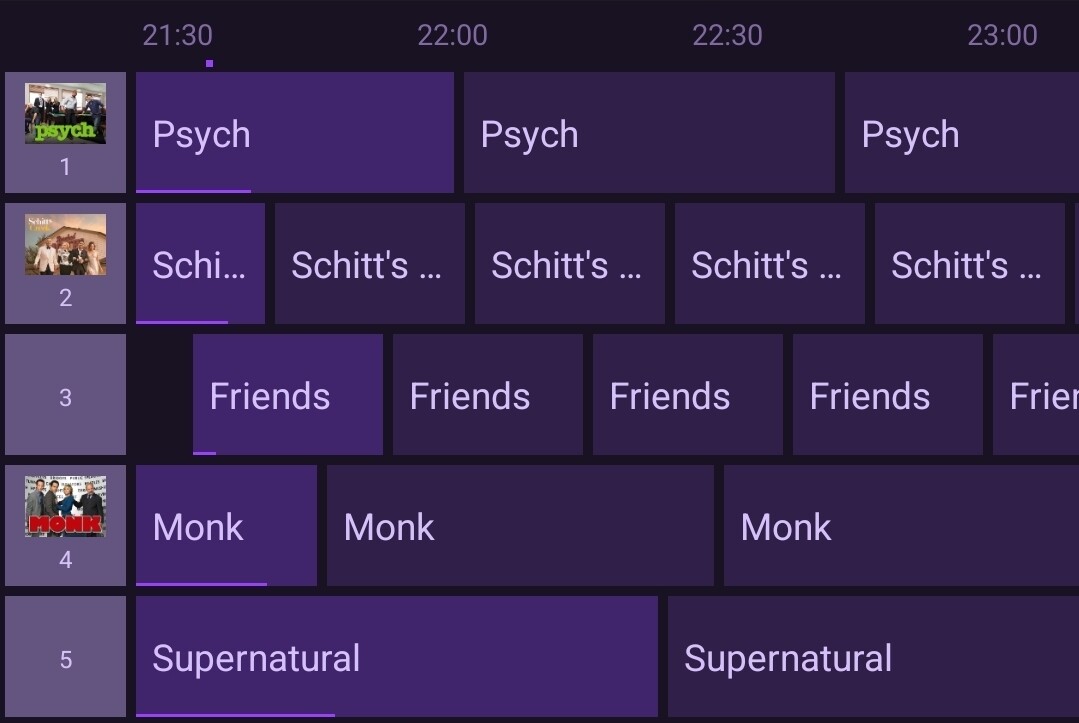
As you can see, the logos are missing for Friends and Supernatural.
Apparently, there seems to be a pattern because these two channel logos are the ones used by Channels:

Friends: http://127.0.0.1:8089/tmsimg/assets/p183931_b_h9_ac.jpg?h=540&w=720
Supernatural: http://127.0.0.1:8089/tmsimg/assets/p17057825_b_h9_ac.jpg?w=360&h=270

I got these links by simply copying them from the TV show pages from Channels.

The other logos that do show up were uploaded:

Psych: /dvr/uploads/2/content
Schitt's Creek: /dvr/uploads/19/content
Monk: /dvr/uploads/13/content

If I replace 127.0.0.1 by the actual IP of the server, that works fine on my phone:
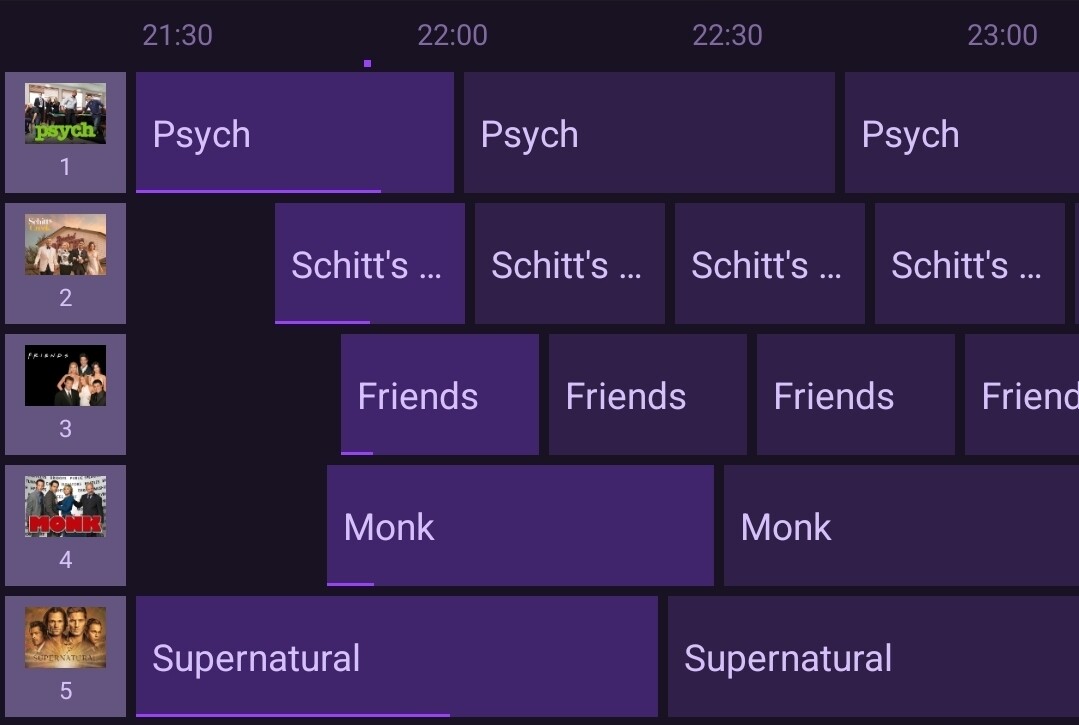
I know 127.0.0.1 is a local address that can only be accessed directly on the same machine but I thought the server would send the pictures to the clients.

This is probably normal behavior (?) but thought I would mention it anyway.

1 Like

You could try this without the host

Thank you for the suggestion but no luck, that doesn't work.

As you said, you are using a localhost address. Channels will use the URL you give it, it's not going to make any guesses and rewrite it.

You should use a routeable IP address so it loads from anything on your network. This would break when being remote though as well (unless you were using a VPN).

Try just downloading the images to your computer, and uploading them directly to Channels using the Art Picker, and they will work in any environment as they'll be served from Channels DVR Server, not rely on the URL that you gave it.

A better answer though, would be to use the Art Picker to pick a channel logo.

Use the Search tab and search for "Friends". You'll get clear art options to use as a network logo for your channel and it will fit in way better than square images.

1 Like

Thanks for the tips. I will use the art picker.