
I did some testing with sling and it seemed to work great here.
If i should ever find myself in the market for service without cbs i might consider it.
1 Like
Yes. You will need to change each of the links, or at least one just for testing.
What version of the channels DVR server are you running? I had a problem recently with the 8.18 pre-release because it had a network bug that caused connectivity issues, the devs figured it out for me pretty quickly.
I would upgrade to the latest pre-release and retry.
Can anyone help with Sling TV integration.
I am using the following inputs in the ADBTuner web interface:
M3U URL: http://192.168.xx.xxx:5593/channels.m3u
Streaming Endpoint: http://192.168.xx.xxx:8089/stream/0
URL: watch.sling.com/1/asset/..../watch
Package name: com.sling
Using these inputs I get:
Green: "Endpoint Connection Successful" & "Android 11"
Blue: "In-Use"
Unfortunately, the stream doesn't play in preview or in the Channels webinterface. Pretty sure it is the Sling URL I am using. Any suggestions?
Thank you.
1 Like
I have the latest release and still the same results.
1 Like
Ok, I will be sending you some logs of various experiences I went through this morning. I did end up installing a new router because at the end of the day this new one I got is only a couple years old vs the other one being from like 2013 so it was time regardless...Nighthawk RAX50 Wifi 6. Sadly though, I'm getting the same results. And I tried your new link format suggestion as well and again, same results...sometimes it works, sometimes it doesn't.
1 Like
Can you send screenshots? If this is your adbtuner config, it is all wrong. The linkpi should be the streaming endpoint. Send a screenshot over and ill take a look
hard copy; that worked. appreciated.
After trying everything under the sun to fix these weird failure to find tuner errors and 404 link not found errors (with no real success) which don’t seem to have any clear pattern, I’m just wondering how people are typically running docker containers? I use Docker Desktop for Windows on Windows 10 pro 64 bit. My other containers…pluto tv, tubi tv, plex tv, all work perfectly fine, but I will fully admit that Docker Desktop can have weird issues starting up from time to time, and can also be slow to startup.
I was thinking of maybe trying to get a raspberry pi 4 and install docker on that plus the ADBTuner container and see how that works out. Does anyone else run docker on a raspberry pi, and if so, how well does it work for you? Any other suggestions for alternatives to Docker Desktop for Windows would be greatly appreciated as well.
Do you have an old computer laying around? Doesn't have to be great hardware, just something you can toss an OS on?
I'd recommend trying Proxmox. Its a hypervisor that lets you run virtual machines and containers natively. Its also free.
@bnhf has a really excellent guide to set it up here:
Something that ADBTuner has in common with a couple of my projects (OliveTin, ah4c) is the need to make outbound LAN connections. The other containers you list have inbound LAN connections and outbound Internet connections -- none need to make outbound connections to other devices on your LAN.
Having worked with several Docker Desktop for Windows users that have similar issues with outbound LAN connections, I think you're on the right track taking a hard look at Docker Desktop as a possible culprit.
It is possible to clean/purge your Docker Desktop environment, and I had to do that myself recently to clear a problem where Docker Desktop was no longer using my integrated WSL distro for several containers.
This process is not to be taken lightly as it will nuke all of your Docker Desktop data, which will require re-adding your containers. In my case, it did not affect the data the containers had stored in bound directories or volumes, but having backups of those would be advisable.
In case you want to give this a try, it's done here:


I selected all three.
If you decide to move ADBTuner and/or other Docker containers to a Linux machine, that could very well solve your issues as well. However, unless you already have a Raspberry Pi 4 laying around, I'd suggest re-purposing an old computer or purchasing one of the inexpensive N100-based computers available these days.
1 Like
This is some good stuff here…thanks! Unfortunately I don’t have another computer laying around so my thought was to get one of those CanaKit Raspberry Pi starter kits and have just docker and my containers running on this. Maybe I’ll try the clean data/purge method first and if that isn’t successful, then I’ll resort to using a Pi. If I get a Pi, would a 2gb memory one work fine for just running Docker and a few containers or would the 4gb be best? Thank you everyone for all this great input!
Honestly i would let the notion of a pi go by the wayside. It just doesnt make sense with mini pc's costing the same or less and exponentially more processing power.
Get yourself one of these:
Beelink S12 Pro Mini PC, Intel 12th Gen Alder Lake- N100(up to 3.4GHz), 16GB DDR4 RAM 500GB M.2 SSD, Desktop Computer Support 4K Dual Display/USB3.2/WiFi 6/BT5.2/Gigabit Ethernet for Home/Office https://a.co/d/8r1AK0m
Or a refurbished dell:
Install ubuntu server/docker/portianer
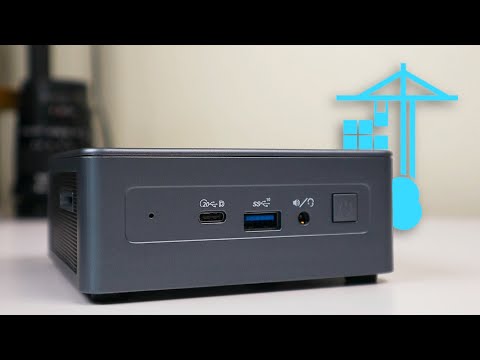
Then you are done 
1 Like
Great stuff, thanks! Do you think the 8gb RAM version of the Beelink S12 mini-PC would work fine as well? That is just a bit more affordable and $149 for prime members. Of course I could do the Dell OptiPlex, but the small compact size of the miniPC would work best in my office setup.
1 Like
For the use case you outlined here, 8 GB should be fine. If you need more down the line, you can upgrade the ram later on.
Sure.. it will only be an issue if you want to run more containers that eat up memory. You can always upgrade if u need to
I’m assuming this one would be ok too if I’m just running docker & one container?
If the mini pc is mostly being used for channels and associated dockers, all should be fine.
It'll run that and a lot more.
Perfect! I found someone in my area selling it on facebook marketplace for only $90 used only once so I think I’m just gonna go ahead and get it. Thanks!