DODL (DirecTV Osprey Deep Link)
History
Wanted share a quick run down of my DODL test setup as it stands today. I realize some of this info is a repeat to very recent posts. Hope to save people some thread searches.
I use DirecTV and their branded hardware Osprey Android TV Boxes (now named Gemini). They work at tuning DTV channels, but really nothing else. I've been using Osprey boxes in AH4C for a few years, turning by channel number. I recently discovered Deep Links for DirecTV will respond on the Osprey box. Curious if it ADBTuner (ADBT) would work and if it was any better. The answer right now is maybe.
Summary
I've had good success with ADBT and Onn 4K Plus boxes the last few weeks using Deep Links. But tuning is pretty slow. The DTV App (com.att.tv) is picky, has to be in a fresh, "just opened" state to always accept deep links. My final ADBT config for Onn Boxes has actually proven reliable, but again slow to tune.
It occurred to me the Osprey Box launcher is essentially the DTV App. The DTV App is always running, ready to tune as that is the design of the device. I tested an Osprey with ADBT a week or so ago, and it didn't work. I shrugged it off at the time. I then went back to do more testing with just ADB Shell. Found the Osprey would open deep links if you target com.att.tv.openvideo, the unique app on the Osprey to tune channels. Huzzah! Tried on ADBT, but still not working. Seems ADBT does not like to tune to System Apps. Not that ADBT should, as it is designed for packages which are installed from Play Store.
The last thing I tried was to put a dummy app as Package Name, one that was already installed on the Osprey. In my case, it was the NBC App. ADBT started reserving a tuner. From there, I realized target app would not work, so I wrote custom configs to specifically target com.att.tv.openvideo. This is working today.
Prepping the Osprey
Assuming many in here know the basics, here is a very quick list of things I did to get the test Osprey devices to the state there are in today.
- Fully update Osprey, dev options turned on
- For multiple Ospreys, add spaces in between them, they get very warm.
- Static IP on Ethernet
- Removed all unnecessary apps (Hulu, HBO, etc).
- Installed Dummy App - in my test the NBC App, but probably can be any from Play Store.
- Set Osprey Preferences to always play live channel on power on, not go home
- Set Osprey Preferences to not select profile on launch.
- Turned off all Animation Options in Dev Options.
- (OPTIONAL) Set the DTV app to ignore Doze via ADB: adb shell dumpsys deviceidle whitelist +com.att.tv.openvideo
DOZE: Not sure Doze Whitelist is even necessary on Osprey, but it is part of my test.
ADBTuner Checklist Config
Quick Rundown of ADBTuner Config, will provide samples below.
- Set your Osprey devices up as Tuners
- Import all your DTV Channels.
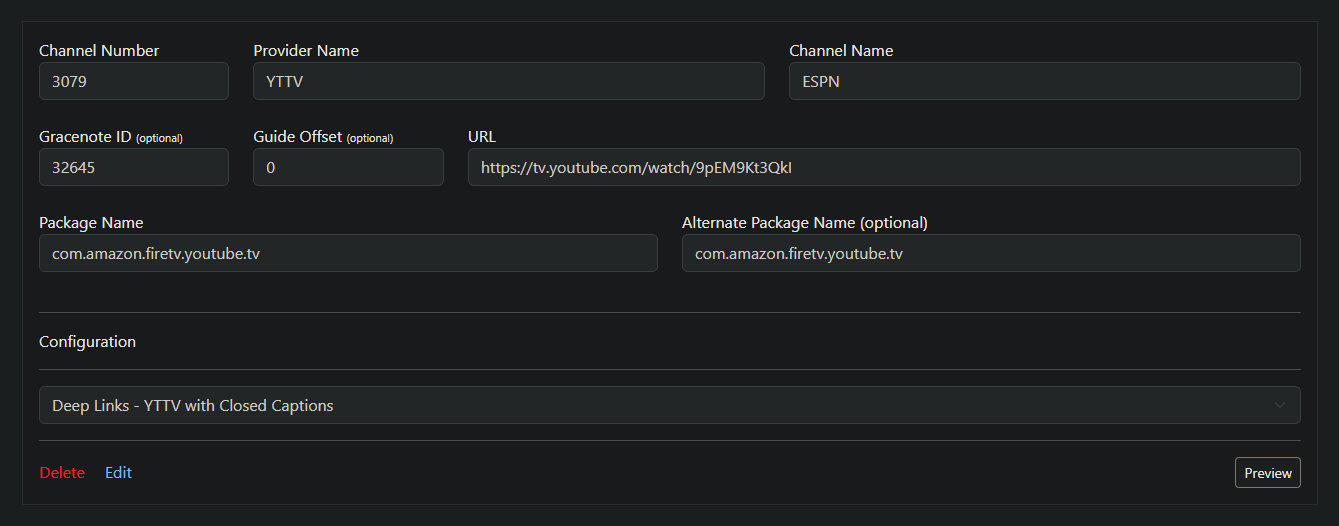
- Type in a dummy app to Package Name (i.e. com.nbcuni.nbc.androidtv)
- Configure Channels to use DODL custom Tuning Config.
Differences in Osprey Deep Links vs DirecTV App.
The Deep Link format is a little different for the Osprey. Here is what C-SPAN looks like.
DirecTV App
dtvnow://deeplink.directvnow.com/play/channel/CSP1/c167f6c4-9128-4043-d798-50a8df3f29de
Osprey
https://deeplink.directvnow.com/tune/live/channel/CSP1/c167f6c4-9128-4043-d798-50a8df3f29de
Custom Config for DODL
The tuning is quite simple. Wake devices, gives it a second to catch breath as Ospreys are older, send deep link, sleep when done. Everyone has different networks, so you may need to fine tune.
{
    "name": "DTV: Osprey Deep Link (DODL)",
    "author": "",
    "version": "0",
    "description": "Fast launch of Osprey Hardware.  Wake, Tune, Sleep.",
    "uuid": "670f0f68-6c1f-4258-b3c3-0b97fd0cb316",
    "global_options": {
        "wait_for_video_playback_detection": true,
        "use_fixed_delay": false,
        "fixed_delay_seconds": 0,
        "check_for_and_clear_whos_watching_prompts": false
    },
    "pre_tune_commands": [
        "input keyevent 224",
        "sleep 1"
    ],
    "tune_commands": [
        "am start -W -a android.intent.action.VIEW -d '||TARGET_URL_OR_IDENTIFIER||' com.att.tv.openvideo"
    ],
    "post_tune_commands": [
        "sleep 3",
        "input keyevent 26"
    ]
}
NOTE: I prefer to sleep Osprey boxes after tuning. You don't have to, but probably should.
Observations So Far
I have only been testing for a few days. The deep links have worked really well. Since the DTV App is always running, don't have to worry about refreshing it. Just wake the box and send the link. Some things to consider.
- The tune time is about 10-13 from sleep, from wake to picture.
- In the pre-tune I added a small sleep to give some of the boxes a touch more time to respond to wake command.
- In the post tune, added a small sleep. Found the tuner would become available in ADBTuner very quickly, but the box was still "catching" up to commands. Ospreys are not fast.
- Overnight, deep sleep, has been pretty good. I've had one slow tune. It eventually worked, but was very slow to wake up. Likely box being busy at the time. Again, Osprey performance.
- I've always used multiple Osprey boxes, not for concurrent channel tuning, but redundancy, hunting for a box that is available if one fails.
- Sleep after Tune. This is my preference, but for many it may be necessary. The Osprey boxes are reliable but they can get very warm when running for long periods. They should auto shut off after 4 Hours if you leave such setting active on Osprey
The Future
I will continue to test. I currently have a mix of Onn 4K Plus and Ospreys in my Channels DVR. The Onn boxes are fine for recording as I don't care if it takes longer to tune. Osprey boxes dedicated to live viewing due to faster tuning speeds.
EDIT: Grammar.


 I'll continue testing as my time allows.


 !
!