ADBTuner: A "channel tuning" application for networked Google TV / Android TV devices

I had no idea about that, and I'm so sorry that happened to you. I completely understand now. Actually had something similar happen to me where I built something really cool with AI. It was binary patching legacy firmware for Pebble watches to handle aftermarket battery replacements and I just got completely attacked by the community for building something with AI. Just took all the joy out of building something really useful and cool. I really brought me down for a good couple of days too. I know that exact feeling, and I'm really sorry that people treated you that way.

If you're building something and you're mainly doing it for yourself and for the benefit of the community, you don't need people being jerks, and that's wrong. I completely understand your reasons now for keeping it closed.

This makes me feel a lot better knowing that if you do decide to walk away, someone can fork and continue. Thank you for saying that because ADB Tuner has always worked better for me. I just prefer the ability to know that the solution I'm using is going to be robust long term, and just knowing that if you do not continue developing it, someone else can.

Thank you for all the work you've put into this and I really appreciate this response. It's just such a great tool!!

1 Like

Also, I want to ask, do you have like a Buy Me a Coffee page or something like that? Patreon?

I have a quick question. Is there a video encoder that works with HDR since the uray video encoder doesn't do hdr? I have looked everywhere but I can't find a solution. Would a elgato capture card with obs work somehow (I have a good hdmi splitter)?

This is mainly for the atsc 3.0 boxes which forces hdr on nbc 5 and fox 32.

Not at the moment, but I will set something up as I do enjoy a cup of coffee. Thanks.

2 Likes

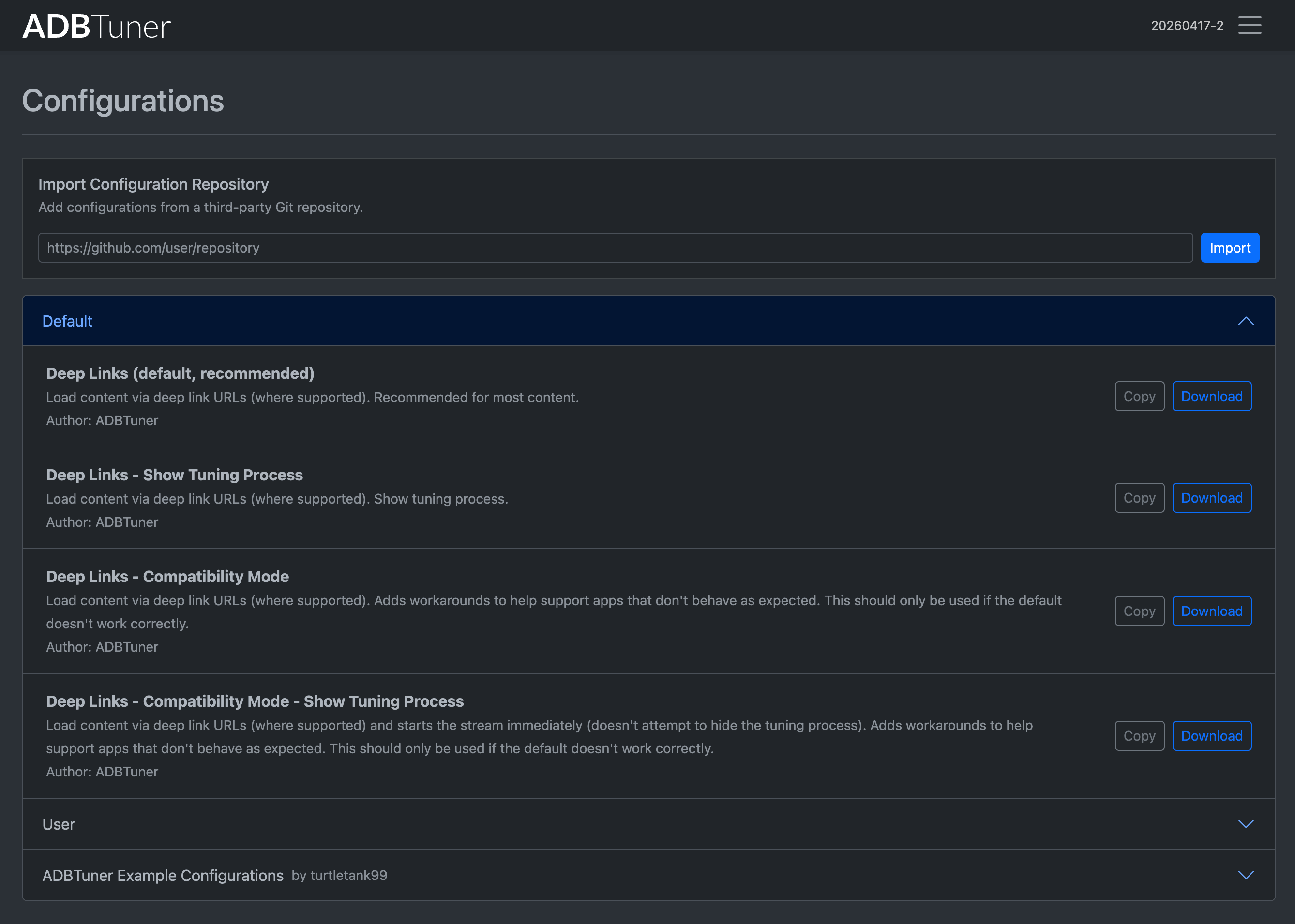
The development build (20260417-2) was updated with initial support for importing third-party configuration libraries. A bit of a prototype for now, but something to play with, maybe it helps.

I need to expose this to the API, add optional automatic updates, and deal with some edge cases. I should have time for that tomorrow.

An example repository layout is available here:
https://github.com/adbtuner/configuration-repository-example

If there is anything anyone is doing in configurations that seems tedious let me know. I can add better support for repeating commands, custom variables, etc.

2 Likes

Yeah...you may need to use ah4c for those boxes instead. Theres very little HDMI encoders out there that does HDR.

Ah4c CAN do tone-mapping and you can set it up to do that

I love ADBTuner and it's been working solidly for years.

This week I'm trying to get FruitDeepLinks going. I used OliveTin to install FDL and created custom channels for Prime, Paramount, Peacock, and ESPN.

So far I've had little luck getting events to open via ADBTuner and am thrashing...no idea what's going on and beginning to think I have multiple problems. The one app that will open events is Paramount but it gets stuck on the "who's watching?" screen. I've played around a bit with the custom configs but haven't made any progress. And now (to me) the strange part:

All of my testing has been opening programs from the web guide which for paramount lands on the who's watching page:

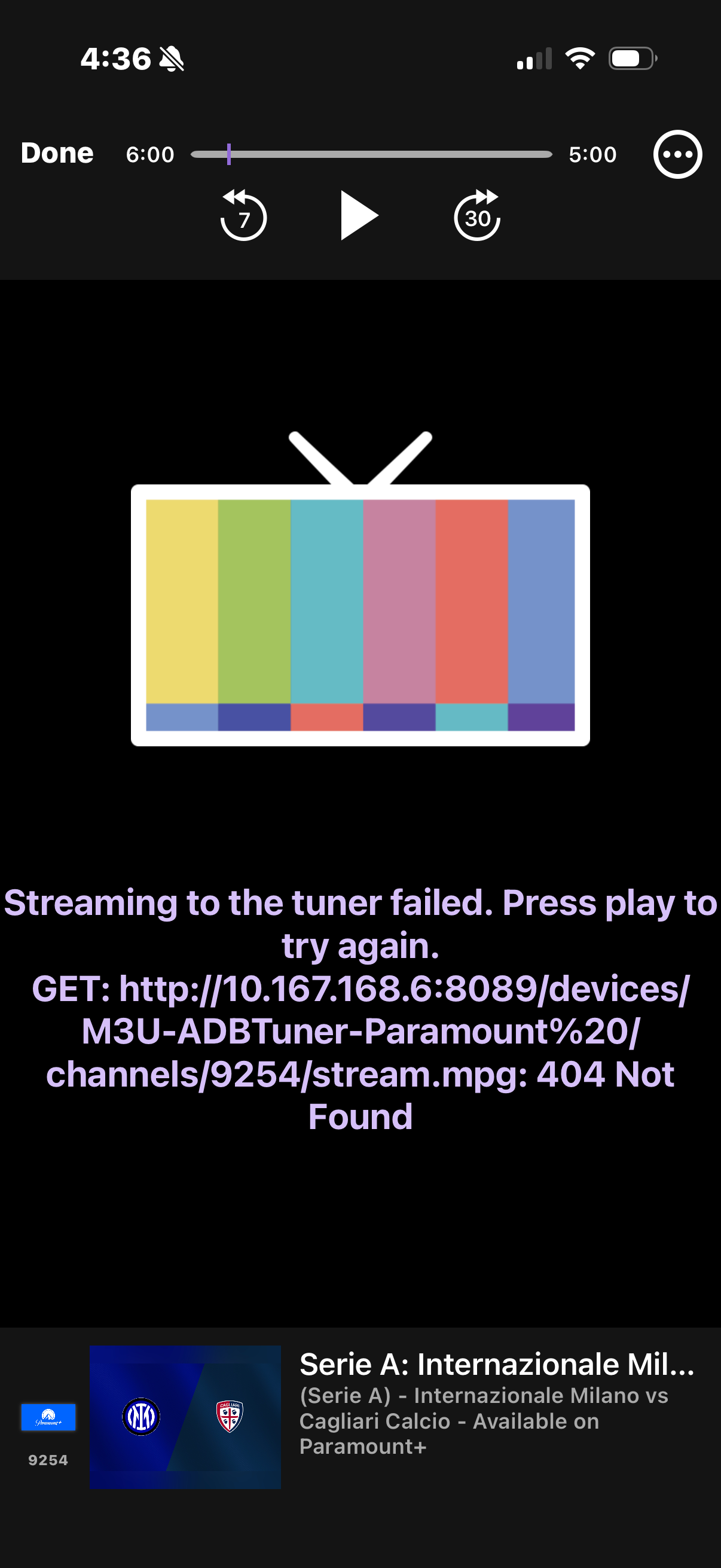
However I just tried opening the exact same program from the iOS client and it doesn't work at all: just gives a 404 error:

I checked the ADBTuner logs and for the iOS open there are no entries.

When opening via the guide I see the attempt to tune with some errors including a KeyError: 'check_for_and_clear_whos_watching_prompts' (the config is the One Click version for Paramount).

Do these differences in event openings point to a bigger underlying issue?

I include the log snippet below.

2026-04-17 21:33:55.302 - stream - [Tune (GcXUh7UDvfjgxtWfcCT64X)] Using channel configuration: FruitDeepLinks - Parmount+ v4.0 (FireTV and AndroidTV) (62a01c95-94f8-41b7-b56b-4838859ab42d)
2026-04-17 21:33:55.524 - lib.adb - [Tune (GcXUh7UDvfjgxtWfcCT64X)] ADB: 192.168.30.23 - pidof com.cbs.ott
2026-04-17 21:33:55.566 - stream - [Tune (GcXUh7UDvfjgxtWfcCT64X)] Resolving dynamic URL (http://10.167.168.6:6655/api/adb/lanes/pplus/5/deeplink?format=json) for channel.
2026-04-17 21:33:55.606 - stream - [Tune (GcXUh7UDvfjgxtWfcCT64X)] Retrieved dynamic URL data: {'channel_id': 'pplus05', 'channel_name': 'Paramount+ Sports US EBS', 'deeplink': 'pplus://www.paramountplus.com/live-tv/stream/serie-a/811b80b0-6b79-42fb-bb82-5b3f6ec051e1?searchReferral=appleatv&source=spotlight', 'deeplink_format': 'scheme', 'event_end_utc': '2026-04-17T22:25:00+00:00', 'event_start_utc': '2026-04-17T18:45:00+00:00', 'lane_number': 5, 'provider_code': 'pplus', 'start_utc': '2026-04-17T18:45:00+00:00', 'status': 'success', 'stop_utc': '2026-04-17T22:25:00+00:00', 'title': 'Serie A: Internazionale Milano vs. Cagliari Calcio'}
2026-04-17 21:33:55.606 - stream - [Tune (GcXUh7UDvfjgxtWfcCT64X)] Using pplus://www.paramountplus.com/live-tv/stream/serie-a/811b80b0-6b79-42fb-bb82-5b3f6ec051e1?searchReferral=appleatv&source=spotlight to load channel.
2026-04-17 21:33:55.606 - lib.adb - [Tune (GcXUh7UDvfjgxtWfcCT64X)] ADB: 192.168.30.23 - input keyevent KEYCODE_MEDIA_STOP
2026-04-17 21:33:56.603 - lib.adb - [Tune (GcXUh7UDvfjgxtWfcCT64X)] ADB: 192.168.30.23 - am force-stop com.cbs.ott
2026-04-17 21:33:56.689 - lib.adb - [Tune (GcXUh7UDvfjgxtWfcCT64X)] ADB: 192.168.30.23 - am start -W -a android.intent.action.VIEW -d 'pplus://www.paramountplus.com/live-tv/stream/serie-a/811b80b0-6b79-42fb-bb82-5b3f6ec051e1?searchReferral=appleatv&source=spotlight' 'com.cbs.ott'
Exception in thread Thread-37 (background_tune):
Traceback (most recent call last):
  File "/usr/local/lib/python3.12/threading.py", line 1075, in _bootstrap_inner
    self.run()
  File "/usr/local/lib/python3.12/threading.py", line 1012, in run
    self._target(*self._args, **self._kwargs)
  File "/app/app/routers/stream.py", line 193, in background_tune
    if channel_configuration["global_options"][
       ^^^^^^^^^^^^^^^^^^^^^^^^^^^^^^^^^^^^^^^^
KeyError: 'check_for_and_clear_whos_watching_prompts'
2026-04-17 21:34:00.363 - stream - [Tune GcXUh7UDvfjgxtWfcCT64X] Redirecting to stream after 5.06 seconds (fixed delay of 5 seconds exceeded). Tuning is still in progress.
2026-04-17 21:34:00.363 - uvicorn.access - 138.68.32.225:0 - "GET /stream/210 HTTP/1.1" 307
2026/04/17 21:34:00 [PROXY] 138.68.32.225 -> GET "/proxy/1?requestKey=GcXUh7UDvfjgxtWfcCT64X" -> "http://192.168.30.20/8.ts"
2026-04-17 21:34:18.646 - server - 

--------------------------------------------------
Tuner "FireTV23-TV3" is currently in use and locked.
Tune ID: N/A
Channel: Paramount+ 5
Lock Obtained: 2026-04-17 21:33:55 (0.39 minutes ago)
Last Seen: N/A
Bytes Transferred: None
Remote User Agent:
N/A
--------------------------------------------------
2026-04-17 21:34:48.675 - server - 

--------------------------------------------------
Tuner "FireTV23-TV3" is currently in use and locked.
Tune ID: N/A
Channel: Paramount+ 5
Lock Obtained: 2026-04-17 21:33:55 (0.89 minutes ago)
Last Seen: N/A
Bytes Transferred: None
Remote User Agent:
N/A
--------------------------------------------------
2026-04-17 21:34:56.556 - tuner_management - Releasing tuner 1 as it is untracked and has been locked for over a minute.
2026-04-17 21:34:56.556 - tuner_management - Released tuner (1).

Can you try the default configuration for those Paramount channels? It looks like the configuration you are using might be out of date or corrupt as it's missing a field

As do I. I'm actually a bit of an aficionado, but if you do, please ping me. I would like to donate.

1 Like

I'm actually using the default Paramount config created by OliveTin. Have recreated (and chosen to remove old one) a few times. Here's the config as shown in ADB editor:

{
    "name": "FruitDeepLinks - Parmount+ v4.0 (FireTV and AndroidTV)",
    "author": "bnhf",
    "version": "4.0",
    "description": "Paramount+ for FruitDeepLinks. Compatible with FireTV and AndroidTV devices.",
    "uuid": "62a01c95-94f8-41b7-b56b-4838859ab42d",
    "global_options": {
        "wait_for_video_playback_detection": false,
        "use_fixed_delay": true,
        "fixed_delay_seconds": 5,
        "wait_after_post_playback_start_commands_seconds": 0
    },
    "pre_tune_commands": [
        "input keyevent KEYCODE_MEDIA_STOP",
        "am force-stop ||TARGET_PACKAGE_NAME||"
    ],
    "tune_commands": [
        "am start -W -a android.intent.action.VIEW -d '||TARGET_URL_OR_IDENTIFIER||' '||TARGET_PACKAGE_NAME||'"
    ],
    "tune_match_text_commands": [
        {
            "match_text": [
                "who's watching",
                "edit profiles"
            ],
            "commands": [
                "input keyevent KEYCODE_DPAD_CENTER"
            ],
            "check_after_seconds": 5
        }
    ],
    "post_playback_start_commands": [],
    "post_tune_commands": [
        "input keyevent KEYCODE_HOME",
        "am force-stop ||TARGET_PACKAGE_NAME||"
    ],
    "timed_keep_active_commands": []
}

In case it matters: I have two different ADBTuner instances running atm.

  • The original one which is on a Synology and everything still works fine.
  • The new one running in Docker/Portainer on the Mac with bare metal DVR

This doesn't seem like it should cause an issue but wanted to point it out just in case

1 Like

I'm not in a position to confirm this atm, but I believe you still need to use the version of ADBTuner with the development tag for the custom configs to work.

1 Like

Pulled the development version and now everything opens.

Yes: Development version is still needed!

Do you know what tag you were using prior to switching to development? The current stable version (20251228-2) (turtletank99/adbtuner:stable) should also work fine with that configuration.

Pretty sure i was using latest and that it was set by OliveTin (I was using the automation as much as possible and it was awesome!)

I found an issue where when I would reboot my encoder, if not using wait_for_video_playback_detection and just letting the stream kind of start, which is sort of the correct way to do it, I find with Osprey boxes because they just go right into a stream, the initial attempt will fail.

I observed this with ah4c and also ADBTuner. I opened a PR for ah4c that I confirm does fix it and make tuning so much more reliable and allows me to tune within maybe 3 to 4 seconds from a sleeping Osprey box with no hiccups. I just wanted to highlight it here for @turtletank since ADBTuner has the same race condition. Essentially, the mental logic is if video data isn't flowing pretty much immediately, we send TS NULL packets until video data starts flowing. If video data is flowing immediately, we just send the video data. This keeps Channels DVR warm and waiting for video data to flow through and allows the encoder to spin up. It's effectively a no-op if your encoder is already ready to go, and if it's not, it adds maybe another second instead of a failed tune.

I observed this with all four of my LinkPi units, so I know it's not just me. Everything's wired in my setup throughout my apartment, so I know it's not a networking issue or anything like that. I just think it's a weird race condition that probably would only surface with an Osprey setup where one can tune really, really quickly.

This is obviously implemented in Go and not Python, but hopefully it is helpful as something that can maybe be ported.

The reproduction steps are basically set your delay to absolutely nothing in your config, so streaming starts immediately. Reboot a LinkPi encoder and attempt to stream, and it will fail immediately, and then you try to stream again, and it succeeds.

I understand and sympathize with what it can be like! ADBTuner is my preferred capture method, too, because I find it so intuitive and clean. I'm going to add you to a PM offline to discuss what we're up to, but to be clear, I'm perfectly happy working within whatever confines you or ADBTuner might have.

1 Like

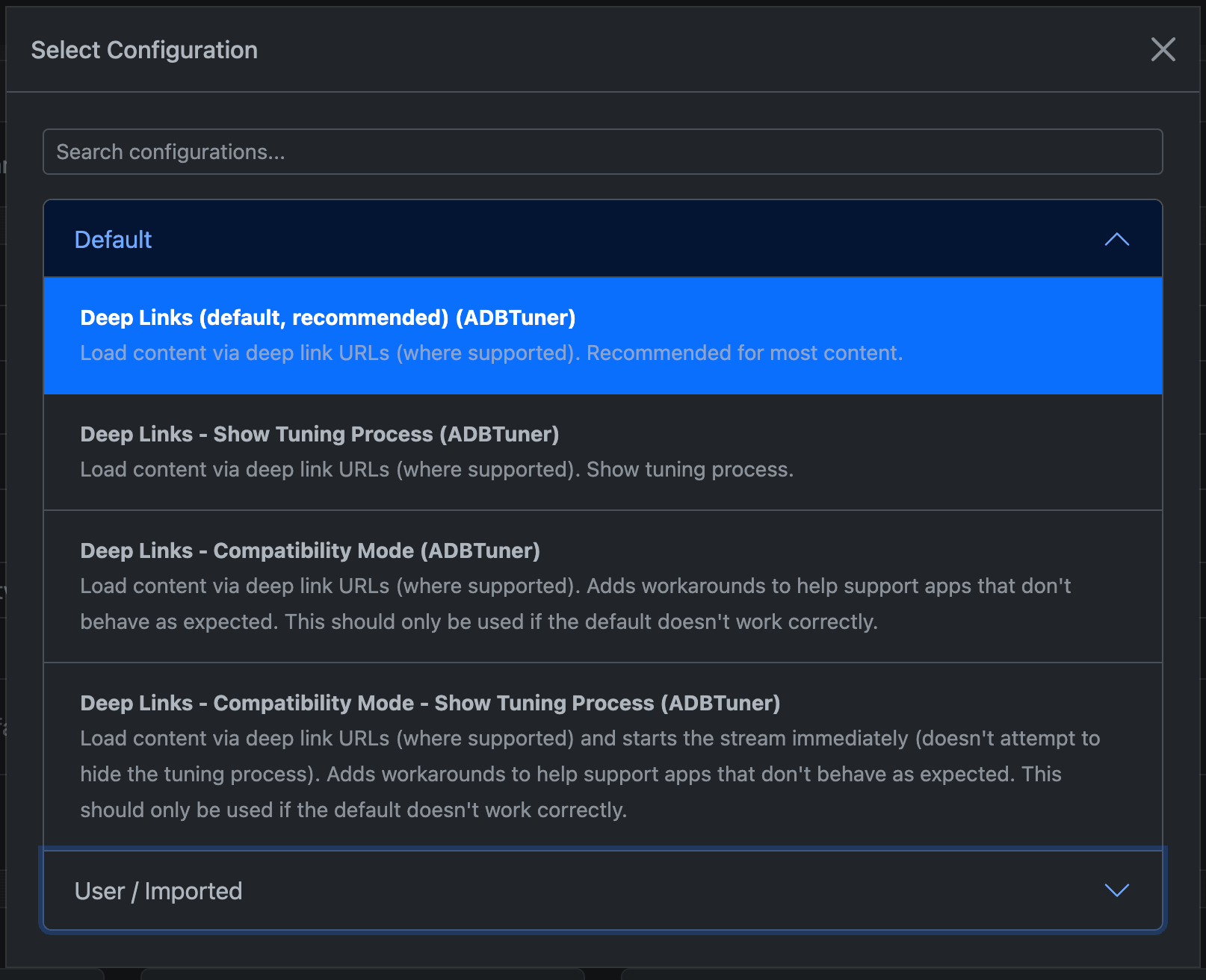
The development build (20260418-5) was updated to add api endpoints for managing remote repositories, optional automatic repository updates, improved duplicate configuration UUID handling, and a new dialog for selecting configurations (the dropdown was getting cumbersome with a large list of configurations).

1 Like

Just in case it's helpful to anyone, I updated my PR for ah4c to add a 15-second timeout with basically 3 retries to prevent an infinite loop. I'm hoping that this fix can be adapted into ADBTuner because I would prefer to use ADBTuner long term, but obviously I have to use what's going to work best. So if I have to fork ah4c or hopefully they merge my PR or ADBTuner implements this solution. Just figured I'd mention it here just to share the implementation in Go to see how it can possibly be potentially ported to Python.

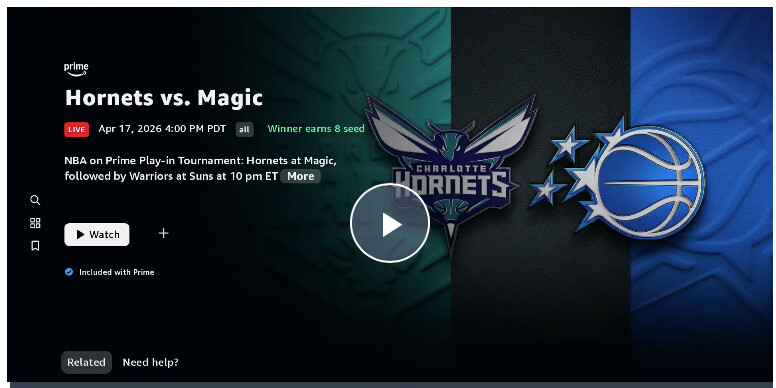
With my shiny new ADBTuner setup fed by FDL I was able to setup a recording of the Warriors/Suns game last night. When I watched it this morning it was 3 hours of screen saver.

The tuner got me to the game but the custom config for Prime (FruitDeepLinks - Prime Video v3.0) didn't click the "Watch" button. I've pasted screenshot of recording and custom config below.

(Just realized I have a second issue which is the screenshot is for the prior game...the FDL start time was 30 minutes earlier than the actual game)

Anyway...I'm new to these configs and wondering how to tweak the custom config so it gets past the watch screen. In this case is it as simple as adding a new text snipped "watch" to the "match_text" blob?

{
    "name": "FruitDeepLinks - Prime Video v3.0 (FireTV and AndroidTV)",
    "author": "bnhf",
    "version": "3.0",
    "description": "Prime Video for FruitDeepLinks. Compatible with FireTV and AndroidTV devices.",
    "uuid": "a176643f-b3b6-47fb-8527-47908d089695",
    "global_options": {
        "wait_for_video_playback_detection": false,
        "use_fixed_delay": true,
        "fixed_delay_seconds": 5,
        "wait_after_post_playback_start_commands_seconds": 0
    },
    "pre_tune_commands": [
        "input keyevent KEYCODE_MEDIA_STOP",
        "input keyevent KEYCODE_HOME"
    ],
    "tune_commands": [
        "am start -n $(dumpsys package '||TARGET_PACKAGE_NAME||' 2>/dev/null | awk '/https:/{getline; print $2; exit}') -d '||TARGET_URL_OR_IDENTIFIER||'"
    ],
    "tune_match_text_commands": [
        {
            "match_text": [
                "who's watching",
                "watch live",
                "new",
                "guest"
            ],
            "commands": [
                "input keyevent KEYCODE_DPAD_CENTER"
            ],
            "check_after_seconds": 5
        }
    ],
    "post_playback_start_commands": [],
    "post_tune_commands": [
        "input keyevent KEYCODE_MEDIA_STOP",
        "input keyevent KEYCODE_HOME"
    ],
    "timed_keep_active_commands": []
}