
Totally agree hence the hack reference.
Did you delete your Guest profile? With that gone, New is the only potential match word left.
Also, did you try adding J. and Lauren to your match words?
Yes, guest was deleted and I added J. and Lauren to the match words.
- Screen shows "J.", "Lauren", and "New" (screenshots based on the screenshots from ADBTuner's tuning start and playback start).
- Every check returns "Matches found: None", and no "On screen text" is logged while the picker is up.
- Plain Tesseract reads "Lauren" from the same screenshot.
So the capture looks fine, but the text matching isn't reading it.
What resolution is the Android device running at? And what is the encoder outputting? And where did this image come from (ADBTuner log, video frame, adb screenshot)?
ADBTuner matches the string "Lauren" in the image here.
Edit: This one is interesting, Tesseract sees the text when the image is downsized to 540p, but misses when it's 1080p. Looking into a fix.
Both the Android device and encoder are running at 1080.
I copied the image from the ADBTuner webadmin page.
I just pushed a new development build 20261026-1. Can you try that and let me know if it fixes this issue for you?
This is also fixed in 20261026-1.
It worked and selected the correct profile, once I realized I had to modify @bnhf's config to include both profile names in the match text. Unfortunately there's no live event right now to confirm it clicks all the way through to playback. I'll test it Thursday during TNF and report back.
Actually, adding real profile names is certainly an option, but it should also work using Guest (not sure why you removed that profile) and New. The idea with using those match words is that customization should not be required.
Hard copy; removed that profile years ago. Honestly, no clue why. I guess it was to make things harder on myself in the future 
Thanks for help and the quick responses to figure this out.
Issue: ADBTuner redirects stream before Hulu tuning completes.
I'm running 20260505-1 ADBTuner on Docker on Synology NAS with ~90% reliability and troubleshooting intermittent Hulu Live TV recording failures. I'm using ONN 4K streaming devices, JTech HDMI encoders.
My logs show:
- ADBTuner redirects Channels DVR to the encoder after 19.02 seconds.
- The log explicitly says:
Tuning is still in progress. - Hulu is still displaying startup/profile-selection screens during this period.
- ADBTuner doesn't complete tuning until approximately 33.93 seconds.
- Increasing the tuning delay to 30 seconds did not resolve the issue.
I have a few questions:
- Is there a configurable setting that controls when ADBTuner redirects the client to the encoder while tuning is still in progress?
- Can ADBTuner wait until playback is detected before redirecting Channels DVR to the encoder?
- If this isn't configurable, would correcting the behavior require a change to ADBTuner's stream-handling logic?
- What exactly does
use_fixed_delaycontrol? Does it affect the initial stream redirection or only the tuning/playback-detection process? - Is there a recommended approach for preventing Channels DVR from recording Hulu startup screens or error messages when tuning is delayed or fails?
My goal is reliable unattended recordings without introducing unnecessary delays to successful tunes.
disregard. Just updated to 20261026-1. recordings are no longer showing hulu menus. Love this! Thanks for all you are doing to enable us to access the many streaming service choices while still using CDVR.
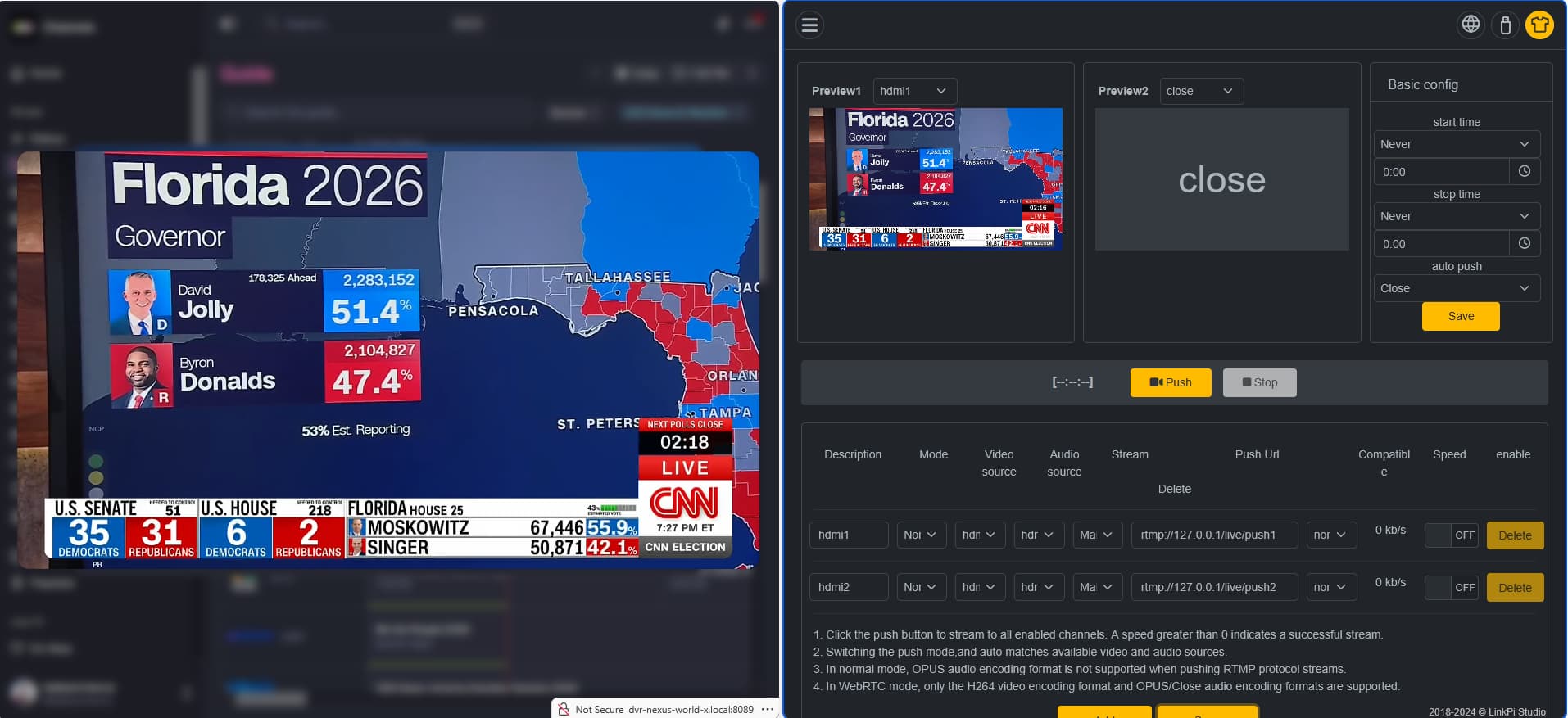
I am using an ONN 4k and LinkPi to get CNN into Channels. I originally intended to implement ADBTuner but for now, I only need CNN, so this has become a 24x7 CNN machine. If I need more channels, I'll probably use the 4 tuner LinkPi or whatever is best when the time comes.
I hit a snag with CNN today that will probably affect users with similar setups. I cycled the power to everything and when it came back up, CNN displayed a black screen. It turned out that they started enforcing HDCP at some point since the last time my hardware was rebooted. I happened to have an HDMI splitter in the junk drawer, and that fixed it. The only remaining problem is that the startup sequence has to be automated so that the LinkPi comes up last. Natively, the splitter boots the fastest, then the LinkPi, then the ONN. If I just turn everything on at the same time, the HDCP check fails and CNN refuses to play, so the LinkPi has to be delayed until after the ONN boots up and sees the splitter.
I have ADBTuner working happily with YTTV, with 2 encoders and 2 Onn sticks. I'm now trying to get FruitDeepLinks running and the thread for that is impossible to follow. I do have FDL running in a docker on my Unraid system, but I need some basic assistance please to close the loopo between FDL and ADBTuner.
I'm assuming that ADBTuner can have more than one channel list assigned, but I'm not sure how to add the FDL links to the current channel list. Or do I have to assign one of my tuners just to the FDL list?
You can probably use Project 1 Click for the easiest way to get FDL into ADBTuner.
1 Like
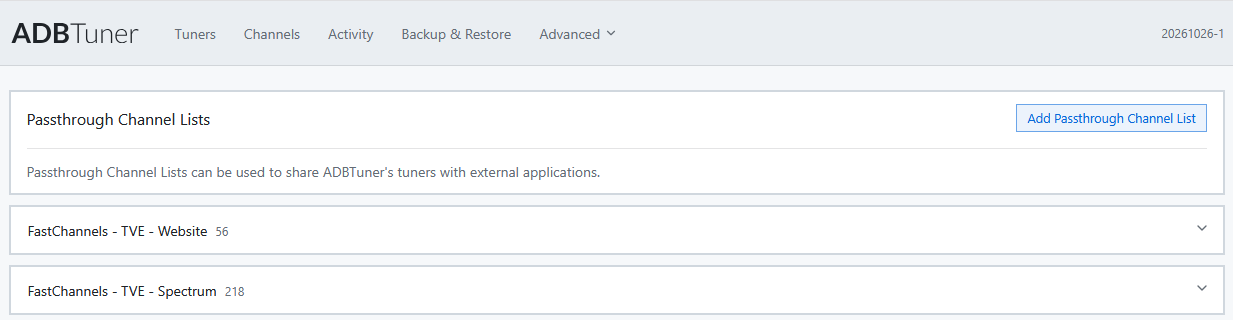
If you switch to FastChannels with DRM Bridge and use the ADBTuner Passthrough function, it will in turn use the FastChannel's player on the stick and bypass everything the CNN app may do. This will also future proof you if you want to use this for other stations, even if just HLN and CNN International. This is literally my setup, so I can vouch for it!
2 Likes
You can have some channels set up purely in ADBtuner and other channels set up to pull content information from FDL. I just finished setting that up for games that aren't on the ESPN Linear Channels (which I have in ADBtuner). I just decided how many "lanes" (simultaneous channels) I would allow FDL to create, I set up that many channels in ADBtuner and set up the URL for each one to point at a different FDL lane.
CDVR treats ADBTuner as one source for both types of content, and you can pass the XMLTV file from FDL to CDVR and tell CDVR to respect the channel ID for looking up the information from the guide, and the XMLTV only for the FDL lanes.
It took me quite a bit of time stumbling through this before I finally understood all the bits and pieces. IMHO, using Project One Click is great if it works for you... but leaves you with no understanding of what is going on if it doesn't all work right and you need to troubleshoot.
I have OliveTin running in Portainer, running in Portainer, running in Unraid, but many functions don't work due to some differences between Unraid and Proxmox that I haven't figured out yet. I'll take a look at this but I don't expect it work.
Thanks, I appreciate the information. It helps to have that spelled out more concisely. I think I know what to do now when I get some spare time to beat on it some more.
OliveTin-for-Channels is not tied to Proxmox in any way. Please run the OliveTin Post-Install Healthcheck and post the results in the OliveTin thread. Most likely you have something configured incorrectly.