ADBTuner: A "channel tuning" application for networked Google TV / Android TV devices

@JT-DFW

So it looks as though some, or all, of your channels do not have a (new style) configuration associated with them. This is most certainly my fault, there is an upgrade process at startup that is supposed to handle this, but for some reason it isn't running correctly for you.

I pushed a fix (20250803-7) that will allow this to fail safely so the tuner gets released. The android device won't be cleaned up though and will remain streaming even though the tuner is unlocked.

Unfortunately, for now, to make things right you will have to go into the web interface and select a configuration for and save each channel. Any channel affected by this is now highlighted in red to make it more obvious this is going on.

I'm working on a backup/restore feature that will provide a path to easily reset everything without losing any data. If you want to keep using the older version until then you can, otherwise unfortunately you have to do some manual work to get things back to 100% with the new development version.

Thanks again for your help. It's really appreciated.

I have CCwGTV, Onn 4K boxes and just got a Onn 4K Plus. The Plus is an amazing box for $30. Been testing settings for the NBC App dimming issue with my Onn 4K non plus and Plus. The Plus is way more reliable.

I would not wait in a Pro 2 model as the Plus is already faster than the current Pro. Plus has the new AMLogic series processors. Picture is (slightly) better than the regular Onn 4K as well.

Grab a Plus, you won’t regret it.

Thank you! No worries - I absolutely don't mind testing a new version as I'm not contributing to writing the code - I went ahead and saved all of the channels (not a big deal) - the red highlighting helped and the tuners now release in the :development version - the configuration item causing the issue was actually present in previous versions that I was running - I had most channels (YTTV) as deep links and 1 Peacock channel in compatibility mode previously but in any event it appears to be working now

@john.ping ,
I never did find a complete list of Gracenote ID's for YTTV, or any other provider. It took me hours of poking around using the Olivetin Action "Find Gracenote Station ID's" to come up with the ones I have. That involved a lot of guesswork picking the most likely channel names for Pacific zones, based upon the more common channel names.

I'll try to put together a simple list of my YTTV, Peacock and Paramount+ channel names and ID's.

I'm not sure if is would be helpful to include the urls, as I see that the ones you are using are different from mine.

2 Likes

My onn 4k pro's have been rock solid for the adbtuner setup and they have ethernet. I won't go with anything that doesn't have built in ethernet. I keep all my heavier and time sensitive traffic devices off wireless whenever possible. Most likely I will continue to buy more of them.

For budgetary reasons, I'm running five ONN 4k non-pro's on wifi.

I'd like to switch to the wired Pro boxes. But, I'll have to wait until I see a better sale. Right now, on sale, they're still $44.73 each. Maybe Black Friday. For now, this setup is working fine.

1 Like

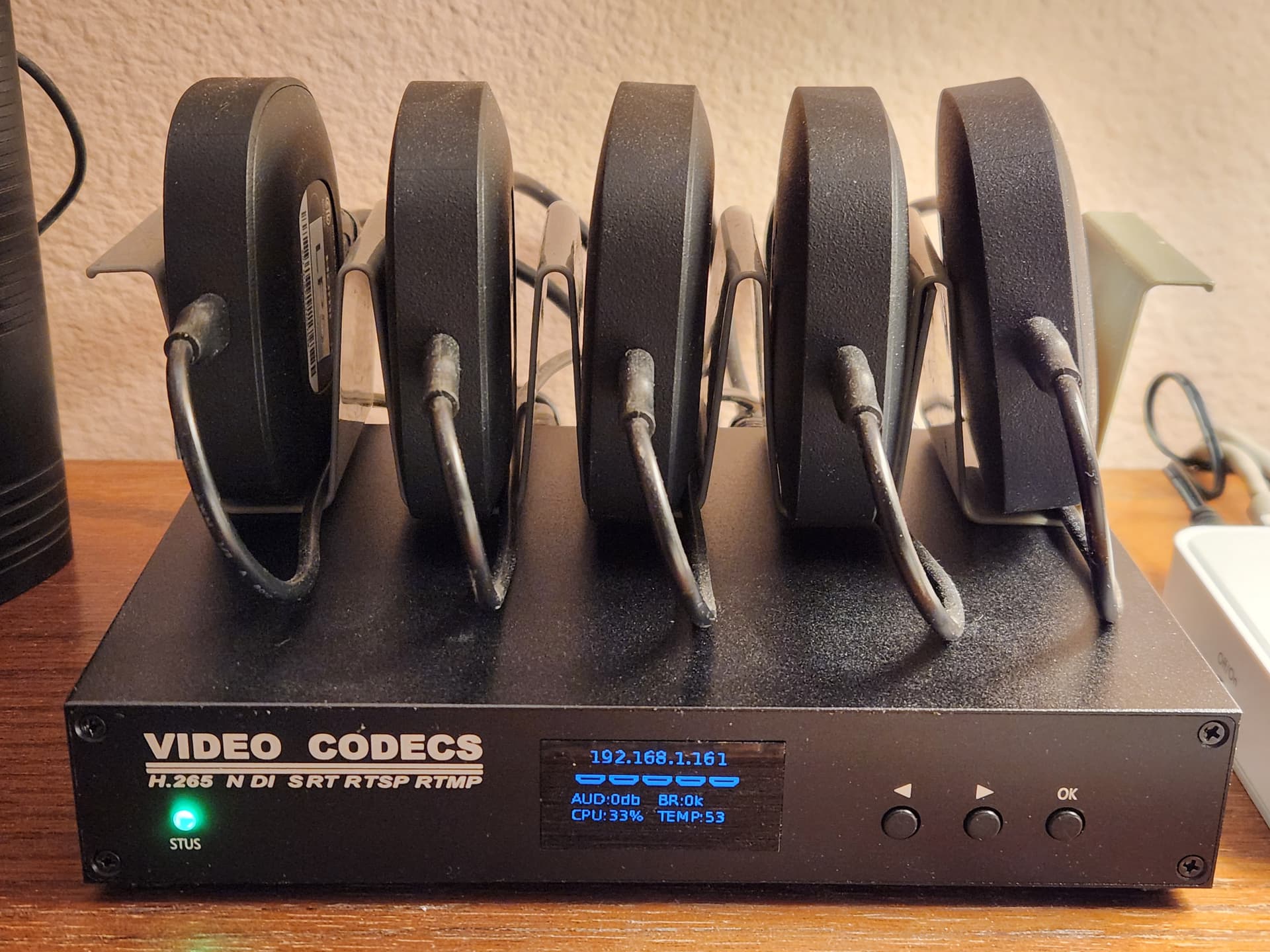
I like the rack you have them in. I will have to look around for something like that. I have a 4 tuner codec at each site with 4 devices hooked up on each. I will need to watch prices to slowly replace the 4 ccwgtv devices before they all get hit with android tv 14. So far one has upgraded with 3 more still running 12. Fingers crossed they hold out for awhile longer.

That rack is actually a pair of taco holders cut and spliced together. Each single holder only had the capacity for four :taco::taco::taco::taco:'s. They came in a pack of 8 holders from Amazon for $12. I used two of them for this project, and the others continue to fulfill their intended purpose. In fact, we just enjoyed using them this evening. :yum:

3 Likes

For anyone following along on my quest to get NBC App reliable tuning, I have a small update.

I was getting delayed or inconsistent timing on keyevent button movement. I found the setting "check_for_and_clear_whos_watching_prompts" was somehow messing with my timing. Since setting to false my tuning has been good on all my test devices. Something to try:

"global_options": {
        "wait_for_video_playback_detection": true,
        "use_fixed_delay": false,
        "fixed_delay_seconds": 0,
        "check_for_and_clear_whos_watching_prompts": false

Happy Streaming.

I pushed a very small update (20250807-1) to the development version this morning. It is just a few optimizations and I'm testing if it's ok to release tuners after 3 seconds of inactivity instead of 5.

As always, let me know if you run into any issues. Thanks!

Interesting. This shouldn't really have much of an effect as it runs in the background. I wonder if there is value to providing a way to specify a set of commands that run immediately after video playback has been detected. It might help in clearing that overlay or whatever is going on with that app?

Having the key commands run after video is live would be very helpful. It has been hard making the timing working reliably. If I delay long enough, let the video play dimmed for a while, the key inputs works reliably. But this much delay causes Channels to time out on tuner.

@turtletank no issues for my usecase with the latest ver with 3 seconds ,but would it be possible to have a test build with 1 or two seconds as
well? Or maybe add it to settings? I’m hunting seconds, the first tune is fast but zapping is much longer for me

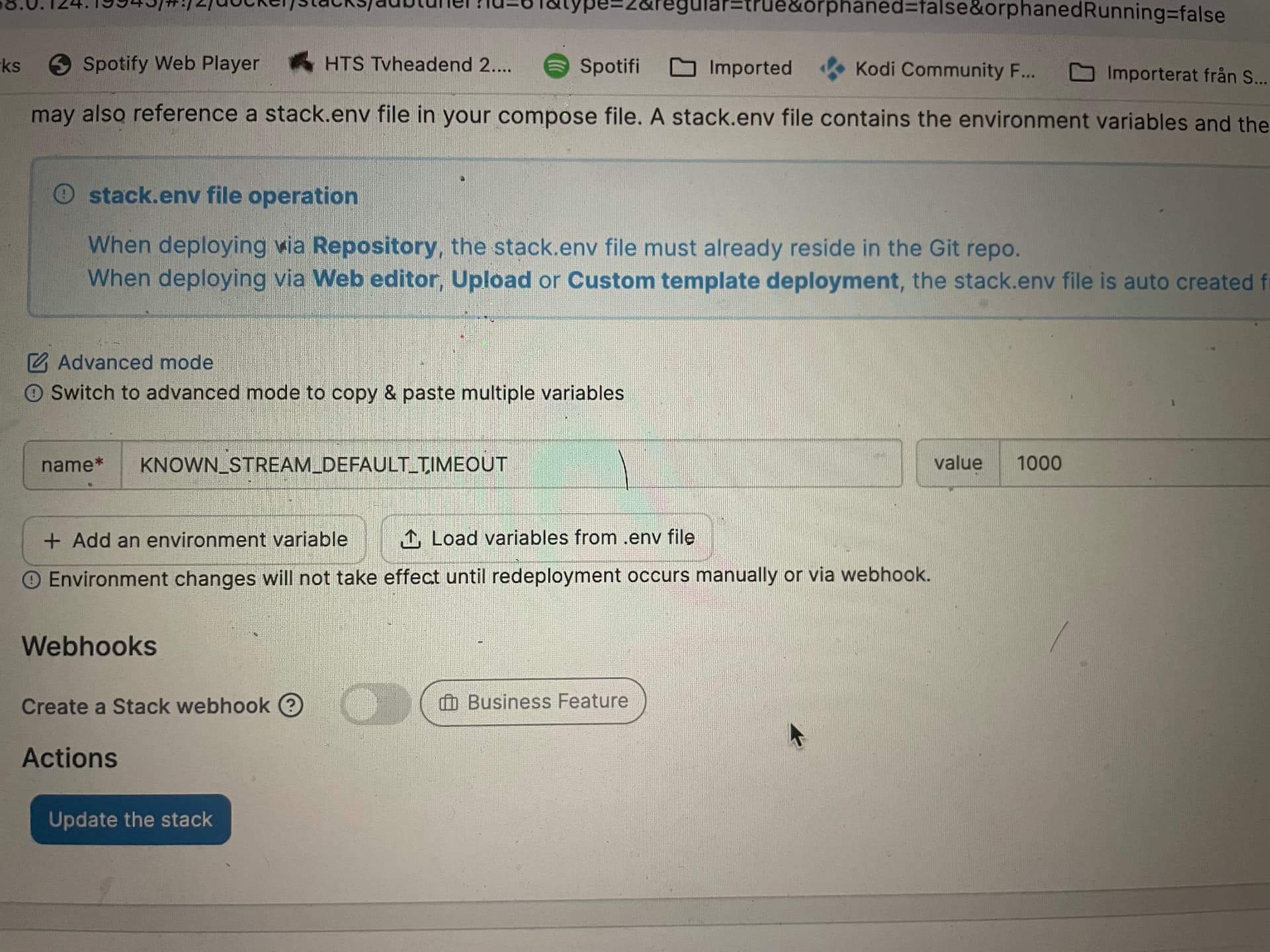
You can override that by setting the KNOWN_STREAM_DEFAULT_TIMEOUT environment variable.

1 Like

I just pushed a new development build (20250808-1) that adds a new post_playback_start_commands parameter to configurations.

It probably needs some more testing, but I used what you had previously posted and it seemed to work.

"post_playback_start_commands": [
  "input keyevent KEYCODE_DPAD_CENTER",
  "sleep 0.2",
  "input keyevent KEYCODE_DPAD_UP",
  "sleep 0.2",
  "input keyevent KEYCODE_DPAD_CENTER",
  "sleep 0.2",
  "input keyevent KEYCODE_BACK",
  "sleep 0.2",
  "input keyevent KEYCODE_DPAD_CENTER"
],
2 Likes

I'm going to try this right now, and will test across all my devices this weekend. Excellent stuff, thank you!

So far my testing has been very positive. The delayed KeyInput timed right after the video starts is more reliable, and faster. I don't care so much about fast tuning as I don't watch too much live TV, but I have noticed the increased speed is less likely to make the Channel's Tuner to drop.

I will test more this weekend. The Onn 4K Plus is so much quicker and reliable than the standard Onn 4K, I may go grab a few more Plus models this weekend.

Thanks for the fantastic work!

I don’t know if i do it right but tested with 1 and 1000 and it’s still take about 3 seconds to close the stream

Wanted to share the results of my testing tonight. My goal has been reliable tuning on NBC App Channels, working around the Dim Video Challenge.

When Configurations were added to ADBT, I thought I may be able to emulate keypad events enough to clear up the video. Where I got the keyinput series to work, bringing up live guide then existing to restore normal screen brightness, I could never get the timing dialed in. The video buffer has to finish before you can bring up the guide and input keys, and the time to buffer depends on network conditions, streaming box performance and NBC availability. It was all within a few seconds, but too hard to standardize.

Yesterday, TurtleTank added a new option to the configuration: post_playback_start_commands. This allows the keyinput to happen after the video starts, regardless of how long the buffer takes. Big difference!

Here is my test setup:

  • (2) Onn 4K, (1) Onn 4K Plus, both on Wireless, both Android 14
  • ADBTuner Dev Build 20250808-1
  • Newest NBC App from Google Play
  • Custom Config (provided below).

Here is my test Config for the NBC App:

"global_options": {
"wait_for_video_playback_detection": true,
"use_fixed_delay": false,
"fixed_delay_seconds": 0,
"check_for_and_clear_whos_watching_prompts": false
},
"pre_tune_commands": [
"input keyevent 3"
],
"tune_commands": [
"am start -W -a android.intent.action.VIEW -d '||TARGET_URL_OR_IDENTIFIER||' '||TARGET_PACKAGE_NAME||'"
],
"post_playback_start_commands": [
"input keyevent KEYCODE_DPAD_UP",
"sleep 0.1",
"input keyevent KEYCODE_DPAD_UP",
"sleep 0.1",
"input keyevent KEYCODE_DPAD_CENTER",
"sleep 0.5",
"input keyevent KEYCODE_DPAD_CENTER"
],
"post_tune_commands": [
"input keyevent KEYCODE_POWER"
]

Result:

NBC App Starts, video buffer takes as long as it needs, then the Key Input above kicks in. Video is normal brightness.

On my Onn 4K Plus, I didn't have to do much. It's so much more responsive than the Onn 4K boxes, it just worked.

For the two standard Onn 4K boxes, I found I had to leave the NBC App open all the time. If you decide to close the NBC App in Post Tune Commands, like the standard Compatibility Mode does, the tuning will work in ADBT Preview, but not in Channels. Too slow, makes Channels time out on tune.

I've been playing with the setup for a few hours, trying to test all scenarios. Allowing devices to sleep worked fine. Turning all three at the same time did not cause a challenge.

The only issue I can see, so far, is if the NBC Apps closes or crashes, or there is a reboot, one of the older Onn 4K boxes may not tune until NBC App is open and resident again. Using Keep Device Awake option to re-open the NBC App works, but it just streams constant video. I'm so pleased by the Onn 4K Plus boxes I think I'm just going to buy a few more.

I will continue testing. Please share your results and we'll compare notes.

I pushed an update (20250810-2) to the development version this morning.

In this build I am trying out something new with tuner allocation. ADBTuner now maintains a list of installed apps for each of the connected Android devices and uses this to make decisions while allocating tuners.

This will help avoid tuning failures if an app is not installed on one of the connected devices, but I think the real benefit of this is that it could allow for some creative configurations in which specific devices are dedicated to specific apps. If an app is only installed on one device then that device will always be used (if available), otherwise the normal priority rules apply.

Note: The inventory of installed apps is updated when ADBTuner is restarted, tuners are edited in the admin interface, and as part of an hourly maintenance process. It would be nice to get an updated list before each tuning operation, but I didn't want to add any more delays there.

Please let me know if you run into any issues. Thanks!

3 Likes

Did you restart the container after making that change? That parameter is only loaded at startup.

Just a heads-up, there really isn't much range to play around with on this. ADBTuner checks the status of active streams every second, however the execution time of each check needs to be accommodated for. In my testing so far, we are looking at ~1.2 seconds between each status check, but this may vary for each environment. Setting this parameter lower than that will result in tuners being released that should still be locked. I probably wouldn't go below 2 seconds, I think 3 seconds is safer. On the high end, any tuner that sits idle for 40 seconds will be released.

There may be room for some small optimizations in the future, but for now I would like to make sure everything is stable before going down that road. Please share your experience with this though, any data you can provide will be helpful.