ADBTuner: A "channel tuning" application for networked Google TV / Android TV devices

More automation for ADBTuner!


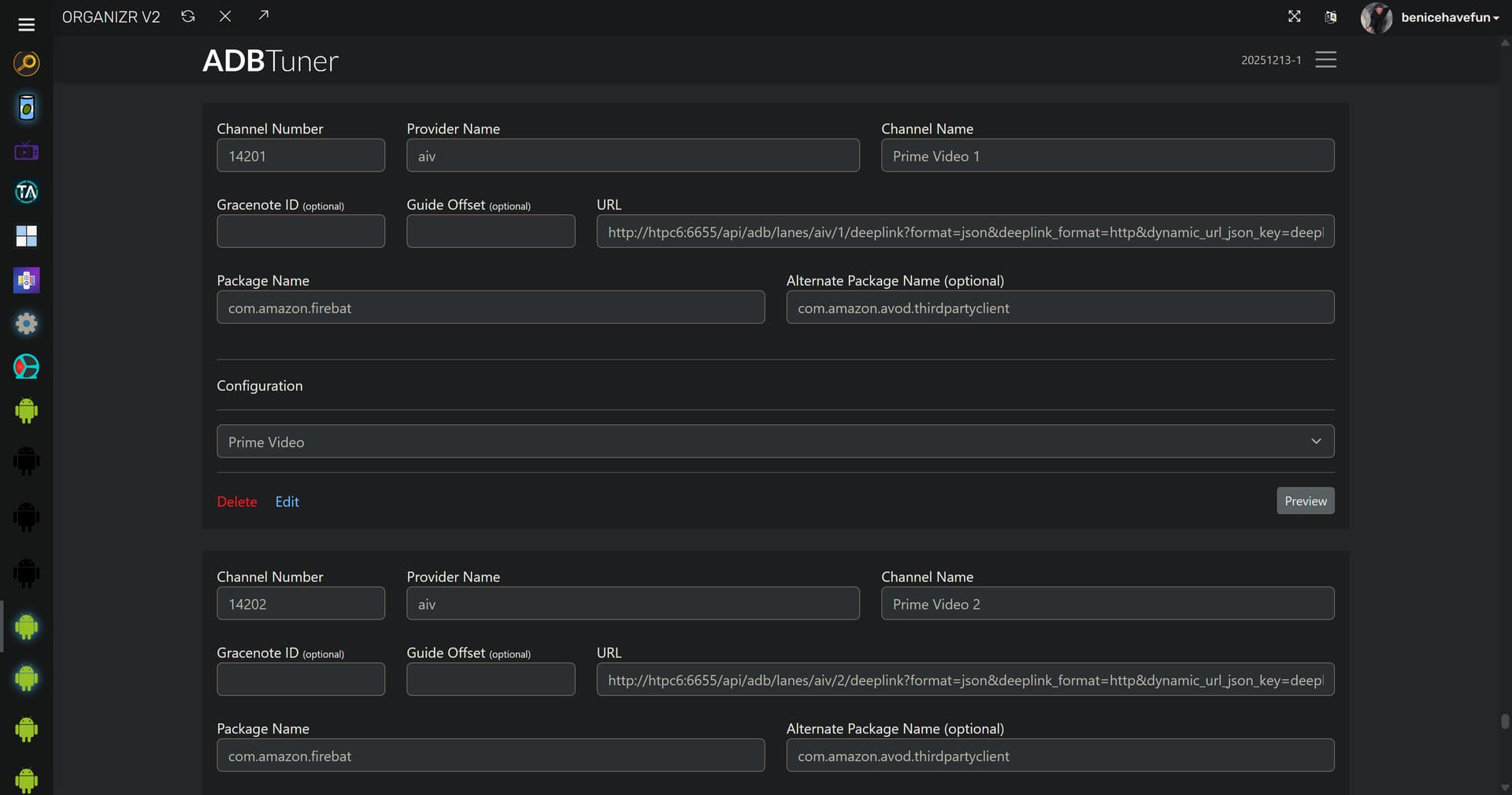
New bnhf/olivetin:latest (aka bnhf/olivetin:2025.12.19) pushed this morning with support creating (and removing) multiple sets of custom channels (lanes) in ADBTuner. Each app, supported in FruitDeepLinks, will have its own set of channels with proper package and deeplink support.

These sets of channels can be added and removed individually depending on the streaming services and premium subscriptions you have at any given point in time. This makes the many channels that may be required much easier to manage, update or remove.

More details here:

Example of 2 out 20 new channels added in ADBTuner along with CDVR Sources for both in a minute or two -- ready for viewing:

As always with ADBTuner, the target app needs to be installed on your streaming sticks, and you need to be logged-in on each.

1 Like

Well, I was just trying to handle all the requests.

I pushed a new development build this morning (20251219-1). It includes the following changes:

  1. The Channel Number field was converted to a string and was renamed to Display Number.
  2. The Channel Number field is now optional and it will be excluded from generated m3u files if it is unset.
  3. A new Sort Order field was added to each channel. This is now the only method to sort the channel list. New channels will be added to the end of the list (via the admin UI and the API).

My intention is to eventually add a drag and drop interface for setting the channel order in the admin UI.

This upgrade should retain your existing channel ordering.

Please let me know if you run into any issues. Thanks!


On a side note, Channels DVR is totally cool with emoji channel numbers lol.

asfs

4 Likes

Oh my god, the emoji channel numbers are hysterical. Thank you so much for implementing this. You are awesome. :smile:

1 Like

A :poop: emoji for the ACC network? Yessir! :slight_smile:

Onn 4K is slow to start. About 20 seconds.

ONN 4K Google TV (Base Model) Running YTTV. Using keep device awake with com.google.android.youtube.tvunplugged. Priority is set at 0 for all 3. Using LinkPi. Update ADBTuner about 10 days ago.

Just reposting to see if anyone has suggestions.
Thanks

For YouTube TV, are you using compatibility mode or just the default config?
The compatibility mode config will kill YouTube TV every time you open it and fresh start it, which you don't need with YouTube TV. It will lead to very long tuning times.

1 Like

Just attempting to start using this

I have the following

Docker/Channels running on Mac M1
LinkPi Enc3
Onn Pro
Fubo

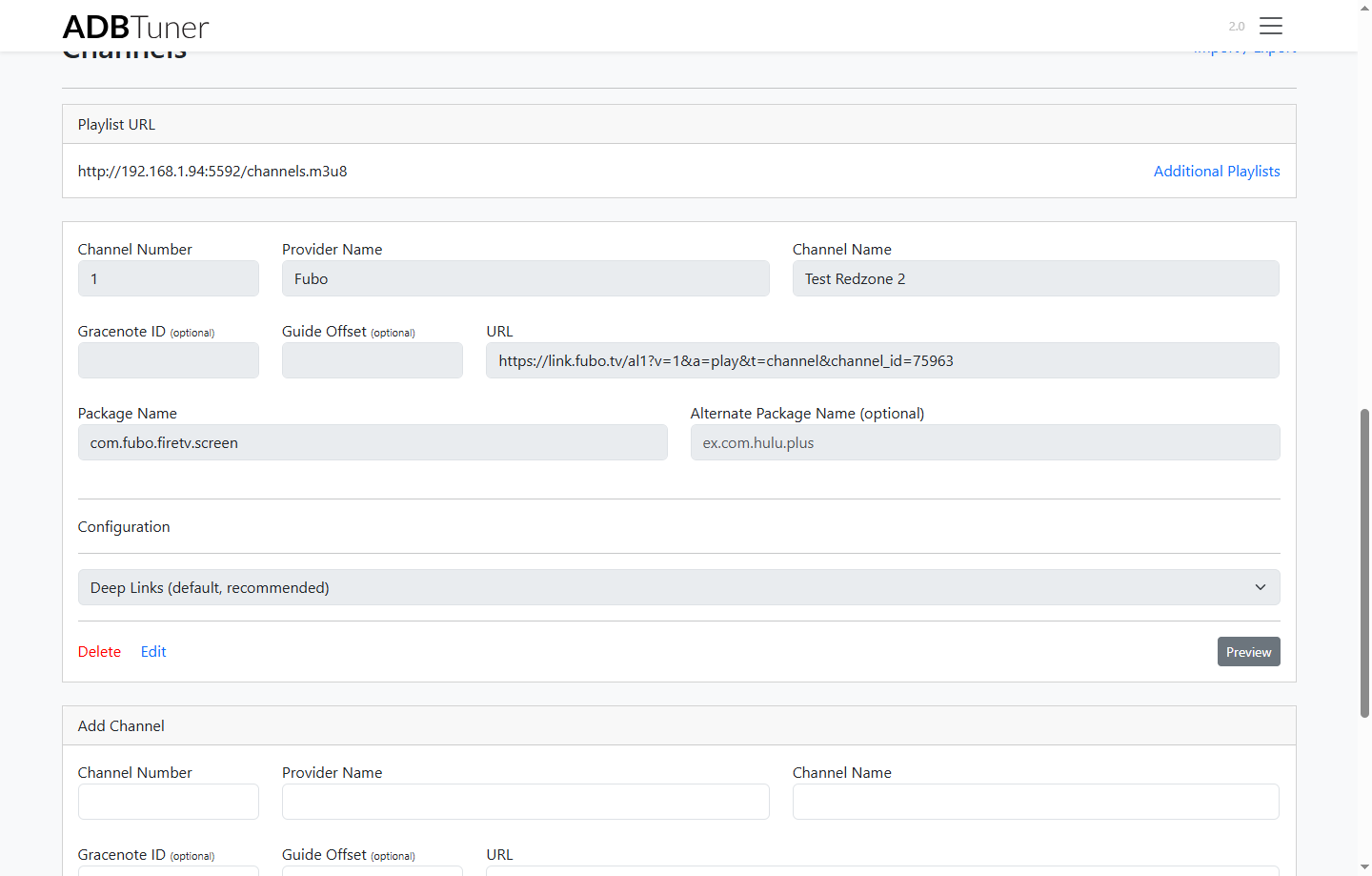
When I attempting to do deeplinking in Fubo with the following for Redzone

The channel opens and then goes back to the home screen. I tried with all compatiblity modes

https://link.fubo.tv/al1?v=1&a=play&t=channel&channel_id=75963

The other thing is when I try to play it on channels, the tuner shows as unable to tune and fails to open in the stream in channels but from the stream url I am using via vlc I see it open and tune for 1-2 seconds then back to the the home screen

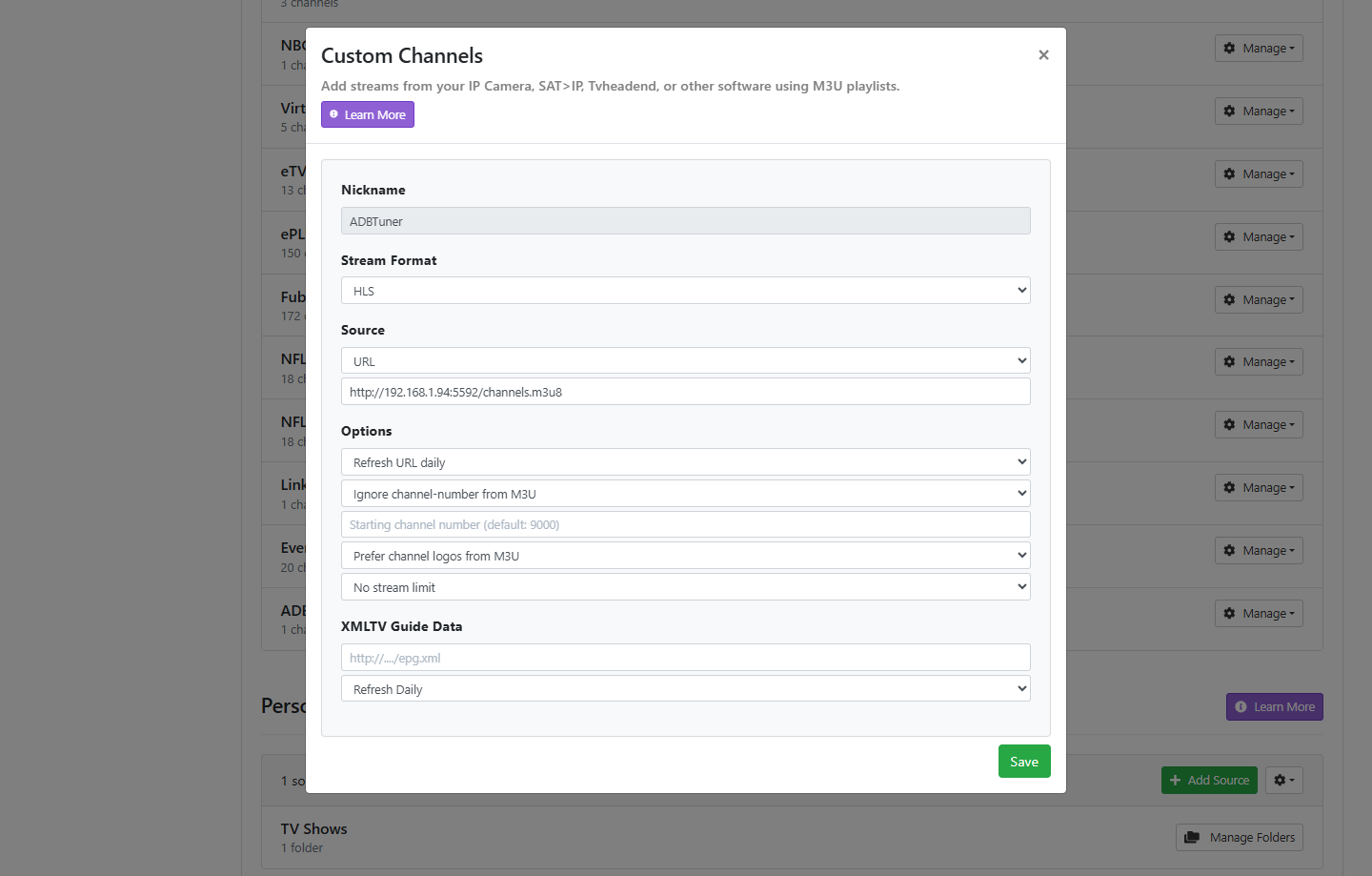
Using the following as my streaming endpoint in ADBTuner

http://192.168.1.123/hls/stream0.m3u8

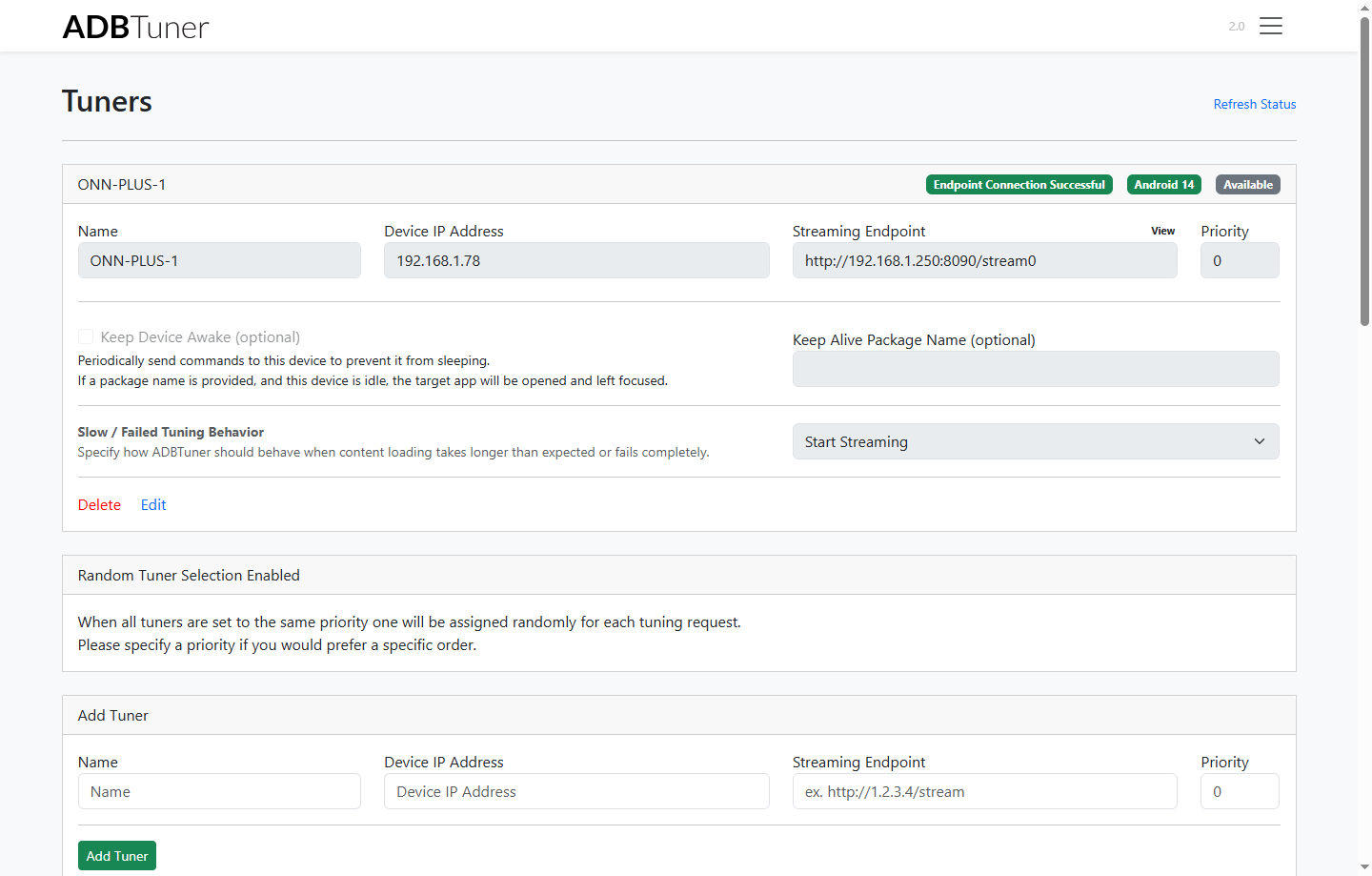
What jumps out first is the streaming endpoint value. This should be the URL from the LinkPi. It would follow something link (where xxx is the IP of your LinkPi):

http://xxx.xxx.xxx.xxx:8090/stream1

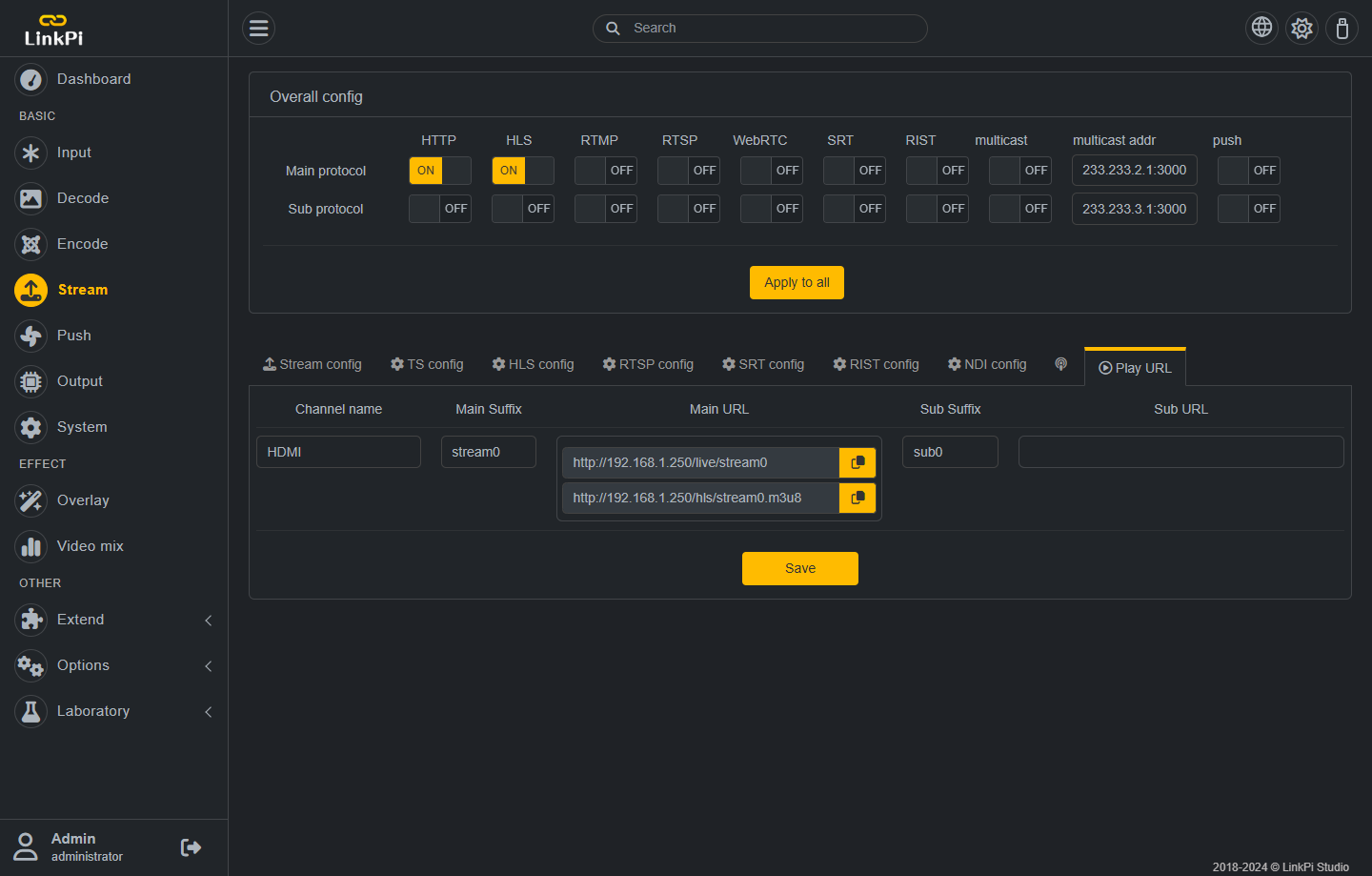
To confirm this, go to your LinkPi web interface, select the Stream icon on the left menu, then find the Play URL tab at the top of the middle section. You will find stream name. Note, it may or may not be named the default "stream0".

Of note, the LinkPi will present without the port number as I listed in example URL above. You may see:

http://xxx.xxx.xxx.xxx/live/stream1

This is a redirect to port 8090, which does not translate well. So whatever you find for you Play URL, make sure to format it for the "/live/" and replace with ":8090/" when you put into ADBTuner. Use the first URL example I presented as reference.

For the .m3u8 link you get from ADBTuner, this is the link to all the channels in ADBTuner. You use this URL when you create a Custom Channels source in the Channels DVR Server Interface.

If you need more help, post some screenshots.

I am currently using dev version 20251222-2.

When trying to export I get this error:

2025-12-23 20:59:49.724 - uvicorn.access - 192.168.1.4:0 - "GET /admin/channel/export HTTP/1.1" 500

ERROR:    Exception in ASGI application

Traceback (most recent call last):

  File "/usr/local/lib/python3.12/site-packages/uvicorn/protocols/http/httptools_impl.py", line 435, in run_asgi

    result = await app(  # type: ignore[func-returns-value]

             ^^^^^^^^^^^^^^^^^^^^^^^^^^^^^^^^^^^^^^^^^^^^^^

  File "/usr/local/lib/python3.12/site-packages/uvicorn/middleware/proxy_headers.py", line 78, in __call__

    return await self.app(scope, receive, send)

           ^^^^^^^^^^^^^^^^^^^^^^^^^^^^^^^^^^^^

  File "/usr/local/lib/python3.12/site-packages/fastapi/applications.py", line 284, in __call__

    await super().__call__(scope, receive, send)

  File "/usr/local/lib/python3.12/site-packages/starlette/applications.py", line 122, in __call__

    await self.middleware_stack(scope, receive, send)

  File "/usr/local/lib/python3.12/site-packages/starlette/middleware/errors.py", line 184, in __call__

    raise exc

  File "/usr/local/lib/python3.12/site-packages/starlette/middleware/errors.py", line 162, in __call__

    await self.app(scope, receive, _send)

  File "/usr/local/lib/python3.12/site-packages/starlette/middleware/sessions.py", line 86, in __call__

    await self.app(scope, receive, send_wrapper)

  File "/usr/local/lib/python3.12/site-packages/starlette/middleware/exceptions.py", line 79, in __call__

    raise exc

  File "/usr/local/lib/python3.12/site-packages/starlette/middleware/exceptions.py", line 68, in __call__

    await self.app(scope, receive, sender)

  File "/usr/local/lib/python3.12/site-packages/fastapi/middleware/asyncexitstack.py", line 20, in __call__

    raise e

  File "/usr/local/lib/python3.12/site-packages/fastapi/middleware/asyncexitstack.py", line 17, in __call__

    await self.app(scope, receive, send)

  File "/usr/local/lib/python3.12/site-packages/starlette/routing.py", line 718, in __call__

    await route.handle(scope, receive, send)

  File "/usr/local/lib/python3.12/site-packages/starlette/routing.py", line 276, in handle

    await self.app(scope, receive, send)

  File "/usr/local/lib/python3.12/site-packages/starlette/routing.py", line 66, in app

    response = await func(request)

               ^^^^^^^^^^^^^^^^^^^

  File "/usr/local/lib/python3.12/site-packages/fastapi/routing.py", line 241, in app

    raw_response = await run_endpoint_function(

                   ^^^^^^^^^^^^^^^^^^^^^^^^^^^^

  File "/usr/local/lib/python3.12/site-packages/fastapi/routing.py", line 169, in run_endpoint_function

    return await run_in_threadpool(dependant.call, **values)

           ^^^^^^^^^^^^^^^^^^^^^^^^^^^^^^^^^^^^^^^^^^^^^^^^^

  File "/usr/local/lib/python3.12/site-packages/starlette/concurrency.py", line 41, in run_in_threadpool

    return await anyio.to_thread.run_sync(func, *args)

           ^^^^^^^^^^^^^^^^^^^^^^^^^^^^^^^^^^^^^^^^^^^

  File "/usr/local/lib/python3.12/site-packages/anyio/to_thread.py", line 61, in run_sync

    return await get_async_backend().run_sync_in_worker_thread(

           ^^^^^^^^^^^^^^^^^^^^^^^^^^^^^^^^^^^^^^^^^^^^^^^^^^^^

  File "/usr/local/lib/python3.12/site-packages/anyio/_backends/_asyncio.py", line 2525, in run_sync_in_worker_thread

    return await future

           ^^^^^^^^^^^^

  File "/usr/local/lib/python3.12/site-packages/anyio/_backends/_asyncio.py", line 986, in run

    result = context.run(func, *args)

             ^^^^^^^^^^^^^^^^^^^^^^^^

  File "/app/app/routers/admin.py", line 465, in export_channel_list

    io.StringIO(json.dumps(channel_list)), media_type="application/json"

                ^^^^^^^^^^^^^^^^^^^^^^^^

  File "/usr/local/lib/python3.12/json/__init__.py", line 231, in dumps

    return _default_encoder.encode(obj)

           ^^^^^^^^^^^^^^^^^^^^^^^^^^^^

  File "/usr/local/lib/python3.12/json/encoder.py", line 200, in encode

    chunks = self.iterencode(o, _one_shot=True)

             ^^^^^^^^^^^^^^^^^^^^^^^^^^^^^^^^^^

  File "/usr/local/lib/python3.12/json/encoder.py", line 258, in iterencode

    return _iterencode(o, 0)

           ^^^^^^^^^^^^^^^^^

  File "/usr/local/lib/python3.12/json/encoder.py", line 180, in default

    raise TypeError(f'Object of type {o.__class__.__name__} '

TypeError: Object of type Decimal is not JSON serializable

Looks like a decimal somewhere is messing up the export.

This issue is fixed in 20251223-1. Thank you for reporting.


Attached all the screenshots I believe are needed.
Not sure if its a Fubo issue now or now

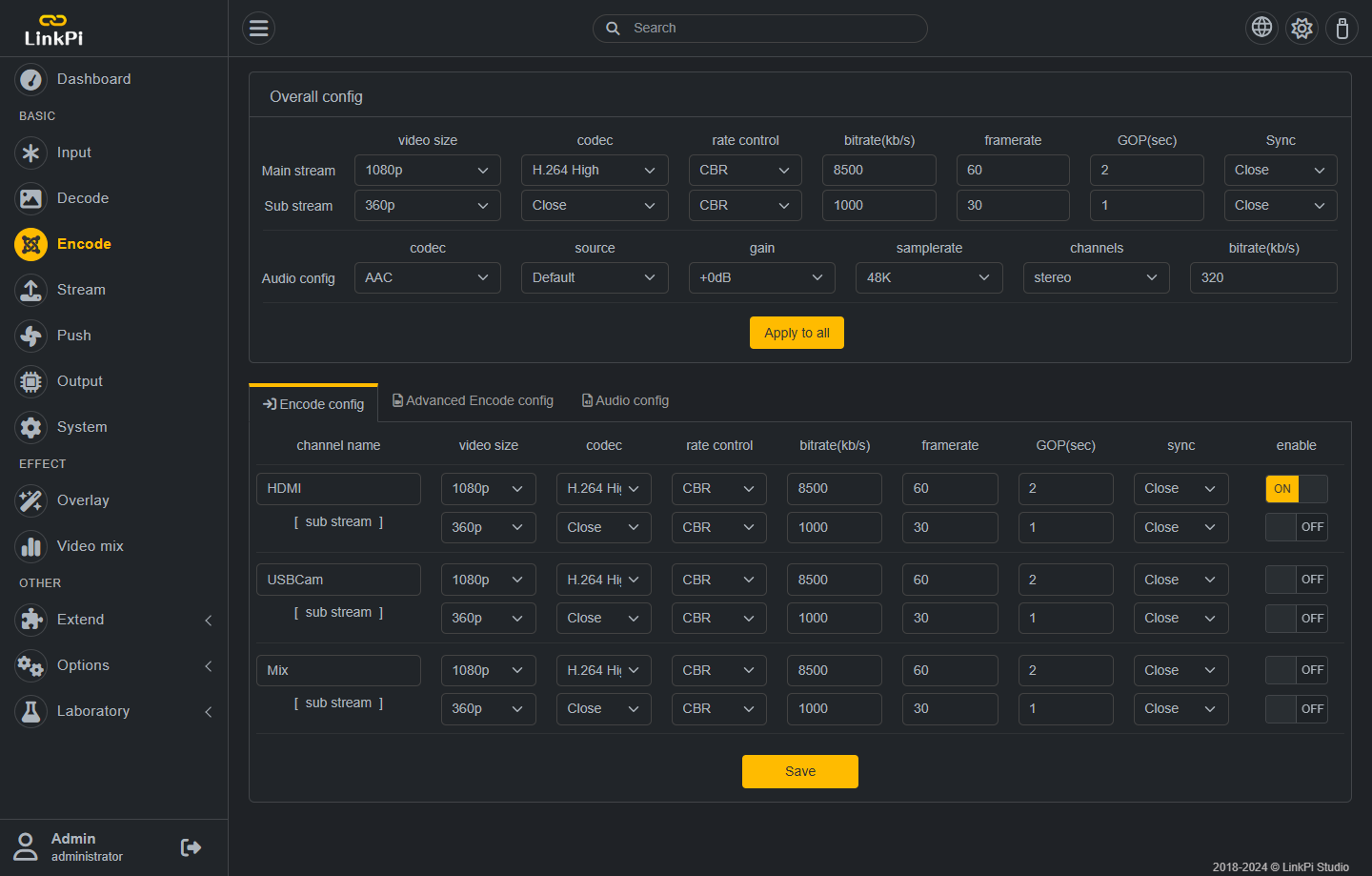
Also wondering what the best settings for the LinkPi are. Trying to get the best quality out of it

It's best to get working in ADBTuner first. If you can get a channel preview to display there, then the Channels DVR Part is straight forward. Based on your pictures.

  1. Streaming Endpoint looks good.
  2. Edpoint shows ADB Connection (Endpoint Connection Successful).
  3. Fubo App Looks good in channel setup.
  4. The Deep Link URL looks like the correct format.
  5. Configuration Deep Links (default, recommended) should work.*

I don't have Fubo, so I can't test or give direct answers. Seems others have had some Fubo challenges. Found this link:

So some questions.

  1. Maybe compatibility mode is still needed?
  2. You said you get the app to launch. Do you get a tuned channel?
  3. Is it only a few channels which don't work? Do any?

Just did the preview in the ADBTuner webgui and that is confirmed working,

chrome/iphone/shield in channels is not working. I attempting via local clients and remote

Well then. Have you changed your custom
Channel source to use MPEGTS instead of HLS?

mpeg-ts is what is used by channels. I've got Fubo here and usually, it works.

I tried, both failing. I am not sure if this is a Mac OS Docker issue, but my understanding is that it would just pass the url without any transcoding

any chance you can share settings?
Running in Docker on Linux?

are you using MPEG-TS in your custom channels settings?
HLS isn't going to work.

Found the issue with long tuning times on ONN Streamer…. My MOCA adapter needed to be power cycled. Speed had slowed to 100Mbps. 1000Mbps after reboot. Launch time is now 8 seconds.

Just FYI.

Does anyone have a config for AB tuner that will work for Sling?
I am using compatibility mode.
Here is th elink i'm using.

The channel is Gert Comedy.