ADBTuner: A "channel tuning" application for networked Google TV / Android TV devices

Thanks for that info @bnhf, I still haven't tested ESPN4cc4c yet, I'll give it a go later this week to see how works.

I think my setup for now will be to keep my ESPN linear channels using the Hulu app, these will stay focused in the background on (2) of my HDMI tuners/FireTv sticks with ADB. That's the closest I've gotten to the previous TVE experience that I can channel surf like a cable box and use multiview.

Then run either FDL or ESPN4cc4c on my 3rd tuner with a 2nd ADB instance so it doesn't close Hulu on my main (2) firetv sticks, and I'll watch ESPN+ and other Sporting events, with Fox One etc.. on that 3rd tuner.

Still doing a lot of testing to see what's the best solution that works for me :+1:

Thanks for the feedback. It was more or less just for fun and customizing the dashboard for my needs. But if I do start a new project I will loop you in!

I'm going to copy the issue I posted in OliveTin/Project One-Click over here to see if anyone else has any ideas:

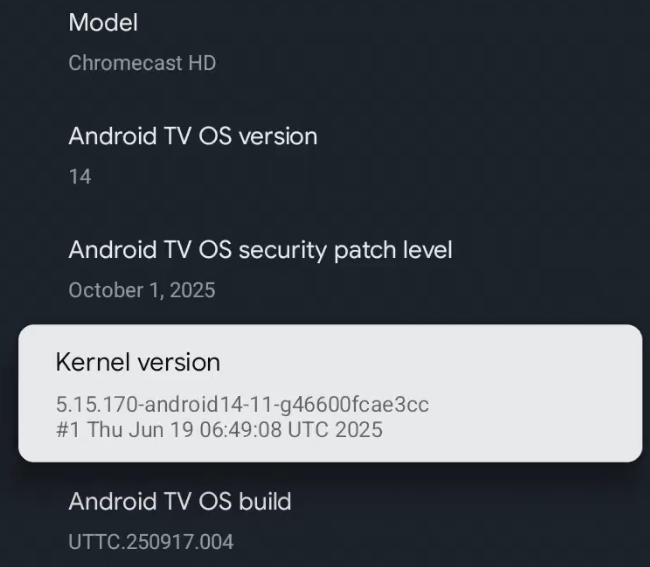
I'm using a G454V (Chromecast HD, not a 4k), though it is running Android TV 14. Over the weekend, I created the ADBTuner container, and added the tuner. After the initial miss on setting USB Debugging, I enabled that, the status check caused the authorization prompt, which I allowed, and ADBTuner was happy. Now... it's not happy. The status is "Android Connection Failed". The log says stuff like

2026-03-03 17:13:17.378 - lib.adb - [Errno 111] Connection refused
2026-03-03 17:13:17.378 - lib.adb - ADB: Connection failed.
2026-03-03 17:13:17.379 - lib.adb - ADB: Error while running command. Check for approval popup on device.

But no approval popup is happening now, it happened once right after I turned on USB debugging and checked the status, but not since. The IP address hasn't changed and is correct. I'm doing a PING from the host and it's not having any issues. I've restarted the Chromecast, without any change. Restarting the ADBTuner container didn't help. Disabling developer mode, revoking ADB authorizations and disabling USB debugging, then re-enabling hasn't changed anything.

Update: I tried connecting to port 5555 and 5037 using TELNET and neither established any kind of connection.

do you have wireless debugging turned on too?

I do, but I don't think I had it on when I initially made the connection. I have also had it off.

I wonder if your stick updated overnight, and now you're faced with the whole pairing process being required first -- before you can connect via ADB. That's what the CCwGTV 4K device uses now, and it doesn't survive reboots -- which makes it fairly useless for ADBTuner.

would adb_allowed_connection_time 0 work in this case?

It has definitely done some updating. I did an update as soon as I plugged it into the network good, but I think I has done a good bit more since I had it working because, it now says the patch level is up to October 2025, and I'm pretty sure it was a lot further back after that first update.

This was basically a free device I had sitting around. I also have a 3rd Gen FireTV Cube not being used that I could press into service, but I thought the Chromecast would be the simpler of the two.

I suppose I could download ADB on to something and see if I can execute the commands:

adb pair ip:port
adb tcpip 5555

If this works, then to continue to use this device, I'd have to detect every time it rebooted, go bring up the GUI and go through this pairing process and set the port back to 5555?

I would definitely switch to using the FireTV Cube. There are enough moving parts in a setup like this without having to deal with a streaming device that needs special attention every time it updates; the power goes out; or you decide to reboot it for whatever reason.

if you are able to connect via adb I would run this to see what the expire time is for your device:
adb shell settings get global adb_allowed_connection_time

if it returns anything other than zero I would run this:
adb shell settings put global adb_allowed_connection_time 0

this is supposed to remove the expiration time of adb connections. But ymmv and every device is different.

ADBTuner adjusts this setting automatically -- so it not necessary to set it manually.

ahh so are CCWGTV overwriting that on reboot?

No, the issue with the CCwGTV sticks running Android 14, is that they use a different process for ADB authorization.

It's a two-part process that first requires pairing on a random port with a pairing code, before you can authorize an ADB connection. And the kicker is that it doesn't survive reboots, so the process must be repeated.

The setting you're talking about is required for Android 11+ devices; is done automatically by ADBTuner; and keeps ADB authorizations from expiring after x period of time.

Ohh okay. sounds like i'd be moving to the firecube device haha

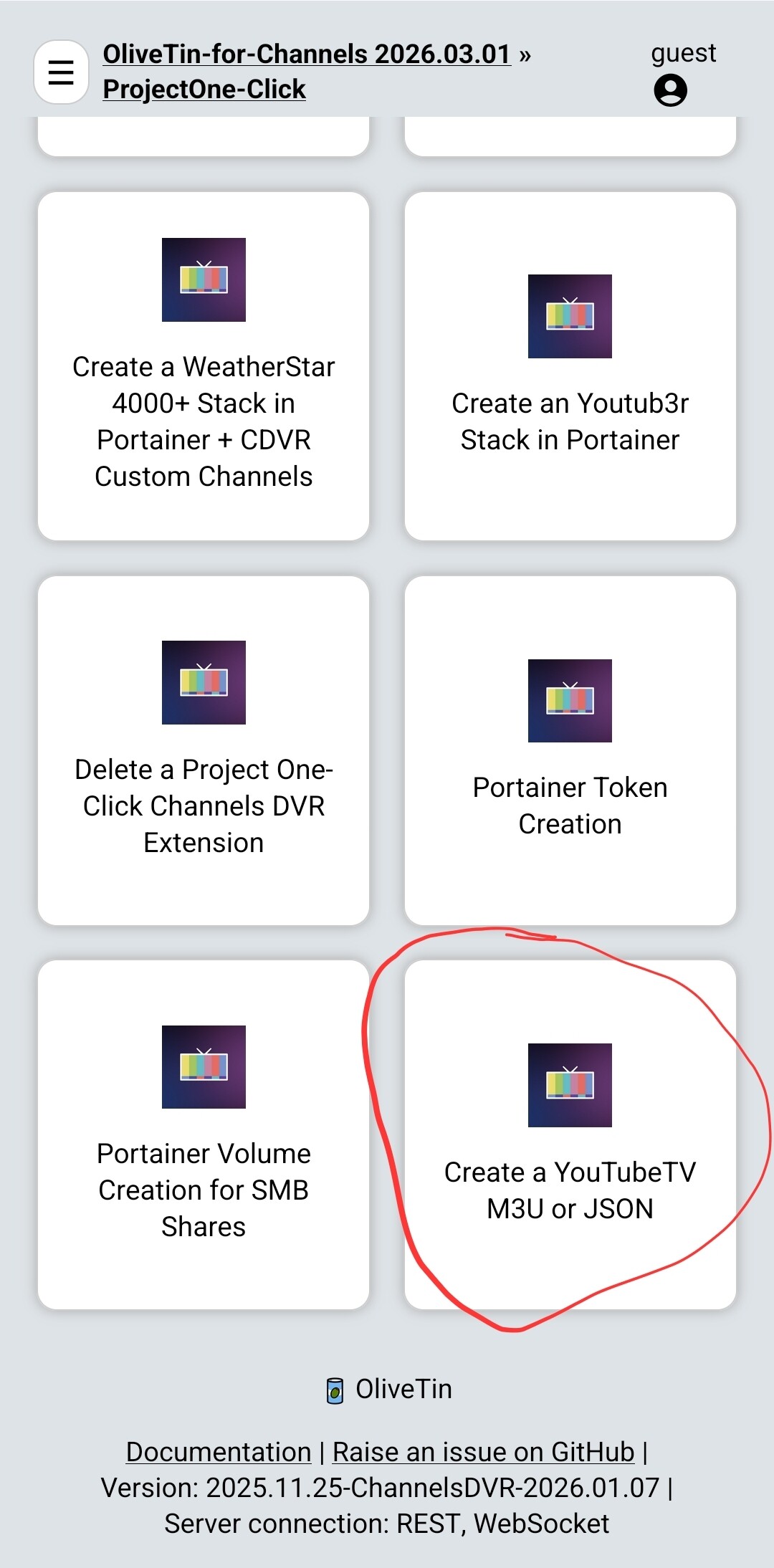
What’s the best way to generate a JSON for ADBTuner and my YouTube TV subscription without manually grabbing each URL from the browser? I’m likely moving over from FuboTV, where I used the FuboTV project container and only relied on ADBTuner for DRM channels.The nice feature was that the FuboTV project automatically matched the Gracenote IDs and I didn't have to do anything special to get guide data.

ATM, you have an option on Olivetin to have it generate the json for you with those urls. Paging @bnhf

There have been a couple JSON's posted...

Oh, and as a follow up to @Jean0987654321 's excellent suggestion, here's a link with some instructions:

1 Like

FTR, I put the latest version of ADB on a laptop and was able to adb pair ip:port paringcode followed by adb tcpip 5555. It indicated it was going to restart the host at 5555 and I can no longer talk to it on the original ADB paired session. It also still does not work. I just thought I'd play with it a bit. Wait... spoke too soon. It's up and running again. For now.

I mean, it would be possible to watch the screen and see the boot up sequence, but without control of the remote, you wouldn't be able to navigate the menu to get the pairing port and code on the screen to scrape off and if you could do that much video screen scraping and remote manipulation, you wouldn't need adb. :slight_smile: I suppose Google Assistant would be another possible route for device manipulation, but probably without sufficient control for program selection.

Moving on to the fire cube (until Amazon f's that up).