
I have ADBTuner setup to record F1 on Apple TV (on an Amazon FireStick) via FruitDeepLinks. However, it gets stuck on this screen rather than starting the event:
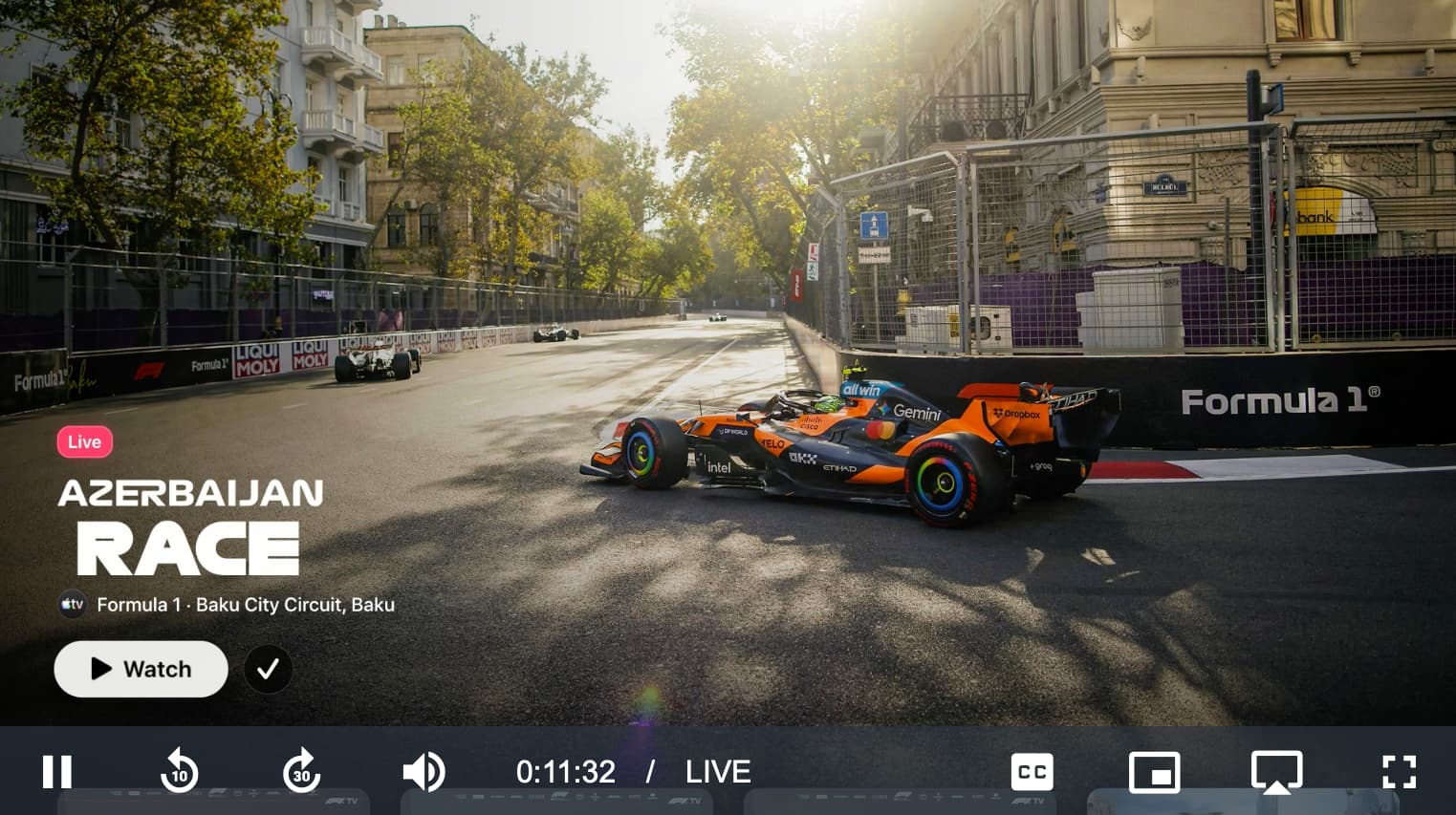
Looking at the logs it appears as though it is not recognizing the buttons on screen and not clicking through:
Starting tune match text monitoring. Match commands: [{'match_text': ['watch', 'live', 'mls', 'mlb', "don't allow"], 'commands': [{'type': 'ADB', 'command': 'input keyevent KEYCODE_DPAD_CENTER'}], 'start_checking_after_seconds': 5}]
Tuning completed after 12.4 seconds. Display was None, application (com.apple.atve.amazon.appletv) was running.
On screen text: '“tv formula 1 - baku city circuit baku  =d -  a et ee  ee af ey ee ete wt soy'
Text match result: Text to match: ['watch', 'live', 'mls', 'mlb', "don't allow"]. Matches found: None.
On screen text: '“tv formula 1 - baku city circuit baku  c= -  sn er a sw (aes ee'
Text match result: Text to match: ['watch', 'live', 'mls', 'mlb', "don't allow"]. Matches found: None.
On screen text: 'sa ae == a ae we os awe ='
Text match result: Text to match: ['watch', 'live', 'mls', 'mlb', "don't allow"]. Matches found: None.
On screen text: '“tv formula 1 - baku city circuit baku  =d -  a et ee  ee af ey ee ete wt soy'
@bhnf suggested in the OliveTin thread where we were originally discussing getting this all working that maybe there are some tweaks that could be made to Tesseract OCR to more accurately read the text in those buttons @turtletank