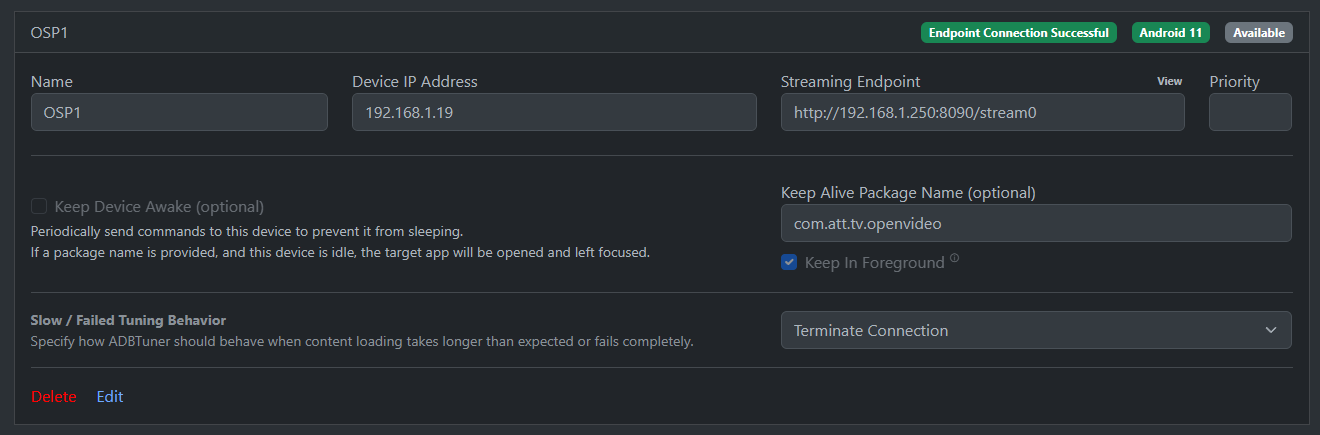
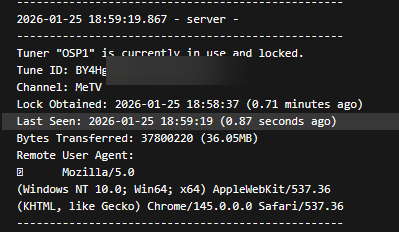
I'm hoping they'll fix some bugs.
For some reason I can't get rid of this htpc6
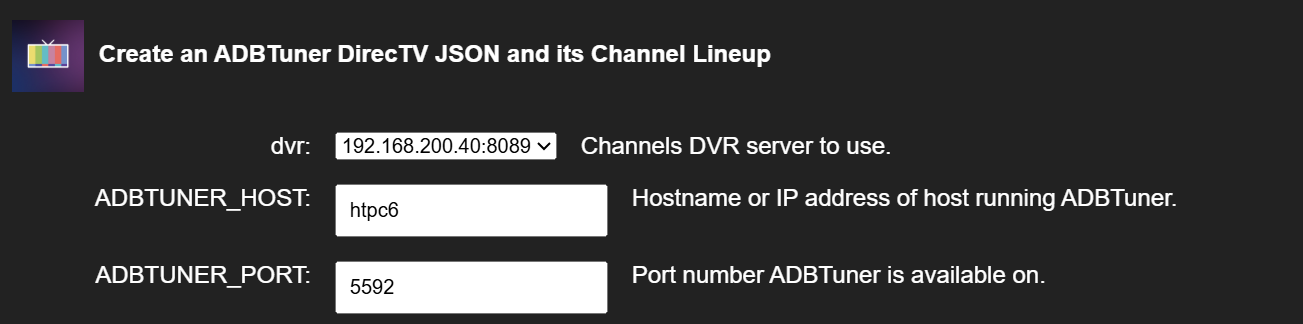
I'd like to auto populate the IP address of my server 192.168.200.40 which resolves to my ADB Tuner instance. Just having trouble figuring out how to do this in Unraid with ADBTuner installed through dockerman and olivetin using PortainerCE.
I'm having a real problem getting this setup do to something i'm missing due to lack of eye site.
Any way to get this added to one click or set all this up without portainer.
I'm experiencing an issue with the static file server where the process didn't go away when i removd the docker.
I like the tool and would appreciate just being able to generate the json.
This is one click. You have to have Olivetin set up in order to use oneclick. What platform are you on?
I installed portainer CE and pasted in the Docker Compose.
I have Portainer installed on my Synology and have tried installing things but just seem to be running in to problems.
I can try again.
I'm not sure about Synology. Hopefully someone with more experience with Synology can help, sorry.
However, maybe you can let me know what problems you're running into and I can try to come up with something.
Edit: @rpaulmerrell take a look at this OliveTin EZ-Start: The Next Generation. Deploy OliveTin-for-Channels from the Command Line without the Need for Portainer to be Installed in Advance!
I'm pretty sure it's oneclick for oneclick! 
Is it possible to get an environment variable for ADBTUNER_HOST? That would be really, really helpful! I edited my config.yaml to set a default for myself, but it would be really cool to have an environment variable for that.
Actually, I believe we can pretty safely assume the value people specify for PORTAINER_HOST can be used as reasonable default for ADBTUNER_HOST (and in one or two other places). It'll still be possible to change it of course, as it'll look just like it does now, but with that value as the default instead of using my host value.
That's even better. Thank you!
This is done, and was pushed moments ago as bnhf/olivetin:latest (aka bnhf/olivetin:2025.12.15).
1 Like
Thank you. I'm going to test now!
Edit: It works. Thanks!! This is really so convenient!! 
I actually have an idea for a feature for this and for Sling.
I'm not sure if this is possible over the API. Maybe Olivetin can create a channel collection for all of the channels added and then add it to the list of collections available on clients. I personally like having on my sidebar on my Apple TV a little DirecTV section with all the DirecTV channels. I imagine this is also useful if you have multiple providers that you're breaking out.
I just had my first win with this today and I was able to not really delete any of my channels but add four new ones! This automation is super helpful!!
2 posts were merged into an existing topic: ADBTuner: A "channel tuning" application for networked Google TV / Android TV devices
Used the One click for the creation of this with osprey, fails to tune for me right now.
Not sure where the logs would be or where to check
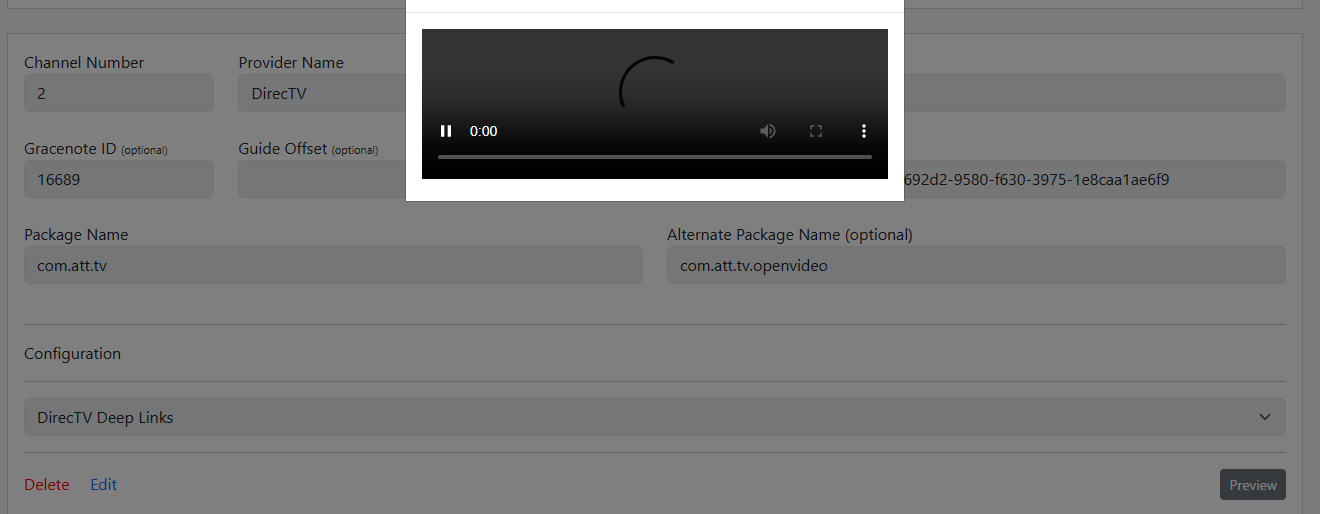
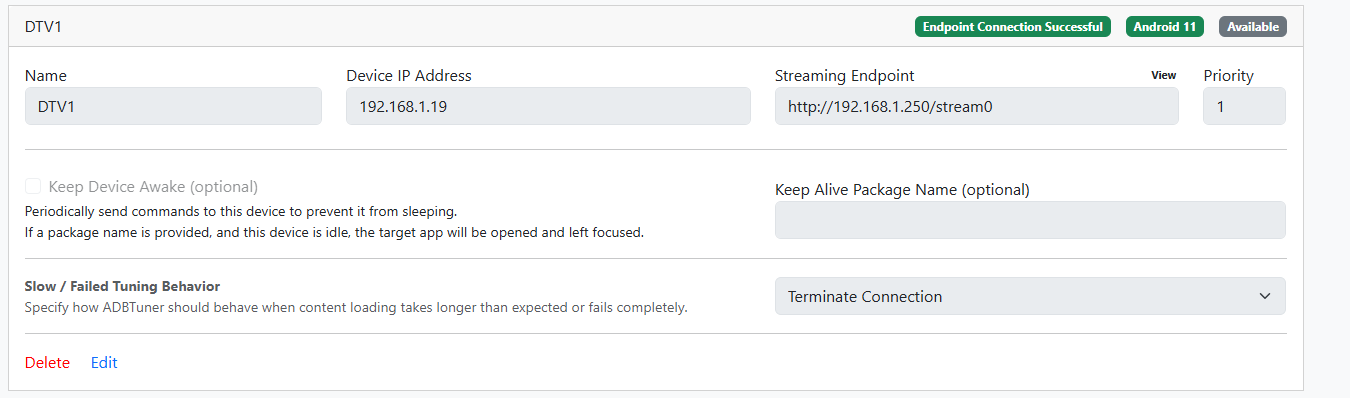
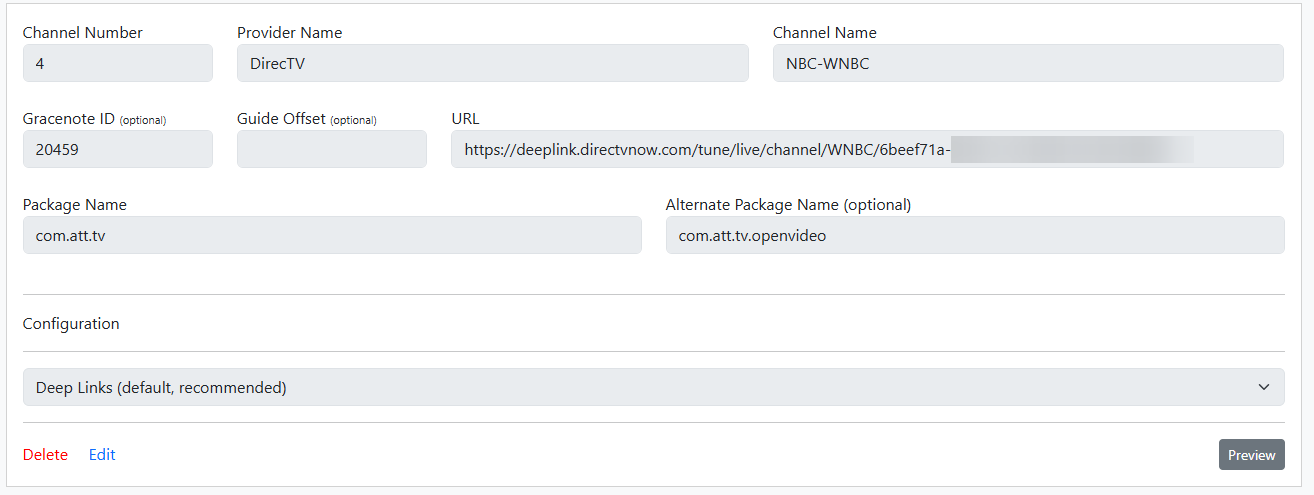
The 'view' with the buttons for remote controls does work
Please post the ADBTuner Portainer-Logs for the failed tune. There's a Quick Actions button in the Portainer WebUI for that purpose.
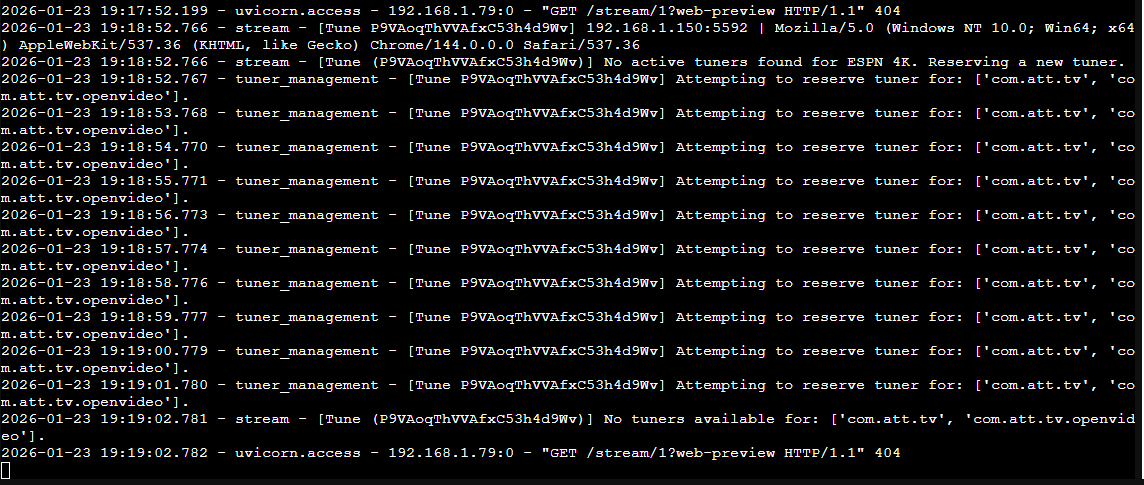
We need the actual log text from a complete failed tuning cycle. Based on what little I can see in this screenshot, it appears you have no virtual tuners available. If you only have a single tuner encoder, you'll see that fairly often, especially if you're trying to channel surf.
Not sure if related but none of the apps on the box come up when selecting for picking an app
And that is why in the logs it says 'no tuner avaible' when trying to play com.att.tv or com.att.tv.openvideo
  File "/app/app/routers/admin.py", line 199, in installed_packages

    tuner_packages = tuner.data.get("installed_apps", [])

                     ^^^^^^^^^^^^^^

AttributeError: 'NoneType' object has no attribute 'get'

2026-01-25 18:17:56.364 - stream - [Tune Z2QZjtfgiekZs2zMSpt3Pd] 192.168.1.206:5592 | Mozilla/5.0 (Windows NT 10.0; Win64; x64) AppleWebKit/537.36 (KHTML, like Gecko) Chrome/145.0.0.0 Safari/537.36

2026-01-25 18:17:56.364 - stream - [Tune (Z2QZjtfgiekZs2zMSpt3Pd)] No active tuners found for CBS-WCBS. Reserving a new tuner.

2026-01-25 18:17:56.365 - tuner_management - [Tune Z2QZjtfgiekZs2zMSpt3Pd] Attempting to reserve tuner for: ['com.att.tv', 'com.att.tv.openvideo'].

2026-01-25 18:17:57.366 - tuner_management - [Tune Z2QZjtfgiekZs2zMSpt3Pd] Attempting to reserve tuner for: ['com.att.tv', 'com.att.tv.openvideo'].

2026-01-25 18:17:58.367 - tuner_management - [Tune Z2QZjtfgiekZs2zMSpt3Pd] Attempting to reserve tuner for: ['com.att.tv', 'com.att.tv.openvideo'].

2026-01-25 18:17:59.369 - tuner_management - [Tune Z2QZjtfgiekZs2zMSpt3Pd] Attempting to reserve tuner for: ['com.att.tv', 'com.att.tv.openvideo'].

2026-01-25 18:18:00.370 - tuner_management - [Tune Z2QZjtfgiekZs2zMSpt3Pd] Attempting to reserve tuner for: ['com.att.tv', 'com.att.tv.openvideo'].

2026-01-25 18:18:01.371 - tuner_management - [Tune Z2QZjtfgiekZs2zMSpt3Pd] Attempting to reserve tuner for: ['com.att.tv', 'com.att.tv.openvideo'].

2026-01-25 18:18:02.373 - tuner_management - [Tune Z2QZjtfgiekZs2zMSpt3Pd] Attempting to reserve tuner for: ['com.att.tv', 'com.att.tv.openvideo'].

2026-01-25 18:18:03.375 - tuner_management - [Tune Z2QZjtfgiekZs2zMSpt3Pd] Attempting to reserve tuner for: ['com.att.tv', 'com.att.tv.openvideo'].

2026-01-25 18:18:04.376 - tuner_management - [Tune Z2QZjtfgiekZs2zMSpt3Pd] Attempting to reserve tuner for: ['com.att.tv', 'com.att.tv.openvideo'].

2026-01-25 18:18:05.378 - tuner_management - [Tune Z2QZjtfgiekZs2zMSpt3Pd] Attempting to reserve tuner for: ['com.att.tv', 'com.att.tv.openvideo'].

2026-01-25 18:18:06.289 - uvicorn.access - 192.168.1.246:0 - "GET /stream/tuner/1?web-preview HTTP/1.1" 307

2026/01/25 18:18:06 [PROXY] 192.168.1.246 -> GET "/proxy/1" -> "http://192.168.1.250:8090/stream0"

2026-01-25 18:18:06.379 - stream - [Tune (Z2QZjtfgiekZs2zMSpt3Pd)] No tuners available for: ['com.att.tv', 'com.att.tv.openvideo'].

2026-01-25 18:18:09.439 - lib.adb - ADB: 192.168.1.19 - input keyevent KEYCODE_DPAD_CENTER

2026-01-25 18:18:11.371 - uvicorn.access - 192.168.1.246:0 - "POST /admin/tuner/1/send-command HTTP/1.1" 200

2026-01-25 18:18:13.101 - lib.adb - ADB: 192.168.1.19 - input keyevent KEYCODE_HOME

2026-01-25 18:18:14.244 - uvicorn.access - 192.168.1.246:0 - "POST /admin/tuner/1/send-command HTTP/1.1" 200
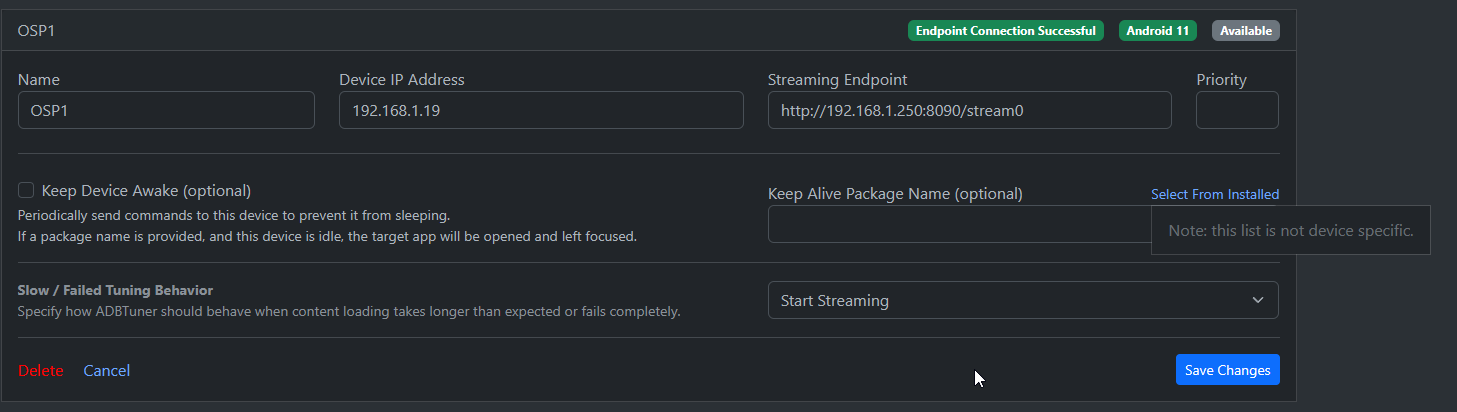
Is your ADBTuner container up-to-date? You need to be running the most recent version with the development tag.