
This is really only needed if you change your DTV package, or if they add new channels to your package you care about.
1 Like
Thank you for all that you do.
It is greatly appreciated.
1 Like
finally getting adbTuner setup to add onto ah4c. I assume this has matured to latest, as that's what i've done and so far so good, gotta get the tuners setup yet.
also this thread was really hard to find because the Directv gets truncated in any search results. also keywords AdbTuner Directv json returns nothing, but cURL returns alot.
Yes.
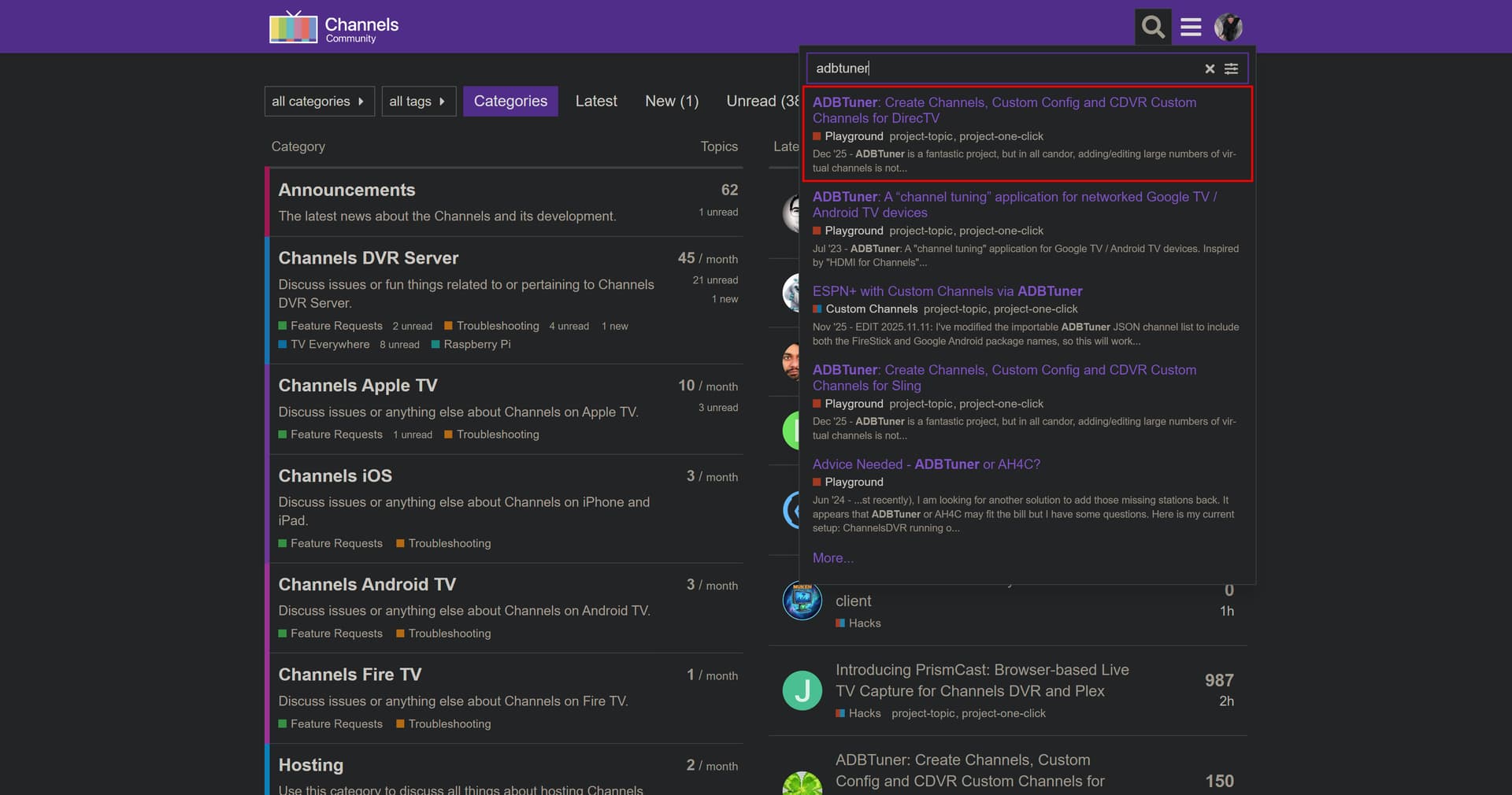
Search for adbtuner, and it's the #1 hit:
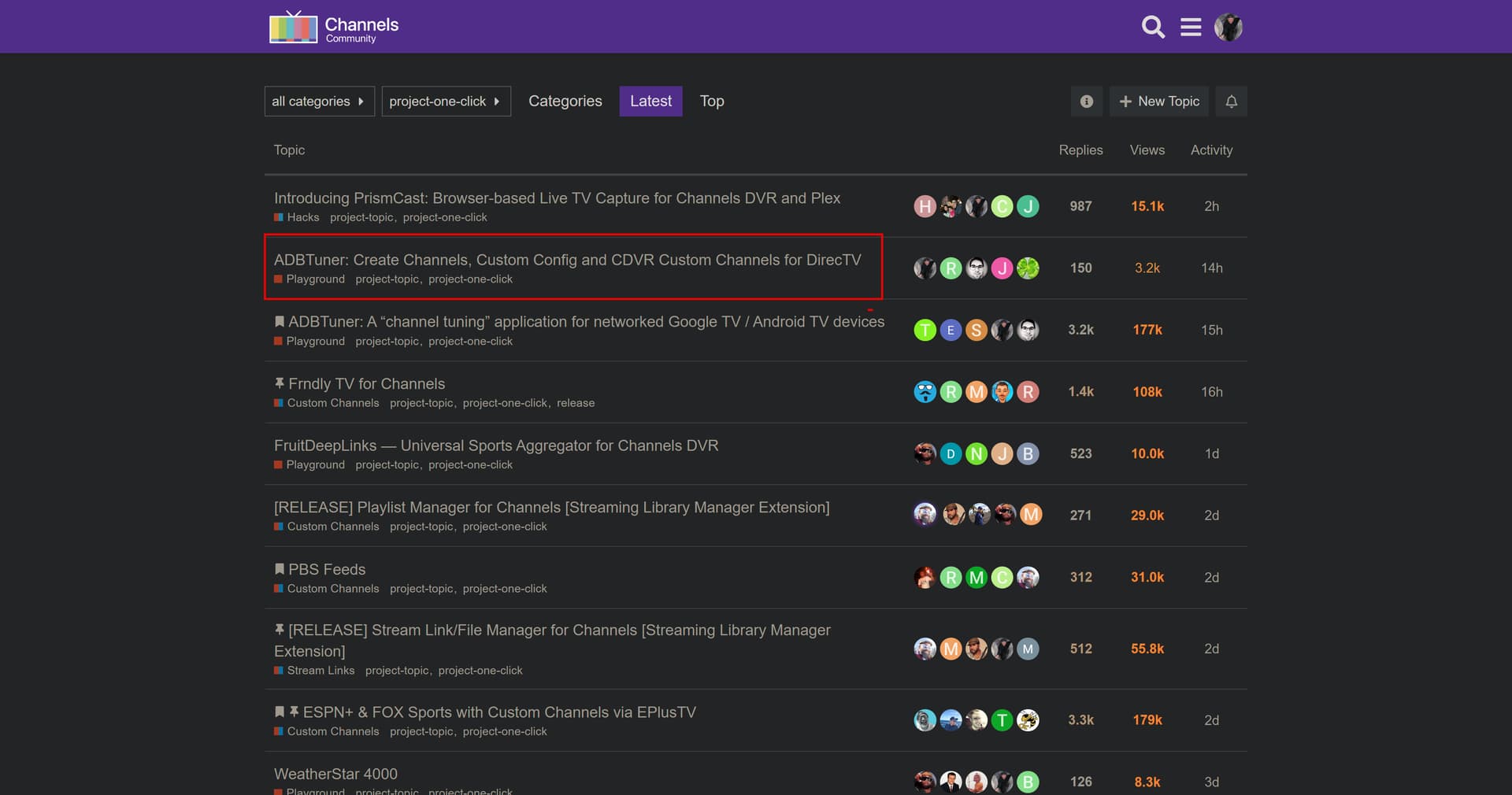
Or, do a project-one-click tag search, and it the #2 hit:
1 Like
ok, well, last night i was seaching adbtuner directv json and getting no hits.
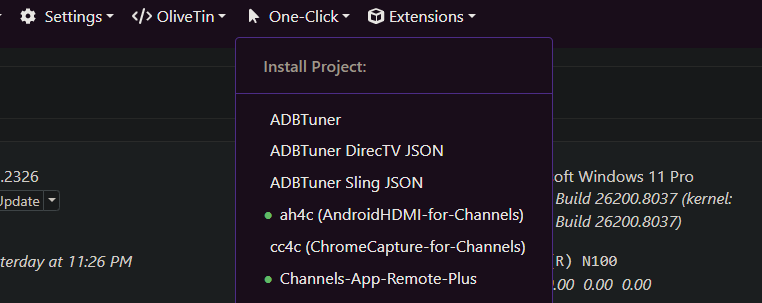
tonight as I was posting, I got a perfect set of hits... musta caught some server maintenance
I had this working the other day, but nuked the setup to re-plan my tuner setup. unfortunately i did not save the json and today i'm getting this error
POST http://10.0.0.7:1337/api/StartActionAndWait
Action: adbtuner_directv_grabber
  dvr: 10.0.0.7:8089
  ADBTUNER_HOST: 10.0.0.7
  ADBTUNER_PORT: 5592
  CURL_COMMAND: curl 'https://api.cld.dtvce.com/discovery/metadata/channel/v5/service/allchannels?sort=OrdCh%253DASC&clientContext=dmaID%3A679_0%2CbillingDmaID%3A679%2CregionID%3AMLB+KC+Royals+Choice+OTT+SPOT_MLB+STL+Cardinals+Choice+OTT+Zipcodes+SPOT_MLB+Twins+Sports+Pack+SPOT_FSMIAPH_RegC+Des+Moines+IA_MLB+MIL+Brewers+Sports+Pack+OTT+SPOT_OV2+RegC+Des+Moines+IA_STL+CARDINALS+sb+RSN+V2+SPOT_BG10O2H_CSN+Chicago+Spot+SPOT_KAN+Royals+sb+RSN+V2+SPOT_BGTN4HD_BGTN3HD_BIG10HD_FSMIA1H_BS+Midwest+OOM+B%2FO_IND+Pacers+sb+RSN+SPOT_FSN+Midwest+Spot+SPOT_STL+Blues+RSN+SPOT_BTN4OF_BTN3OF_MIN+Twolves+sb+RSN+SPOT_BTN2OF_Marquee+Sports+Network+v2+SPOT_Marquee+Sports+Network+SPOT_OV+Des+Moines-Ames+IA+679_MIN+Wild+RSN+SPOT_MIL+BREWERS+sb+RSN+SPOT_OVTelemundoEast_OV+Telemundo+East+82624+SPOT_OV+Des+Moines+IA+DMA+679_OV+Telemundo+East+123022+SPOT_OV+Telemundo+East+072222+SPOT%2CzipCode%3A50023%2CcountyCode%3A153%2CstateNumber%3A19%2CstateAbbr%3AIA%2CusrLocAndBillLocAreSame%3Atrue%2CbRegionID%3AMLB+KC+Royals+Choice+OTT+SPOT_MLB+STL+Cardinals+Choice+OTT+Zipcodes+SPOT_MLB+Twins+Sports+Pack+SPOT_FSMIAPH_RegC+Des+Moines+IA_MLB+MIL+Brewers+Sports+Pack+OTT+SPOT_OV2+RegC+Des+Moines+IA_STL+CARDINALS+sb+RSN+V2+SPOT_BG10O2H_CSN+Chicago+Spot+SPOT_KAN+Royals+sb+RSN+V2+SPOT_BGTN4HD_BGTN3HD_BIG10HD_FSMIA1H_BS+Midwest+OOM+B%2FO_IND+Pacers+sb+RSN+SPOT_FSN+Midwest+Spot+SPOT_STL+Blues+RSN+SPOT_BTN4OF_BTN3OF_MIN+Twolves+sb+RSN+SPOT_BTN2OF_Marquee+Sports+Network+v2+SPOT_Marquee+Sports+Network+SPOT_OV+Des+Moines-Ames+IA+679_MIN+Wild+RSN+SPOT_MIL+BREWERS+sb+RSN+SPOT_OVTelemundoEast_OV+Telemundo+East+82624+SPOT_OV+Des+Moines+IA+DMA+679_OV+Telemundo+East+123022+SPOT_OV+Telemundo+East+072222+SPOT%2CisFFP%3Afalse%2CdeviceProximity%3AIH&fisProperties=ISF%3A1.4%23chlogo-bwdb-mytv%2C47%2C35%23chlogo-clb-guide%2C60%2C45%23chlogo-cdb-gcd%2C87%2C66%23chlogo-bwdb-player%2C120%2C91%23chlogo-bwdb-fplayer%2C120%2C91&include4K=false&is4KCompatible=false&isFtue=true' \   -H 'accept: */*' \   -H 'accept-language: en-US,en;q=0.9' \   -H 'authorization: Bearer +pEhUlg4DOhEeTgzUXZmu+hxfIwRKYdR9dVgVZ6Z3YRZ554KS8/MhikH3dlOZfoxGrvLW7C3R45pIEtb3JrJVQG4Uy1pqidFgMclbtoAEu4d4meJtVu8qRgnNSpdr1ysJ+rzBi81+lnn0zM5VEJj/LAE7UjPMiWuub6ZWvxs/UwLtBxgjM9Mqbv6N0DfHAiWOMBu8jKIHk7SKgjBHFf3SVfNx/mL1bKHc9TUkM3iqkB69JJOICRyMiMeKTs08znlBILBsFrFqsoh75fxXAz6hf3zsJD68xMMFrJiuyiZInGOVHep2xXvsjOoFtfNub0boTIUs+KKZw2dsLxgYwIyILJ24x39z0CP7JrT7fUC0gtWkeEIzXLgqaxRvafliR+dA8GN1aOW2u6tG/ZX2MGyv9gkfPmm/lzB5x8A0bl/gygXKZdyr8ltKaVSFnQk6B3nuk27ph4R97O0t6SWPl90JAv0RSDX0TwjrKv39jRl3SYglGiPN6cTkAIn44h+PzI/75t26cfiSqpMmPI1UkgPL3uiuc1lHq5qCmKx/ngozhnJ+UovUpDpJq4GF+eBRKFwtT+zctmx/iSDXkP/uNlhHUNDQkUI85+gqUO/9LIvDO/aTrrccIqUH2vhEO8Gl8QP.E6e8lXsQ4tN2xk8l1utAATVySoSPVh/irgAAJUmXKPQ=' \   -H 'origin: https://stream.directv.com' \   -H 'priority: u=1, i' \   -H 'referer: https://stream.directv.com/' \   -H 'sec-ch-ua: "Chromium";v="146", "Not-A.Brand";v="24", "Google Chrome";v="146"' \   -H 'sec-ch-ua-mobile: ?0' \   -H 'sec-ch-ua-platform: "Windows"' \   -H 'sec-fetch-dest: empty' \   -H 'sec-fetch-mode: cors' \   -H 'sec-fetch-site: cross-site' \   -H 'user-agent: Mozilla/5.0 (Windows NT 10.0; Win64; x64) AppleWebKit/537.36 (KHTML, like Gecko) Chrome/146.0.0.0 Safari/537.36'
  CUSTOM_CONFIG: "name": "DirecTV",     "author": "David B.",     "version": "3.0.0",     "description": "Reliable tuning for DirecTV. Prevent are you still there prompt from showing.",     "uuid": "3c7d5a19-6f2e-4b8a-9d3f-8e1c4b7a5f92",     "global_options": {         "wait_for_video_playback_detection": true,         "use_fixed_delay": false,         "fixed_delay_seconds": 0,         "check_for_and_clear_whos_watching_prompts": false,         "wait_after_post_playback_start_commands_seconds": 0     },     "pre_tune_commands": [         "input keyevent KEYCODE_MEDIA_STOP",         "am force-stop ||TARGET_PACKAGE_NAME||"     ],     "tune_commands": [         "am start -W -n '||TARGET_PACKAGE_NAME||'/$(cmd package resolve-activity -a android.intent.action.MAIN '||TARGET_PACKAGE_NAME||' | awk -F= '/name=/{print $2; exit}') -a android.intent.action.VIEW -d '||TARGET_URL_OR_IDENTIFIER||'"     ],     "post_playback_start_commands": [],     "post_tune_commands": [         "input keyevent KEYCODE_MEDIA_STOP",         "input keyevent KEYCODE_MEDIA_PAUSE",         "input keyevent KEYCODE_HOME",         "am force-stop ||TARGET_PACKAGE_NAME||"     ],     "timed_keep_active_commands": [         {             "run_every_minutes": 60,             "commands": [                 "input keyevent KEYCODE_MEDIA_PLAY"             ]         }     ] }
  DIRECTV_REMOVE: true
  DTV_START_CHAN: #
  DTV_CLIENT: https://deeplink.directvnow.com/tune/live/channel/

jq: error (at <stdin>:0): Cannot index string with string "uuid"
jq: parse error: Expected string key before ':' at line 1, column 7
curl: (7) Failed to connect to 10.0.0.7 port 5592 after 2043 ms: Could not connect to server

curl: (7) Failed to connect to 10.0.0.7 port 5592 after 2053 ms: Could not connect to server
POST FAILED for channel: {"m3u_id":"","provider_name":"DirecTV","number":77,"name":"MeTV","package_name":"com.att.tv","alternate_package_name":"com.att.tv.openvideo","url_or_identifier":"https://deeplink.directvnow.com/tune/live/channel/METV/83321f4e-2ac2-9dc4-a1fd-7b0a0f8c1e5f","configuration_uuid":"","tvc_guide_stationid":"122696","guide_offset_hours":"","data":null,"id":0}
Created ADBTuner - DirecTV channels

JSON response from 10.0.0.7:8089:
{"error":"failed to load m3u: Get \"http://10.0.0.7:5592/channels.m3u8?provider=DirecTV\": dial tcp 10.0.0.7:5592: connectex: No connection could be made because the target machine actively refused it."}
I noticed while loading the guide in chrome there was a brief error in the background too quick to catch, but might be relevent.
It looks to me like ADBTuner was not reachable from OliveTin when you ran this.
Try the ADBTuner Device Alerter Action to see if there's a similar failure.
I was worried about these errors, once i realized it was in the custom config, I re-copy-pasted that and it worked (i had already restarted olivetin and adbtuner stacks)
A post was merged into an existing topic: ADBTuner: A "channel tuning" application for networked Google TV / Android TV devices
Sorry for the ignorance, but If I understand correctly:
- The ADBTuner application pulls streams from a local AndroidTV box (Osprey being such a box, but could it be any one?)
- This app automates the creation of 'channels' from the individual channel streams from your DTV plan.
- From there I can create custom sources in ChannelsDVR and tune TV from that interface using DTV as my provider without TVE?
Sorry for the rudimentary questions.
1 Like
Capture is a more accurate word to use. You'd be using an encoder to capture the output from a streaming stick or Android-based box like the Osprey.
What's described here is using a Project One-Click Action (part of OliveTin-for-Channels), to grab the DTV channels you're subscribed to, and set up virtual channels in ADBTuner to match.
The One-Click Action will also create your CDVR Custom Channels Source, and that source will include ALL subscribed channels -- not just those that have ever been available via TVE.
2 Likes
Another newbie question here.
If using the App option, do I need to capture from another device (my own), or can that come from DTV themselves?
I'm confused a little because the URL deeplink.directvnow.com that OliveTin generates does not resolve. The DNS SOA record is there, but not any A nor CNAME.
I thought ADBTuner was a sort of proxy between my Channels DVR & the DTV Source. Am I wrong ?
You might want to read-up a bit on how ADBTuner works -- but the short version is that you connect a streaming stick to an HDMI encoder, and then ADBTuner allows you to create virtual channels in CDVR using the captured stream.
This particular Project One-Click Action is designed to add all the DTV channels, to which you're subscribed, to ADBTuner. When ADBTuner is configured with one or more streaming sticks connected to one or more encoder ports, each becomes a virtual tuner you can use in CDVR.
@bnhf
I tried to use this tool to create a local json lineup file for the Windows ADB Bridge App. I changed the port to 8888, used the curl command and the recommended config, but it errors out with the below;
jq: parse error: Invalid numeric literal at line 1, column 10
curl: (23) Failure writing output to destination, passed 7100 returned 1074
jq: error (at :1): Cannot iterate over null (null)
[INFO] Checking for configuration 3c7d5a19-6f2e-4b8a-9d3f-8e1c4b7a5f92 at http://192.168.88.30:8888/api/v1/configurations
[INFO] Configuration 3c7d5a19-6f2e-4b8a-9d3f-8e1c4b7a5f92 not found. Creating it via POST http://192.168.88.30:8888/api/v1/configuration ...
[INFO] Configuration created successfully (HTTP 200).
Created ADBTuner - DirecTV channels
JSON response from 192.168.88.30:8089:
{"error":"failed to load m3u: malformed M3U provided"}
@daldana7296 I'm not sure what the project one click does for the ADB Tuner lineup, but it was never built for my Windows script. That would be for the docker based ADBTuner from Turtletank.
I guess I was hoping it would output a json file that I could then import as a local file in the Channel Pack section of your app. I'm probably wrong...
My project does not use the same methods as the docker tuner does. I can build you a channel pack, I think I found a west coast Directv list of deeplinks with the Gracenotes id's. Ill try and have it put together and uploaded tomorrow. I'll let you know as soon as it is ready. I have no way of testing it, but it should work.
Hold up a minute.
This project connects directly to ADBTuner's API just pushes the data in.
I helped work on part of it actually because I have a very large package that has a lot of overflow channels, so I was able to help with the logic for that. So, if you have any questions, I might be able to ...help... answer.
Sorry, I was trying to generate a json file for my subscription lineup (SoCal Ultimate) and I misunderstood the purpose of this tool. I thought it would generate a separate file I could save instead of tying directly into ABDTuner.
Again, sorry for my mistake.