ADBTuner is a fantastic project, but in all candor, adding/editing large numbers of virtual channels is not fun.
In the interest of making your life a bit easier (and my own), I've automated the process of adding all of the channels in your Sling package to ADBTuner. This also includes deleting any existing channels with a provider name of Sling, plus adding whatever ADBTuner Custom Configuration you'd like to use, plus adding a CDVR Custom Channels Source named ADBTuner - Sling.
There are two specialized bits you'll need. The first is your personal, custom curl command for the Sling package(s) you subscribe to. Here are the steps to get that:
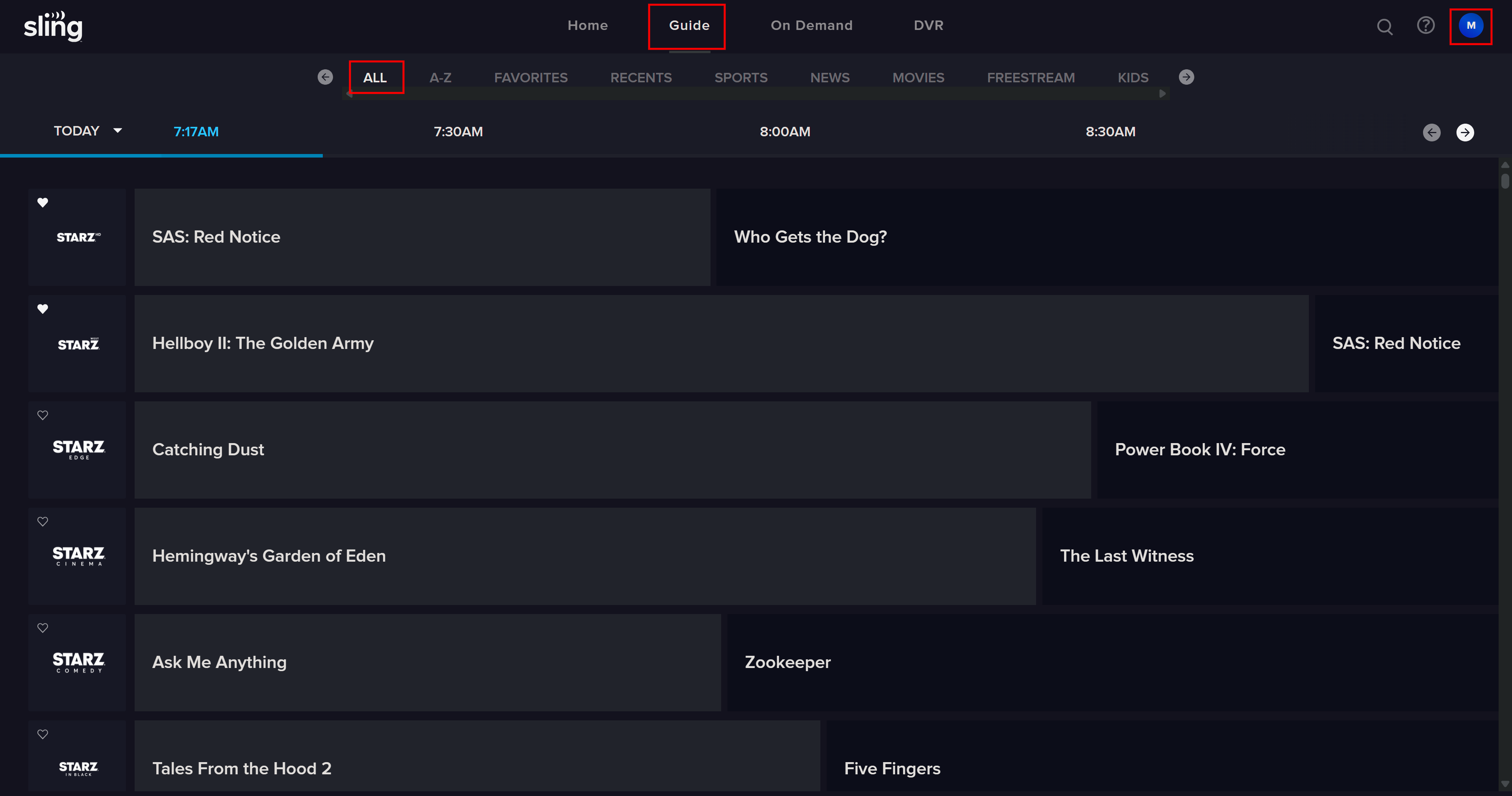
Navigate to Stream Live TV Now | Get Started in Chrome and login (if needed):
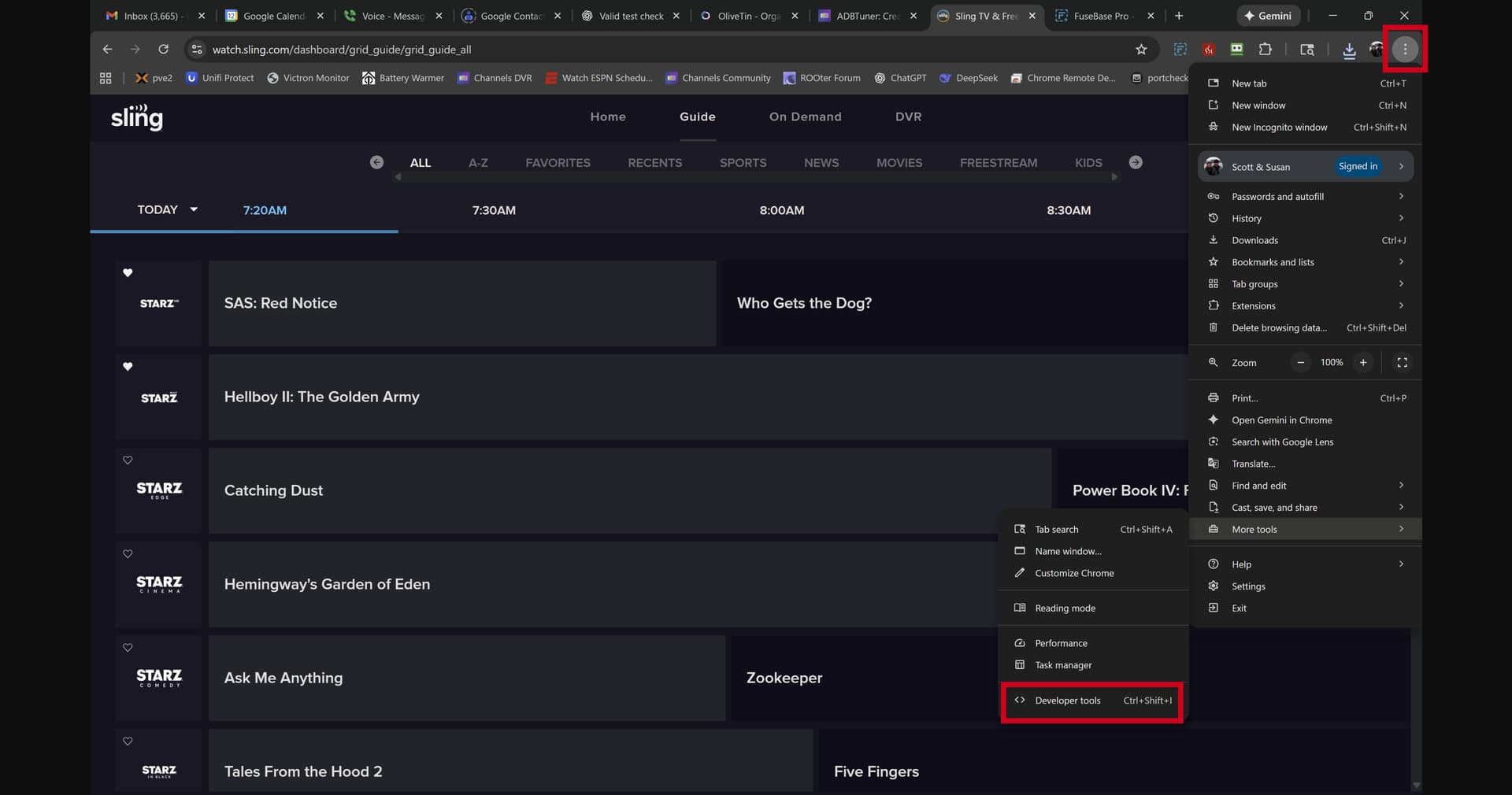
Next using the three stacked dots menu in the upper right of Chrome, select More tools - Developer tools:
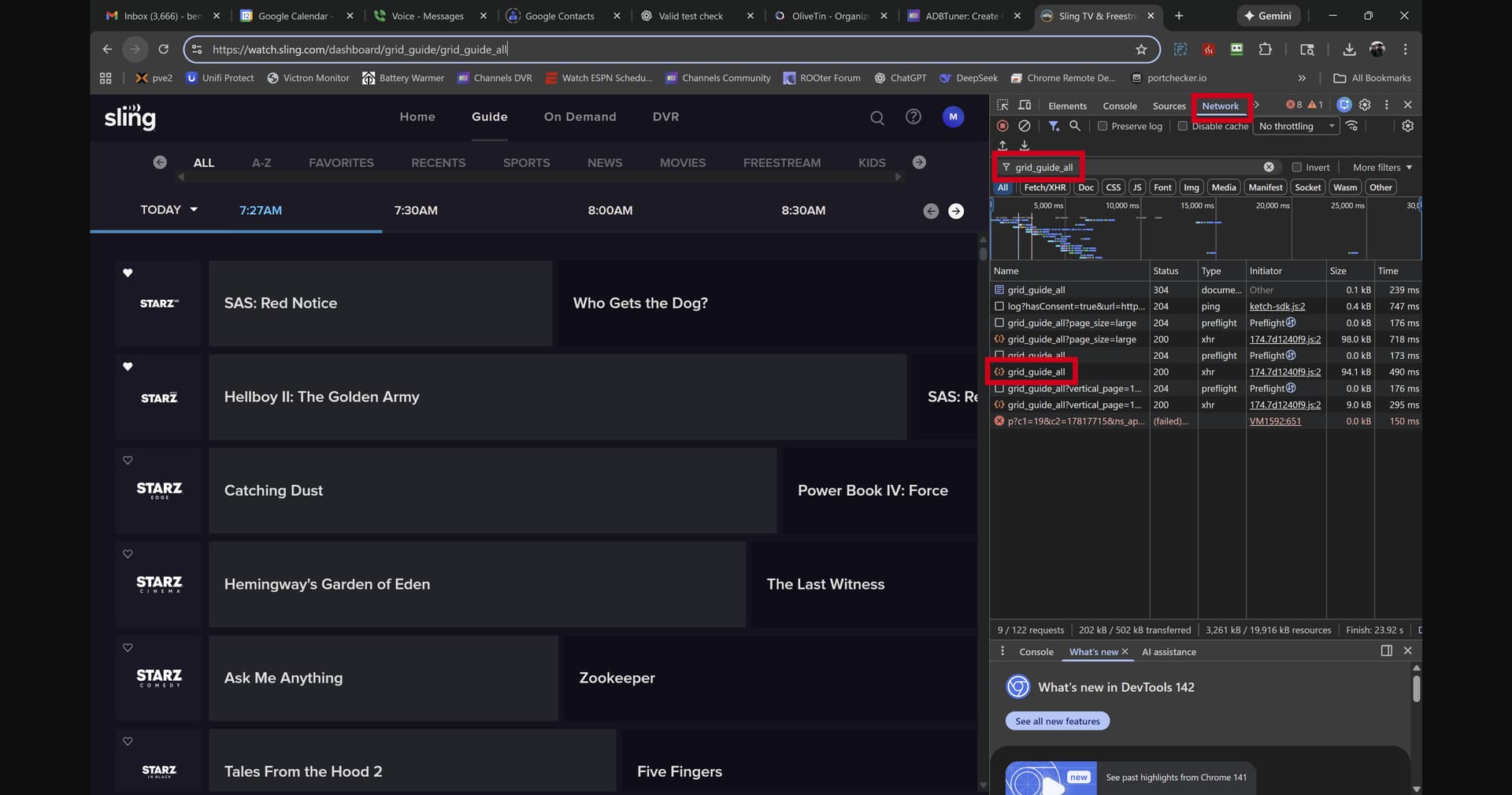
With the Developer tools window open and Network selected, search for grid_guide_all. You'll want to refresh the browser window to get fresh results to popup. Right-click on that (the match with that name and the orange icon) and select Copy, followed by Copy as cURL (Bash): :
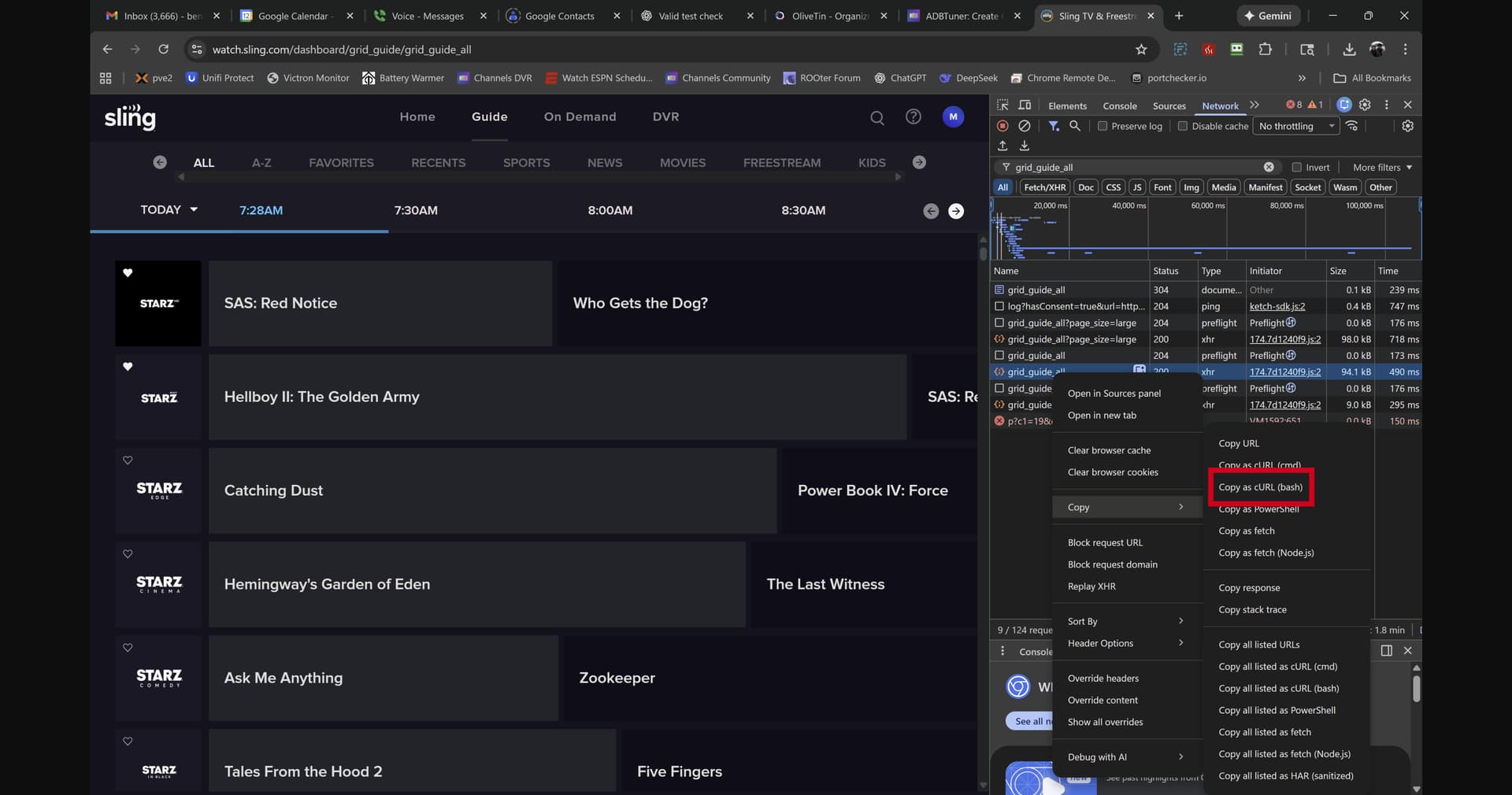
With that curl command in your clipboard, use the following OliveTin/Project One-Click Action:
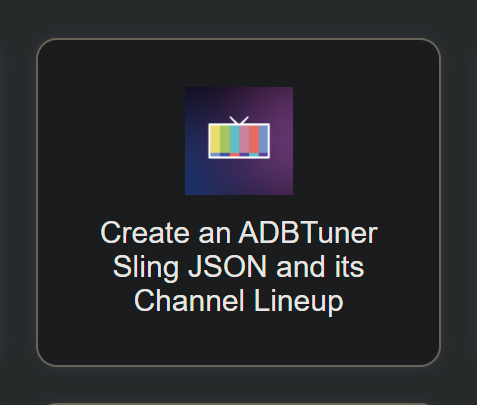
In that Action, you'll be copy-and-pasting your custom curl command, and potentially an ADBTuner Custom Configuration. You also have the option to choose one of the standard configs.
Complete the fields in the OliveTin Action, including the curl command and the custom config JSON (if desired):
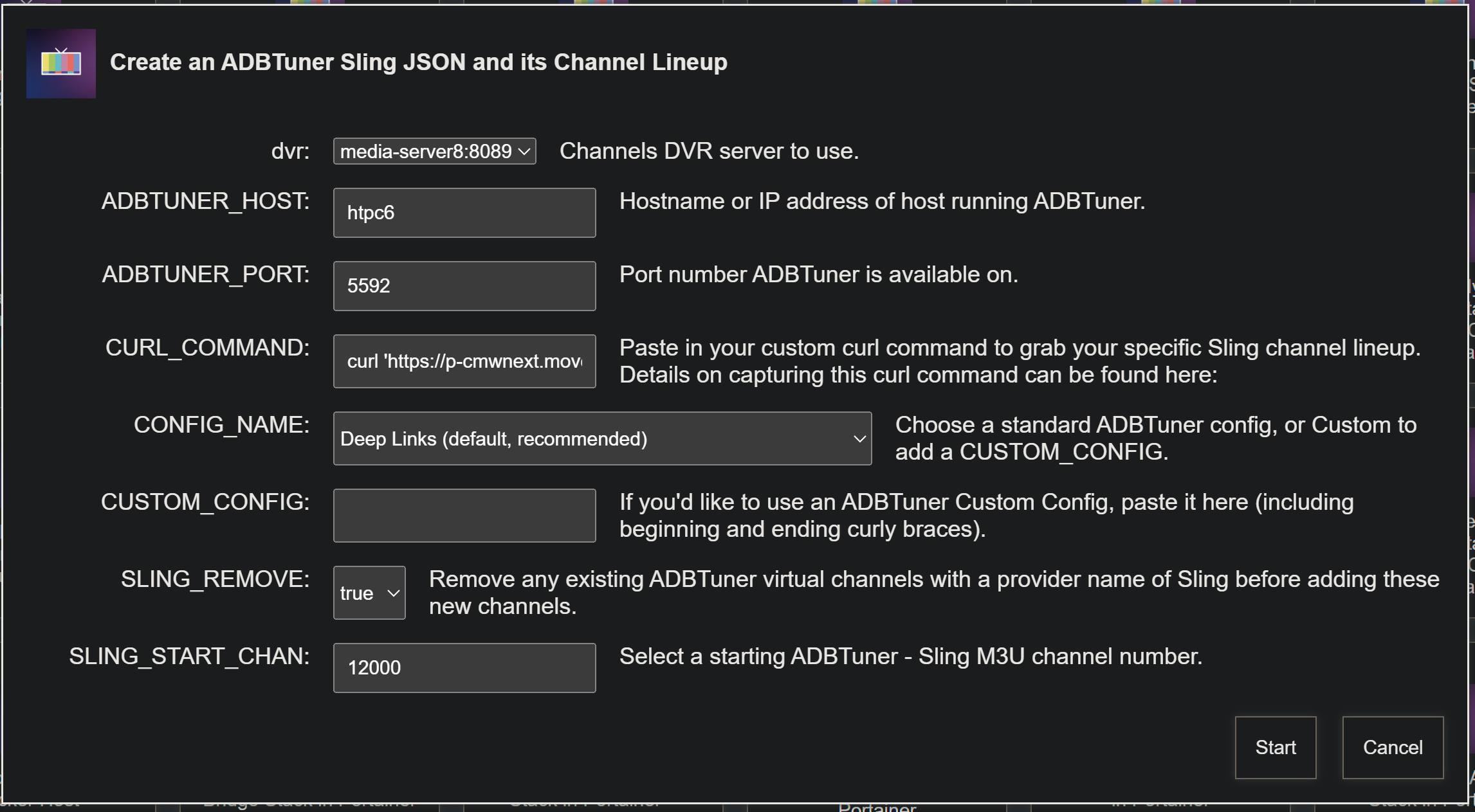
The custom config you pasted in will be added to ADBTuner, and each channel created will be set to use that as it's tuning configuration.
Leaving SLING_REMOVE set to true is generally a good idea, as that will delete any existing ADBTuner channels with a provider name of Sling.
The SLING_START_CHAN value must be set, as Sling has no standard channel numbers. Be sure the starting channel number you choose is not already in use.
If everything goes according to plan, you should see OliveTin standard output like this:
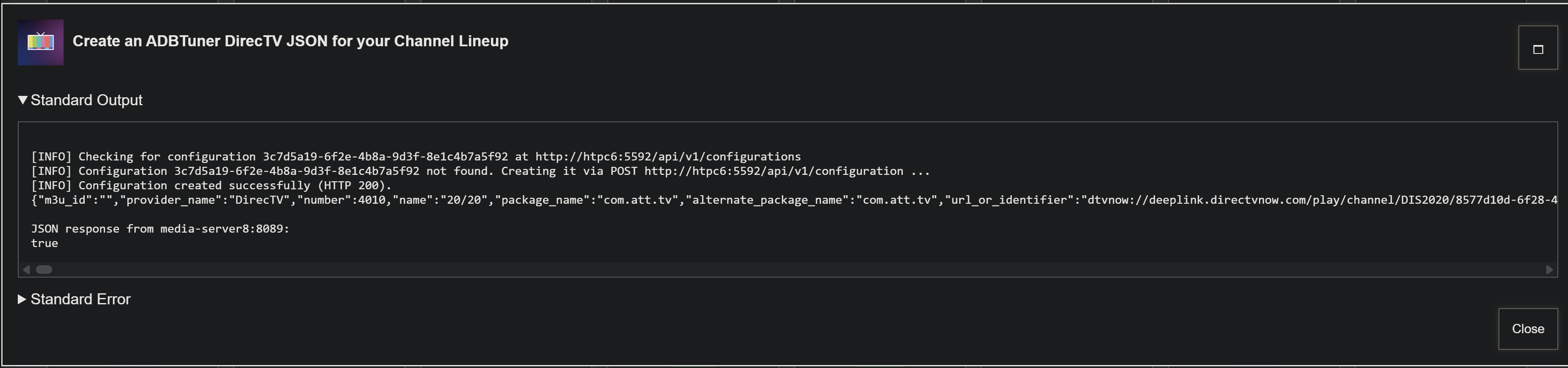
This Action should go live later today (12 Dec 25), and I'll edit this post once it's available for download. In the meantime, I wanted to let you all know this is coming, and invite any comments on the process.
EDIT: It's pushed, and available as bnhf/olivetin:latest (aka bnhf/olivetin:2025.12.12).