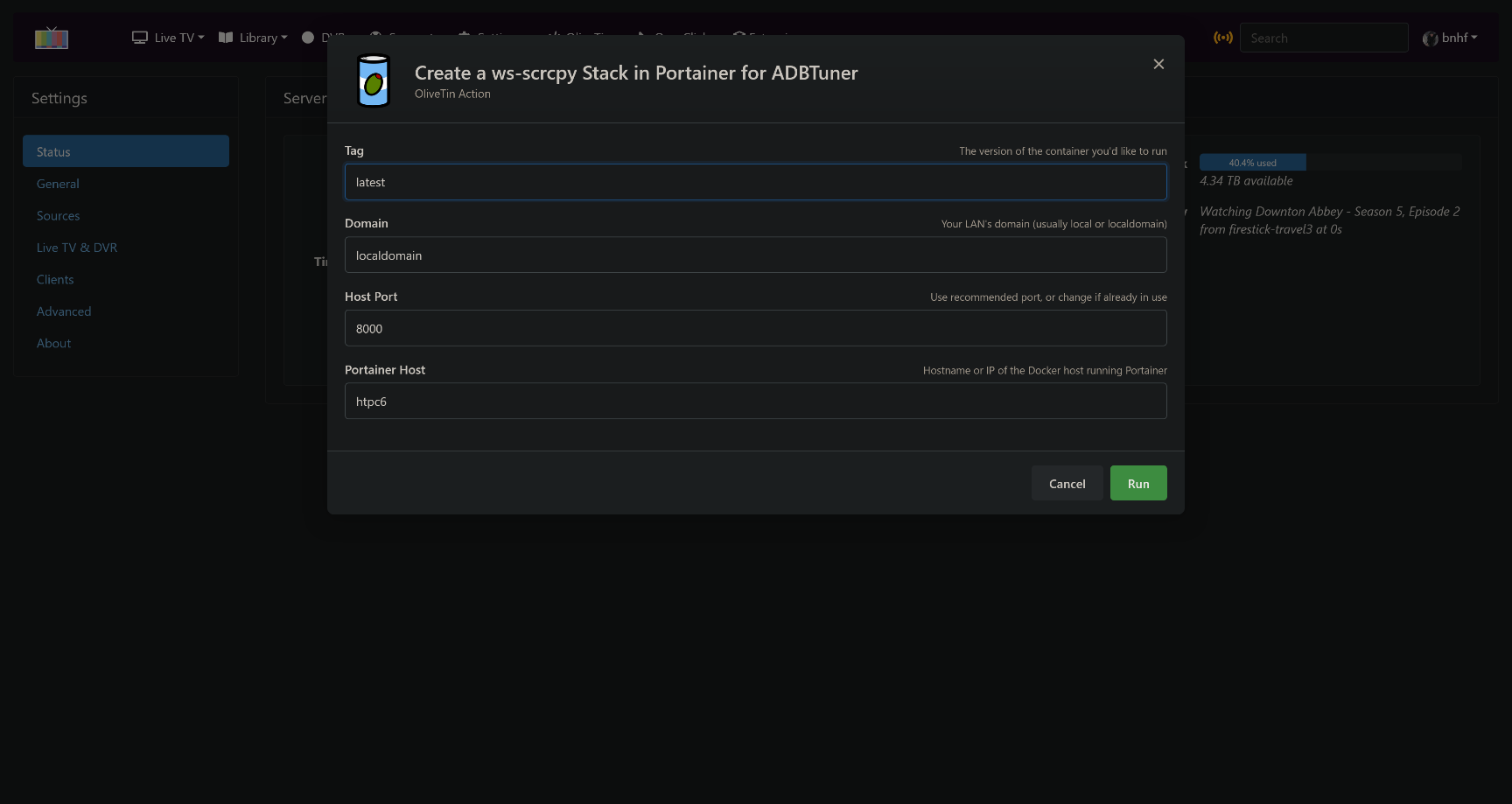
If you've used the ws-scrcpy that's included with ah4c, you've probably wondered if this could ever be made to work with ADBTuner. The answer is yes, and the time is now!
This new companion container is designed to work with your existing ADBTuner installation, as it will determine what streaming sticks you've configured, and will make use of your existing auth keys.
ws-scrcpy is a browser-based version of the well known scrcpy application. This app allows you to mirror the display on an Android device, complete with mouse and keyboard interaction. As you might imagine, this makes tasks like installing additional applications on your encoder-connected streaming sticks faster and more convenient.
The basic ws-scrcpy WebUI, allows you to open an ADB shell or mirror the display:
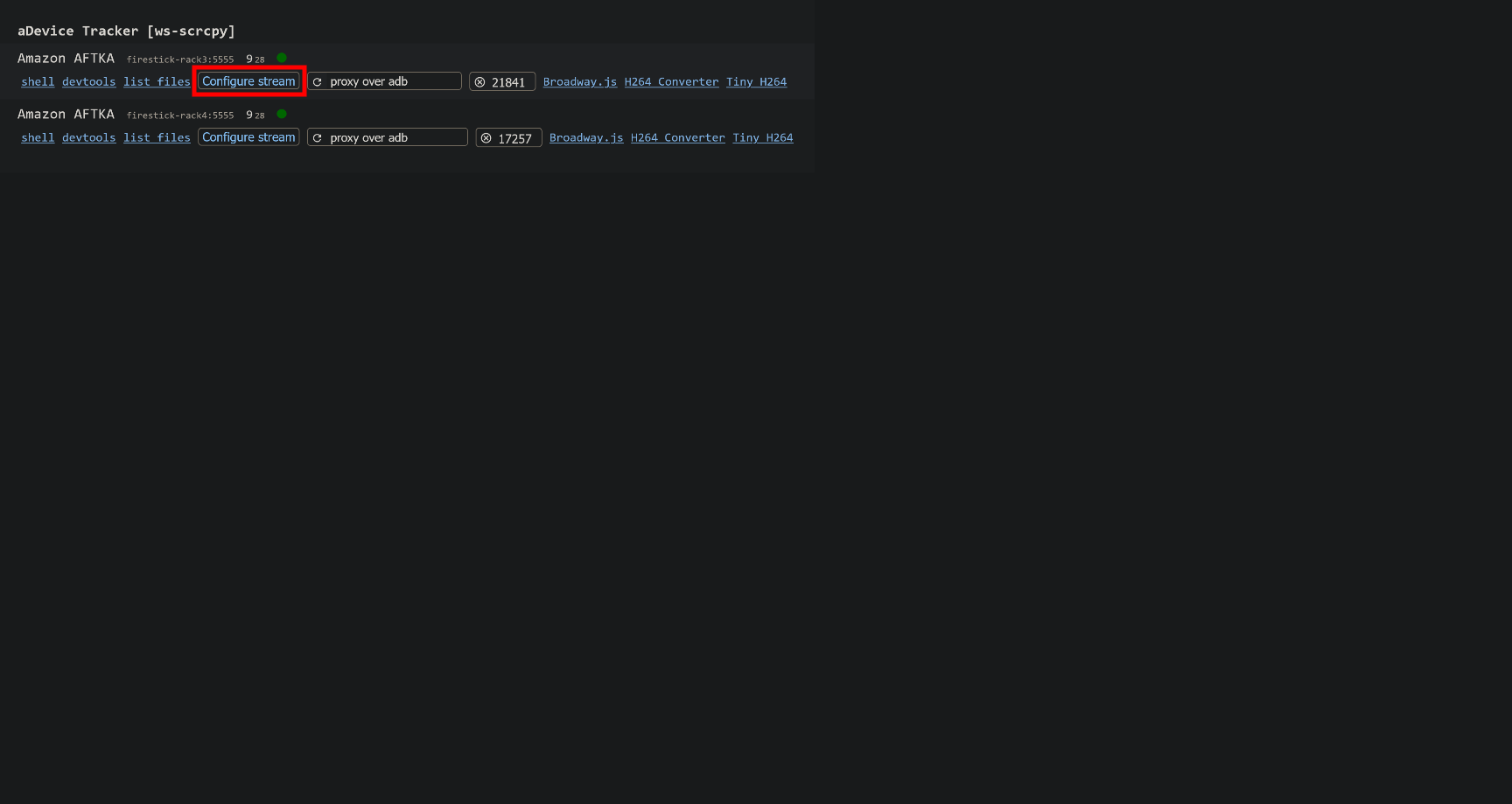
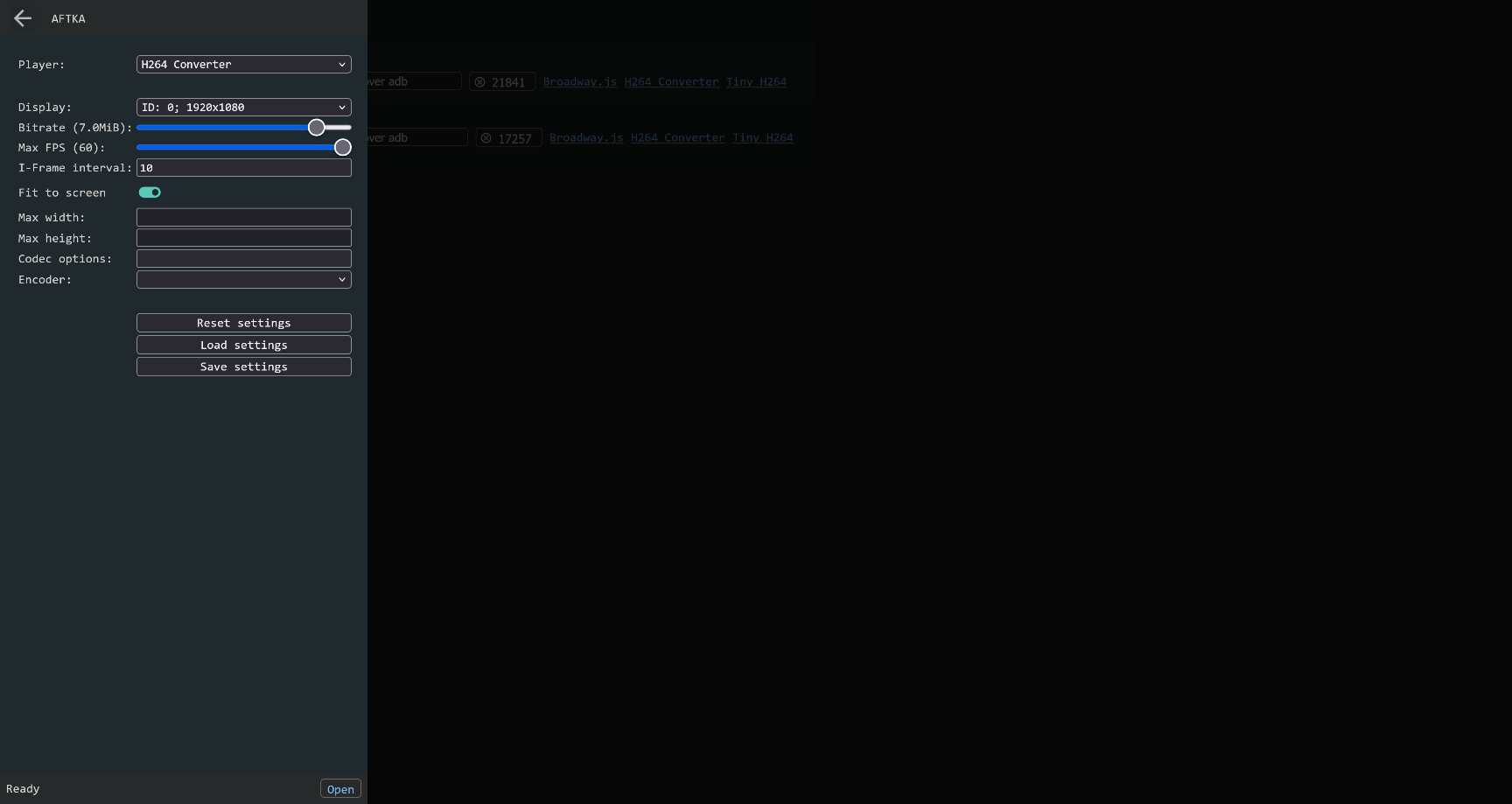
Click on Configure stream, and use the settings suggested in this screenshot, and click Save settings, followed by Open:
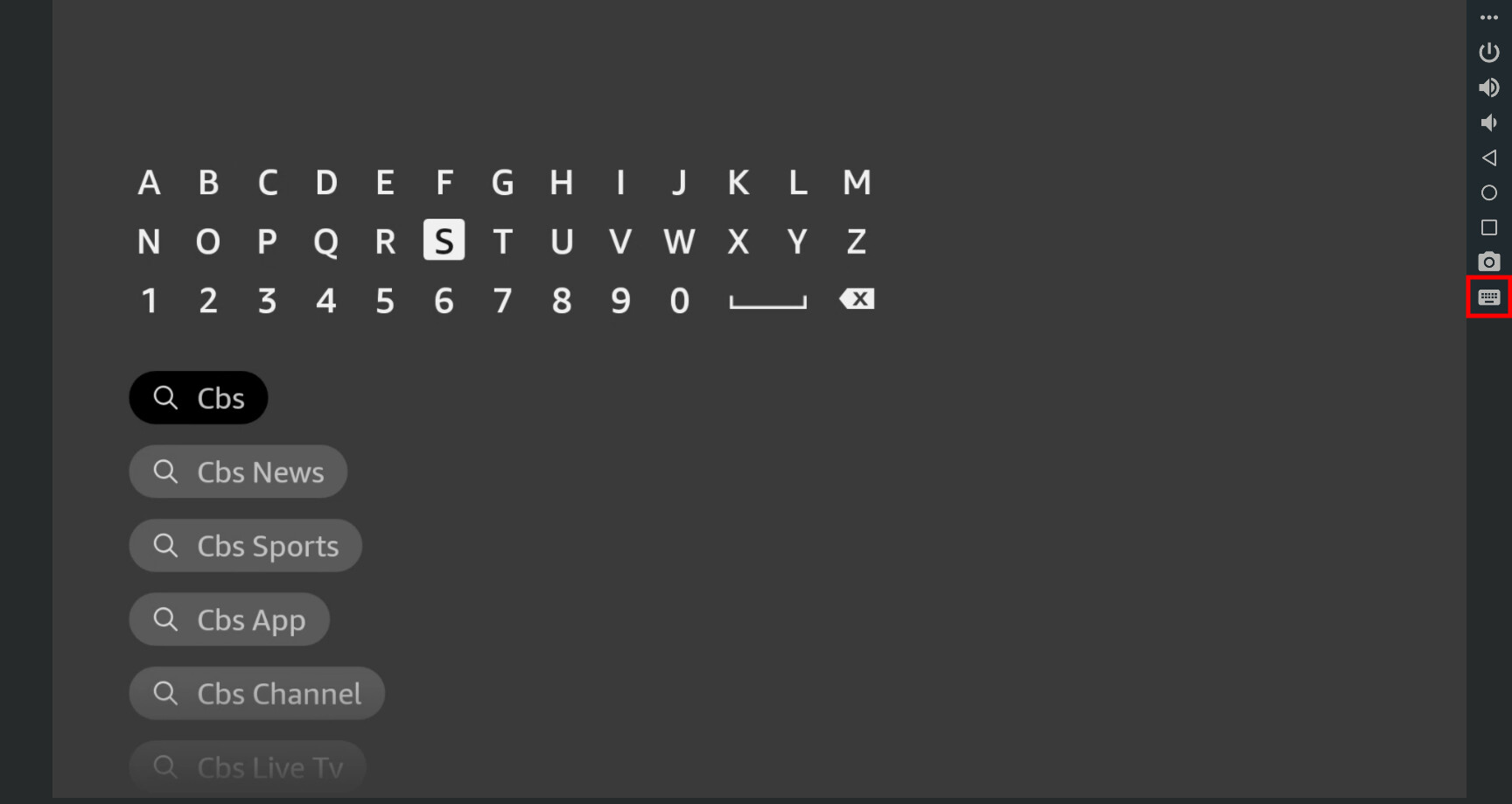
Next, you'll see a duplicate of what's currently displaying on the streaming stick you selected, in your browser. Click the keyboard icon on the right to use arrow or other keys on your keyboard, in addition to the mouse:
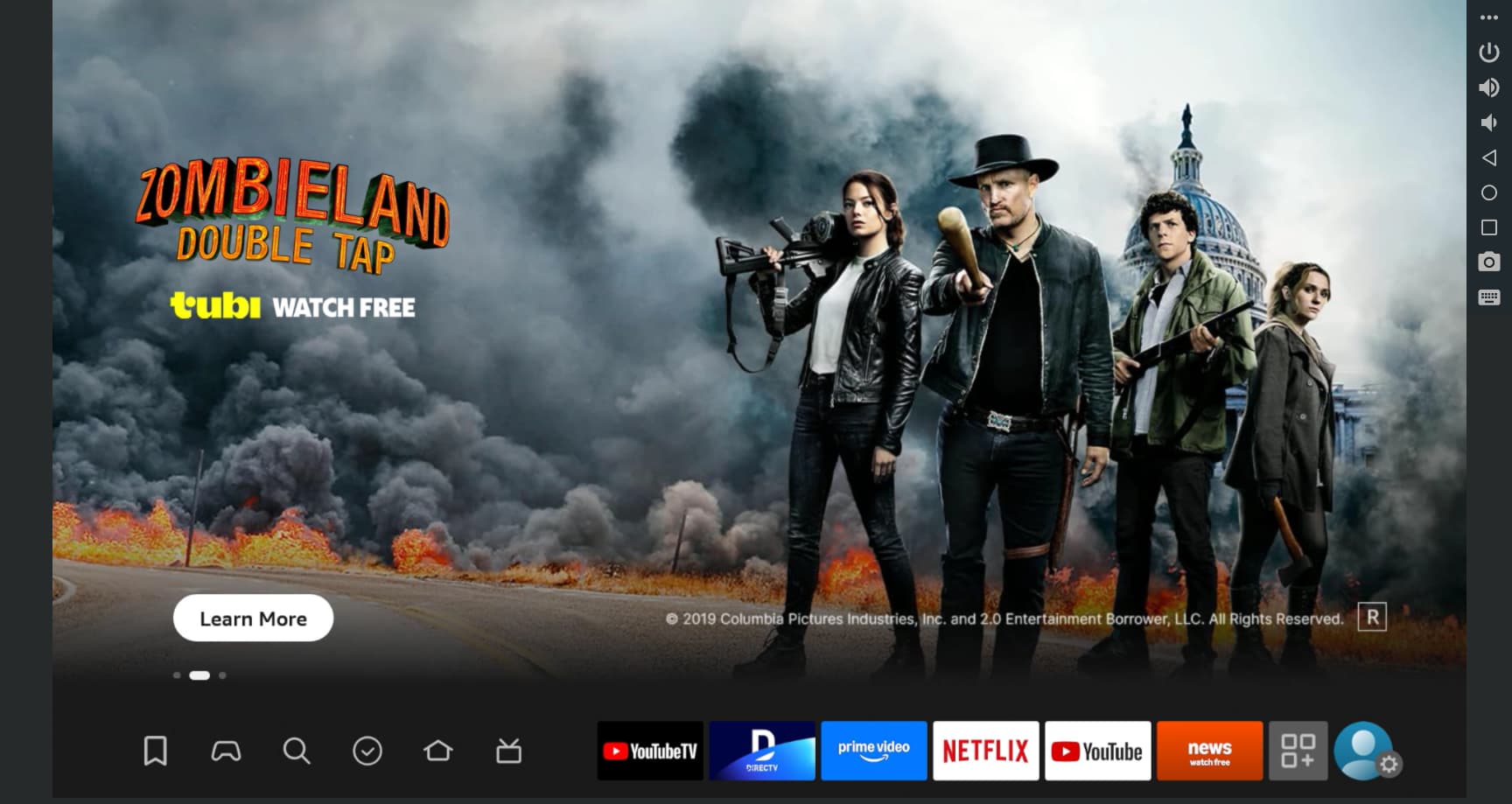
There are back and home buttons on the right as well. Keep in mind you will not be able to view DRM protected content this way, but app installations and settings changes are easily done, with the advantages of mouse and keyboard over using a remote:
To get back to the ws-scrcpy WebUI, use your browser's refresh button.
I've made this installable through Project One-Click, either via the classic dashboard or the new Project WebUI+. With WebUI+ you'll be able to both install (or remove) the project, and access its WebUI right from the CDVR WebUI. Cool right?
Classic dashboard:
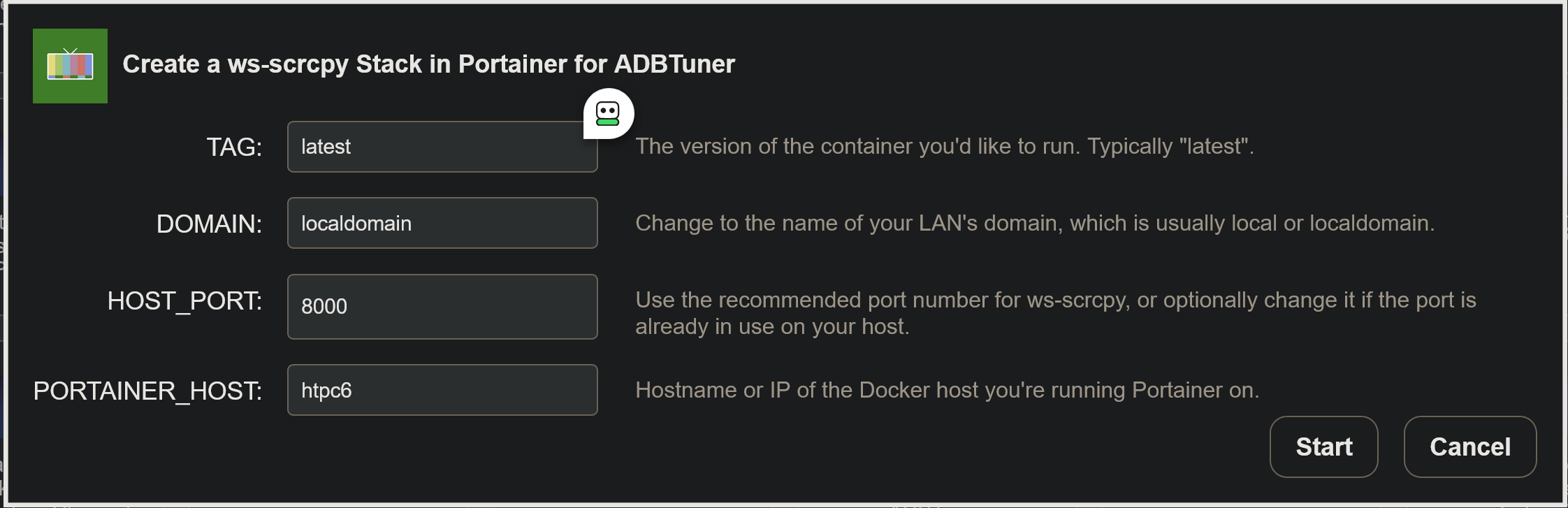
Project WebUI+: