Add “delete after” option to record menu

I like to record many shows - especially sports - so I can:

  • start watching after the start and “catch up“ by skipping commercials
  • keep several simultaneous shows “in the buffer”

… but I keep clogging my hard drive with shows that finished recording after I stopped watching, and/or I didn’t remember to erase. I would really, really appreciate an option on the record page to automatically delete the recording after a time: an hour, 2 hours, a day, a week, etc.

Thanks for your consideration!
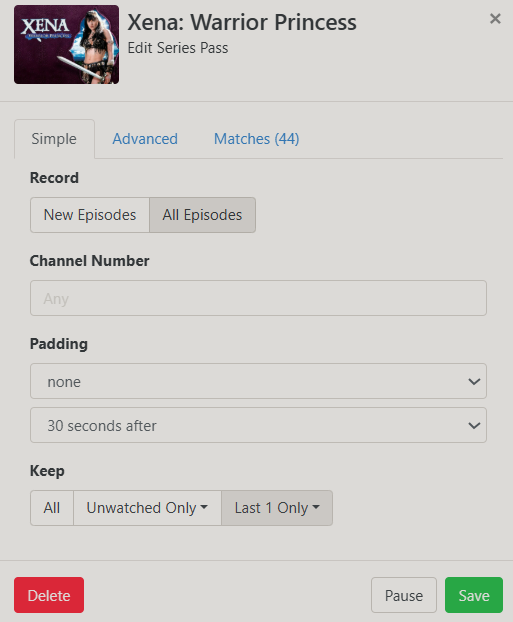
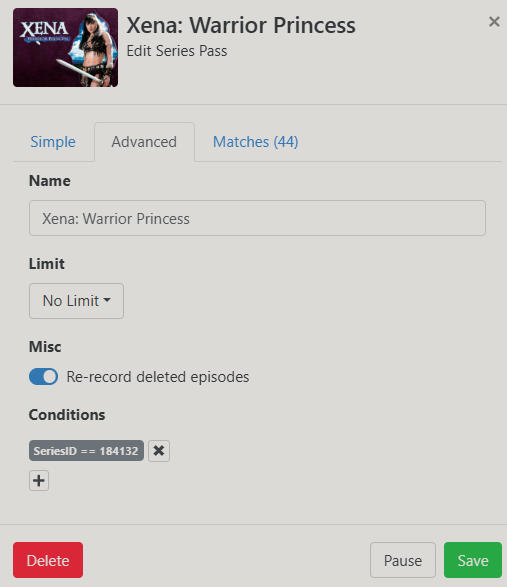
while we wait for more robust manual recording options, I'd suggest just setting up a pass for shows you frequently watch like that, but don't care about.
have it record all episodes, keep last 1 Only, and re-record deleted episodes
something like this for example


edit; Welcome! and this is the dvr webUI btw.

Thanks for the reply! That is how I handle things like cooking shows, motor week, my favorite sports teams, etc.

Unfortunately for the random sports games example I gave, where I just look at the day’s offerings and pick what I want to watch …

  • it doesn’t work from the guide. I’m trying it now with several upcoming nfl games, and it doesn’t give me a “create pass” option.
  • even if it did, that would clog my season passes, which just shifts the cleaning up burden, and to a less friendly section of the UI

not sure where it came from in my pass, but the series id for any NFL game is SeriesID==191277

Thanks! NFL games today were just a test. I’m more of a CFB fan, but I don’t want to blanket record them. I just pick 3-4 games throughout the week that I will follow.