AndroidHDMI for Channels (ah4c): A virtual channel tuner using HDMI Encoder(s) + streaming stick(s)

In addition to the above bmitune.sh and M3U changes, try this approach in the CMD field:

"bash -c 'sleep $(cat 192.168.1.130/tune_sleep); magewell2ts -i 1 -s 100 -q 12 -c h264_qsv -m '"

It's working with the command and with the adjustment to the m3u for hbo.

I had to put the declared times between quotation marks before they registered. The tune_sleep file was coming up empty until I did that.

I am testing with vlc and I notice that the delay doesnt always work after a fresh restart of ah4c. Testing a bit more for consistency.

#!/bin/bash

provider=$(echo $1 | awk -F~ '{print $1}')
callSign=$(echo $1 | awk -F~ '{print $2}')
contentID=$(echo $1 | awk -F~ '{print $3}')
contentID2=$(echo $1 | awk -F~ '{print $4}')
tunerIP="$2"
tunerNoPort="${tunerIP%%:*}"
    mkdir -p $tunerNoPort
adbTarget="adb -s $tunerIP shell am start -a android.intent.action.VIEW -d  "

# Adjust the desired sleep times by provider
declare -A sleepTime=(
  [dtv]="8"
  [max]="15"
  [yttv]="5"
)

echo "${sleepTime[$provider]}" > $tunerNoPort/tune_sleep 

case "$provider" in
    "dtv")
        $adbTarget dtvnow://deeplink.directvnow.com/play/channel/$callSign/$contentID
        ;;
    "max")
        $adbTarget https://play.max.com/channel/watch/$contentID/$contentID2 && sh maxhello.sh $tunerIP
        ;;
    "yttv")
        $adbTarget https://tv.youtube.com/watch/$contentID?onboard=1 -n com.google.android.youtube.tvunplugged/com.google.android.apps.youtube.tvunplugged.activity.MainActivity
        ;;
    *)
        exit 1
        ;;
esac

Cool. What are you doing in maxhello.sh?

maxhello gets rid of the profile screen for the hbo app.

#!/bin/bash

adb -s $1 shell input keyevent 19
sleep 6
adb -s $1 shell input keyevent 62
adb -s $1 shell input keyevent 66

Basically lots of spamming then pressing the select key.

@bnhf

New question. Is there a way to serve each of my tuners individually over a network instead of all in one m3u? Say for example I wanted to share each magewell tuner from ah4c into adbtuner?

Can you give me a bit more detail on what you have in mind here? And, maybe an example or two?

So if you recall from above I am using a magewell card that encodes four HDMI streams with the command for each stream looking this:

magewell2ts -i 1 -s 100 -q 12 -c h264_qsv -m

The number for the -i input increases by one for each tuner.

I am trying to find a way to get the tuners working in adbtuner as well and have been thinking of ways to share them form ah4c since adbtuner only works with network encoders like link pi and such.

The problem is that ah4c sends them all out in a m3u file and does not provide a path to each individual tuner. I am wondering if there might to be a path to each tuner within ah4c that I am missing.

I can share one tuner at a time using the following:

magewell2ts -i 1 -s 100 -q 12 -c h264_qsv -m | ffmpeg -i - -c:v copy -c:a copy -f mpegts  rtp://127.0.0.1:1234

or this one:

magewell2ts -i 2 -s 100 -q 12 -c h264_qsv -m | ffmpeg -i - -c:v copy -c:a copy -f mpegts  udp://127.0.0.1:1234/1

Is there a way this can be done using ah4c?

I guess in a sense I am trying to turn the linux box with the tuner into a link pi of sorts.

This may work, with a slight variation in approach. If you thought of your Linux box plus the Magewell capture card as a virtual encoder (e.g. LinkPi), and let ADBTuner handle the tuning as usual.

Untested, but try this for your encoder URL in ADBTuner:

http://<linux box>:7654/play/tuner<tuner number>/magewell~tuner<tuner number>

And in your prebmitune.sh, bmitune.sh and stopbmitune.sh you need to set a provider name of "magewell" to do nothing, as ADBTuner would be doing the virtual channel changes.

ah4c should do its thing as usual (using the specified tuner number) as far as starting the stream using the Magewell card and ffmpeg -- just without sending any ADB commands to the streaming stick.

EDIT: Corrected URL

Thanks!

This format works with my testing so far with vlc"

http://<linux box>:7654/play/tuner<tuner number>/magewell~tuner<tuner number>

The content of prebmitune.sh, bmitune.sh, and stopbmitune.sh is kept at simply:

#!/bin/bash

This should get all the tuners that work with ah4c to work with adbtuner. I need to spin up a docker of adbtuner to test.

1 Like

@bnhf

Sorry to bother you. I want to try and teach myself some stuff.
I am going to try experimenting some.
I would like to try some vibe coding with VSCode and Cline on the ah4c files specifically for the ATV version (bnhf/ah4c:appletv).

My first question is which git would you use as a base?
bnhf/ah4c or
sullrich/ah4c

Both have the "Dockerfile-pyatv" file and it looks like sullrich ah4c has been updated more recently with at least some of the updates by you.

If I what to experiement locally and I understand all this right I would ...

  1. Clone the git repository
  2. Make changes to files
  3. Run Docker Build using "Dockerfile-pyatv" for the appletv build

Don't know golang at all and only how to spin up docker containers in portainer so it should be a great adventure. :joy:

This one.

Correct on all counts.

Absolutely -- should be fun!

1 Like

@boukmandutty, I am planning something for my own Magewell card that should help. That is to write a thin web wrapper for magewell2ts that will make each port look like a networked tuner much like a URayTech or LinkPi.

Keep me posted. Will be willing to test along with you. For now feeding it to adbtuner from ah4c seems quite steady, but only with the "Keep Device Awake" option enabled. If that is not enabled then the tuner falls asleep and recordings are missed.

Will do.

posting here because ah4c is all i really care about at the moment.
I don't think I setup wsl and docker properly last year and was struggling to setup olivetin ect..
I did have portainer and ah4c working.
I started over by removing my stacks and images from docker, before uninstalling docker and wsl with reboots.
installed wsl, reboot, then updated wsl w/ reboot.
I then used olivetin-ez-start-soup-to-nuts-portable-installer-for-windows-11-cdvr-server-wsl-debian-docker-desktop-portainer-olivetin-for-channels-with-project-one-click-all-a-click-away
I'll admit it did not go very smooth for me, but I could have screwed up anywhere.
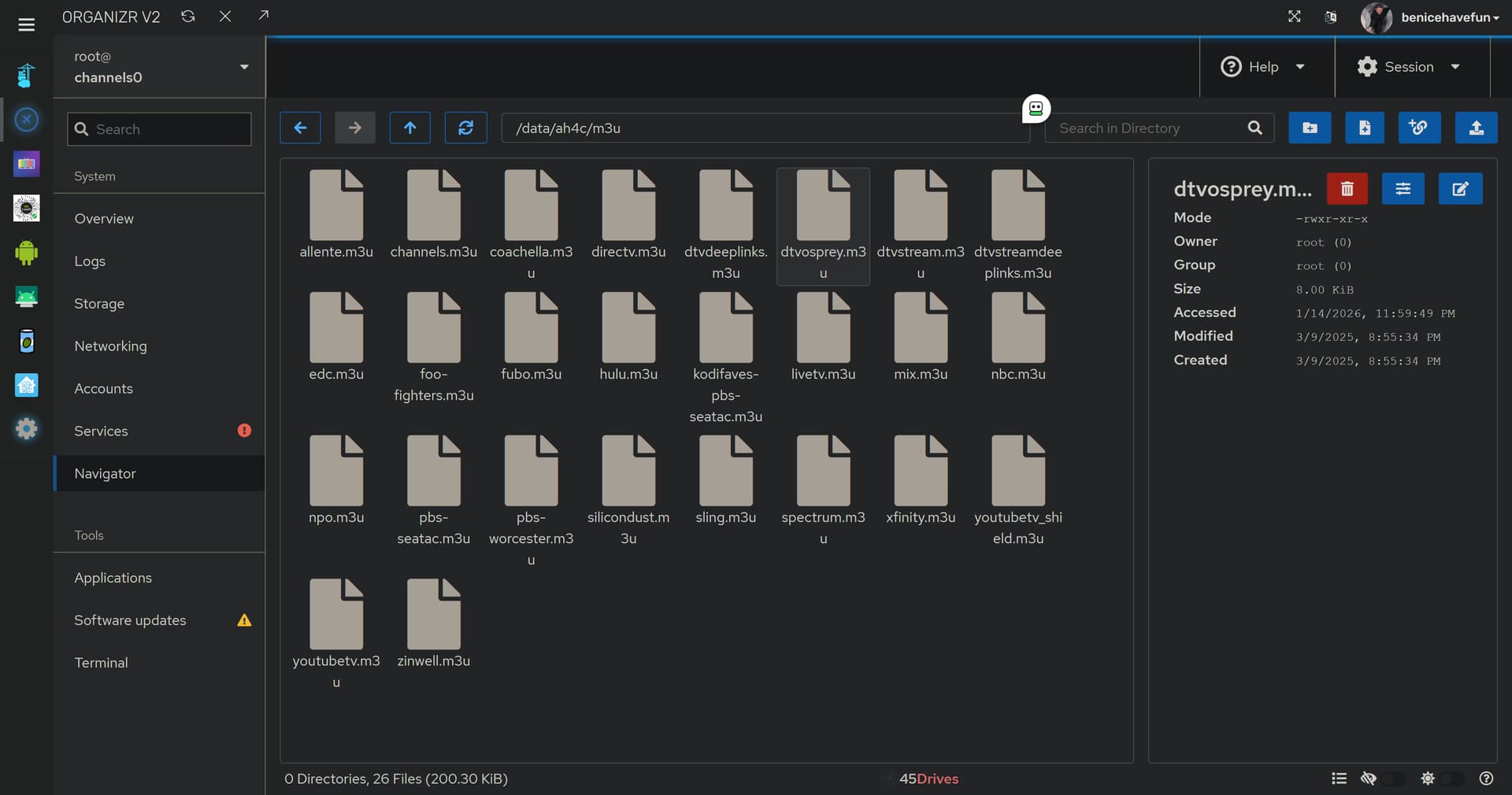
I do have things working again except I'm missing the scripts in \\wsl.localhost\Debian\data\ah4c\scripts\osprey\directv
also it's set read only so now I'm lost again.
I'm sure there's something fairly easy to getting it working since I can use a firestick script, but obviously doesn't function the osprey right.

this was the standard error from oneclick

+ dvr=10.0.0.7:8089
++ basename /config/ah4c.sh
+ extension=ah4c.sh
+ extension=ah4c
+ cp /config/ah4c.env /tmp
+ envFile=/tmp/ah4c.env
+ [[ -n 10.0.0.7 ]]
+ extensionURL=10.0.0.7:7654
+ [[ # == \# ]]
+ cdvrStartingChannel=
+ [[ -n '' ]]
+ cdvrIgnoreM3UNumbers=
+ cdvrM3UName=dtvosprey.m3u
+ cdvrM3UNameNoExt=dtvosprey
+ dirsFile=/tmp/ah4c.dirs
+ ah4cContainer='#'
+ [[ # == \# ]]
+ ah4cContainer=
+ envVars=("TAG=$2" "CONTAINER_NAME=$extension$ah4cContainer" "HOSTNAME=$extension$ah4cContainer" "DOMAIN=$3" "ADBS_PORT=$4" "HOST_PORT=$5" "SCRC_PORT=$6" "IPADDRESS=$7" "NUMBER_TUNERS=$8" "TUNER1_IP=$9" "ENCODER1_URL=${10}" "TUNER2_IP=${11}" "ENCODER2_URL=${12}" "TUNER3_IP=${13}" "ENCODER3_URL=${14}" "TUNER4_IP=${15}" "ENCODER4_URL=${16}" "TUNER5_IP=${17}" "ENCODER5_URL=${18}" "TUNER6_IP=${19}" "ENCODER6_URL=${20}" "TUNER7_IP=${21}" "ENCODER7_URL=${22}" "TUNER8_IP=${23}" "ENCODER8_URL=${24}" "TUNER9_IP=${25}" "ENCODER9_URL=${26}" "STREAMER_APP=${27}" "CHANNELSIP=${28}" "ALERT_SMTP_SERVER=${29}" "ALERT_AUTH_SERVER=${30}" "ALERT_EMAIL_FROM=${31}" "ALERT_EMAIL_PASS=${32}" "ALERT_EMAIL_TO=${33}" "LIVETV_ATTEMPTS=${34}" "CREATE_M3US=${35}" "UPDATE_SCRIPTS=${36}" "UPDATE_M3US=${37}" "TZ=${38}" "SPEED_MODE=${39}" "KEEP_WATCHING=${40}" "AUTOCROP_CHANNELS=${41}" "LINKPI_HOSTNAME=${42}" "LINKPI_USERNAME=${43}" "LINKPI_PASSWORD=${44}" "USER_SCRIPT=${45}" "HOST_DIR=${46}" "CDVR_STARTING_CHANNEL=${47}" "CDVR_M3U_NAME=${48}" "AH4C_CONTAINER=${49}")
+ synologyDirs=("${46}/ah4c$ah4cContainer/scripts" "${46}/ah4c$ah4cContainer/m3u" "${46}/ah4c$ah4cContainer/adb")
+ printf '%s\n' TAG=latest CONTAINER_NAME=ah4c HOSTNAME=ah4c DOMAIN=localdomain ADBS_PORT=5037 HOST_PORT=7654 SCRC_PORT=7655 IPADDRESS=minipc:7654 NUMBER_TUNERS=2 TUNER1_IP=10.0.0.130:5555 ENCODER1_URL=http://10.0.0.121/live/stream0 TUNER2_IP=10.0.0.130:5555 ENCODER2_URL=http://10.0.0.121/live/stream1 TUNER3_IP=# ENCODER3_URL=# TUNER4_IP=# ENCODER4_URL=# TUNER5_IP=# ENCODER5_URL=# TUNER6_IP=# ENCODER6_URL=# TUNER7_IP=# ENCODER7_URL=# TUNER8_IP=# ENCODER8_URL=# TUNER9_IP=# ENCODER9_URL=# STREAMER_APP=scripts/firetv/directv CHANNELSIP=minipc ALERT_SMTP_SERVER=smtp.gmail.com:587 ALERT_AUTH_SERVER=smtp.gmail.com [email protected] ALERT_EMAIL_PASS=xxxxxxxxxxxxxxxx [email protected] LIVETV_ATTEMPTS= CREATE_M3US=false UPDATE_SCRIPTS=true UPDATE_M3US=true TZ=US/Central SPEED_MODE=false KEEP_WATCHING=4h AUTOCROP_CHANNELS= LINKPI_HOSTNAME= LINKPI_USERNAME= LINKPI_PASSWORD= USER_SCRIPT= HOST_DIR=/data CDVR_STARTING_CHANNEL=# CDVR_M3U_NAME=dtvosprey.m3u AH4C_CONTAINER=#
+ printf '%s\n' /data/ah4c/scripts /data/ah4c/m3u /data/ah4c/adb
+ sed -i /=#/d /tmp/ah4c.env
+ /config/portainerstack.sh ah4c
+ [[ 0 == 1 ]]
++ tr -d '\n'
+++ customChannels
+++ cat
++ echo -n '{
  "name": "ah4c - dtvosprey",
  "type": "MPEG-TS",
  "source": "URL",
  "url": "http://10.0.0.7:7654/m3u/dtvosprey.m3u",
  "text": "",
  "refresh": "24",
  "limit": "",
  "satip": "",
  "numbering": "",
  "start_number": "",
  "logos": "",
  "xmltv_url": "",
  "xmltv_refresh": "3600"
}'
+ customChannelsJSON='{  "name": "ah4c - dtvosprey",  "type": "MPEG-TS",  "source": "URL",  "url": "http://10.0.0.7:7654/m3u/dtvosprey.m3u",  "text": "",  "refresh": "24",  "limit": "",  "satip": "",  "numbering": "",  "start_number": "",  "logos": "",  "xmltv_url": "",  "xmltv_refresh": "3600"}'
+ true
+ curl -s -o /dev/null http://10.0.0.7:7654
+ [[ -n '' ]]
+ sleep 5
+ true
+ curl -s -o /dev/null http://10.0.0.7:7654
++ echo 0
+ extensionUp=0
+ [[ -n 0 ]]
+ break
+ echo -e '\nJSON response from 10.0.0.7:8089:'
+ curl -X PUT -H 'Content-Type: application/json' -d '{  "name": "ah4c - dtvosprey",  "type": "MPEG-TS",  "source": "URL",  "url": "http://10.0.0.7:7654/m3u/dtvosprey.m3u",  "text": "",  "refresh": "24",  "limit": "",  "satip": "",  "numbering": "",  "start_number": "",  "logos": "",  "xmltv_url": "",  "xmltv_refresh": "3600"}' http://10.0.0.7:8089/providers/m3u/sources/ah4c-dtvosprey
  % Total    % Received % Xferd  Average Speed   Time    Time     Time  Current
                                 Dload  Upload   Total   Spent    Left  Speed

  0     0    0     0    0     0      0      0 --:--:-- --:--:-- --:--:--     0
100   274    0     0  100   274      0   1356 --:--:-- --:--:-- --:--:--  1363
100   278  100     4  100   274     14   1026 --:--:-- --:--:-- --:--:--  1045

The STREAMER_APP= value should be scripts/osprey/dtvosprey to use remote control emulation style tuning (channel number-based tuning on the Osprey), or scripts/osprey/dtvospreydeeplinks to use deeplinks.

Stop the ah4c stack, change that value, and click Update the stack.

sorry that was copy/pasted from explorer. here's my env

TAG=latest
CONTAINER_NAME=ah4c
HOSTNAME=ah4c
DOMAIN=localdomain
ADBS_PORT=5037
HOST_PORT=7654
SCRC_PORT=7655
IPADDRESS=minipc:7654
NUMBER_TUNERS=2
TUNER1_IP=10.0.0.130:5555
ENCODER1_URL=http://10.0.0.121/live/stream0
TUNER2_IP=10.0.0.131:5555
ENCODER2_URL=http://10.0.0.121/live/stream1
STREAMER_APP=scripts/osprey/directv
CHANNELSIP=minipc
ALERT_SMTP_SERVER=smtp.gmail.com:587
ALERT_AUTH_SERVER=smtp.gmail.com
[email protected]
ALERT_EMAIL_PASS=xxxxxxxxxxxxxxxx
[email protected]
LIVETV_ATTEMPTS=
CREATE_M3US=false
UPDATE_SCRIPTS=true
UPDATE_M3US=true
TZ=US/Central
SPEED_MODE=false
KEEP_WATCHING=4h
AUTOCROP_CHANNELS=
LINKPI_HOSTNAME=
LINKPI_USERNAME=
LINKPI_PASSWORD=
USER_SCRIPT=
HOST_DIR=/data
CDVR_M3U_NAME=dtvosprey.m3u

This is what you need to change -- as posted above.

:blush: ya know, I sometimes have dyslexia when reading a tape measure, but it's easy to tell when you cut a board wrong. maybe that's why I got out of the IT game 20yrs ago.

it's working now.
the first few times today I copy/pasted that field, but not this last time.. :relieved:
thanks!