Also, this is surely wrong...
EDIT: Try fixing this first. This should be the IP or resolvable host name of your CDVR server.

Also, this is surely wrong...
EDIT: Try fixing this first. This should be the IP or resolvable host name of your CDVR server.
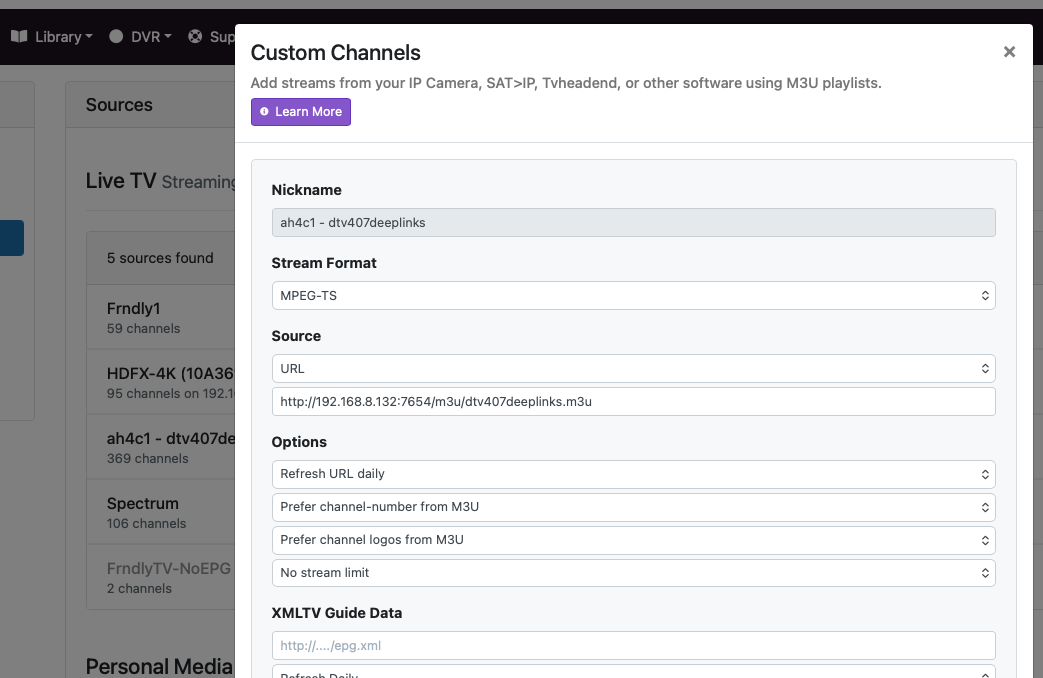
Did you change this M3U name in your CDVR Custom Channels Source as well? Please post a screenshot of that.
@bnhf do you still need me to look into this? It seems like it's unrelated to my code changes from what I can tell.
I just updated this to the actual IP and redeployed. I saw that as the default and didn't understand it, but also just left it as it was
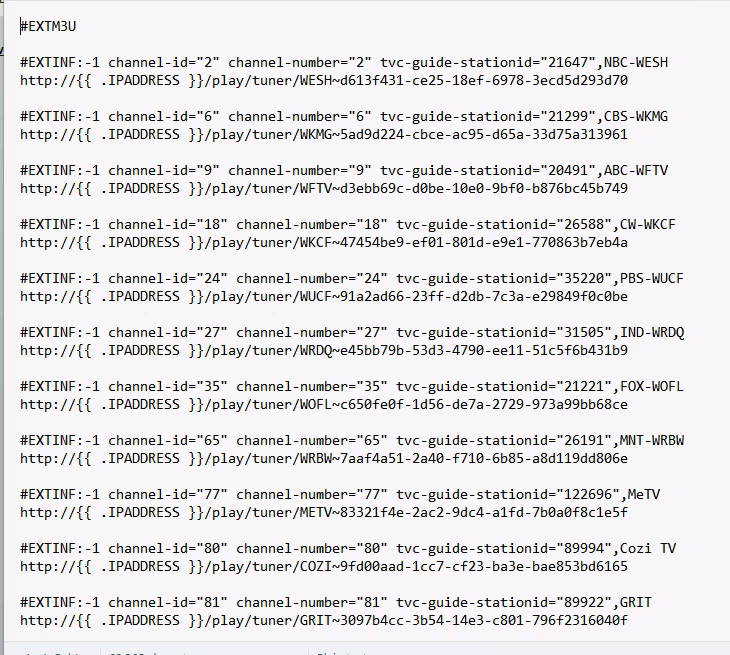
This is one I created with the olivetin custom one for my package. It is setup that way in CDVR. A screenshot of CDVR source and the file itself.
We'll see after he rolls-back to before your changes.
He's not using the null packets, so that is ruled out!
Just updating the IP env variable to the actual IP didn't change the behavior. I had one normal tuning session followed by one that took the 2 minutes and used 2 tuners to get a good session. I'm going to try forcing the version you posted above next.
On those failed tunes, have you tried looking at the encoder output to see what, if anything, is streaming from those that are showing as inactive?
Hang on are the Gemini Air's not working but the Ospreys are? I wonder if the Air's have a different package name. I don't think anyone has documented a Gemini Air. They are super expensive.
Updated the TAG to 2026.04.06 and redeployed. The first tune was normal again, and the second tune attempt did the same as before, taking 2 min and using 2 tuners.
The HDMI encoder's web interface doesn't indicate client devices but does show the first 2 devices as on and streaming. It's an Oravision 4 port encoder if that makes any difference.
The Gemini Air devices are the first 2 connected. I'm not sure if that is a coincidence or not. I want to say I've seen all 3 get locked up, but I don't remember 100%. Currently the first 2 (both air devices) are reported as in use but aren't actually. Let me try a few more times to see if the older osprey box ends up in the same state.
Try to isolate, if the Osprey will tune but the airs don't. Change the tuner priority in your .env so the Osprey is the first one and see if it works. Then we may have a different schema for the Gemini Air devices.
Does your Encoder's WebUI give you the ability to peek-in on the stream? If not, you'll need to use VLC to connect to each URL to see what's streaming. As @mackid1993 is suggesting, it's possible you won't see an active DTV stream -- but maybe just the homepage.
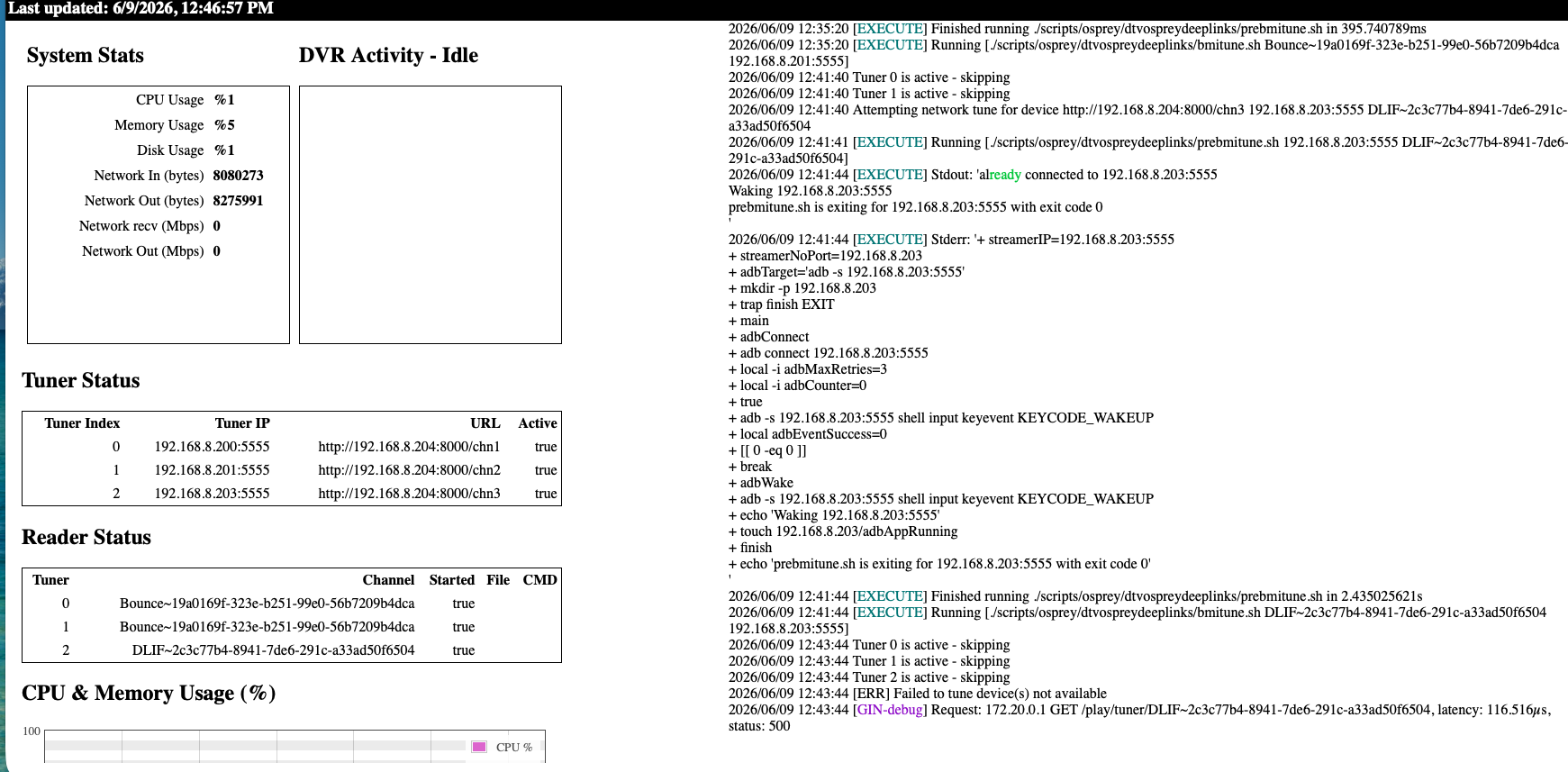
The same thing just happened with the Osprey. Both Gemini Air devices were tied up with the failed tunes to COZI and the Osprey was attempted for DLIF which timed out after 2 min. From the CDVR logs:
2026/06/09 12:35:20.466844 [TNR] Opened connection to M3U-ah4c1-dtv407deeplinks for ch82 BounceTV
2026/06/09 12:37:20.468009 [TNR] Closing connection M3U-ah4c1-dtv407deeplinks ch82 after no data was received for 2m0s
2026/06/09 12:37:20.468009 [TNR] Closed connection to M3U-ah4c1-dtv407deeplinks for ch82 BounceTV
2026/06/09 12:37:20.468009 [SNR] Buffer statistics for 192.168.8.132 (192.168.8.132) for ch82 BounceTV: buf=0% drop=0%
2026/06/09 12:41:44.152565 [TNR] Opened connection to M3U-ah4c1-dtv407deeplinks for ch261 Discovery Life
2026/06/09 12:43:44.153520 [TNR] Closing connection M3U-ah4c1-dtv407deeplinks ch261 after no data was received for 2m0s
2026/06/09 12:43:44.153520 [TNR] Closed connection to M3U-ah4c1-dtv407deeplinks for ch261 Discovery Life
2026/06/09 12:43:44.154050 [SNR] Buffer statistics for 192.168.8.132 (192.168.8.132) for ch261 Discovery Life: buf=0% drop=0%
2026/06/09 12:43:44.175677 [ERR] Could not start stream for ANY ch261 Discovery Life: M3U: GET: http://192.168.8.132:7654/play/tuner/DLIF~2c3c77b4-8941-7de6-291c-a33ad50f6504: 500 Internal Server Error
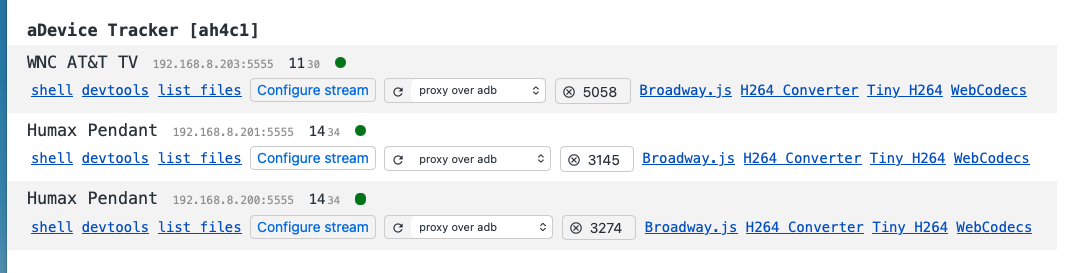
Can I ask a really quick question... you turned USB debugging on right? And authorized them? I just want to be certain. It's easy to forget. If you go to 192.168.8.132:7655 do you see them?
I can peep on the stream and I see the active programming on all 3 streams. It is the correct channels, 2 are on Bounce and One on Discovery Life as reported by ah4c in the status
Are you certain your ENCODER url 100% matches up to your tuner? The HDMI's are all correct? And does the VLC test pass?
This is from the encoder's web ui:
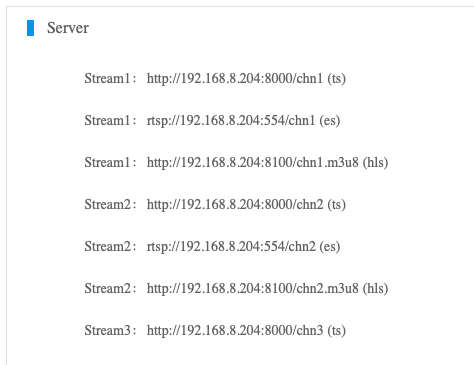
I used the ts stream for all 3. I just double checked the env values above and they do match 100%