
Let me know if you like Cohere. It's at the top of the leaderboards right now so it should be pretty good. Might still need a bit of tuning but I think it's very good for AI transcription.
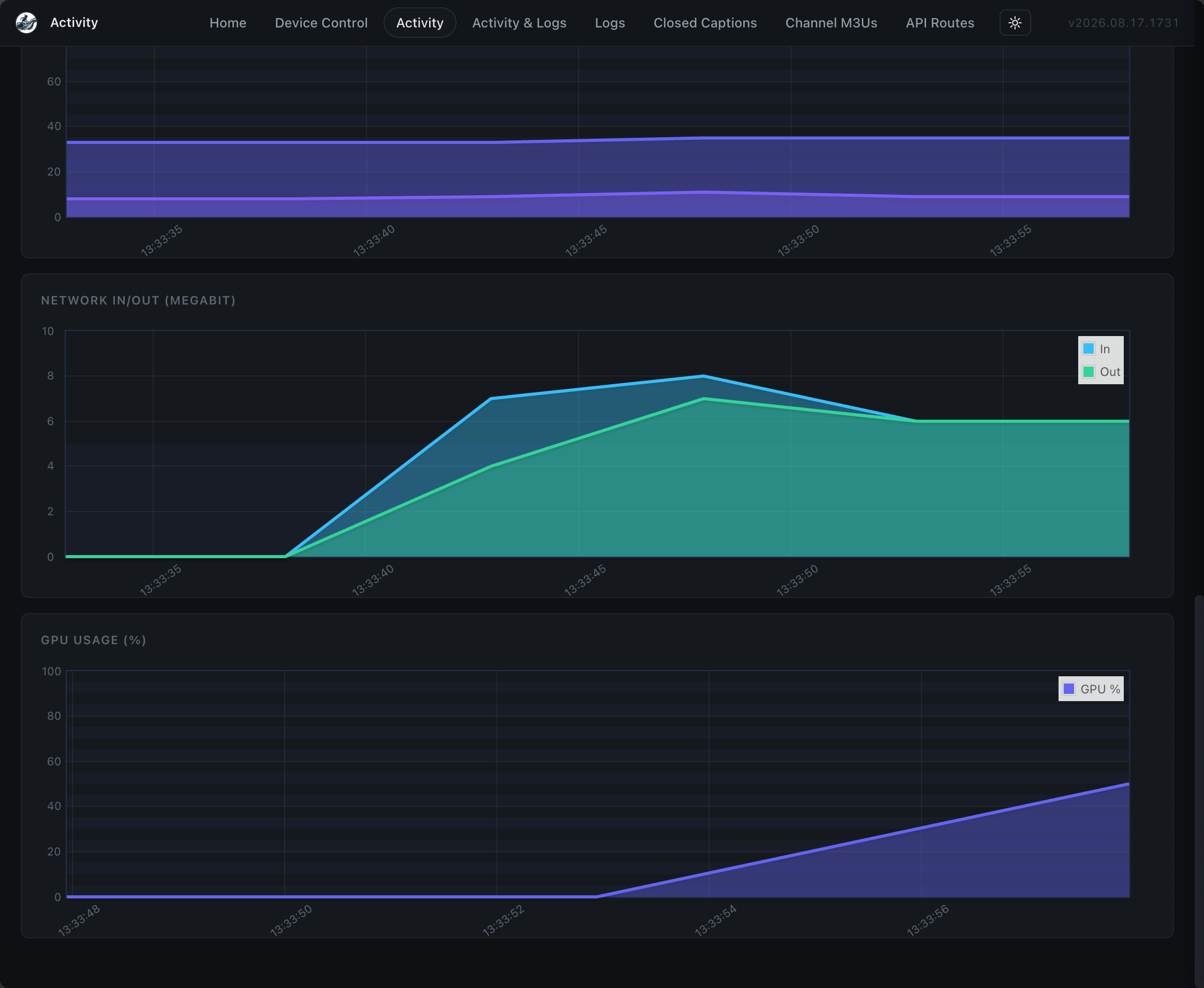
Very cool. More accurate, but sentence oriented. It's great that you've included options. It's interesting how the GPU usage is much more burst oriented -- which seems like it could be better with multiple tuners in use.
Still no data on my GPU USAGE graph...
Cohere is awesome for people with a ton of tuners because it shares memory across all of them. It's very sentence oriented.
I also just added a setting set the sentence's length. Thinking it'll help with like news shows where it's like talking heads and the model needs more context to transcribe accurately.

The real-time models don't need this at all. Jumping from four seconds to five seconds really enhances accuracy from what I can tell.
@mackid1993 BRAVO!!!
I got two simultaneous programs closed captioning using apple silicon CPU only using the recommended Nemotron model. I need to play more with all the nifty other changes you made. Very nice. In your experience , if a GPU is used, does it improve any of the slight lag im experiencing. This could be a bullet item to look into later to solve how to get the GPU support on apple silicon Macs for this. But otherwise here are a few screenshots of my activity monitor with zero, one , and two closed caption slipstream sessions going on....
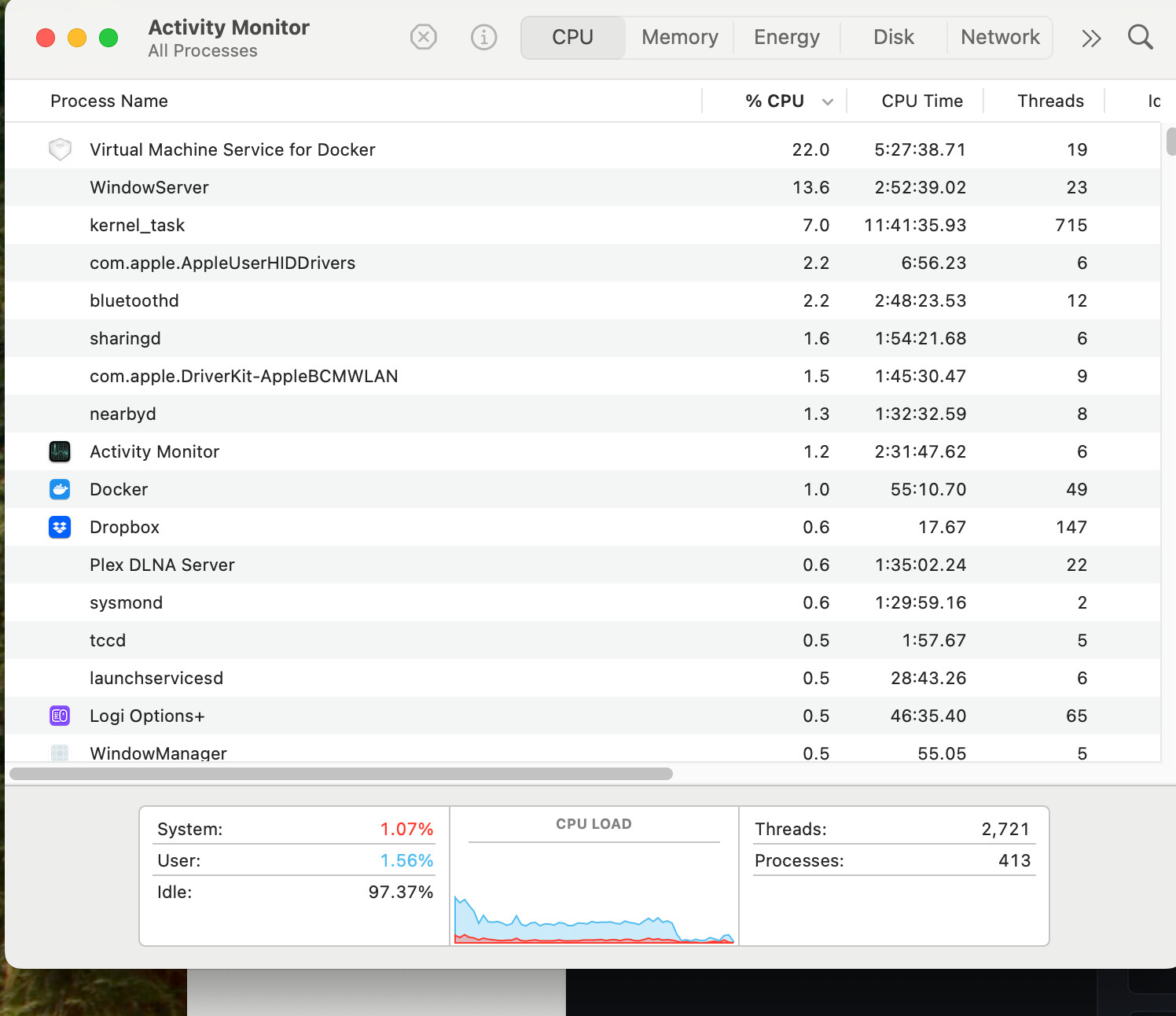
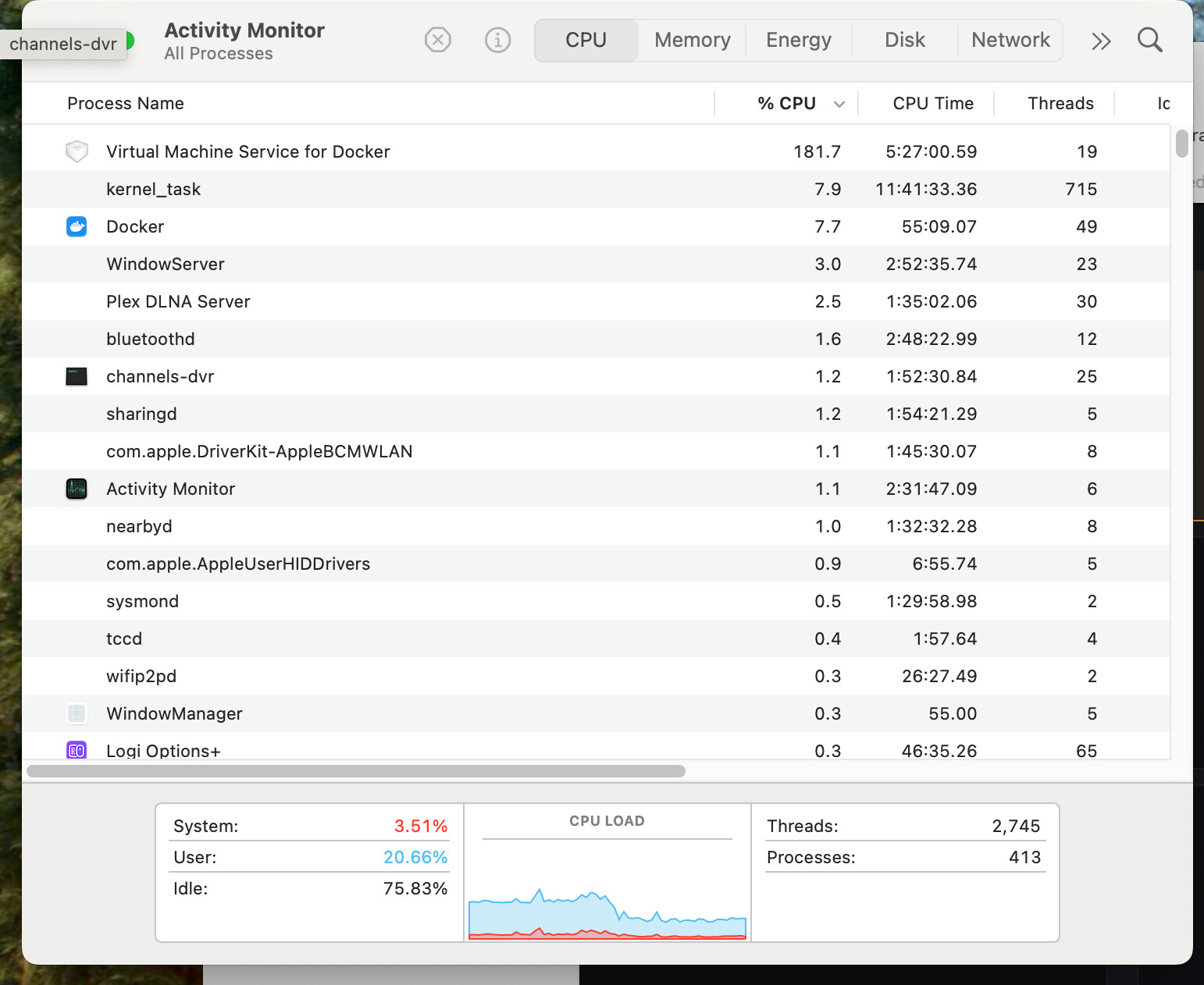
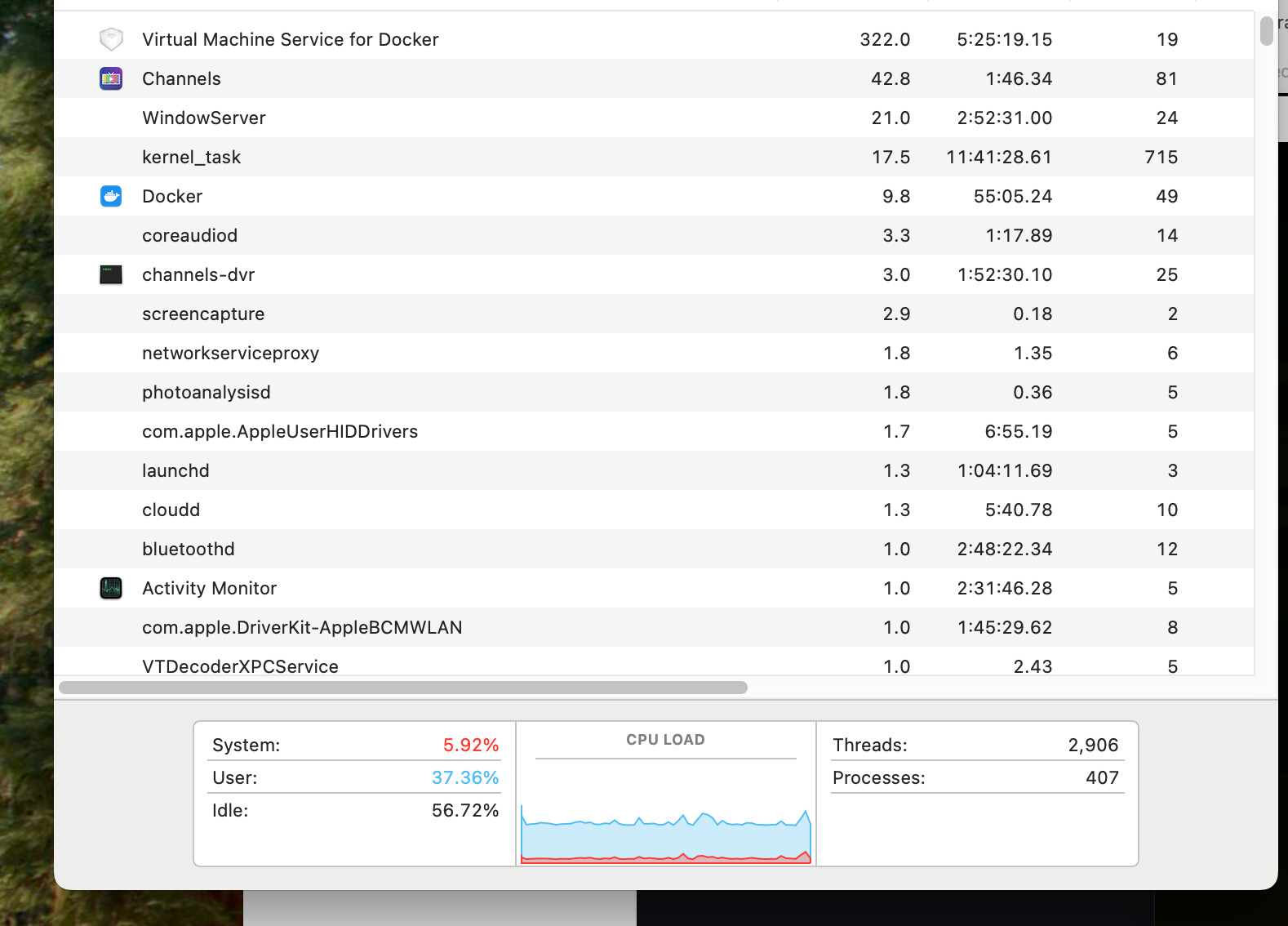
Still very usable and VERY MUCH APPRECIATED. once again BRAVO!
@bnhf seems like the merge worked. I used beta2 tag for this.
I verified the ffmpeg version, pyatv version, etc.
existing tuning scripts seem to be working great, now with CC support!!
Thanks to both of you, and if any more testing needed (perhaps someday some kind of GPU support for the apple folks) just let me know...
1 Like
The :beta3 tag should also work for you, and has all the latest -- so give it a try.
New models on the beta3 tag as well! Let me know how you like Cohere!
Tim Cook must be contacted first unforuntately.
I just loaded the beta3 up and am using Cohere. I noticed now with two channels running, im getting much improved CPU loading. It's roughly 75% idle for either one or two simultaneous transcribes!!
Ive played with the roll-up and the sentence length on my "benchmark" station which is a live TV broadcast of a sports radio talk show. So no background noise, just well isolated studio talk. As opposed to a live sporting event - that's the next test.
So far the accuracy is very nice. There is some delay, but I think where Im getting distracted is more in the presentation settings...
Is there a way to have an adjustment in capture settings for the word wrap width (caption box width)?
I think the delay wouldn't be as noticeable if the "caption box" was wider. All the extra rollup can be distracting.
Have you tried adding more rows or removing rows?
The box, I don't think, can be wider than it is, unfortunately. I'm pretty sure I have it as wide as it can be, but I'll definitely investigate that if it continues to be an issue. It's more of the fact that with Cohere, it needs the entire sentence before it can transcribe it to have full context.
What you can try to do is reduce the sentence length. That would reduce accuracy but speed things up quite a bit.
@mackid1993 Since going to beta3, I'm having some issues similar to what @mnwxman132 is describing.
The Closed Captions are not taking advantage of the real estate on the screen, and often disappear faster than I can read them. Sometimes they're dismissed when they could be left up -- i.e. there's no new dialog.
Also, I tried to switch back to Nemotron model, and the log indicated that happened. However, it sure looked to me like the Cohere sentence-based model was still being used.
Ive been playing with those button combos between sentence length, roll up speed and number of lines. I also noticed that the width is dynamically adjusting at times depending on the material.
I'll keep playing with this - Its really impressive what you have done!!! Many thanks for all your contributions to the community!!
You know what I moved it to CEA-708 (CTA-708 - Wikipedia) instead of 608. That may be why. I'll update my image with a toggle since 608 was left as a fallback. It was to allow more width on screen.
Wait @bnhf @mnwxman132 try this setting:

I can add more granularity to it if it helps.
I am pushing an image to my fork, it may help. Going to test in a moment.
Try watching the Colts/Patriots game on NFL Network, and I think you'll see what I mean. Lot's of captions disappear before you can read them, and I'm not seeing any difference in the way the two models I'm trying are rendering.
I found the nemotron issue and patched it! Working on the the disappearing. I think it's the way the sentence is being cut.
1 Like
I was able to switch models. I had to save the settings in the web UI, and then stop and then restart playback from channels.
I did it that way too, and the log says the Nemotron model is being used -- but to me, it doesn't render like the Nemotron model I was using in :beta2. It looks identical to Cohere.
@mackid1993 Any chance of some sort of "minimum time to display"? I'm currently watching WNBA Playback on the NBA Channel, and more often than not, I'm seeing all three lines display at once for one second or less.
That much captioning displayed all at once, for such a short amount of time, might as well be skipped. Are there any CC standards for these kinds of settings?
Is there any chance that the iGPU in my 14th Gen i9 is speeding things up faster than designed?
I think I know the issue. One sec. Testing something.
I went back to beta2 for now, and can confirm the Nemotron model is looking much better than the model i used on beta3.