
Definite bug. Do you mind fixing it, next time you're tweaking things?
Working on it now! Trying to let you pick from built in, local scripts, and gh as well.
1 Like
This is on my usual tags all fixed. I also accounted for someone putting a folder with scripts in the root, like I did because that was something I did just for my own purposes. Seems to handle that quite nicely.
I just have /scripts/david for example.
It's now open as PR # 47. That's going to be, if okay with you, my dumping ground for any last minute fixes. I don't know if you want to just pull it into your local tree and push the changes as they get committed. And at the end, it'll just be a roll-up of the minor last minute changes.
it was late, I forgot about priority  I guess my head was at test tv where I like to disable others, so I have no confusion if it works or not.
by disable I mean for that specific client (assuming you and your wife have separate tv's)
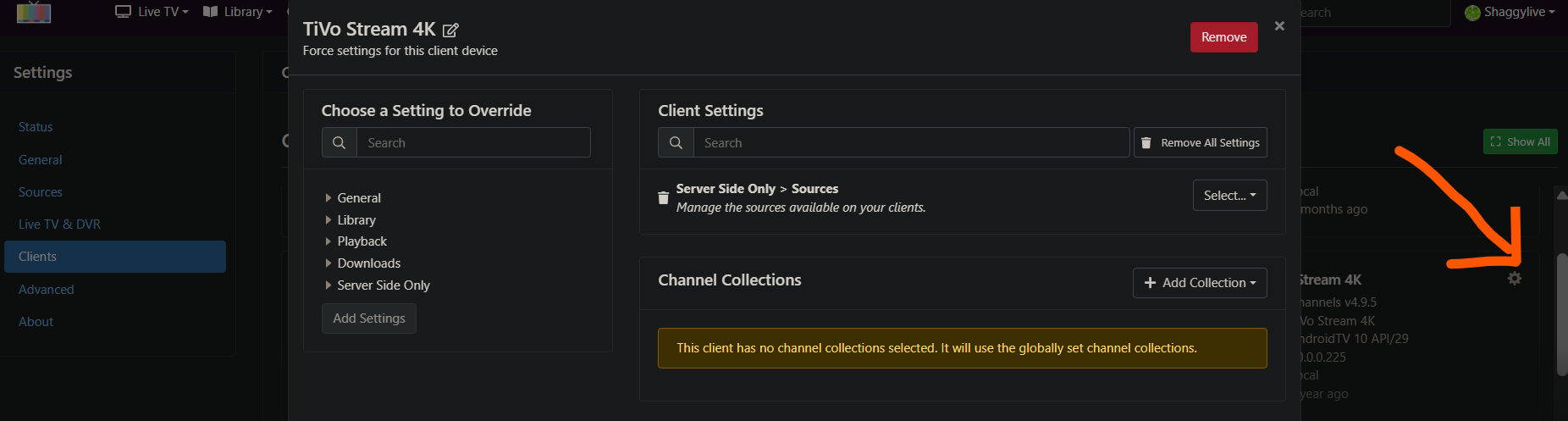
We share a TV, that's why I set up a separate Channels DVR server and AH4C stack so I can troubleshoot things and build without disturbing anyone.
I found that setting the source priority was the easiest. I set all clients for this to the lowest priority except my test tv which has a higher priority. It's 2 separate sources with identical data.
1 Like
Found another bug, so with my Android 14 boxes scrcpy doesn't like to behave unless I set the resolution to 1280 by 720. I'm looking into a solution that will automatically set the resolution and such for you, and also provide just a manual pass-through option like the way it used to be. Basically, just some presets to make it easy for people to use that feature without having to configure things. Because there are a lot of knobs to change with that, and if we could have a few just one size fits all presets and then like a manual option, I think that would be very useful.
Weird. I wonder when that crept in?
EDIT: Interestingly, I'm seeing that too on my ONN 4K Plus, but not on my ONN 4K Sticks (2026).
Have no idea, but I'm building something really, really cool to go with scrcpy. Think preset resolutions that a user can choose per box, or you know, custom profiles that you can save for a particular box.
And just a manual mode where it's the same as it ever was, essentially. And it just opens up scrcpy as it was. I'm utilizing that proxy window that I created to add a little shim at the top where you can choose whatever options you prefer and configure it the way you like.
I just am doing this mainly because my Onn 4K plus pucks don't work with it unless I set the resolution to that. It was super weird, and then I showed it to Claude, and it said it was the resolution.
1 Like
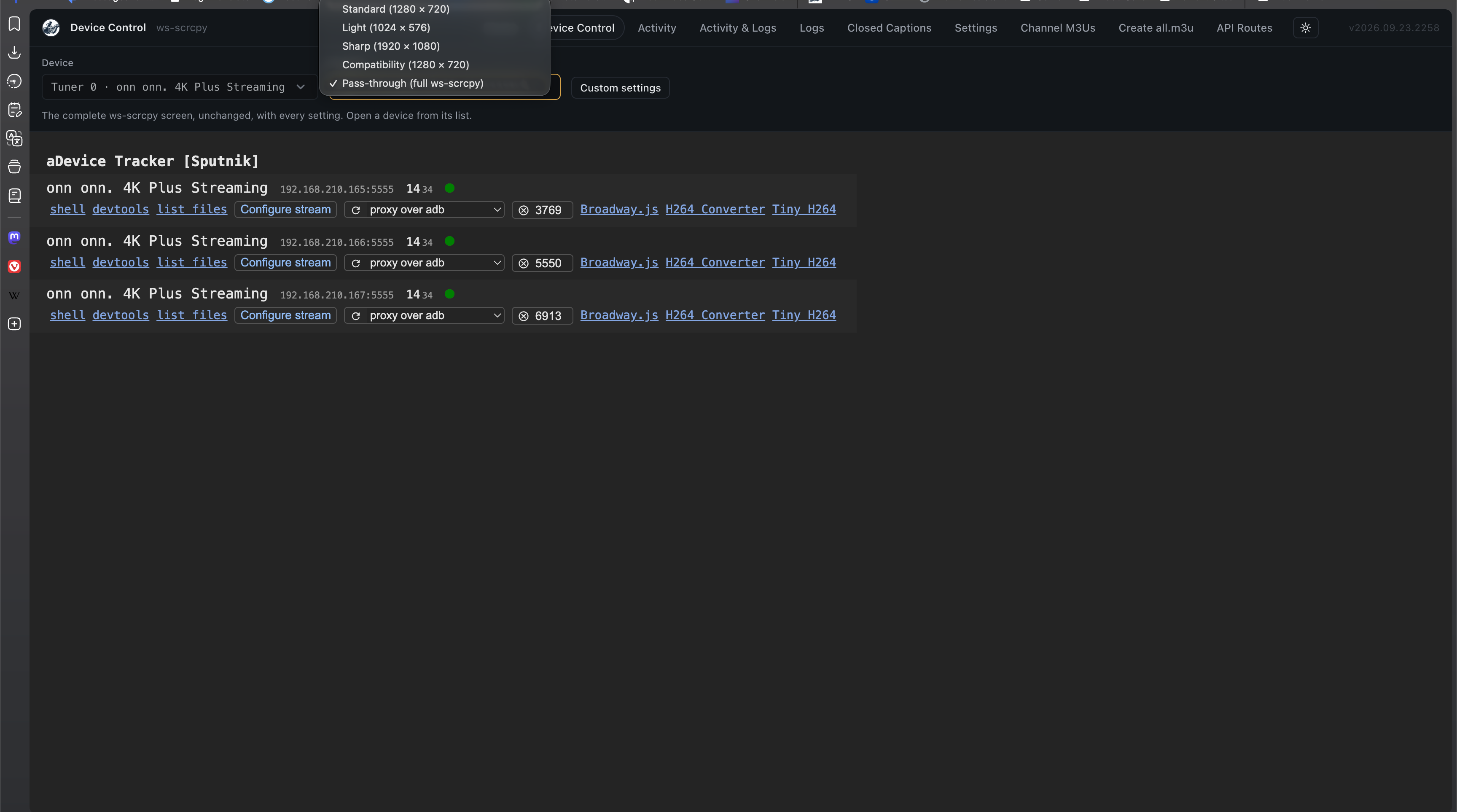
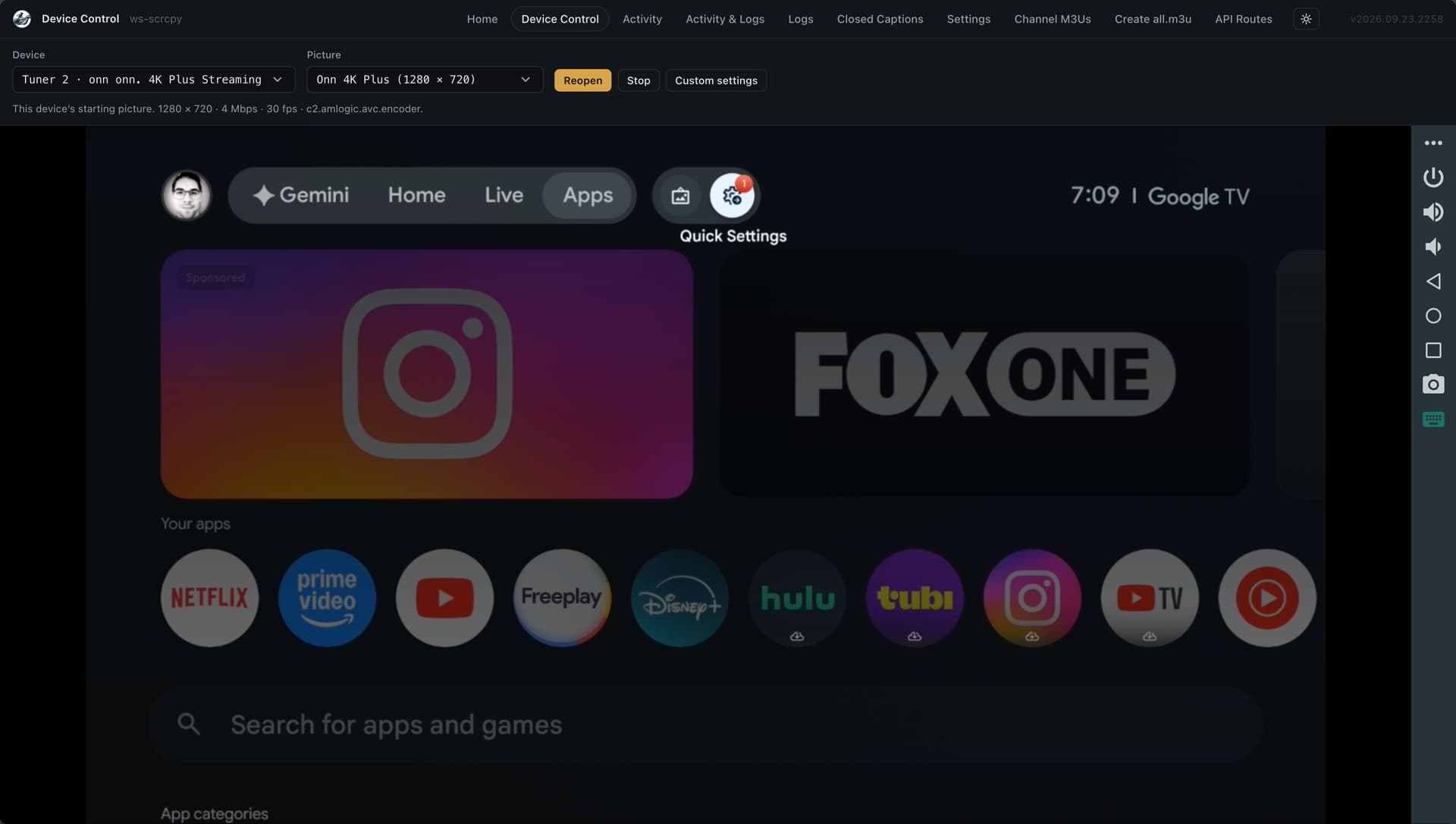
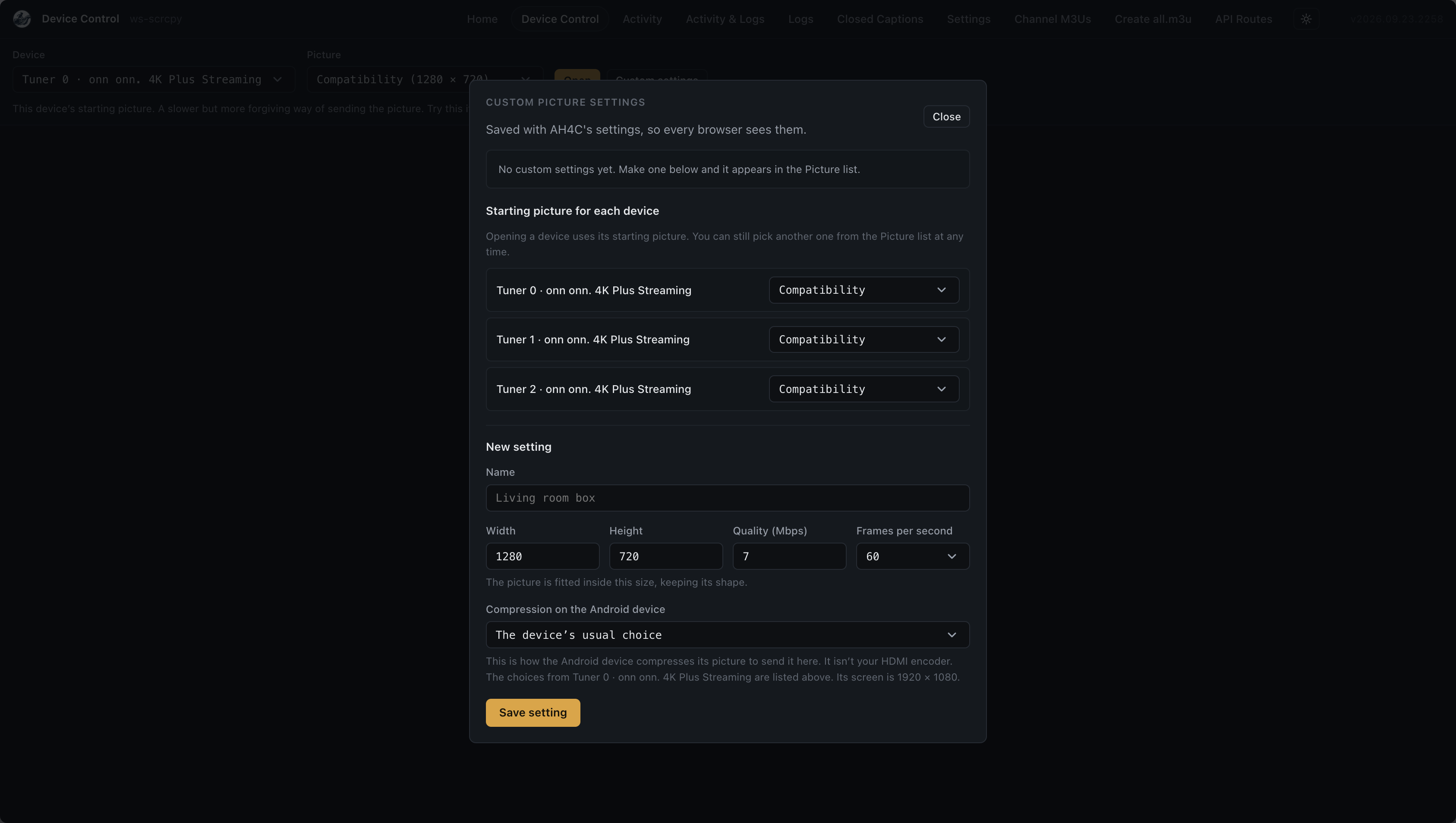
on my :latest and :beta tags rolled into PR # 47
Edit: It works. just adding a bit of polish I thought of.
Okay, this is super nice now. I'm not going to share more screenshots because I basically covered it, but I really polished it up. If anyone wants to give it a shot, it works super well and really lets you control and save resolutions for ws-scrcpy. Full profile support now!!!
mackid1993/ah4c:latest or beta
Edit: my Ospreys are even smoother now that I can set a profile for them.
Hey folks. Just jumping back here. I deployed the beta6 tag just now. I had deleted the closed captioning and re added it back in with defaults and it is back to behaving the way Im used to. So good news on that front @mackid1993 .
However @bnhf, If you could please hold off on the full release. I have been dealing with a closed captioning bug in MY tuning scripts. It appears that spectrum doesnt respect the Apple TV closed captioning accessibility toggle. To make matters worse, the live stream is ALWAYS produce a hardcoded CC by default!! So for now, no matter what you do that would be burned into the steam. Ive been fumbling with this all afternoon, just to get to a point where I could shut off the dammed thing of and put it in a known state.
I need to take a break from this, but Im getting close to understanding what is going on. The spectrum app has its own CC behavior, like many providers apps and is very menu driven depending on whether the live stream has the option to play from beginning , etc.
I need more time on the tuning scripts to fully get my head around this but getting close. However the good news is that the slipstreamed captioning looks normal again in beta6 tag !!
The scripts have nothing to do with the release, honestly, because my code pulls in new scripts.
Perhaps if your scripts aren't ready, they shouldn't be included in the release, and the previous script should be included instead to not hold back my work which is nearly ready. Once your scripts are ready and they're added to the repository, they can be pulled in using the code I wrote.
The script deployment is totally between you and @bnhf. You folks decide what to put up in the latest tag. Dont want to hold anything up.
1 Like
I would say just when they're ready, open the PR on GitHub to get them added. And they can be just pulled in in real time rather than waiting for a new Docker build. And then when there's a new Docker build, they'll be included in the actual container.
Hello, what Project One Click ah4c should I use to change channels on a directtv device / osprey by channel number - without ADB being enabled? Thank You
No script like that exists currently, but one of the beauties of ah4c is that it's driven by a set of three Bash scripts -- so pretty much anything is possible. Particularly these days when AI can whip up a set of scripts for you in short order.
Currently most are using either adb or pyatv for channel changes. What method are you looking to use?
Wait, without ADB being enabled? How is that possible? Unless you're using API tuner or something like that, which in that case, I don't believe anyone's ever tried that with an Osprey. I could be wrong. I've been reading the thread over there, and it seems like people are struggling with the DirecTV app.
Hello, I’m not using ADB or pyatv (not sure what that is). I use - Home Assistant plugin called AndroidTV Remote it can be used to control most android tv devices without using ADB or loading any additional software on the device. When I add a device tonHome Assistant using the plugin, the device presents a code that I need to enter into the plugin. That’s it. I then have complete control of simulated remote key presses and also run installed apps. I use Node-red as a front end for receiving http post commands and sending the channel number to the Home Assistant plugin. It’s simple and quick. I can change the channel by number on the device in a second without issue. The direct tv device acts like a cable set top box. It primarily is designed to interface with the direct tv app. You can run other apps on the device but its reason for being is to act as a set top box for direct tv. This integrated solution is very stable and uses the device as intended. I change the channel using channel numbers not deep links. My challenge is finding a solution to manage multiple DIRECTV devices that are connected to an URAy encoder . Thanks for any assistance.
All of these projects use ADB. Pyatv is for Apple TVs, so you do need to enable USB debugging on Android TV.
They can't send the actual control commands without ADB to handle it. So what you're asking is just not how the tools work.