AndroidHDMI for Channels (ah4c): A virtual channel tuner using HDMI Encoder(s) + streaming stick(s)

So I managed to go to a few stores yesterday locally and get 10 Firestick 4K Max units locally to swap out my Ospreys for the FC bridge. I just have to say really using it, just WOW 4 second tunes are incredible. If anyone lives near a PC Richard (common in the northeast) at least yesterday they had them and the manager had zero issues selling every unit he had to me lol. I got 3 from bestbuy, 6 from one PC Richard and the last reserved for me at another PC Richard up the road.

Now I have to decide ethernet vs no ethernet. So far they have been fine on WiFi, just a few feet from the router. I feel like less wires is better so I guess my question for other people is, how do your sticks work just on WiFi? I have a feeling it's not going to speed up tuning time....

Does your router support WiFi 6E? If so, I think you'll be fine without Ethernet.

1 Like

Yup, UniFi UDR7! It seems like they were fine and I'd just be making clutter and wasting money.

Thanks, and also thanks for the suggestion on this. Such an awesome move.

Agreed! This really feels like a game changer. Check out the "Fire TV" app too, as it allows for remote control without ADB being required. It can be installed on MacOS as well, so you can connect up remotely -- and have remote control from afar. You may never need it, but it's nice to know it's an option if you do.

1 Like

I'm actually trying it out now, and it's weird. It seems like it wants to be on the same Wi-Fi network. I don't know if I have the wrong app.

They're actually on a different network because I have all of my streaming stuff on a VLAN. I'll have to tinker with that later on! Thank you for the tip, though.

1 Like

Yes, it uses discovery only for finding devices, so it needs to be on the same WiFi network. You might be able to use an mDNS reflector, but I haven't tried it myself.

AllI can say is you folks must watch a lot of TV :rofl:

Yeah, I'll have to figure that out. It's probably minor. I think I kept mDNS off because of all the Android TV devices, and I didn't want them showing up on Chromecast. I still have a couple of Android TV devices on the network, so mDNS is still off. It might not be off on the network. It might just be blocking it to my other network, to my main network.

You know, it's been a godsend because I've been able to use that extra capacity to share with my mom.

I have Tailscale installed on her two Onn 4K Plus pucks that I gave her. When my stepfather passed away a few months ago, it ended up being just really great that I was able to just do this for her right away and just have TV in her house and have noise on.

She canceled live TV so many years ago and just kind of used streaming services, the Roku channel, that kind of stuff. And she didn't realize how nice it is to have, even though it's super expensive. When she told me that just having the noise in the living room, even though she's not in the room, just felt so much better, I immediately went to Walmart by her and just bought a cheap 65-inch TV to put in her bedroom.

She's just way too young for this.... it's awful. But having all these tuners allows for me to record plenty of things at home, particularly around 8 o'clock when four or five shows could be on. And maybe we're watching something else and for her to watch and potentially record a few things. I still haven't hit exactly 10 or reached capacity yet. I suppose I could share with another family member if I needed to, but I don't think I really want to right now, just in case it becomes too many. Regardless, tailscale is freaking awesome for stretching this a little bit with a parent or other loved one.

2 Likes

I don't want to get too far off topic here, but I'd love to hear more about how you share with your mom. My mom lives in an apartment over our detached garage. Right now we have cable going over there and she uses a regular Xfinity STB because she's used to it. I wonder if we could get rid of the STBs, change to DTV or another TV streaming service, and serve both houses at the same time.Biggest limfac is getting her to use something different than the Xfinity remote.

Tailscale on her ATV boxes and Tailscale on my Channels server. Gave her access to my tailnet and set an acl to give her explicit rights to only the CDVR server. It's pretty easy to set up.

Can she hook up to your internet? If so, set her up with a client.

Well, what you can do with Channels is use an Android device and a sofabaton, and you can tune by number. I would get a cheap Walmart stick, like one of the cheap ones. They're $40 right now. And a sofabaton U2. It's the last generation. They're pretty reliable and just set it up just with the Walmart stick to work with that.

Golly, writing tuning scripts for Paramount plus the past two days using adb commands

Been really stress testing the release and i love it as tool to write the scripts.

Boy they make it almost impossible to use. remote emulation. They dynamically change the guide grid based on live “events” what a PITA!

The Spectrum apple tv scripts from LAST AUG have been very stable for the past 5 days, now that i know i need to over provision those tuners @bnhf

Thinking along the lines of polish only, If only we could figure out a way to have two containers talk to each other, so you could have a unified interface it could be ultra slick.

Maybe implement a master adb based ah4c contailer, and a slave PYATV ah4c container (or vice versa)? Have them talk to each other
through ports?

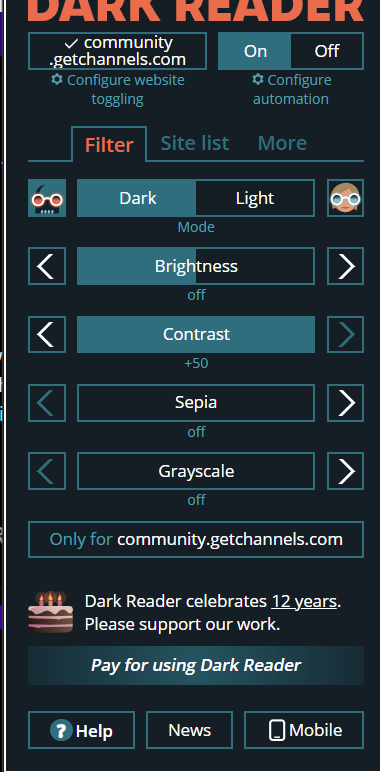
Or at the very least have a more distinguishable web icon -per container- that shows up in the browser tabs. Its always bugged me that the icons are the same for multiple instances of ah4c and even with pinned tabs I’ve inadvertently gone to the wrong container. For now my workaround is to have one in dark mode and one in light mode. But what if someone has three containers.

i'm using dark reader plugin and you can play with contrast ect..

my trick for multi containers is using port numbers 7650, 51, 52, 53, & 7654

1 Like

I think the idea would be to get away from multiple containers down the line, rather than supporting multiple containers. Better.

Well that would be the container “holy grail”

Im watchin a game right now but boy am i getting weird things going on with my link pi.

I hot plugged my working usb capture card this morning, and now i cant even see the stream in the dashboard. Ever see this?

Its happening on both my linkpis. My production has been stable for 2 years and the usb capure port seems hosed after hot plug. Are you touching anything in the LinkPis with the container code?

It all started when i tried the USB port on my second LinkPi for the first time this morning with a Hagibus capture card, and the out of box dashbord had a blue question mark un the usb cam monitor.

So i took my known good capture card off my other Linkpi to try it, and saw the stream in the dashboard of the new linkpi

Now when i hot plugged that card back in my original linkpi, its showung the same blue question mark. Very strange.

you will likely need to power cycle the linkpi, possibly both now.
once you confuse the usb, it seems to need a power cycle

ran into this when I tried 2 usb captures so others didn't have to. :wink:

Thank you for suggesting the power cycle, but that was the first thing I tried. no dice. Im getting close to deciding to flash each unit, but trying to avoid that if I dont have to.

I dont want to hijack this thread on most likely a LinkPi bug or quirk so I'll post more details in the LinkPi thread because things are really odd. appreciate the suggestion!

1 Like