
@mackid1993 haven't had a chance to update all week, but did an hour ago. 
i noticed the full screen in activity's View & control must still be using scrcpy and freaks out
Device Control is MINT!
except this minor thing
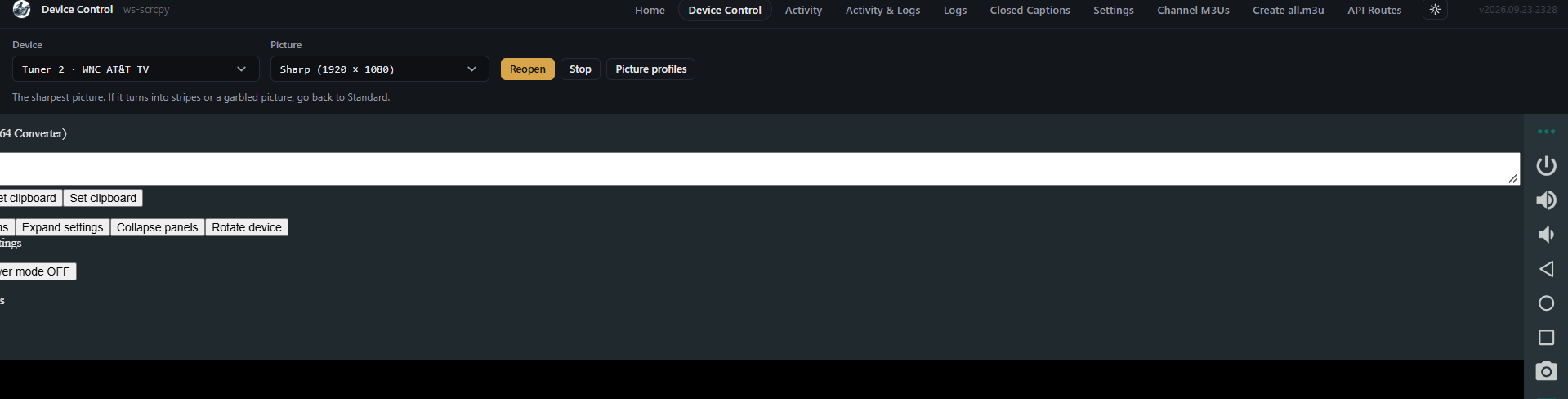
Activity view and control reads off the encoder directly. I don't know why that would freak???
it starts flashing after about 10 seconds of viewing. even the osd to shrink back flashes
Wait screenshot please...
Edit:
Wait don't mess with those settings......
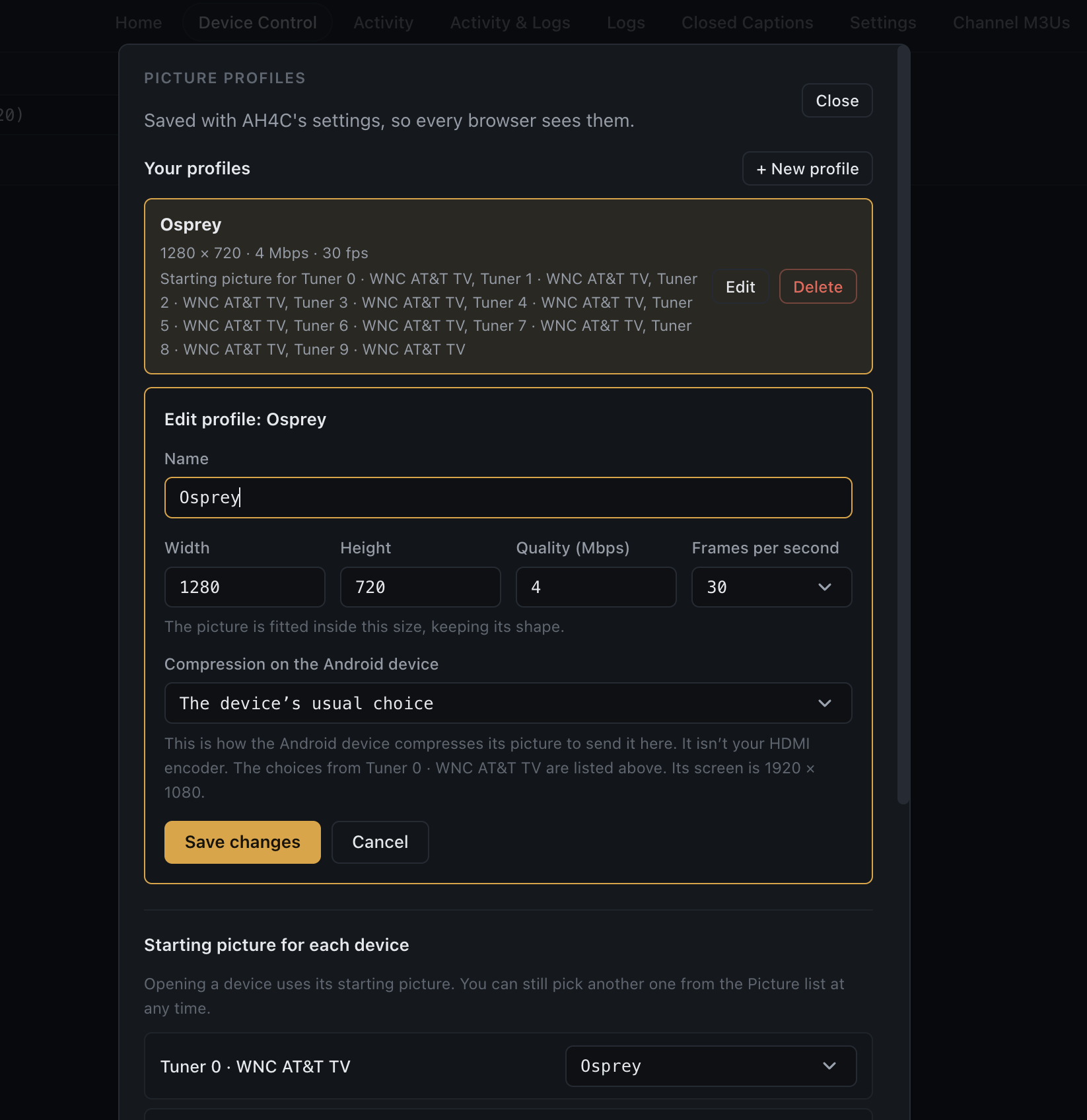
Go to picture profiles. Set a profile there.
lol, don't think it's possible, but could us my phone.
I was just playing with it and a right click made it stop flashing.
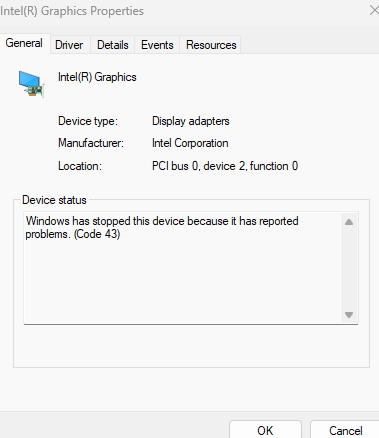
it's actually only 3sec in it started flashing but in less than a minute of me playing with it I heard a device disconnect from my pc and linkpi's video disappeared. my graphics card crashed
I have no idea what screen you are on in ah4c....
no the flashing full screen crashed my graphics card on my laptop, I gotta fix that first.
do i need a profile or can i just set the starting picture for each device
You can set a profile that will apply to all devices in scrcpy. That way you open a tuner and it just works. What kind of laptop? How old? You set it pretty high, maybe you need to grab updated drivers from intel.
This is how I set my Ospreys:
i was just playin around with different things.. lol, no I didn't mess with any settings.. 
IDEAPADSLIM5-16iru9 up to date drivers ect.. i just had to disable the gpu and re-enable to fix, but i need a reboot to check activity's view
That is super weird.... maybe ensure BIOS is up to date. This shouldn't crash your GPU.
I think my last changes are in. I fixed the channel name for m3u sources like FastChannels. Now it uses what Channels reports first then falls back to the m3u.
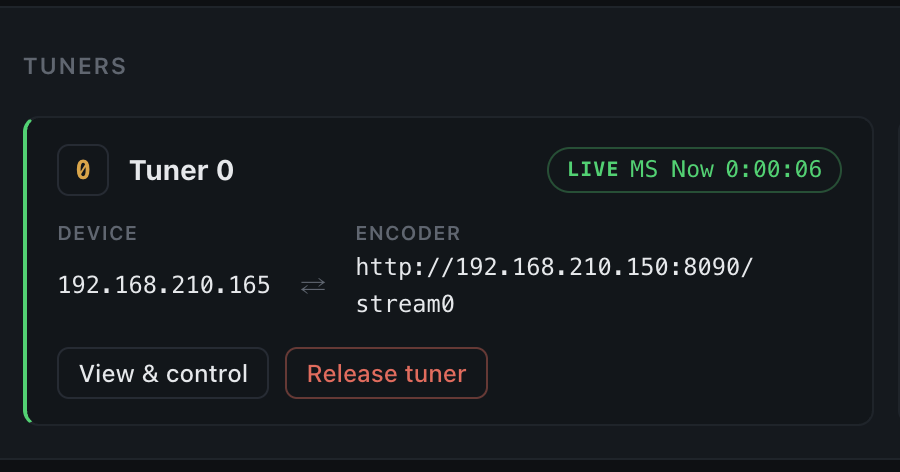
I also centered these arrows as they drove me mad:
mackid1993/ah4c:latest or beta please everyone test so we can release tomorrow.
it's chrome
finally checked, firefox is ok.
Are you using h265 or h264 on the linkpi?
Nvm just tested in Vivaldi with h265 and can't repro. This is hw related I think.
h265
Chrome has to decode that... I wonder if it's too much for that laptop? Have you gone directly to Intel and grabbed a video driver from there rather than lenovo?
Ooooh maybe it's a bug with Chrome...
Thanks for the info. My LinkPi flew over from China last week and made it to Atlanta yesterday. I'm hopeful USPS can manage to get it to my house in the next week. For now I'm satisfied tuning works with the proper deeplinks because I've managed to tune multiple channels with the links from your m3u on github and the URLs from my streaming page. I'm hopeful ah4c will work fine once it has real encoders to use.
bnhf/ah4c:latest (aka bnhf/ah4c:2026.09.25) pushed this morning with all of the current beta features merged. Congratulations to @mackid1993 for another tour de force.
If you plan to continue using env vars to drive your configuration, here's the new Docker Compose you'll want to use:
services:
  # 2026.09.16
  # GitHub home for this project with setup instructions: https://github.com/sullrich/ah4c
  # Docker Hub home for this project: https://hub.docker.com/repository/docker/bnhf/ah4c
  ah4c: # This docker-compose typically requires no editing. Use the Environment variables section of Portainer to set your values.
    image: bnhf/ah4c:${TAG:-latest}
    container_name: ${CONTAINER_NAME:-ah4c}
    hostname: ${HOSTNAME:-ah4c}
    dns_search: ${DOMAIN:-localdomain} # Specify the name of your LAN's domain, usually local or localdomain
    runtime: ${DOCKER_RUNTIME:-runc} # Closed captions only. Set DOCKER_RUNTIME=nvidia for an NVIDIA GPU with the CUDA engine build. Requires the NVIDIA container toolkit.
    devices:
      - ${GPU_DEVICE:-/dev/null} # Closed captions only. Set GPU_DEVICE=/dev/dri to let the Vulkan engine build use an Intel or AMD GPU. Left at the default it passes /dev/null, which always exists and does nothing.
    ports:
      - ${HOST_PORT:-7654}:7654 # Port used by this ah4c proxy
    environment:
      - AH4C_COMPOSE=2026.09.16 # Compose file date stamp - do not change. The startup log flags it when out of date.
      # ── Proxy identity ──────────────────────────────────────────────────────
      - IPADDRESS=${IPADDRESS} # Hostname or IP address of this ah4c extension to be used in M3U file (also add port number if not in M3U)
      - SETUP_WIZARD=${SETUP_WIZARD:-false} # Full environment-managed installs skip the web setup wizard. Set to true to allow it.
      # ── Tuners ──────────────────────────────────────────────────────────────
      # One trio per tuner: TUNERn_IP is the box to tune; video comes from CMDn if set, otherwise ENCODERn_URL.
      - NUMBER_TUNERS=${NUMBER_TUNERS} # Number of tuners you'd like defined - add a matching TUNERn_IP, ENCODERn_URL and CMDn trio below for each beyond 9
      - TUNER1_IP=${TUNER1_IP} # Streaming device #1 with adb port in the form hostname:port or ip:port
      - ENCODER1_URL=${ENCODER1_URL} # Tuner #1 source URL (http://hostname/stream). Streamed directly when CMD1 is blank; otherwise referenced by CMD1 as ${ENCODER1_URL}.
      - CMD1=${CMD1} # Optional tuner #1 command; ah4c streams its stdout (end it with "-f mpegts -") instead of fetching ENCODER1_URL. No shell.
      - TUNER2_IP=${TUNER2_IP} # Streaming device #2 with adb port in the form hostname:port or ip:port
      - ENCODER2_URL=${ENCODER2_URL} # Tuner #2 source URL. Streamed directly when CMD2 is blank; otherwise referenced by CMD2 as ${ENCODER2_URL}.
      - CMD2=${CMD2} # Optional tuner #2 command; ah4c streams its stdout instead of fetching ENCODER2_URL. See CMD1.
      - TUNER3_IP=${TUNER3_IP} # Streaming device #3 with adb port in the form hostname:port or ip:port
      - ENCODER3_URL=${ENCODER3_URL} # Tuner #3 source URL. Streamed directly when CMD3 is blank; otherwise referenced by CMD3 as ${ENCODER3_URL}.
      - CMD3=${CMD3} # Optional tuner #3 command; ah4c streams its stdout instead of fetching ENCODER3_URL. See CMD1.
      - TUNER4_IP=${TUNER4_IP} # Streaming device #4 with adb port in the form hostname:port or ip:port
      - ENCODER4_URL=${ENCODER4_URL} # Tuner #4 source URL. Streamed directly when CMD4 is blank; otherwise referenced by CMD4 as ${ENCODER4_URL}.
      - CMD4=${CMD4} # Optional tuner #4 command; ah4c streams its stdout instead of fetching ENCODER4_URL. See CMD1.
      - TUNER5_IP=${TUNER5_IP} # Streaming device #5 with adb port in the form hostname:port or ip:port
      - ENCODER5_URL=${ENCODER5_URL} # Tuner #5 source URL. Streamed directly when CMD5 is blank; otherwise referenced by CMD5 as ${ENCODER5_URL}.
      - CMD5=${CMD5} # Optional tuner #5 command; ah4c streams its stdout instead of fetching ENCODER5_URL. See CMD1.
      - TUNER6_IP=${TUNER6_IP} # Streaming device #6 with adb port in the form hostname:port or ip:port
      - ENCODER6_URL=${ENCODER6_URL} # Tuner #6 source URL. Streamed directly when CMD6 is blank; otherwise referenced by CMD6 as ${ENCODER6_URL}.
      - CMD6=${CMD6} # Optional tuner #6 command; ah4c streams its stdout instead of fetching ENCODER6_URL. See CMD1.
      - TUNER7_IP=${TUNER7_IP} # Streaming device #7 with adb port in the form hostname:port or ip:port
      - ENCODER7_URL=${ENCODER7_URL} # Tuner #7 source URL. Streamed directly when CMD7 is blank; otherwise referenced by CMD7 as ${ENCODER7_URL}.
      - CMD7=${CMD7} # Optional tuner #7 command; ah4c streams its stdout instead of fetching ENCODER7_URL. See CMD1.
      - TUNER8_IP=${TUNER8_IP} # Streaming device #8 with adb port in the form hostname:port or ip:port
      - ENCODER8_URL=${ENCODER8_URL} # Tuner #8 source URL. Streamed directly when CMD8 is blank; otherwise referenced by CMD8 as ${ENCODER8_URL}.
      - CMD8=${CMD8} # Optional tuner #8 command; ah4c streams its stdout instead of fetching ENCODER8_URL. See CMD1.
      - TUNER9_IP=${TUNER9_IP} # Streaming device #9 with adb port in the form hostname:port or ip:port
      - ENCODER9_URL=${ENCODER9_URL} # Tuner #9 source URL. Streamed directly when CMD9 is blank; otherwise referenced by CMD9 as ${ENCODER9_URL}.
      - CMD9=${CMD9} # Optional tuner #9 command; ah4c streams its stdout instead of fetching ENCODER9_URL. See CMD1.
      # ── Streaming app and DVR ───────────────────────────────────────────────
      - STREAMER_APP=${STREAMER_APP} # Streaming device name and streaming app you're using in the form scripts/streamer/app (use lowercase with slashes between as shown)
      - PYATV=${PYATV:-false} # Set to TRUE to run docker-start-pyatv.sh at container start for Apple TV tuners via pyatv, instead of the default docker-start.sh used for adb-based tuners. Case-insensitive; anything else runs the default.
      - CHANNELSIP=${CHANNELSIP} # Hostname or IP address of the Channels DVR server itself
      - FASTCHANNELS_URL=${FASTCHANNELS_URL} # Base URL of your FastChannels container, so the firetv/fastchannels scripts can use its built-in ah4c integration to tune. A URL pre-filled into an exported script overrides this.
      # ── Failure alerts ──────────────────────────────────────────────────────
      # Email via SMTP and/or a webhook GET, sent when a tune fails. Leave blank to disable.
      - ALERT_SMTP_SERVER=${ALERT_SMTP_SERVER} # The domainname:port of the SMTP server you'll be using like smtp.gmail.com:587. This is for sending ah4c alerts if tuning fails.
      - ALERT_AUTH_SERVER=${ALERT_AUTH_SERVER} # The auth server for the e-mail you'll be using like smtp.gmail.com
      - ALERT_EMAIL_FROM=${ALERT_EMAIL_FROM} # The e-mail address you'd like your ah4c failure alert e-mails to show as being from.
      - ALERT_EMAIL_PASS=${ALERT_EMAIL_PASS} # Gmail and Yahoo both support the creation of app-specific e-mail passwords, and this is the way to go! It's NOT recommended to use your everyday e-mail password.
      - ALERT_EMAIL_TO=${ALERT_EMAIL_TO} # The e-mail address you'd like your alert e-mails sent to.
      - ALERT_WEBHOOK_URL=${ALERT_WEBHOOK_URL} # URL to GET when an alert fires (same failures that trigger the e-mail); put $reason in the URL and it's replaced with the URL-encoded message. Blank disables it.
      # ── Guide tuning and content updates ────────────────────────────────────
      - LIVETV_ATTEMPTS=${LIVETV_ATTEMPTS} # For FireTV Live Guide tuning only, set maximum number of attempts at finding the desired channel
      - CREATE_M3US=${CREATE_M3US:-false} # Set to true to create device-specific M3Us for use with Amazon Prime Premium channels -- requires a FireTV device
      - UPDATE_SCRIPTS=${UPDATE_SCRIPTS:-true} # Set to true if you'd like the sample scripts and STREAMER_APP scripts updated whether they exist or not
      - UPDATE_M3US=${UPDATE_M3US:-true} # Set to true if you'd like the sample m3us updated whether they exist or not
      # ── Timezone and session handling ───────────────────────────────────────
      - TZ=${TZ} # Your local timezone in Linux "tz" format
      - SPEED_MODE=${SPEED_MODE:-false} # Set to false if you'd like the target streaming app to be closed after each tuning cycle (limited script support).
      - KEEP_WATCHING=${KEEP_WATCHING} # In supported scripts, set the delay before resending a tuning deeplink to prevent "Are you still watching?" type messages. Examples: Use 4h for 4 hours or 240m for 240 minutes.
      # ── Autocrop (LinkPi encoders only) ─────────────────────────────────────
      - AUTOCROP_CHANNELS=${AUTOCROP_CHANNELS} # Space separated list of channels (by number) with black borders on 4 sides to autocrop while maintaining aspect ratio. Requires LinkPi Encoder!
      - LINKPI_HOSTNAME=${LINKPI_HOSTNAME} # Hostname or IP of the LinkPi Encoder's web API. Required for AUTOCROP_CHANNELS.
      - LINKPI_USERNAME=${LINKPI_USERNAME} # Username for the LinkPi Encoder's web API. Required for AUTOCROP_CHANNELS.
      - LINKPI_PASSWORD=${LINKPI_PASSWORD} # Password for the LinkPi Encoder's web API. Required for AUTOCROP_CHANNELS; not currently read by the bundled scripts, which log in with the LinkPi default password instead.
      # ── Custom startup script ───────────────────────────────────────────────
      - USER_SCRIPT=${USER_SCRIPT} # Path to a custom script to run alongside ah4c at container startup. Blank runs nothing extra.
      # ── Recording continuity and playback timing ────────────────────────────
      # Keep recordings starting on the program and free of gaps within the DVR's 30s tune window.
      - NULL_FRAME_INSERTION=${NULL_FRAME_INSERTION:-false} # Set to TRUE to fill encoder stalls with MPEG-TS NULL packets (PID 0x1FFF) so the DVR never sees a zero-byte gap mid-recording. Case-insensitive (true/True/TRUE all work); anything else, including 1/yes, leaves the feature off.
      - PLAYBACK_DETECTION=${PLAYBACK_DETECTION:-false} # Set to TRUE to hold the stream until the device reports audio playing and the picture moving, then start on a keyframe, so recording begins on the program, not the loading screen. Requires adb; network tuners only. Case-insensitive; anything but true leaves it off.
      - PLAYBACK_STATIC_TIMEOUT=${PLAYBACK_STATIC_TIMEOUT} # Only used with PLAYBACK_DETECTION=TRUE. Seconds the box may keep its prior player/session before the check falls back to gating on motion alone. Default 2 suits Ospreys; apps like DirecTV that hold one player across channel changes need more. 0 or unset uses the default.
      - PLAYBACK_DELAY=${PLAYBACK_DELAY} # Hold every tune this long before handing the DVR the program, so a slow-starting app still records within the DVR's 30s window. Black or a mounted pre-roll fills the wait; the box's own video is never passed through. Accepts a bare number (seconds) or a duration like 30s/1m, capped at 10m. Network tuners only. Empty or 0 disables it.
      - ENCODER_CODEC=${ENCODER_CODEC:-h264} # The video codec your encoder outputs: h264 (default) or h265. Filler black/pre-roll must match it, or playback won't cross to the program at hand-off. Pre-roll video is converted to match; an existing H.265 stream is copied. Leave at h264 unless your encoder is H.265. Case-insensitive; h265/hevc both work.
      - HEARTBEAT_INTERVAL=${HEARTBEAT_INTERVAL:-180} # In supported scripts (currently osprey), seconds between keepalive keyevents sent during playback to stop the app's UI inactivity timer from resetting the stream. Default 180; set to 0 to disable.
      # ── NVIDIA GPU ──────────────────────────────────────────────────────────
      # Used by the CUDA caption engine and any CMDn calling h264_nvenc/hevc_nvenc. Needs the NVIDIA container toolkit.
      - NVIDIA_VISIBLE_DEVICES=${NVIDIA_VISIBLE_DEVICES} # For the CUDA caption engine and/or an NVENC CMDn. Set to all alongside DOCKER_RUNTIME=nvidia to expose an NVIDIA GPU. Empty means no GPU and is the default.
      - NVIDIA_DRIVER_CAPABILITIES=${NVIDIA_DRIVER_CAPABILITIES} # Set to compute,utility for the CUDA caption engine. A CMDn using h264_nvenc/hevc_nvenc also needs video - use compute,utility,video (or all).
    volumes:
      - ${HOST_DIR:-/data}/ah4c/config:/opt/config # Settings saved from the web interface
      - ${HOST_DIR:-/data}/ah4c/scripts:/opt/scripts # pre/stop/bmitune.sh scripts will be stored in this bound host directory under streamer/app
      - ${HOST_DIR:-/data}/ah4c/m3u:/opt/m3u # m3u files will be stored here and hosted at http://<hostname or ip>:7654/m3u for use in Channels DVR - Custom Channels settings
      - ${HOST_DIR:-/data}/ah4c/adb:/root/.android # Persistent data directory for adb keys
      - ${HOST_DIR:-/data}/ah4c/captions:/opt/captions # Closed caption settings, and the speech model, engine and any GPU driver downloaded from the Closed Captions page. Stays empty unless you turn captions on
      - ${PREROLL_FILE:-${HOST_DIR:-/data}/ah4c/preroll}:/opt/preroll # A video or still image shown to the DVR instead of NULL packets, during a PLAYBACK_DELAY/PLAYBACK_DETECTION hold or a NULL_FRAME_INSERTION stall. Set PREROLL_FILE to a host path, or drop the file into this directory. Anything ffmpeg reads; prepared once at startup, loops until the real stream is ready
    restart: unless-stopped
And here's a companion set of sample overrides:
TAG=latest
CONTAINER_NAME=ah4c
HOSTNAME=ah4c
DOMAIN=localdomain tailxxxxx.ts.net
DOCKER_RUNTIME=runc
GPU_DEVICE=/dev/dri
HOST_PORT=7654
IPADDRESS=docker6:7654
SETUP_WIZARD=false
NUMBER_TUNERS=5
TUNER1_IP=firestick-desk1:5555
ENCODER1_URL=http://linkpi-encoder2:8090/stream0
CMD1=
TUNER2_IP=firestick-desk2:5555
ENCODER2_URL=http://linkpi-encoder2:8090/stream1
CMD2=
TUNER3_IP=firestick-desk3:5555
ENCODER3_URL=http://linkpi-encoder2:8090/stream2
CMD3=
TUNER4_IP=firestick-desk4:5555
ENCODER4_URL=http://linkpi-encoder2:8090/stream3
CMD4=
TUNER5_IP=firestick-desk5:5555
ENCODER5_URL=http://linkpi-encoder2:8090/stream4
CMD5=
TUNER6_IP=
ENCODER6_URL=
CMD6=
TUNER7_IP=
ENCODER7_URL=
CMD7=
TUNER8_IP=
ENCODER8_URL=
CMD8=
TUNER9_IP=
ENCODER9_URL=
CMD9=
STREAMER_APP=scripts/firetv/dtvstreamdeeplinks
PYATV=false
CHANNELSIP=media-server10
FASTCHANNELS_URL=
ALERT_SMTP_SERVER=smtp.gmail.com:587
ALERT_AUTH_SERVER=smtp.gmail.com
[email protected]
ALERT_EMAIL_PASS=xxxxxxxxxxxxxxxx
[email protected]
ALERT_WEBHOOK_URL=
LIVETV_ATTEMPTS=
CREATE_M3US=false
UPDATE_SCRIPTS=true
UPDATE_M3US=true
TZ=America/Denver
SPEED_MODE=false
KEEP_WATCHING=235m
AUTOCROP_CHANNELS=
LINKPI_HOSTNAME=
LINKPI_USERNAME=
LINKPI_PASSWORD=
USER_SCRIPT=
NULL_FRAME_INSERTION=false
PLAYBACK_DETECTION=false
PLAYBACK_STATIC_TIMEOUT=2
PLAYBACK_DELAY=
PREROLL_FILE=
ENCODER_CODEC=h264
HEARTBEAT_INTERVAL=
NVIDIA_VISIBLE_DEVICES=
NVIDIA_DRIVER_CAPABILITIES=
HOST_DIR=/data
However, if you'd like to transition to using the new WebUI-based settings -- here's your new "minimal" Docker Compose. Be prepared to input most the env vars you previously used into Settings in the WebUI:
services:
  # 2026.09.16
  # GitHub home for this project with setup instructions: https://github.com/sullrich/ah4c
  # Docker Hub home for this project: https://hub.docker.com/repository/docker/bnhf/ah4c
  ah4c: # This docker-compose typically requires no editing. Use the Environment variables section of Portainer to set your values.
    image: bnhf/ah4c:${TAG:-latest}
    container_name: ${CONTAINER_NAME:-ah4c}
    hostname: ${HOSTNAME:-ah4c}
    dns_search: ${DOMAIN:-localdomain} # Specify the name of your LAN's domain, usually local or localdomain
    runtime: ${DOCKER_RUNTIME:-runc} # Closed captions only. Set DOCKER_RUNTIME=nvidia for an NVIDIA GPU with the CUDA engine build. Requires the NVIDIA container toolkit.
    devices:
      - ${GPU_DEVICE:-/dev/null} # Closed captions only. Set GPU_DEVICE=/dev/dri to let the Vulkan engine build use an Intel or AMD GPU. Left at the default it passes /dev/null, which always exists and does nothing.
    ports:
      - ${HOST_PORT:-7654}:7654 # Port used by this ah4c proxy
    environment:
      - AH4C_COMPOSE=2026.09.16 # Compose file date stamp - do not change. The startup log flags it when out of date.
      - NVIDIA_VISIBLE_DEVICES=${NVIDIA_VISIBLE_DEVICES} # For the CUDA caption engine and/or an NVENC CMDn. Set to all alongside DOCKER_RUNTIME=nvidia to expose an NVIDIA GPU. Empty means no GPU and is the default.
      - NVIDIA_DRIVER_CAPABILITIES=${NVIDIA_DRIVER_CAPABILITIES} # Set to compute,utility for the CUDA caption engine. A CMDn using h264_nvenc/hevc_nvenc also needs video - use compute,utility,video (or all).
    volumes:
      - ${HOST_DIR:-/data}/ah4c/config:/opt/config # Settings saved from the web interface
      - ${HOST_DIR:-/data}/ah4c/scripts:/opt/scripts # pre/stop/bmitune.sh scripts will be stored in this bound host directory under streamer/app
      - ${HOST_DIR:-/data}/ah4c/m3u:/opt/m3u # m3u files will be stored here and hosted at http://<hostname or ip>:7654/m3u for use in Channels DVR - Custom Channels settings
      - ${HOST_DIR:-/data}/ah4c/adb:/root/.android # Persistent data directory for adb keys
      - ${HOST_DIR:-/data}/ah4c/captions:/opt/captions # Closed caption settings, and the speech model, engine and any GPU driver downloaded from the Closed Captions page. Stays empty unless you turn captions on
      - ${HOST_DIR:-/data}/ah4c/preroll:/opt/preroll # A video or still image shown to the DVR instead of NULL packets, during a PLAYBACK_DELAY/PLAYBACK_DETECTION hold or a NULL_FRAME_INSERTION stall. Set PREROLL_FILE to a host path, or drop the file into this directory. Anything ffmpeg reads; prepared once at startup, loops until the real stream is ready
    restart: unless-stopped
As usual, there's no need to edit the above Compose -- just use the special Environment section of the Portainer-Stacks Editor to add needed overrides. For many, this will only be your HOST_DIR value to tell Docker where to store your persistent data:
TAG=latest
GPU_DEVICE=
HOST_DIR=/data
3 Likes
Bravo to you both @bnhf and @mackid1993
Running the latest from both the PYAVT tree , and I set up an ONN box in another container for the first time this morning!! No tuning scripts loaded yet - on purpose, but it paired effortlessly and I can control with the remote in the UI. Gonna work on some home grown scripts next!!!
On tag=beta6
Just switch back to tag=latest