AndroidHDMI-for-Channels (ah4c) - FireTV LiveTV capture

It looks like once You have a good set of M3U's, it works!
The creation process seems a little wonky. Maybe its something with my setup.
The M3U's look fine, but I'm getting this line at the end in my channels line up.

-update-
I re-entered the last line in the livem3u and this is gone now. Must have been some hidden character in there.

Built now as :latest and :2024.03.24

I think I found a bug with Prime Channels.
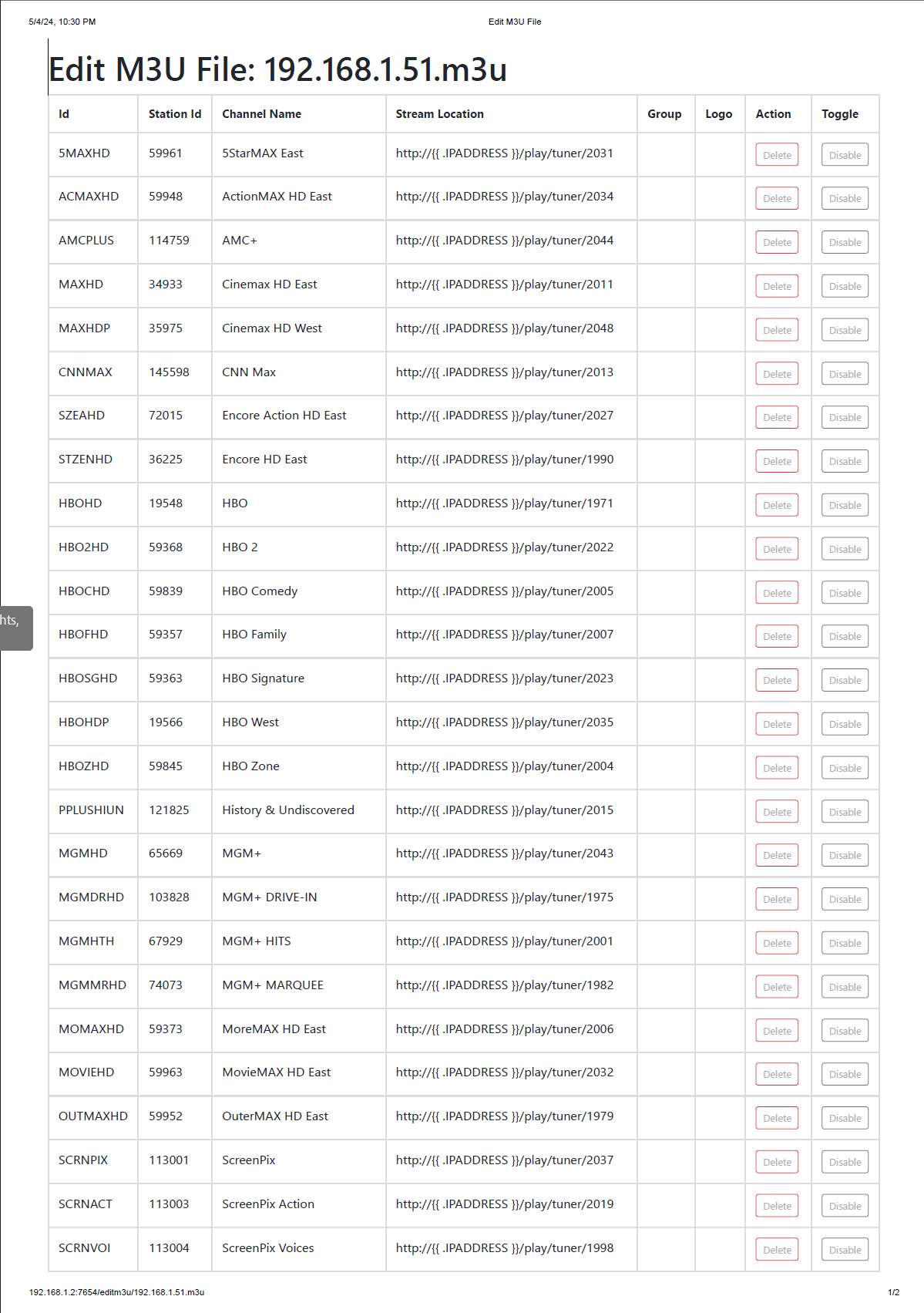
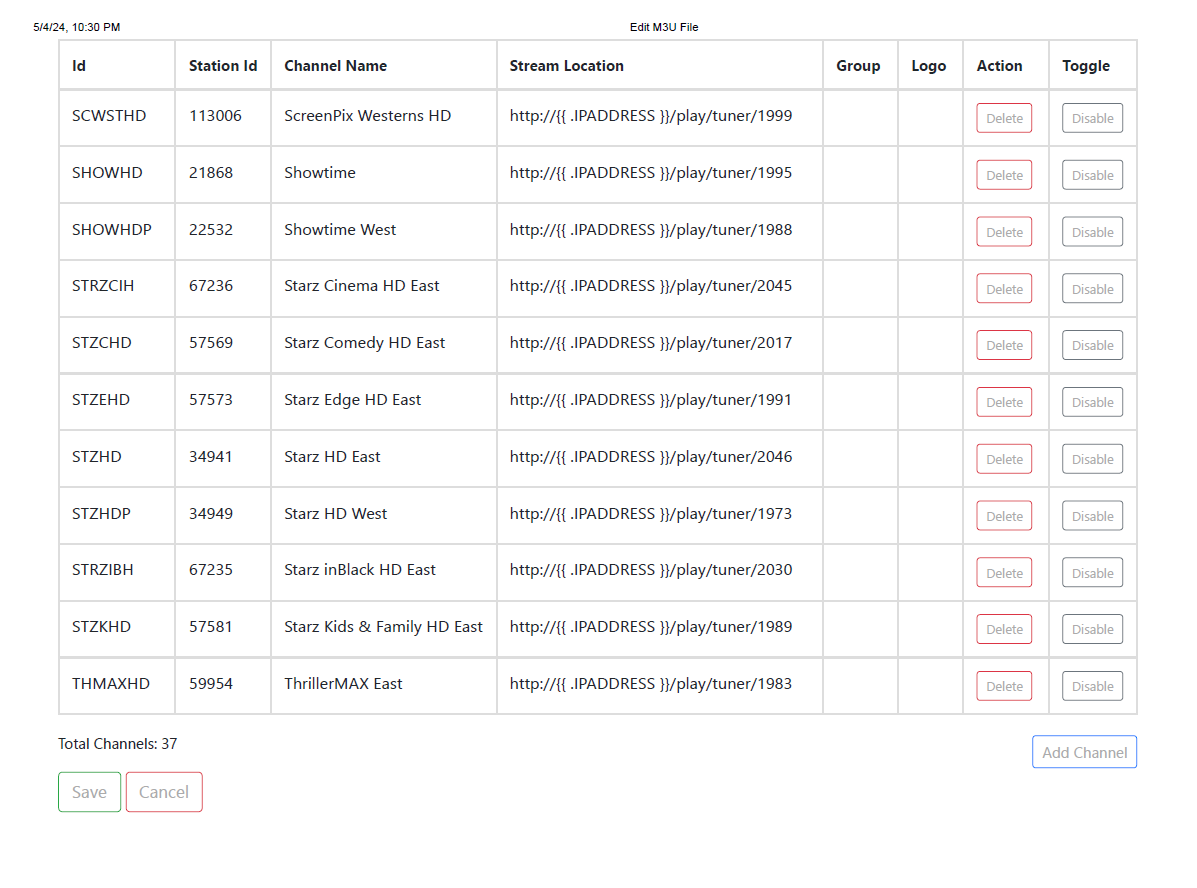
I have created the device m3u files.
The script reports successful completion.
I have manually verified the ID is correct for the problem channel.
In this case its "History & Uncovered".
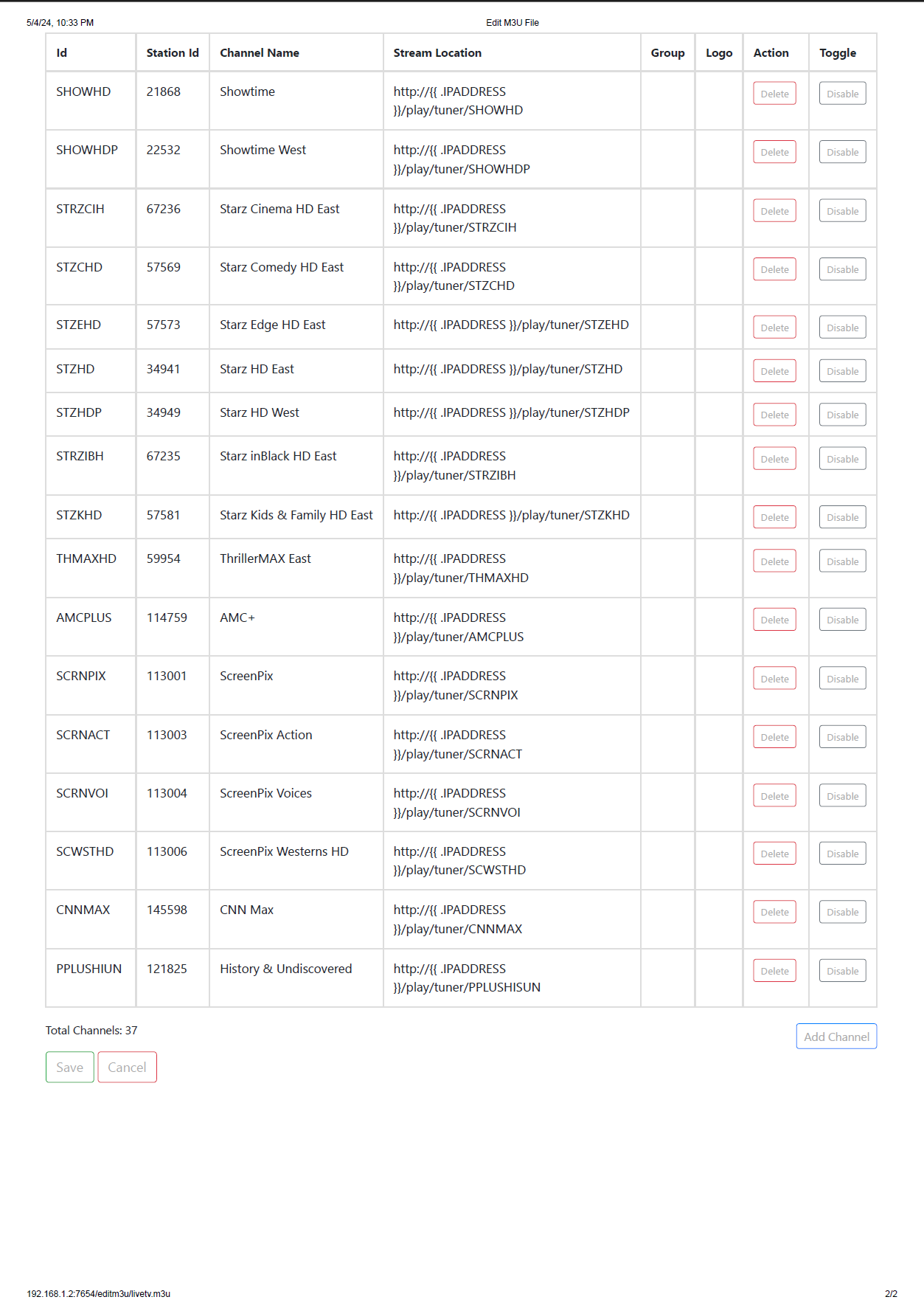
This is the last entry in my m3u source


What is really odd is it keeps scrolling until it hits a banner and then it selects the banner instead of ignoring it.

Could you post the section of the ah4c or Portainer log that shows the output of prebmitune, bmitune and stopbmitune for this failed channel tune?

It went past the desired channel until it got to the banner, thought the banner was the correct channel and selected it.

2024/05/04 19:18:16 [EXECUTE] Stderr: ''
2024/05/04 19:18:16 [EXECUTE] Finished running ./scripts/firetv/livetv/stopbmitune.sh in 3.494948779s
2024/05/04 19:18:16 [GIN-debug] Request: 192.168.48.1 GET /play/tuner/PPLUSHISUN, latency: 2m34.055626149s, status: 200
2024/05/04 19:19:26 [EXECUTE] Stdout: 'Current PID for this script is 4562
Channel name begins with H
Live TV ID 78 is not the desired , continuing...
Live TV ID 81 is not the desired , continuing...
Live TV ID 90 is not the desired , continuing...
Live TV ID 62 is not the desired , continuing...
Live TV ID 94 is not the desired , continuing...
Live TV ID 475 is not the desired , continuing...
Live TV ID 75 is not the desired , continuing...
Live TV ID 41 is not the desired , continuing...
Live TV ID 97 is not the desired , continuing...
Live TV ID 72 is not the desired , continuing...
Live TV ID 56 is not the desired , continuing...
Live TV ID 58 is not the desired , continuing...
Live TV ID 73 is not the desired , continuing...
Live TV ID 80 is not the desired , continuing...
Live TV ID 55 is not the desired , continuing...
Live TV ID 64 is not the desired , continuing...
Live TV ID 89 is not the desired , continuing...
Live TV ID is the desired
Active audio stream not yet detected -- loudness is -70.0 LUF. Continuing...
Active audio stream not detected in 24 seconds.
Active audio stream not detected after tuning completed
Possible sports event blackout, so bumping channel down
bmitune.sh is exiting for 192.168.1.52:5555 with exit code 1
'
2024/05/04 19:19:26 [EXECUTE] Stderr: ''
2024/05/04 19:19:26 [EXECUTE] Finished running ./scripts/firetv/livetv/bmitune.sh in 1m10.126350249s
2024/05/04 19:19:26 [ERR] Failed to run start script: exit status 1
2024/05/04 19:23:13 [GIN-debug] Request: 192.168.48.1 GET /logs, latency: 1.721819ms, status: 200
2024/05/04 19:23:14 [GIN-debug] Request: 192.168.48.1 GET /favicon.ico, latency: 951.72µs, status: 200


Our first clue is that somehow the channel ID it's looking for is empty:

Live TV ID 78 is not the desired , continuing...

There should be a Live TV ID after desired and before the comma.

What's happening makes sense as the banners have no Live TV ID and we're searching for an empty Live TV ID.

This suggests a problem with the streaming stick specific M3U. Could you post that here please? Might as well post the parent M3U as well.

Don't forget to use 3 backticks before and after all logs, M3Us and script code you post.

2 Likes


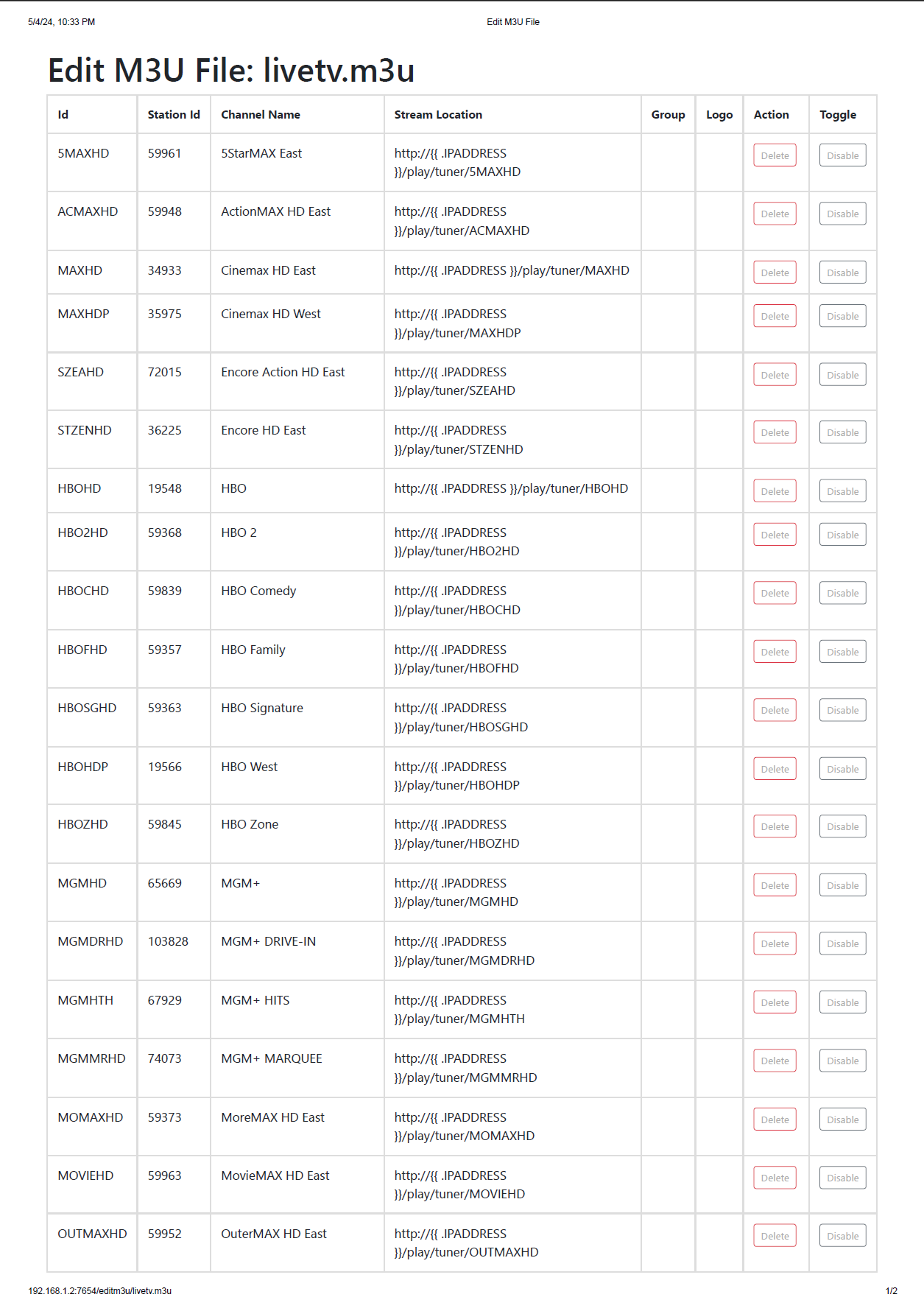
Channels DVR passes the ID after http://{{ .IPADDRESS }}/play/tuner/ from livetv.m3u to the ah4c scripts, and then the script uses that ID to determine the Live TV ID from the streaming stick specific M3U.

If you look at that last line of the livetv.m3u with a channel-id of PPLUSHIUN, you'll see what Channels passes to the scripts is PPLUSHISUN. That extra "S" means there's no match in the streaming stick specific M3U.

You should be able to fix this manually without re-scanning.

That did it.
Thanks for the help!
I appreciate everything thing you do here.

I've added a test for this scenario that will rollout in the next build.

Basically, if no matching channel-id is found in the streaming stick specific M3U an error message will be generated and the script will exit with an error code.

1 Like