AppleTV Video Playback Slowed

This device was on tvOS 18.6. Automatic update is and was set to on, so I don’t know how it got so far behind (18 to 22 seems like a lot, right?).

I’ve updated to 22.6, but there is no change in the playback issue. I deleted the channels app and re-installed it again. Changed video driver to legacy and back, but still the video plays too slow.

I don’t understand what changed. Last week this device played the previous recordings fine, but today all DVRed content plays way too slow as the audio continues at normal speed. And it is only this device. An iPhone, and iPad, and a different AppleTV play this same content off the server just fine.

What else do I do to troubleshoot this?

Pretty strange, I'm not sure. You could try a factory reset as a last resort.

tmm,
I performed a factory reset on the Apple TV, but this did not resolve the issue. The video on the DVR playback is still very slow.

I played a DVR recording for a minute and then completed a submit diagnostic from the support menu. How do you associate that submission with this forum topic?

One other note: live tv from the had HomeRun works or plays fine. It looks great. It’s only the DVR recordings which work fine on other devices.

You're trying to watch an ATSC3 recording. It seems that requires more capable hardware.

How does the recording of an ATSC3 live broadcast TV channel make the resulting Channels server produced mpg file more or less difficult to stream to the client device?

1 Like

Thats good info, thanks Hal.

I just want to know what changed. The problem may very well be on my network, but is there no way to troubleshoot this further? I'm especially frustrated because the older recordings worked fine on the AppleTV (A1625) a few weeks ago. Now they don't. Did the Channels Server make changes to old recordings? Also, I hate that the last suggestion on a lot of these forum threads is, "maybe you need new more capable hardware". I can afford a new device, but I don’t want to when it can stream ATSC3 live TV just fine. Why does streaming the mpg make any difference?

Have you checked your speed to DVR using Setting>Support>Test speed to DVR.

I recently saw an issue with choppy playback on a recording (no issue on live)? My WiFi speed was less than 2 Mbits/sec. Fixed my speed issue and all was well.

ATSC3 uses HEVC video which requires more horsepower to decode and play.

You could disable the 105.1 channel on your tuner and then recordings would happen from 5.1 instead.

Have you checked your speed to DVR using Setting>Support>Test speed to DVR.

I recently saw an issue with choppy playback on a recording (no issue on live)? My WiFi speed was less than 2 Mbits/sec. Fixed my speed issue and all was well.

Ooh. This is a good idea. When you play a DVR recording, the data streams from the DVR server to the client. When you watch live TV, the data streams from the tuner directly to the client without the server in the middle. That might explain why you're seeing a difference between recorded content vs. live.

To be more specific. Apple TV HD does not have a hardware HEVC decoder. It has to do it in CPU, which it is very bad at.

Only Apple TV 4K and up decodes HEVC in hardware.

So true, I have a ATV HD in a bedroom also that has issues with decoding, its wired too, I have the server recode all the streams (a setting in the ATV client) to a lower bitrate to watch them.. Get the 4k, its so much better at everything.

That is a good idea, jagrim.

I've got a hard wired ethernet connection for both my AppleTV and the server. Speed check shows 2ms latency, 98 Mbps down, and 96 Mbps up. That should be enough for just about anything streaming.

That's the other issue with it. Its ethernet port is 100mbit. You'd get faster networking over wifi at this point, lol.

The Apple TV HD is 10 years old at this point. You can't expect a ton out of it.

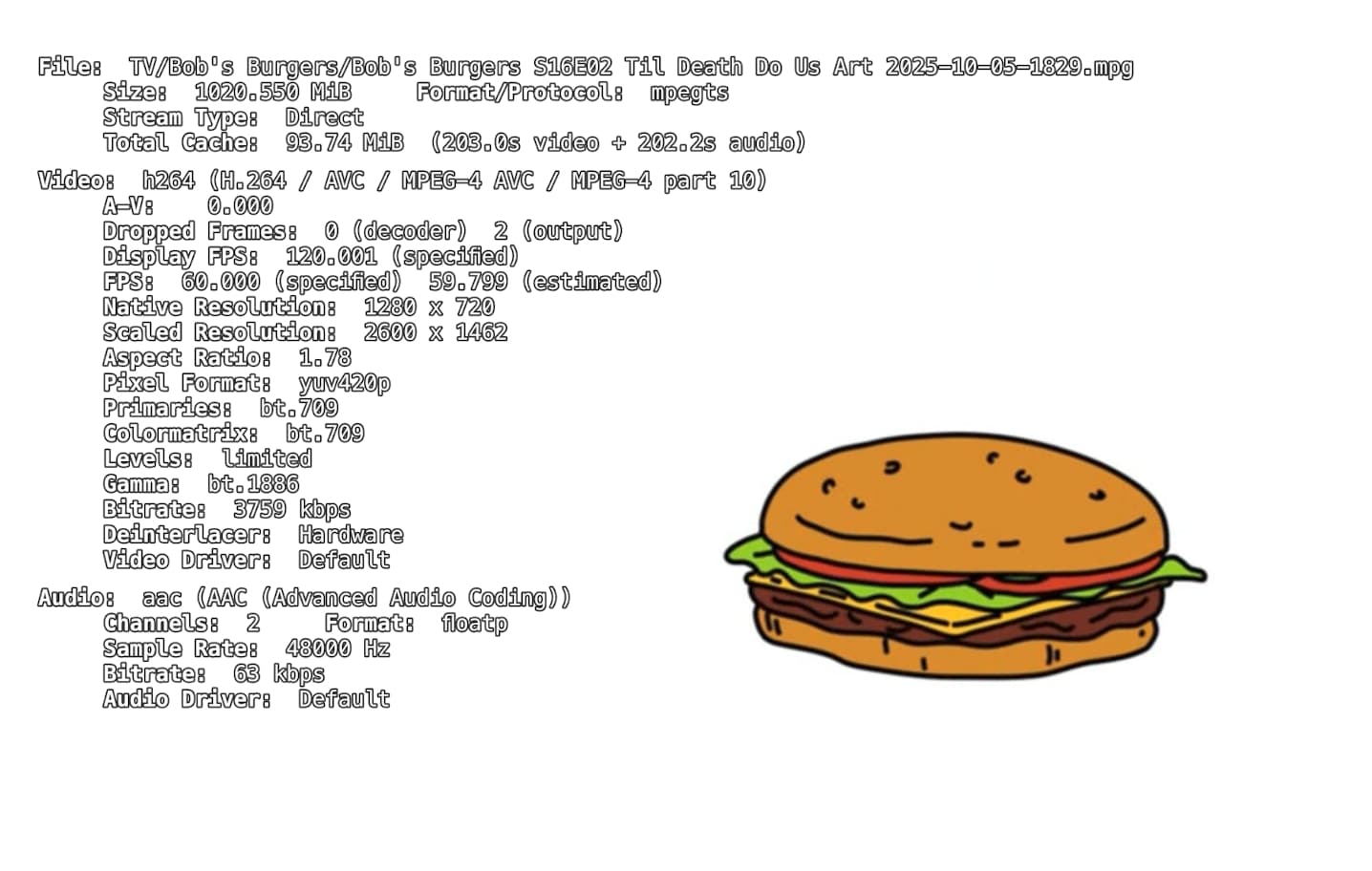
Yes, Sir. This is why I don't understand what difference the over-the-air/antenna/HD HomeRun HEVC signal makes when I'm watching a DVR recorded show off my Channels Server. The DVR'ed / recorded shows are in mpg format. If the problem really is that the older AppleTV HD can't handle it, great! BUT why did it work fine a few weeks ago and for the last 8 months. Can I set Channel DVR recording to be at 2k instead of 4k? (Edit) Actually, I just checked. All my Channels DVR recordings from the last 8 months are in HD (1080) format. The old AppleTV HD should be able to handle that just fine.

I'm going to assume it is somthing on my network that I changed and not some technical issue with Channels. I just wish there was more trouble shooting steps to figure it out.

(Edit #2, then I'll quite.) I also think Channels needs to specify minimum equipment requirments for client devices, and not just continually suggest we need to upgrade equipment when we ask for support.

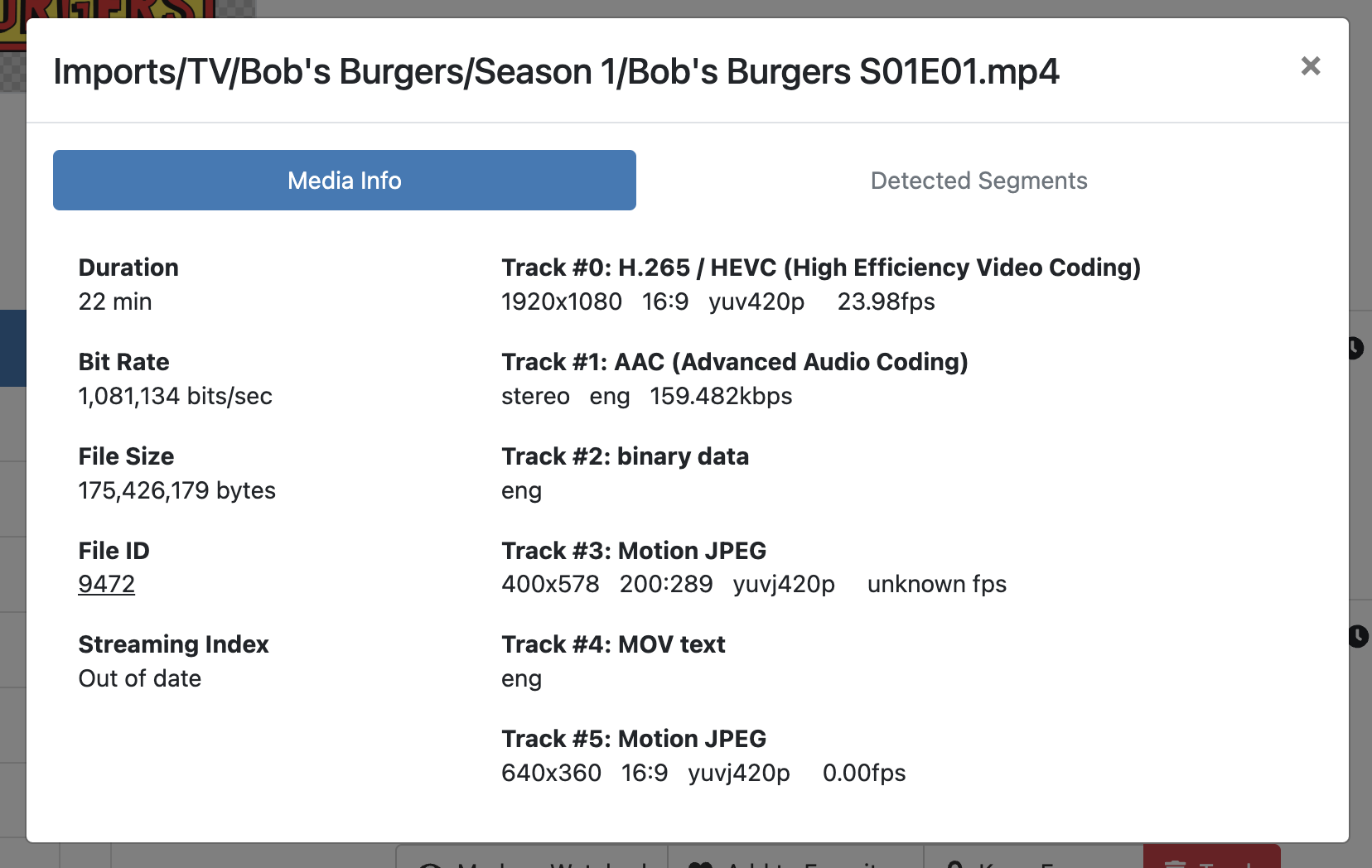
mpg is a generic format. You have to check the contents of what's inside. You can do so via View Details on a recording in the web UI

In the player you can swipe down as I suggested earlier, and view the stats. If you did that, you would see that there are frames being dropped because they cannot be decoded fast enough.

If you watch channel 105.1 live, the same problem with occur.

If you make a recording from another channel, it will play back just fine because it won't be ATSC3.

Maybe the ATSC3 NBC channel just showed up in your area and that's what changed. In that case, as I mentioned earlier you can disable that channel and then your recordings will not be in this upgraded video format.

Thanks, tmm.

This is silly. The Apple TV has its own technical specifications. Channels attempts to play anything you send to it. If the content format you're sending to it is not supported by your hardware, then it won't play back well.

We don't need to list what Channels supports, because that is dependent on the hardware, not the software.

As for things "changing" are you sure your recordings were even coming from the ATSC 3.0 channels before? Were they recording on ATSC 1.0 channels and then started happening on ATSC 3.0 channels?

Did you even have ATSC 3.0 channels before? Did the broadcaster just light them up and now you have them and now the recordings are happening on those channels?

Was the format they were broadcasting over your ATSC 3.0 channels changed? ATSC 3.0 is not official and broadcasters are doing a lot of things to test them. This includes ramping up bitrates, etc.

You should go back and look at your old recordings and compare them with the new ones. See what channel numbers they happened on. See if there's a difference in format. Use View Details to see the video codec, format, resolution, and bitrates.

Yes, Channels is super friendly software, but it's an open system. We let you throw whatever you want at it from an incredible amount of sources. We can't possibly do that and also police it. Because of that, there's a bit of responsibility on the person using it.

Sir, I understand this all better now. Thank you for explaing things further. I have marked tmm's explination as the solution.