
Yes and have been able to login through some TVE directly
What does the provider say?
Not sure what you mean...? I am able to log into TVE through USA and Food network with armstrong with no issue
So what is your problem?
Ok, ill break it down alittle bit clearer from my initial post:
Armstrong TVE was a source of mine and has been working for awhile
- Tried to watch TNT last night and I had issues tuning to the channel, would not go through
- removed the Armstrong TVE source from channels
- Tried to add Armstrong TVE source to channels by putting my login in and selecting Armstrong and was met with the "Login not supported" message i initially posted.
There have been a number of fixes to TVE logins in recent beta builds. If you are not on the latest beta build upgrade.
If that doesn't fix it, try creating a sub account to use with TVE. Otherwise change your password. Using a sub account will insulate TVE password changes from all you other uses of your provider
I definitely update daily and have latest beta build....
I'm not sure what you mean by creating a sub-account or if thats possible with armstrong.
If the password works everywhere else, I shouldn't need to change it for this purpose, I am removing the source and trying to add it again fresh which should re-authenticate. I don't even think it gets to armstrong to authenticate, the message login not supported comes up right away.
Many providers allow you to create sub accounts for family members. If this is allowed then you can change passwords for just the TVE subaccount removing a major headache when there are authentication cashing or token issues and you may be having one. Try using the wrong password and see if you get a different message. If you do then it's not a password issue. Immediate failure is usually an authentication issue. If they are not accepting connections, then it needs to time out and there is a delay.
You don't need to delete the source, simply use the authentication feature. You can also test with a single channel and that's a lot faster.
Yea i tried clearing cache earlier today, any also using a guest account on chrome
Yea I don't think its an authentication issue, as
- it works everywhere else
- I've seen in the past it usually takes a bit to authenticate, the error comes up right away
- Tested with wrong password, and still pops up right away with the error.
Looks like I'm getting a 403 Forbidden on the Request URL: http://127.0.0.1:8089/providers/tve/mvpds/auth_armstrongmywire_com
I'll have to wait for a timeout I guess and try again soon...
403 error indicates the account running the web server server does not have rights to access the directory entry. It's a server side error. You can't fix this. Contact your provider and let them know what is happening.
This is what a search for the 403 error provides. It explains a bit more than I am
A 403 Forbidden error indicates that the server understands a request but refuses to authorize it, typically due to insufficient permissions, blocked access, or incorrect URL targeting. Unlike 401 errors, authentication does not fix it. Common solutions include clearing browser cache/cookies, checking URLs for typos, and verifying file permissions.
Thanks, yea I understand it, I'm a developer, just curious if anyone else had experienced it or I was the only one.
I really wish the developers would put multiple warnings in place before letting a user delete a source. Deleting never solves the issue and frequently causes more issues.
I’d suggest trying a backup from a day the source was working and revert back to it. It may not solve the tuning issue but at least the source will be back into the dvr.
Have you tried the latest pre release version
This community is amazing, the fix worked, I was able to add Armstrong back
1 Like
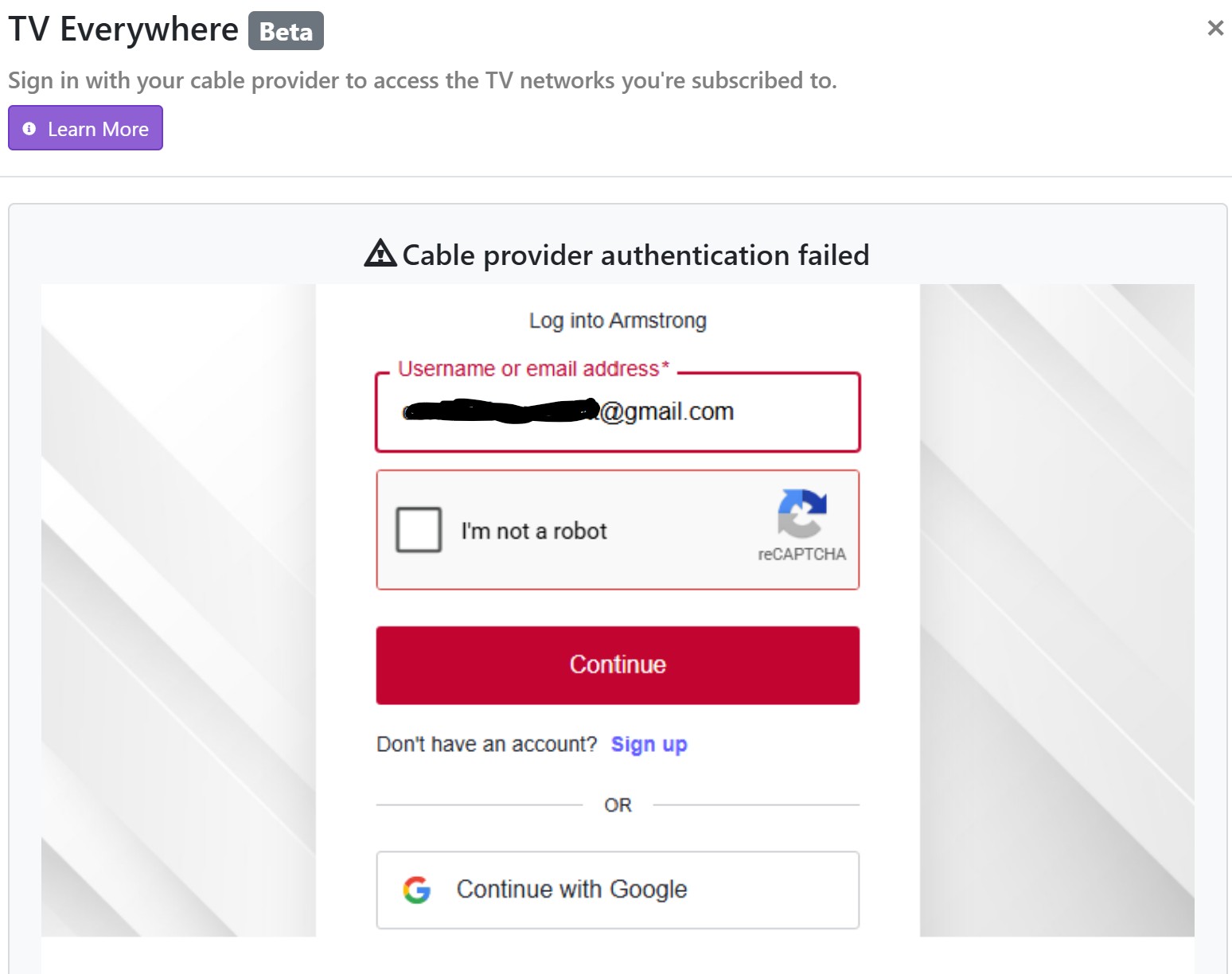
Hi @mjholla82 I tried the latest pre-release and confirmed the "login not supported" error is gone, but I'm still seeing an "authentication failed" issue. Is there anything else you did to resolve? It looks like the robot captcha is triggering. I confirmed the login still works fine with the provider's website.
Hmmm, no I didn't have to do anything beyond selecting Armstrong and logging in with creds
For anyone else who encounters the bot detection, it seemed to go away after waiting 48 hrs.
I have exact same problem and it started about a month ago. After sending troubleshooting information to Channels, they thought I should upgrade my computer to a "modern era" computer. So, I upgraded from a 10 year old Win10 machine to a 5 year old Win11 machine with much better processor. Both old and new had/have Quick-Sync technology. This made no difference in TVe channels playing. I did the same thing, deleted my TVe Armstrong Provider and no also can not login to Armstrong to replace the provider.
I also had this same problem about 6 months ago. At that time I had accidentally enable the multi-factor authentication in my online Armstrong Account. That brings the captcha into play. Once calling Armstrong and having them remove MFA from my Account I was able to add the Armstrong TVe service back in as a provider.
Same result after loading the pre-Release update 4/26/26 - now getting the authentication error failure again where it appears to be waiting for a check in the captcha checkbox. MFA not on in online account.