Automatically create a Collection once a Pass has been created

Is there a way to automatically group my DVR recorded shows into a Collection once a PASS has been created (like Tivo does)? All of the "Gold Rush" into one Collection, all of the "I Love Lucy" in a separate Collection, all of "John Wayne" movies into a Collection.

Basically each PASS into their own Collection, so the users does not have to scroll through a long list to find their show? I know I can create a Collection, but was wondering if there was a way to automatically create a Collection when a PASS is created?

Thanks in advance.

You can navigate by show on the Home tab

I have the same question. How can I add TV Shows to the Home tab?

In the Library Collection there are 2 tabs, (Movies and Shows). I am "assuming" one is for Movies, and Shows is for TV Shows. I am able to group all of "John Wayne" movies together. Is it possible to see the same field options in Shows like Movie (ie Titles)? So I can put all of the TV episodes in a collection?


It is not clear to me what TV collection you want to create.

Do you just want to see all the episodes of one TV show?
If this is the case, there is no need to create a collection.

On the server, you can simply go to Library > TV Shows and then select the button More in one of the categories (Recently Watched, Recently Added...) and then you will have a filter to sort alphabetically, if you want.

To see something similar on a client, I believe you first need to enable enhanced library on the server: Settings > Clients and either enable Libray > Enhanced Library on a single client or force it to all clients.

1 Like

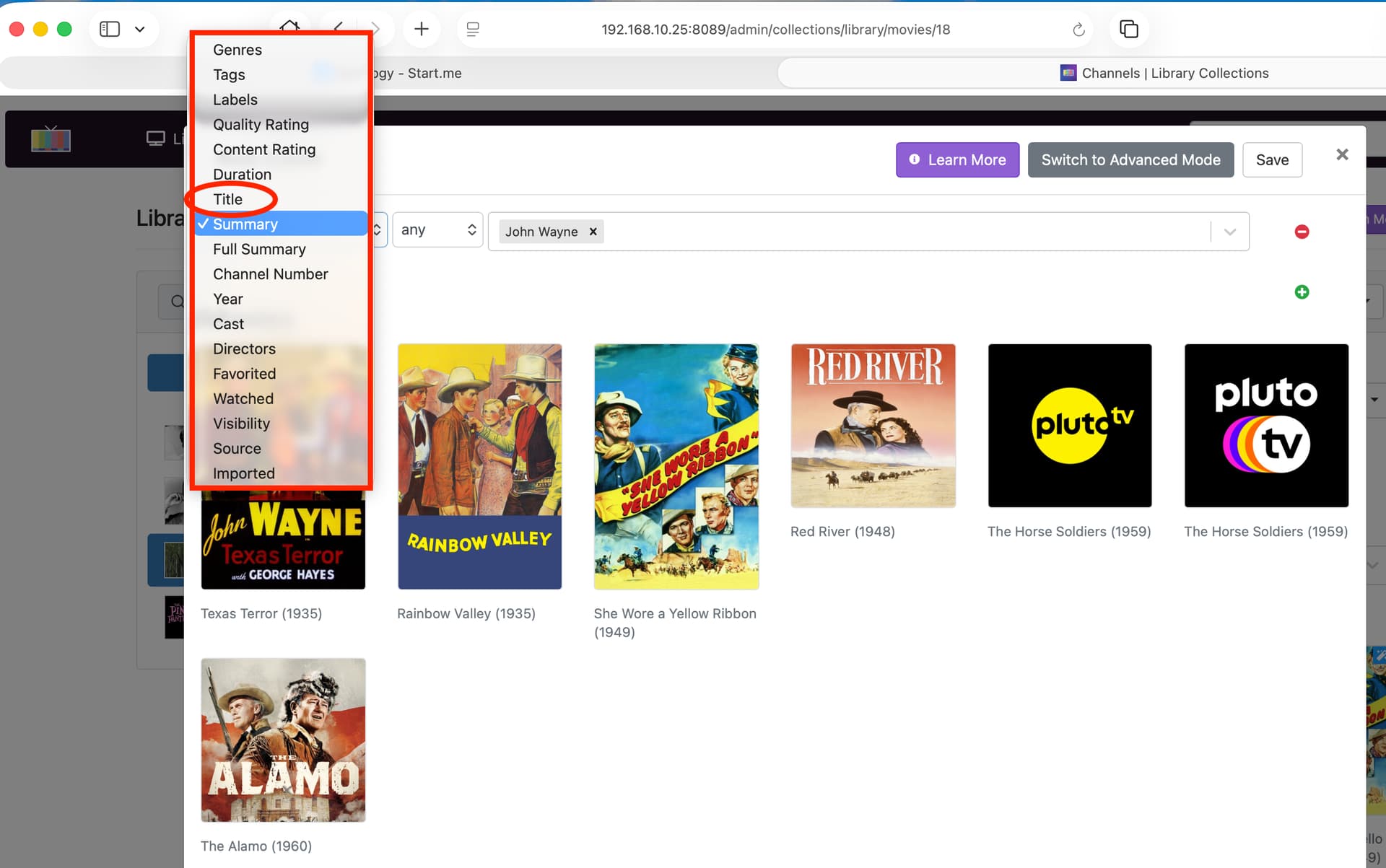
I want all of my recordings into groups/collection/folder. For example I want a group/collection/folder that contains John Wayne movies, interviews, guest appearances, etc. In order to do this I can do a search on summary that contains "John Wayne". (Server\Library\Collection\Movie Tab\Smart Rule (summary=[John Wayne]) I don't want to see all of the other recordings, but just see John Wayne shows and movies.

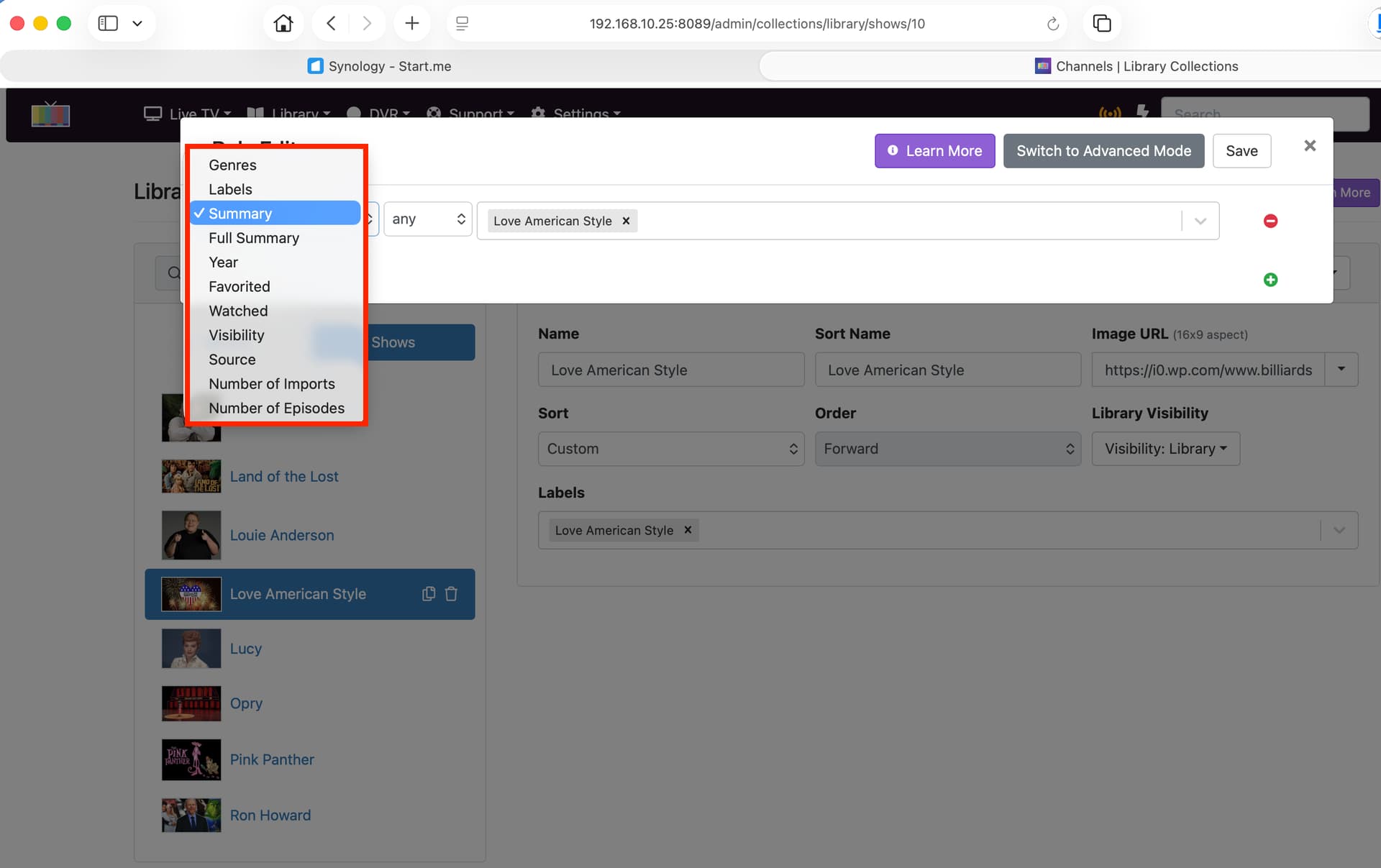
In the Movie Tab, I have the option for "Title", but in the Show tab, when I do the same thing under Smart Rule, I get a difference selection in the Smart Rules. "Title" and other options are missing. If I want a group, all of Love American Style shows, I cannot do it on summary because Love American Style is not contained in the Summary, but in the Title. Title option is missing from the drop-down.

I am spoiled with TiVo. When I create a "Wish List" or "OnePass Manager" with TiVo, I can turn on grouping in anything in that pass will automatically be grouped into a folder/collection. So when I go into that group, I don't have to filter through 100+ other shows that I have recorded.

1 Like

I'm confused because you can see individual shows in the library with all their episodes ordered by season and episode numbers.

I understand your comparison with TiVo because I had one too for more than 10 years.
The things with TiVo is that it was focused on recordings and had no notion of library.

Channels DVR does both.
You can either view individual recordings or go to the library if you want to see shows grouped nicely by season and episode numbers.

Now, if you want to see what TV shows were related to John Wayne, for example, that's another story. In this case, you have to create a collection with a smart rule.

I believe its called Name for shows

Thanks.