
What is the source of your recordings? Is at a Custom Source? Are you using MPEG-TS or HLS?
1 Like
This is a custom source via MPEG-TS and when I say hosed I mean when you're playing the corrupted recording it goes to the end of the timeline after it hits the signal loss and will only play at 1X speed from there, you can skip forward as normal but the timeline always shows that you're at the end. And the time shown on the timeline is the total recorded time, not the current time that you're at in the recording. You're always at the end of the timeline bar no matter where you're at in the recording in other words.
Also if you exit out of the recording and then try to play it back again it always starts from the beginning because it doesn't know where you were before.
Are you saying that if I switch the HDMI capture output to HLS it won't be an issue?
By HDMI capture did you mean a LinkPi or other such encoder?
I just wanted to clarify something here: When recording from an MPEG-TS source, the DVR doesn't do any timestamp tracking or any stream processing at all. It just reads the bytes from the HTTP connection and writes them to disk as it receives them. Any issue with timestamps being reset or messed up is happening from the encoder before it hits the DVR.
Because all consumers of MPEG-TS streams require that the timestamps be monotonic and not have discontinuities, it makes for easy processing.
If these HDMI capture encoders are violating that agreement, it's certainly something unusual that explains why it's causing a problem.
Could you upload one of these recordings with issues (before you've rewritten the timestamps) to https://www.dropbox.com/request/MMjICRc053JJpSBPDIfQ so we can check it out?
Yes it's an HDMI encoder, the specific one I'm using is a TBS 2603SE. I don't think either the HDMI for channels proxy that @tmm1 wrote or ah4c supports HLS from the encoders (only TS), so I'll upload a recording soon. Thanks!
Which project are you referring to?
Just clarified above, we crossed posts it's the HDMI for channels proxy from a couple of years ago I think.
The AH4C project might also be TS only, not sure.
There is some mention of HLS in first project so maybe the proxy just passes through whatever it gets via http. I guess I can try it. Everyone that I have seen in these threads uses TS.
To clarify about the original HLS comment, I had asked that when you mentioned "IPTV" so I assumed you were connecting to something remotely, not using an HDMI encoder.
That said, it is true that if there was a way to use HLS instead of MPEG-TS, the DVR would notice these timestamp issues and should rewrite them, which is something that isn't done with MPEG-TS.
For those of you who are having these problems, is everyone using a LinkPi/TBS/URayCoder/etc HDMI encoder?
If so, can you take a screenshot of your Encode page? It should look something like this:
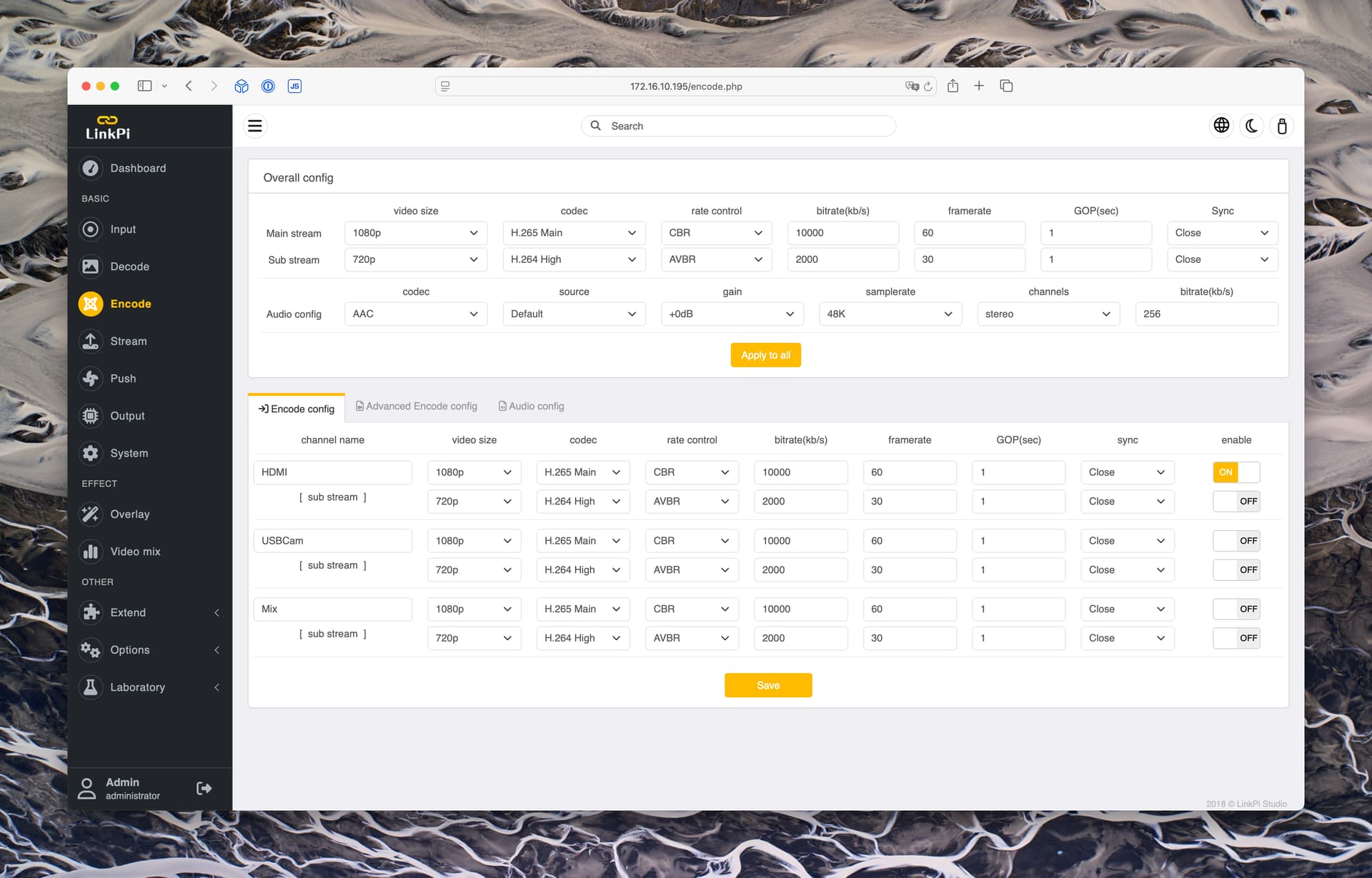
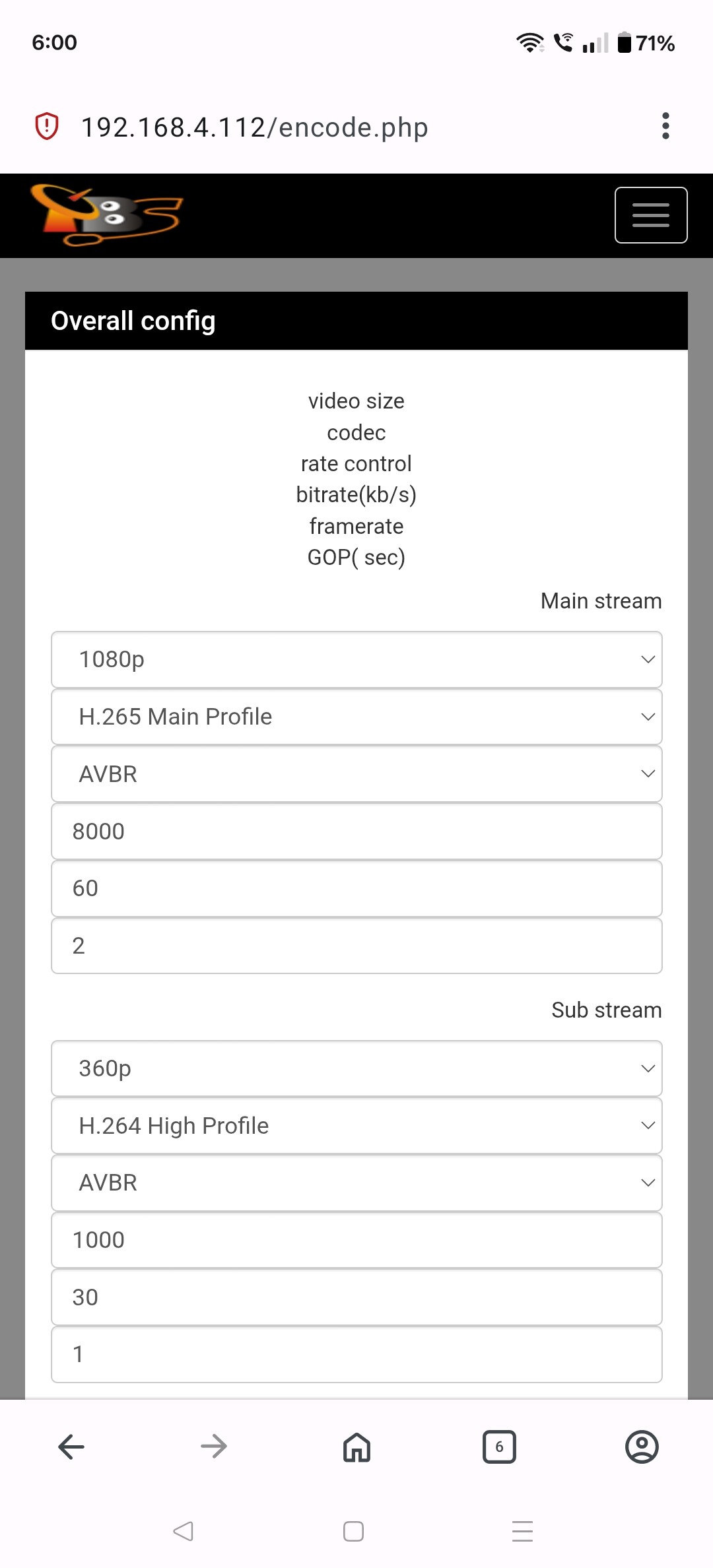
Can you scroll down further and take more screenshots?
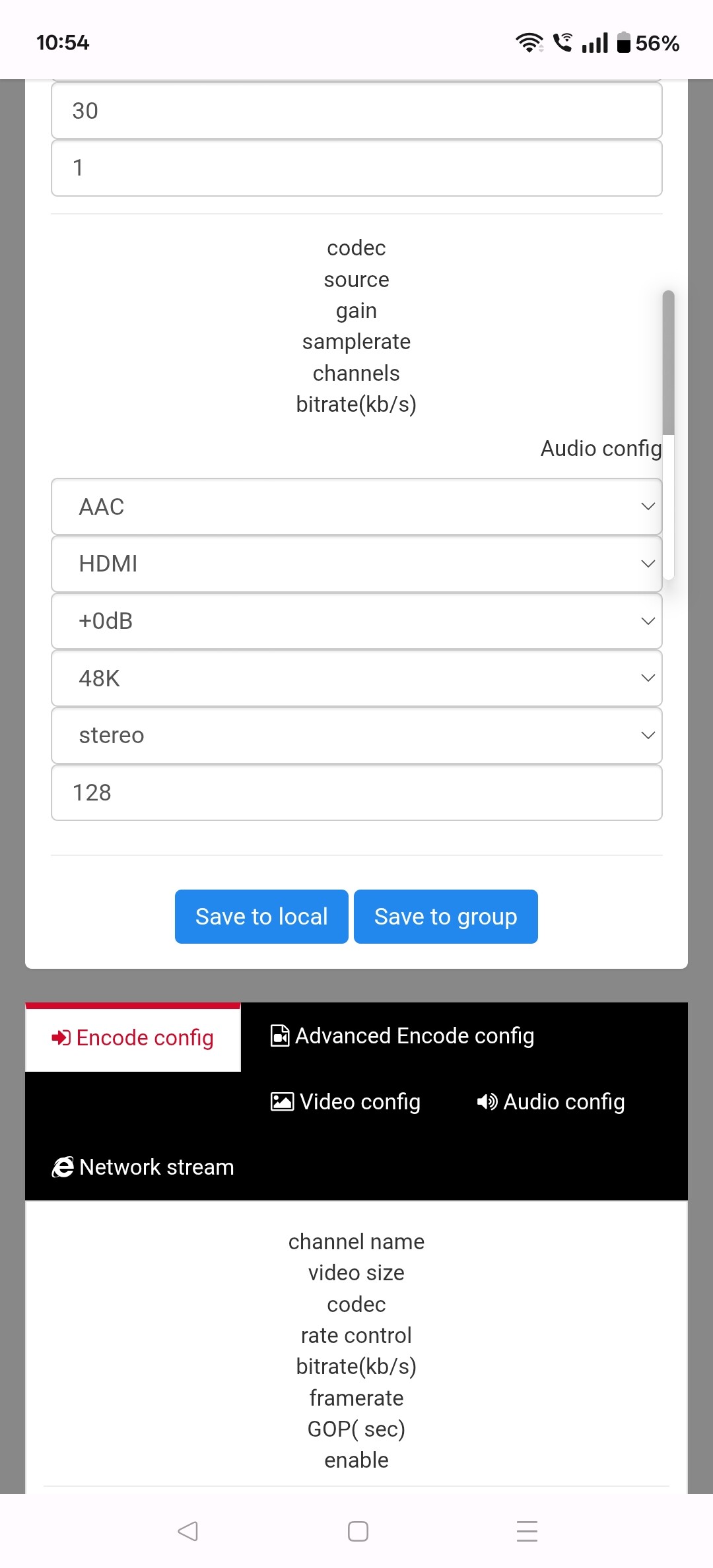
The thing I'm looking for is further down for the actual Encode Config.
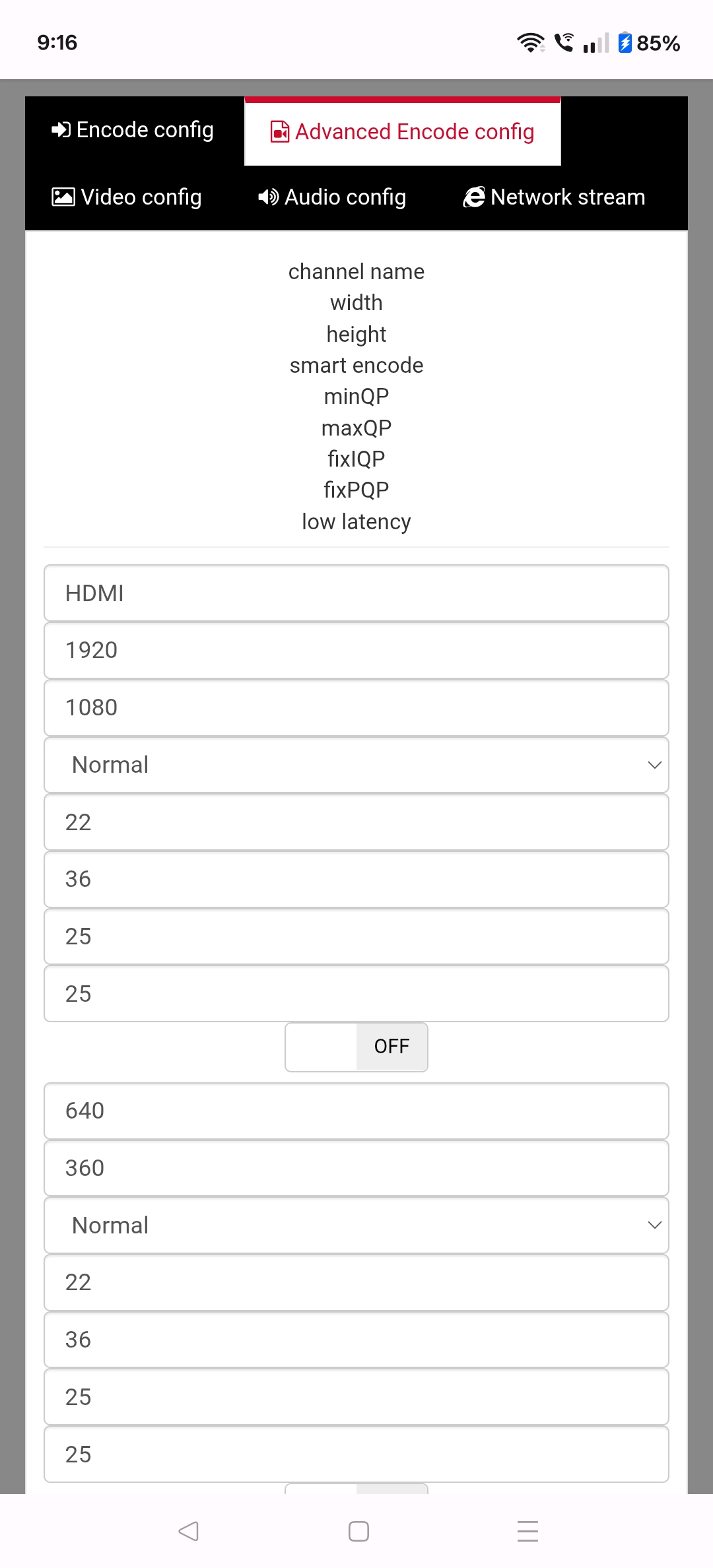
What about further down the page for the Encoding Config?

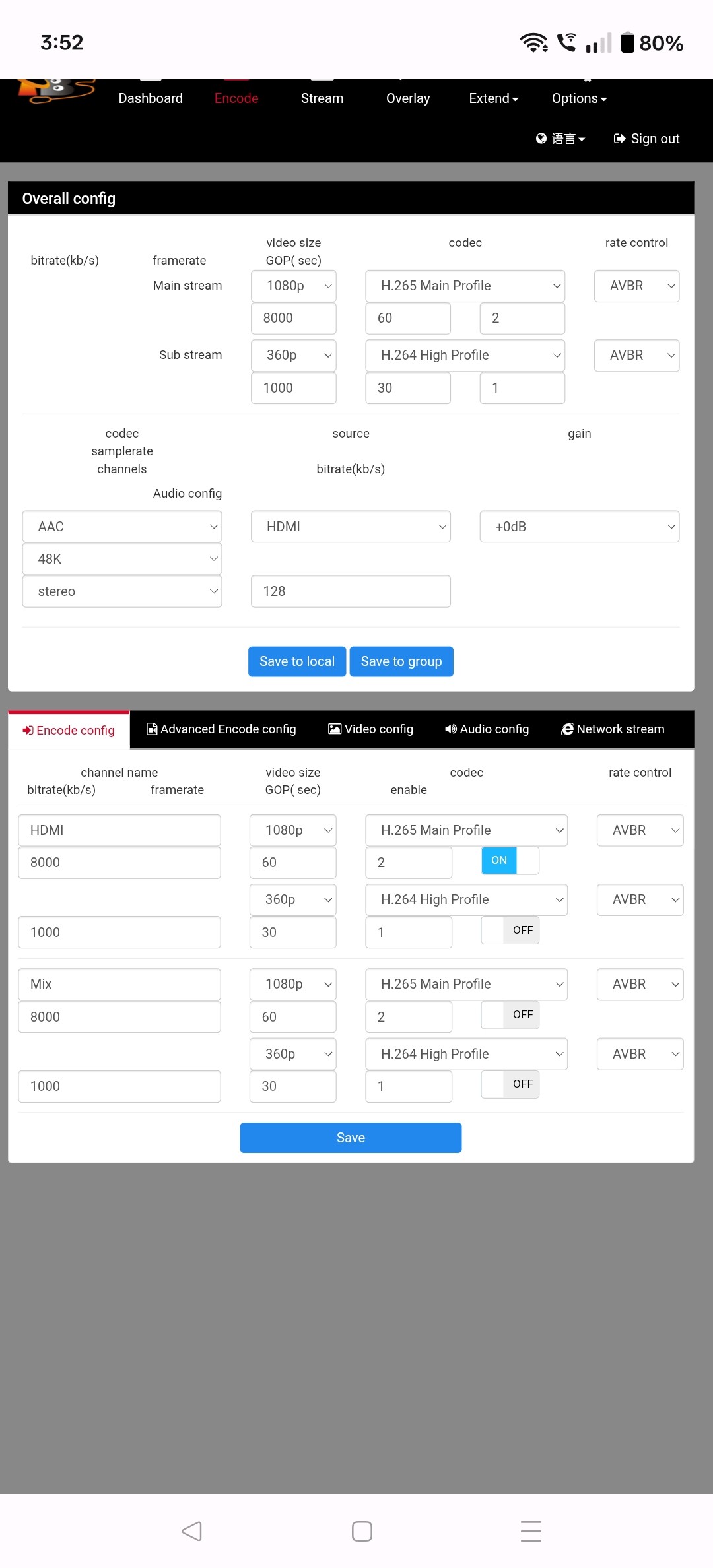
Thanks. The second screenshot had what I was looking for.
I was able to reproduce something that sounded like what has been described on this thread when I had my video size set to Auto and then changed the resolution of the streaming device that was being captured. Once I changed the video size to 1080p it stopped exhibiting the issue.
The issue seems to be that when the capture device resets the encoder, it behaves poorly and causes all sorts of problems. I experimented with rewriting the timestamps as it goes and that did not improve the situation for me.
It seems that your TBS system doesn't handle the video resolution change on the streaming device as well as my LinkPi. Is there a firmware update available for the TBS encoder that you haven't applied? Is there a way that you can turn off any sort of content/resolution changing on your streaming device?
1 Like
Thanks for looking into this eric, no I'm on the latest firmware and I've looked and there's nothing that I've seen to change it's just a defect with the encoder.
Are you saying that even if I switch to HLS (if possible) that it's not going to fix it? I suspected it was a video res change, which is stupid because you tell it to always output 1080p but it doesn't. The provider's Technicolor Android TV STB drops the HDMI output to the encoder when it sees an IPTV drop upstream from the provider, and the encoder then reverts to a static 480p (?) NO SIGNAL screen until HDMI comes back. It's a very solid and reliable encoder otherwise, but tech-wise at least five to six years old.
You could replicate this on your end by pulling the HDMI cable out of your LinkPi while you're recording the stream, wait a sec then plug it back in. This is broken STB behavior to me but it is what it is.
Yeah, in my testing HLS did not solve this. Neither did putting the timestamp rewriter inline with the recording.
I'll try that, but I think that it replicated it by changing the resolution/frame rate on my Apple TV.
1 Like
You might find that the LInkPi responds differently when HDMI is lost vs. an upstream res change, or does a res change also drop HDMI? From what I've seen these encoders all have a static no signal screen, the only question is whether they change the output stream res or not even if you have it configured for a specific res (i.e. not auto).
I have a TBS, UrayCoder and an iSeevy btw, but I've only seen this issue on the TBS so far. But if they all output their no signal screen at whatever default res they have, anytime you lose HDMI you'll see this. It kind of makes sense because they're not encoding from a source at that point.
It's an edge case depending on the device you have connected to the encoder for sure. For me the bug is on my provider's STB, it's really stupid that their video player drops HDMI for transient IPTV issues. They should have their own no signal screen instead of just going to black.
FWIW I only see this issue on CBS and for that it's mostly golf and football, so it's not like an issue across all of my provider's channels. We've bugged them about getting this fixed and it's gotten better but I'll see a CBS signal drop every couple of hours, which means all of my sports recordings on Channels for CBS have this issue.
Is there any update for this?